Author Archives: Daniel McGinn
What’s New in SOLIDWORKS xDesign 2026x FD01


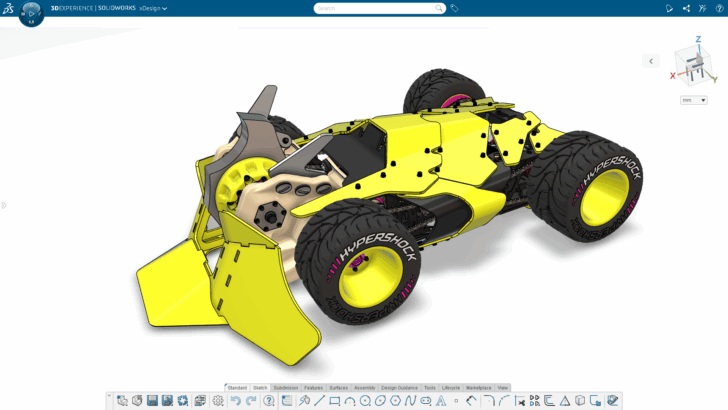
Top enhancements include the ability to convert imported geometry into editable 3D models, improvements for design reviews in extended reality (XR), and an improved home screen for faster access to content.
... ContinuedTop 10 Features in SOLIDWORKS xDesign in 2025
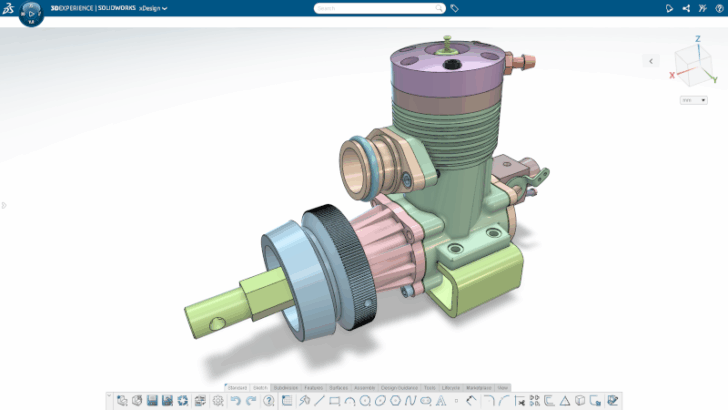
Top enhancements include a redesigned landing page, exploded views for technical documentation, and the extender reality (XR) visualization technology.
... ContinuedWhat’s New in SOLIDWORKS xDesign 2026x GA
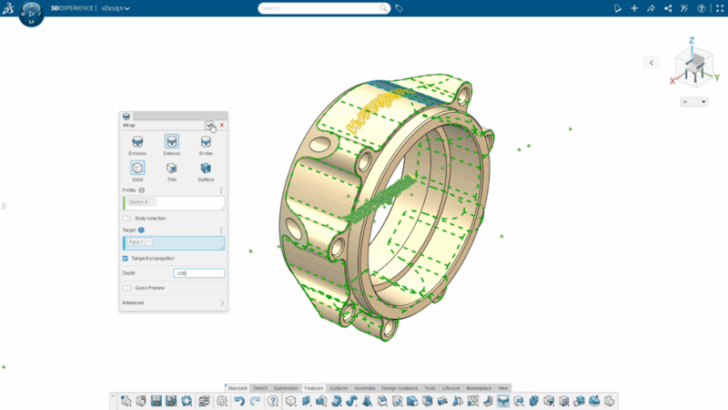
This update includes many time-saving enhancements, including a redesigned landing page, the ability to wrap sketches onto 3D faces, exploded views for product definition, and much more.
... ContinuedWhat’s New in SOLIDWORKS xDesign R2025x FD02

Send feedback and share your ideas right from xDesign, launch VR experiences, include bend information in sheet metal file exports, and much more.
... ContinuedGet in Gear in the New Year with SOLIDWORKS Cloud

I’m excited to share a recap of some of the top enhancements added in 2024 in the SOLIDWORKS browser-based design roles and apps.
... ContinuedWhat’s New in SOLIDWORKS Cloud November 2024 Update

Enhancements include the option to open apps in separate browser tabs, the new AI-powered Command Predictor, and the ability to create a vertex in Sub-D.
... ContinuedIntroducing SOLIDWORKS Cloud Apps for Makers

This fall we announced the SOLIDWORKS Cloud Apps for Makers package for just $48 a year. The package includes easy-to-access browser-based design tools for parametric, freeform, mold design and more.
... ContinuedWhat’s New in SOLIDWORKS Browser-based Roles R2024x FD03

Top enhancements include customizable geometry checks, mesh inspection when editing a subdivision feature and the ability to control dimension placement on arcs in drawings, and more! See the new features in action here.
... ContinuedCombining Parametric Precision with Freeform Creativity

Do you design complex shapes? If you do, traditional tools don’t always cut it. With browser-based tools like 3D Sculptor and 3D Creator you can tackle the challenges associated with complex shapes.
... ContinuedWhat’s New in SOLIDWORKS Browser-based Design Roles R2024x FD01

The latest update includes a new command search to easily find commands, the ability to document holes with a single tool, snap points for inserting pictures more precisely and more!
... ContinuedTop 10 Capabilities in SOLIDWORKS Browser-based Design Roles in 2023

From the ability to manage assemblies efficiently with the Session Information Panel to the ability to design more eco-friendly parts, create parts ideal for 3D printing and more!
... ContinuedDiscover Your Ultimate Toolkit for Eco-friendly Parts

Make sure your 3D Creator designs are eco-friendly with Eco-Design Engineer, a role that enables you to assess the environmental impact of your products and select the most sustainable design alternatives.
... ContinuedSOLIDWORKS Browser-based Roles Feature 20+ New Ways to Increase Productivity, Sustainability and Visibility

If designing better, more efficiently, and more sustainably is on your list, then you’re going to love what’s new in the SOLIDWORKS browser-based design roles for parametric modeling, structure design, Sub-D modeling and more.
... ContinuedDesign Like a Pro in the Context of HomeByMe in 3D Creator

Bring your HomeByMe designs into 3D Creator to leverage its parametric capabilities, including the ability to create sketches and features, achieve precise component positioning, and accurate measurements.
... ContinuedLess Clicks and More Tips and Tricks in SOLIDWORKS Browser-based Roles

See what’s new in the latest update of the SOLIDWORKS browser-based design roles, including 3D Creator, 3D Sculptor, 3D Mold Creator and more. Enhancements include roll and slide curved mates, improved cage point alignment for Sub-D and parting line draft.
... Continued