What’s New in DraftSight R2026x FD01


The latest functional delivery of DraftSight R2026x FD01 is here, and it includes more seamless data transitions when saving to the cloud, as well as several new dimensioning tool updates. Let’s have a look in depth below.
Collaboration and Data Management
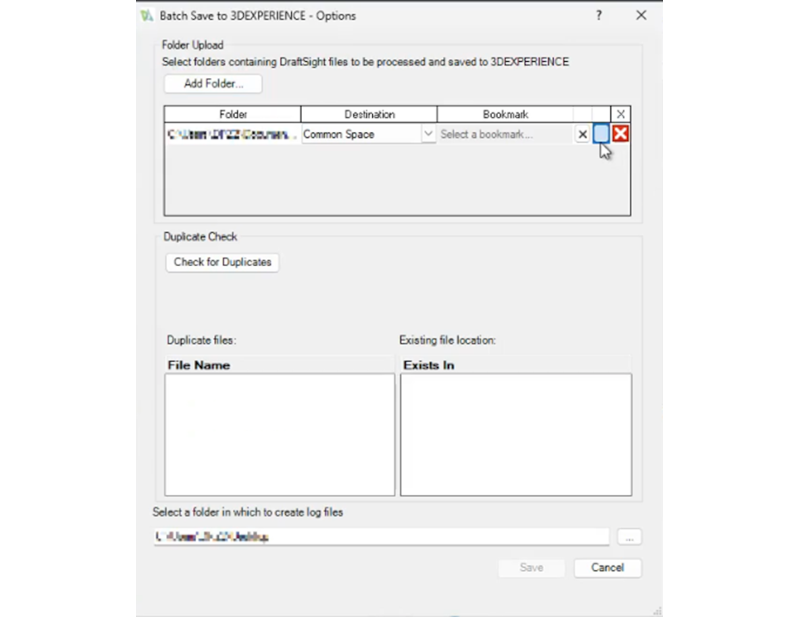
Batch Upload: Folder-to-Bookmark Structure Sync – maintain your existing workflows as you move to the cloud.
When you save a folder to the 3DEXPERIENCE platform using the Batch Save functionality, it will preserve the hierarchy, including subfolders in the 3DEXPERIENCE Bookmark Editor. When you add your bookmark in the Batch Save to 3DEXPERIENCE dialog, it will automatically create a bookmark that replicates the Windows folder structure.
By mirroring local directory structures in a designated bookmark, the upload process becomes predictable and hands-off, eliminating the need to reorganize files after the transfer.
Note: Applicable to DraftSight Premium, Mechanical, and Collaborative Designer for DraftSight only.
Dimensioning
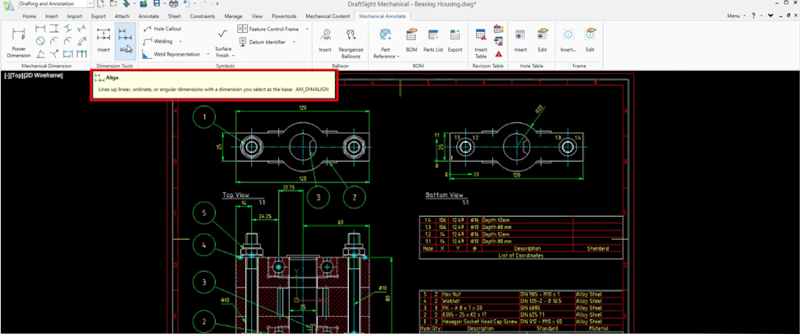
Smart Alignment for Linear, Ordinate, and Angular Dimensions – eliminate manual dimension adjustments.
There’s a new Align Dimension command that lets you line up linear, ordinate, or angular dimensions with a selected base dimension. You can create cleaner and more readable technical drawings with minimal adjustments, allowing you to focus on design accuracy while the system handles the consistent organization of technical annotations.
Note: Applicable to DraftSight Mechanical only.
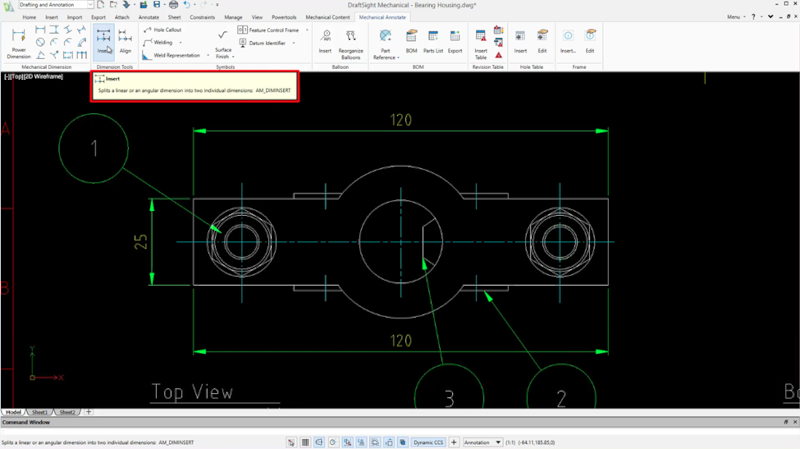
Dynamic Dimension Segmentation – optimize annotation workflows and ensure documentation consistency.
This update also includes a new Insert Dimension command that enables you to break long dimension lines or angle spans into readable segments without manually recreating them. When you split the dimension, the app creates the new dimension from the second extension line of the original dimension. The new dimension inherits properties such as tolerance, fit, and layer assignment.
This is handy if you need to break a dimension down for machining or manufacturing needs. The tool automates property inheritance, ensuring that new segments maintain the original’s tolerances, fits, and layer assignments for total documentation consistency.
Note: Applicable to DraftSight Mechanical only
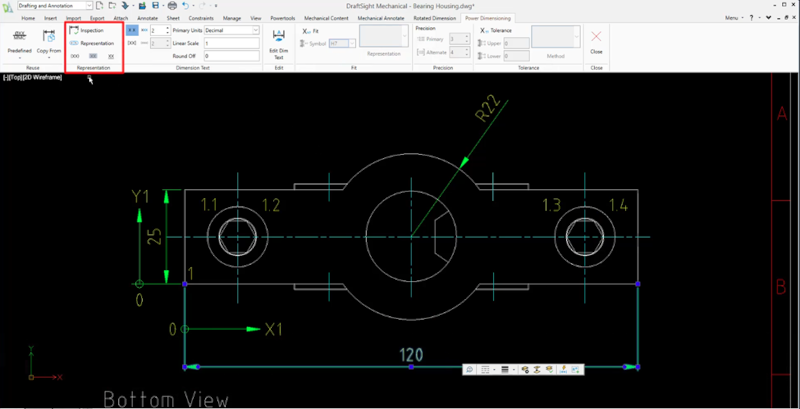
New Representation Panel for Power Dimensioning – apply annotations to dimensions faster.
Automate technical annotations using the Representation panel to instantly apply standardized visual tags—such as reference, theoretically exact, and inspection indicators—to dimensions. This eliminates manual text overrides and ensures compliance with mechanical drafting standards by embedding design intent directly into the dimension properties.
Note: Applicable to DraftSight Mechanical only
To see these enhancements in action, check out the What’s New Wiki page here. To learn more about recent enhancements, check out the top 10 features in DraftSight 2026 here and stay tuned for more functional deliveries throughout the year.
For more information or to download a free trial, visit https://www.draftsight.com/.

Diego Perez
Latest posts by Diego Perez (see all)
- What’s New in DraftSight R2026x FD01 - March 2, 2026
- What’s New in 3DEXPERIENCE DraftSight R2024x FD04 - September 18, 2024
- What’s New in 3DEXPERIENCE DraftSight R2024x FD03 - August 21, 2024