What’s New in SOLIDWORKS 2026x FD01 – Collaboration and Data Management


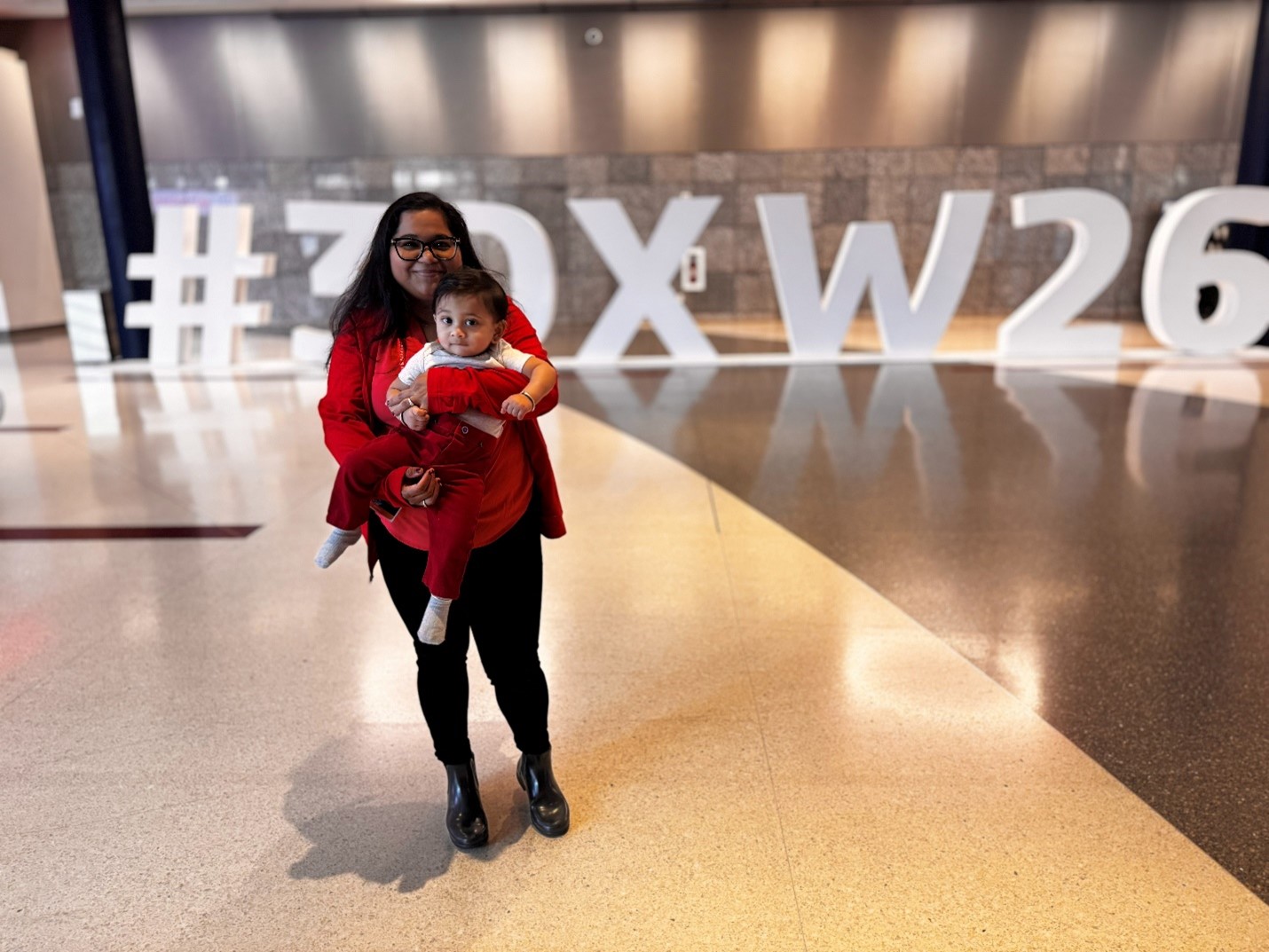
I recently returned from my third 3DEXPERIENCE World, where I hosted several sessions, including a round table featuring women in tech. The conversations were honest, deep, practical, and forward-looking. It was amazing to hear from ladies from different facets of their roles, carving their niche and making space for themselves. It was empowering and grounding at the same time.
It was great to see the SOLIDWORKS user community overall and hear real, impactful stories from customers. From packed sessions to hallway conversations to the epic Space Center celebration — the energy at the conference was just unmatched.
One of the advancements of SOLIDWORKS at World this year focused on AI, and CEO Manish Kumar rightly said, ‘AI is the multiplier, you are the value, and that resonated with so many.
I also got to give attendees a preview of some of the new enhancements in SOLIDWORKS Design (formerly 3DEXPERIENCE SOLIDWORKS), from the latest functional delivery, R2026x FD01. In this blog, I’ll cover some of the top enhancements from this release, including the following capabilities:
- Content Explorer
- Unified date format
- Opening Latest Revision of References
- Enhanced Admin Settings When Adding Bookmarks
- Material Definition on the 3DEXPERIENCE platform
- Linking PLM Attributes to Bill of Materials Columns
Let’s take a look below.
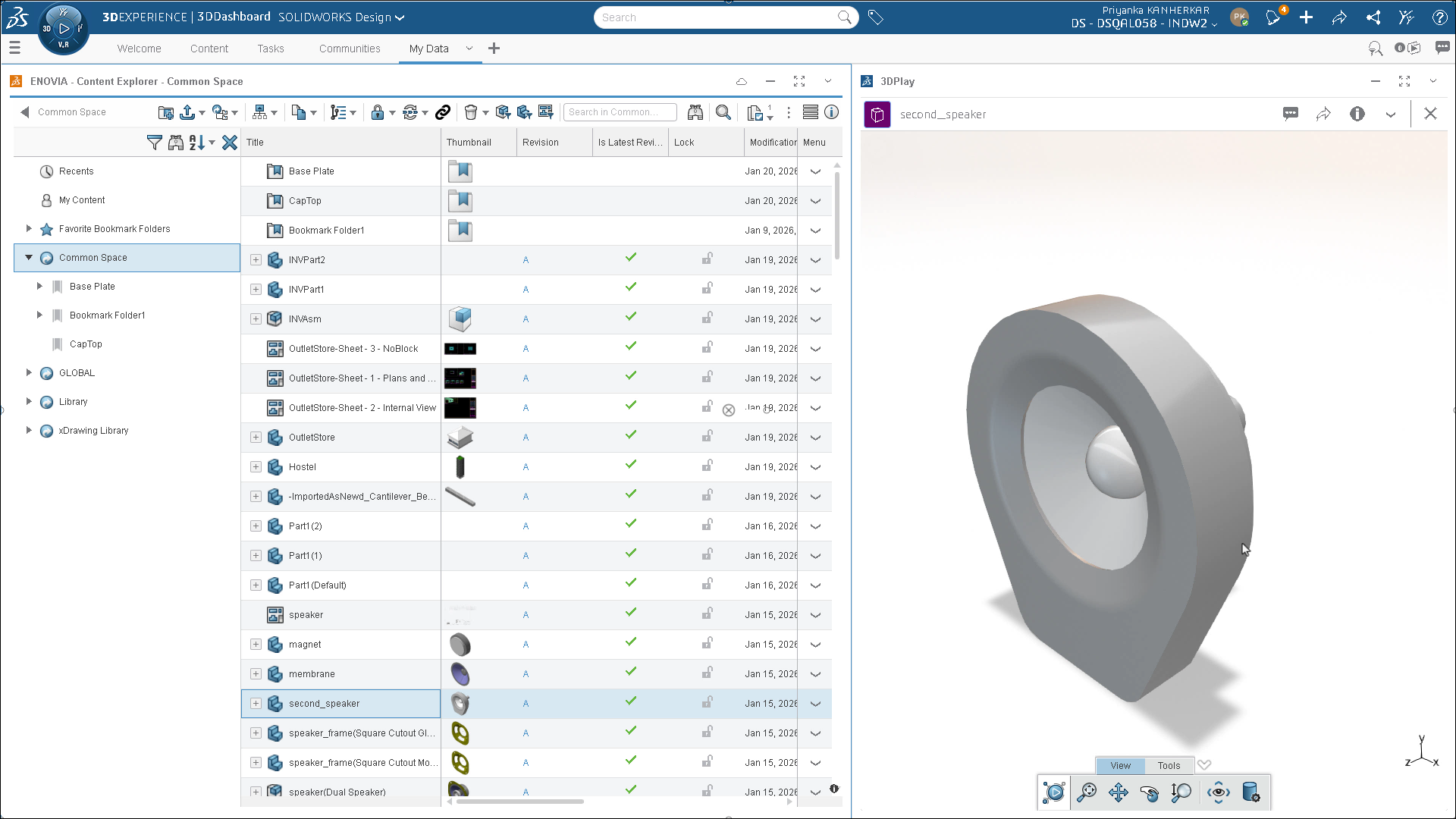
- Content Explorer – find, organize, and share content more quickly!
Simplify content discovery and management with the new Content Explorer app, which provides SOLIDWORKS users with a familiar Windows Explorer-like interface, helping you quickly find, organize, and share platform content easily. For example, you can filter by assemblies, parts, and drawings, in addition to organizing and managing Collaborative Space content faster. You can easily access the app from the MySession task pane.
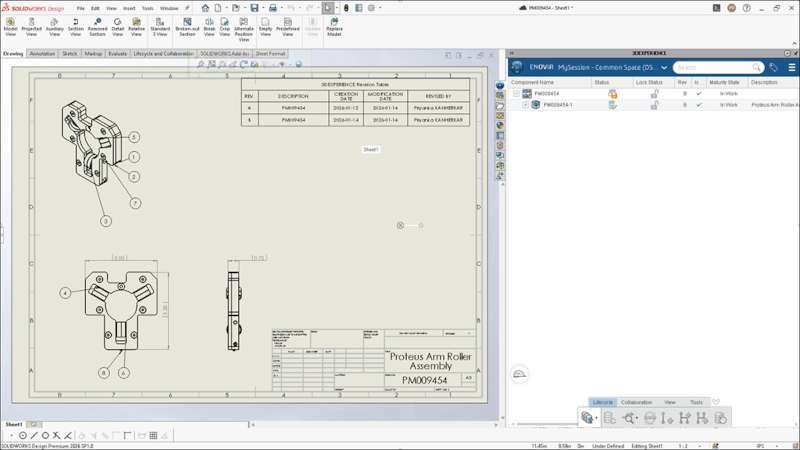
- Applying a Unified Date Format – improve communication across global teams and keep data consistent.
Ensure consistent dates by applying a single ISO 8601 (Y-M-D) date format across SOLIDWORKS and all 3DEXPERIENCE apps, improving global communication, reducing errors, maintaining clean PLM data, and standardizing drawings and documentation. The 3DEXPERIENCE platform saves all dates in GMT (UTC) time and displays them in your local time zone. Depending on the region, this date can shift by one day. For example, a model created in France that is displayed as 2025-04-13, shows the same date when viewed in India.
To apply a unified date format in the platform, on the top bar of 3D Dashboard 3DS Home, click your profile icon and select Preferences > Language. Then under Region, select ISO 8601 (Y-M-D).
This standardized format removes regional differences, improves communication across global teams, and keeps data consistent.
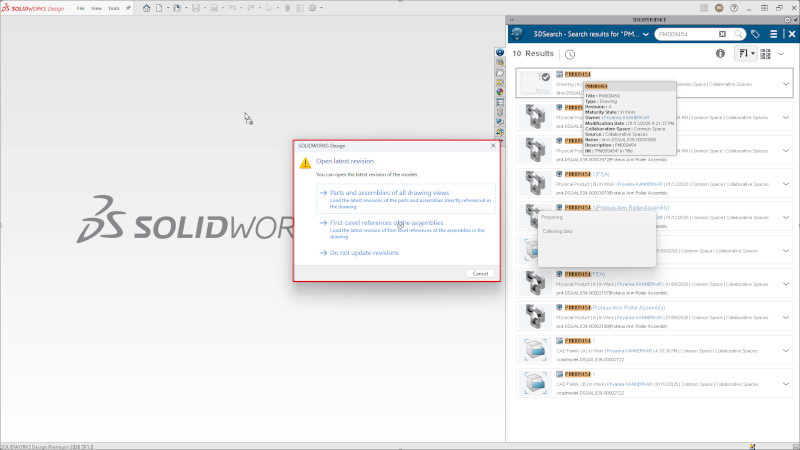
- Opening the latest revision of references – saves time and manual effort.
SOLIDWORKS Design automatically opens documents with the latest revision of all first-level references from the 3DEXPERIENCE platform. This ensures you always work with current In Work data, saving time, reducing errors, and keeping designs aligned with team updates, while preserving control over released and frozen revisions.
To activate Administrators must select the option in the global server setting under Global Availability > Flexibility to update product instance reference at Open on the platform. After the setting is active, you can select Open Latest revision of the first-level references in the MySession action bar under Tools > Options > Open.
- Enhanced Settings for Admin to Add Bookmarks – better manage file locations.
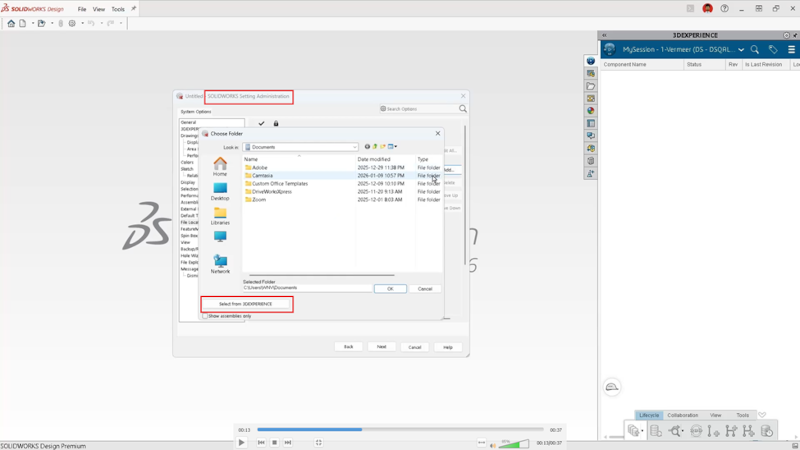
Improve standards consistency and reduce 3DEXPERIENCE Connector disruptions with the ability to manage bookmark-based file locations directly in the Settings Administrator, without editing in SOLIDWORKS Design.
Administrators can add and manage 3DEXPERIENCE bookmarks as file locations in the Settings Administrator. This enhancement gives administrators more flexibility to manage file locations linked to the 3DEXPERIENCE platform. They can add, lock, and synchronize bookmarks directly in the tool without manually exporting or importing these settings.
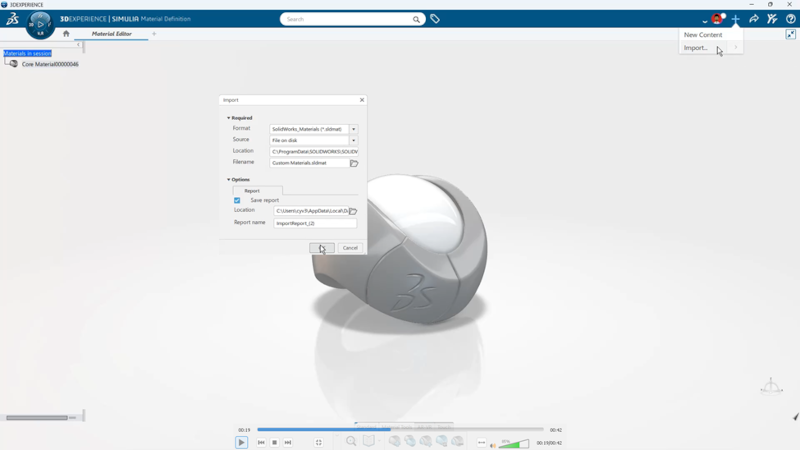
- Material Definition on the 3DEXPERIENCE Platform – easily manage and define materials on the platform.
Manage and publish materials as platform-managed objects directly from SOLIDWORKS using the Material Definition App. This enables centralized material management on the 3DEXPERIENCE platform, supporting controlled material definitions and downstream platform applications.
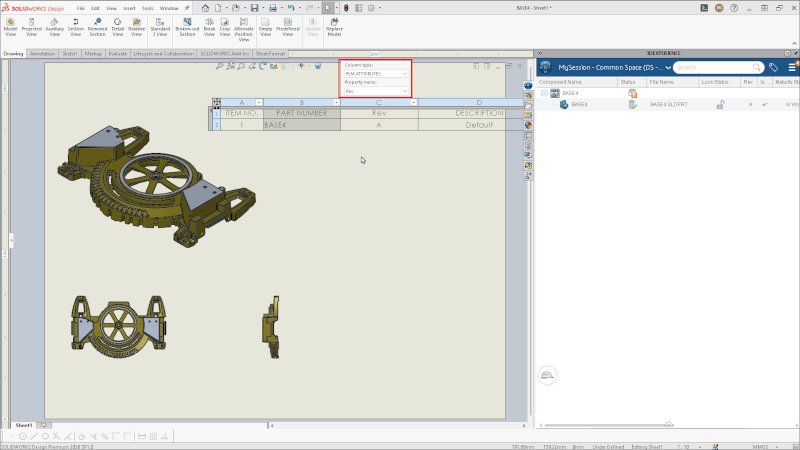
- Linking PLM Attributes to Bill of Materials Columns – ensure accuracy and consistency.
You can now link PLM attributes to bill of materials (BOM) columns that automatically update when you connect to the 3DEXPERIENCE platform. Directly linking BOMs to platform attributes will empower more reliable product decisions.
To see these enhancements in action and see what else is new, including new time-saving AI tools in beta, check out the What’s New Wiki page.
Read my last blog to learn about the top ten enhancements from 2025.

Priyanka Kanherkar
Latest posts by Priyanka Kanherkar (see all)
- What’s New in SOLIDWORKS 2026x FD01 – Collaboration and Data Management - February 27, 2026
- How Do I Save My Design to a Previous Version of SOLIDWORKS? – Ask AURA - January 7, 2026
- What’s New in SOLIDWORKS 2026 – Collaboration and Data Management - October 29, 2025