
Can you believe SOLIDWORKS has been around thirty years this year? When it first launched, I was three, probably more focused on stacking cups and climbing trees than designing parts. Funny how those same instincts, balancing, building, and testing limits are still valid today. The first time I used SOLIDWORKS, I was blown away by how natural it felt to turn imagination into something you could see and build, most importantly the ease of use. My very first project in SOLIDWORKS was designing an airfoil and the journey since then has been all about designing, simulating, and exploring.
Here at SOLIDWORKS I work mainly on the collaboration and data management side, and I’m happy to share with you what’s new in SOLIDWORKS 2026 collaboration and data management functionality, including a brand-new virtual companion called Aura to provide design guidance and capture knowledge from content on 3DSwym, drawing stamping with maturity status and extended attributes, new collaboration capabilities right from SOLIDWORKS, and more!
These enhancements apply to SOLIDWORKS Design solutions unless stated otherwise.
- Meet AURA, the AI-powered Virtual Companion
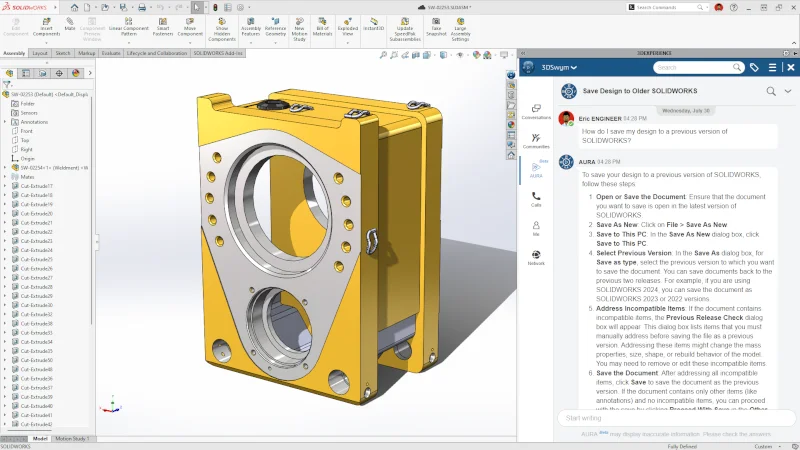
In SOLIDWORKS 2026 we’re introducing AURA, an AI-powered virtual companion designed to support 3DEXPERIENCE platform users. It provides quick access to internal knowledge, retrieves information from 3DSwym and official user/developer documentation of 3DS solutions. AURA is accessible from the native app and operates within a dedicated section of 3DSwym.
For instance, you could ask AURA how to save your design from a previous version of SOLIDWORKS, and it will quickly generate the answer with steps. In addition, AURA can be used to quickly summarize posts, questions, and wikis from 3DSwym to capture key takeaways at a glance.
Stay tuned for my upcoming blog on Aura coming soon.
- Collaborate Directly from Within SOLIDWORKS
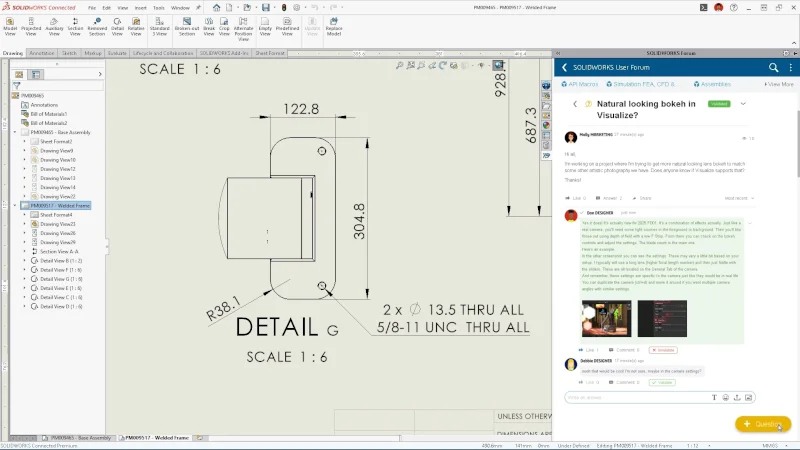
Connect and collaborate more easily and faster by accessing the SOLIDWORKS User Forum and sharing through 3DDrive and 3DSwym right from SOLIDWORKS.
With the 3DSwym integration, users gain real-time access to the collective knowledge of the SOLIDWORKS community, improving productivity and reducing workflow interruptions. Whether you’re looking for troubleshooting advice, design inspiration, or expert tips, the user forum is now just a click away.
There are also more options to share files in the Share menu, including the ability to share a file from 3DDrive and share a STEP AP242 file type to your 3DDrive folder once you enable the SOLIDWORKS MBD add-in.
- Drawing Stamping with Maturity Status Information
Improve the workflow approval process with more detailed information that will add clarity to your drawings with extended attributes and speed up collaboration and change management with real-time PLM property updates.
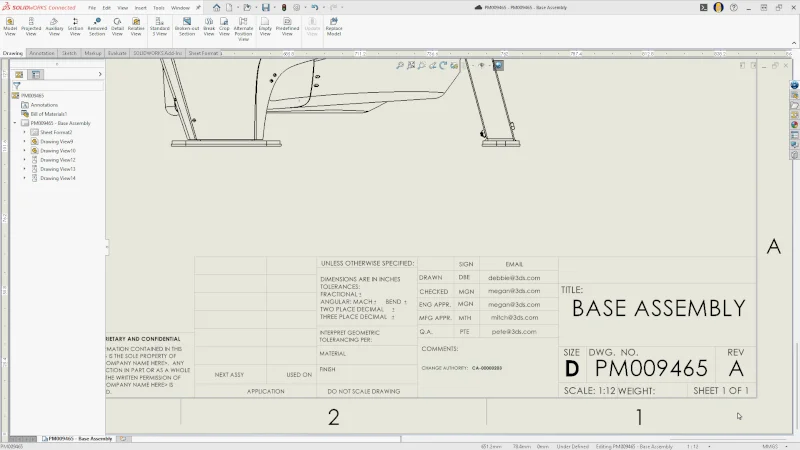
Drawing stamping now includes maturity status information, reflecting real-time PLM property updates in drawings. In addition, you can add attributes, including user names and email addresses, improving traceability.
- Support for Cut Lists on the 3DEXPERIENCE Platform
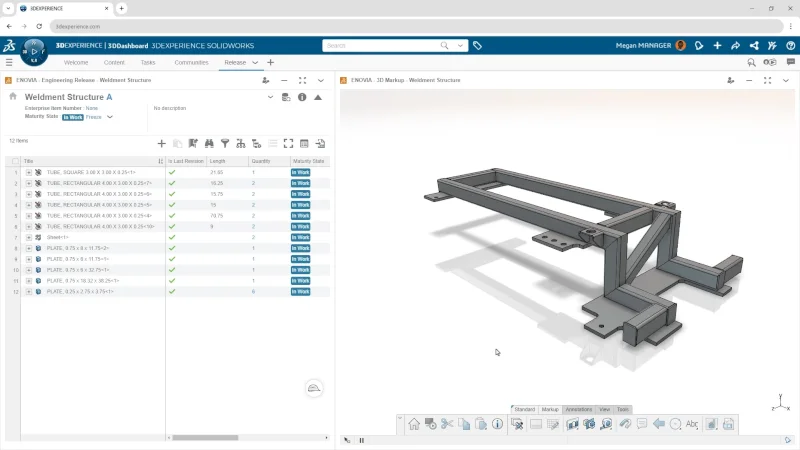
With cut list support you can manage and visualize SOLIDWORKS cut lists on the 3DEXPERIENCE platform. This functionality enables you to assign a cut list for a sheet metal or weldment part that includes all the metadata and properties of the part, ensuring design accuracy, better collaboration, and downstream manufacturing. In addition, you can create designs that have extrusions and generate the cut lists and bills of materials (BOMs) required for manufacturing. Check out my blog here to learn more about the benefits of cut lists.
- Access to Recent Files from Active Tenant
Reduce clutter and prevent duplicates by showing only relevant recent files per active tenant.
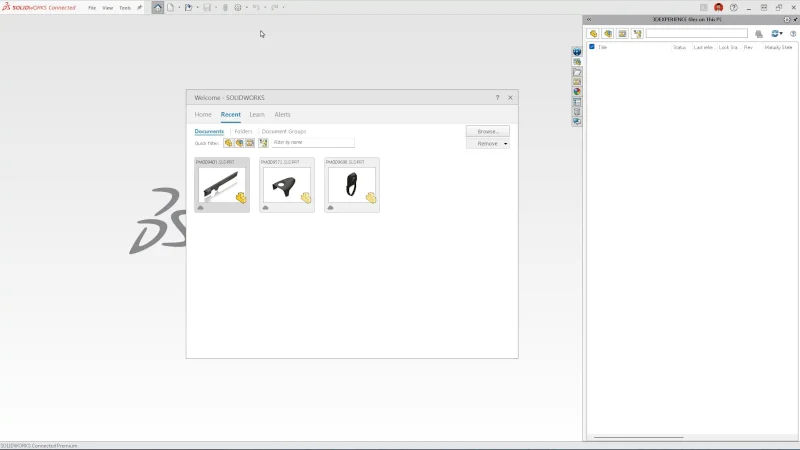
The Recent Files view has been improved, providing a view that will only show files that belong to your active tenant on the 3DEXPERIENCE platform. Previously, recent files from all your tenants would show up.
Also, a recent file cleared from your local cache will stay accessible, letting you pick up right where you left off without a manual search for it.
- Excel File Management for Design Tables
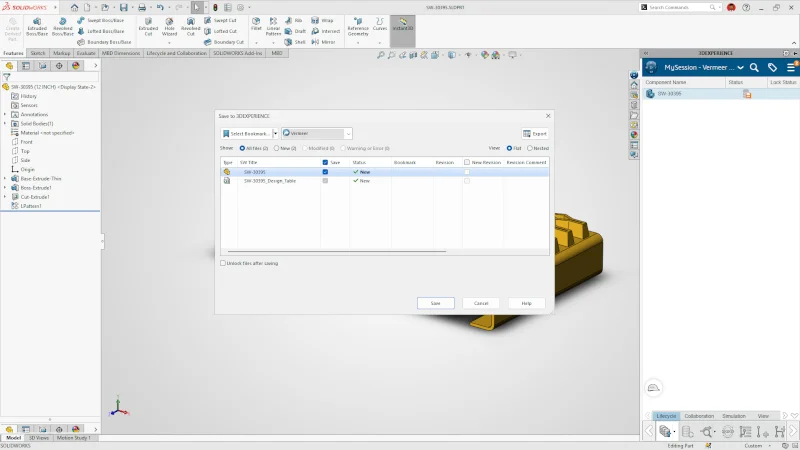
Improve design automation and maintain data integrity by managing Excel files used in SOLIDWORKS Design Tables directly on the 3DEXPERIENCE platform.
- Support for Deformable Components
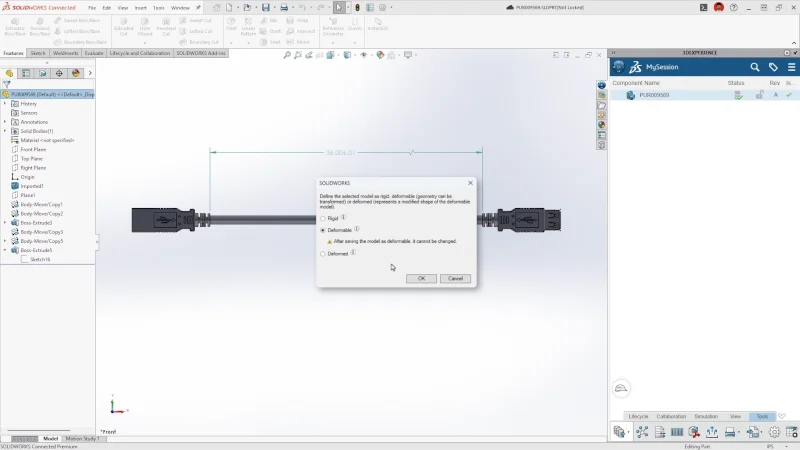
Boost design accuracy and efficiency in complex assemblies by easily managing rigid and deformed parts.
New functionality allows you to define and manage part behaviors by labeling them as rigid, deformable or deformed directly in SOLIDWORKS. You can access the option right from the MySession Action Bar under the Tools tab, which is applicable for saved SOLIDWORKS parts, assemblies, and virtual components. A dialog will display the current deformability status of the object for easy visualization and modification.
This is great for when you need to create multiple configurations of a part and will help you avoid making a duplicate of a part on the platform.
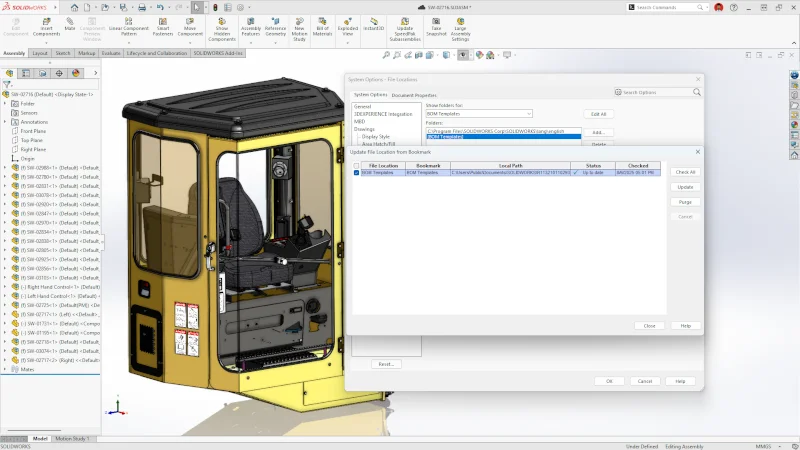
- Automatic Bookmark Content Updates
Content in Bookmark file locations now refreshes automatically in the background when changes occur, removing the need for manual updates and ensuring you always have the latest version.
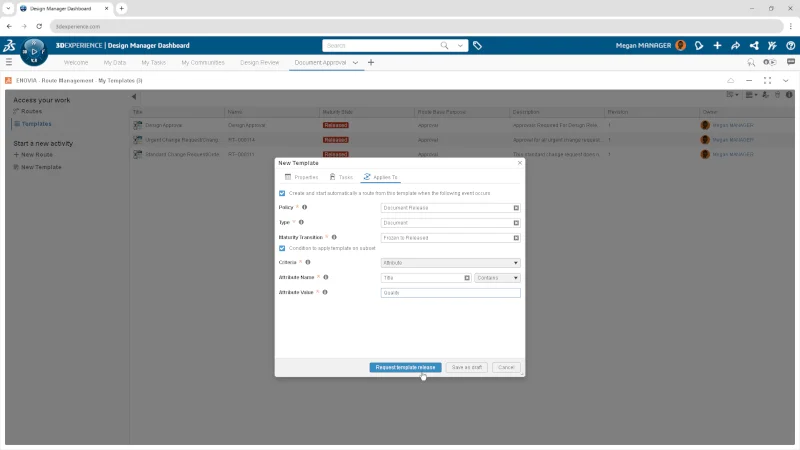
- Enterprise Document Maturity Routing and Approval
This enhancement introduces enterprise level enforcement of approval workflows for document maturity state transitions. Administrators can define route templates triggered by specific policy maturity changes, ensuring that all required approval steps are automatically initiated and tracked.
By automating and enforcing approval routes, the organization gains stronger control, improved efficiency, and better alignment across teams. This leads to more consistent document governance, reduced risks, and higher quality outcomes through streamlined collaboration and compliance.
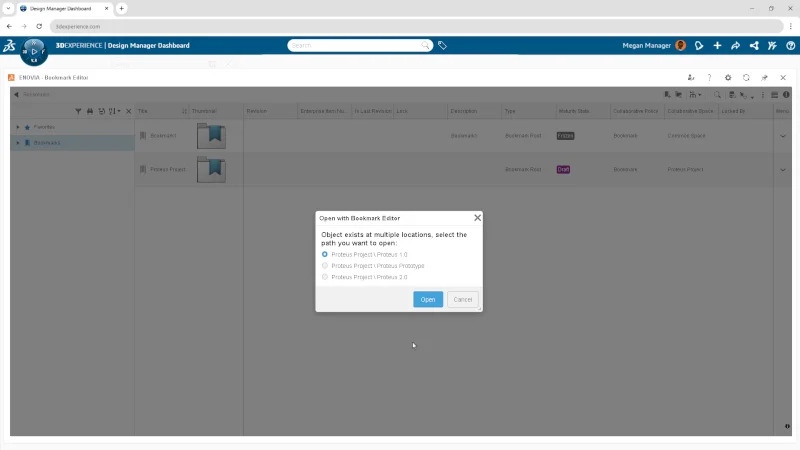
- Bookmark Editor Enhanced Navigation and Multi-app Integration
Quickly navigate from any object to its associated bookmarks using a streamlined “Open With” feature, supporting multiple applications.
By simplifying navigation between objects and bookmarks and supporting seamless integration with multiple apps, this enhancement saves user time, reduces confusion, and improves productivity when managing and accessing bookmarked content.
These are some of the top collaboration and data management enhancements in SOLIDWORKS 2026, some of which are available now! Be sure you have the latest functional delivery to access the latest enhancements. We also recently announced more flexibility when updating SOLIDWORKS. Read my colleague Salih’s blog here to learn more.
Download the top 10 flyer highlighting these enhancements, and see the top CAD enhancements, in addition to what is new in other SOLIDWORKS 2026 solutions here.