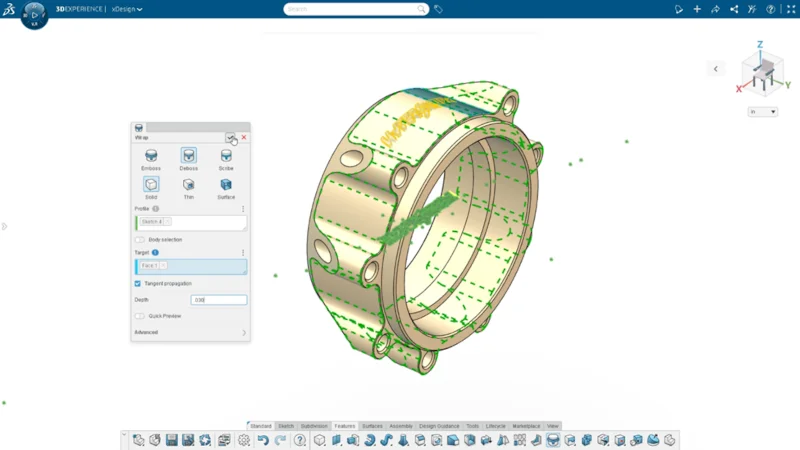

As 2025 comes to a close, I would like to share with you some of the top enhancements added this year to your favorite browser-based solution: SOLIDWORKS xDesign. For starters, it is even easier to access all the xApps in one solution, as xDesign is now available as a single product that includes parametric part and assembly design, subdivision modeling, sheet metal, frame design, mold tools, drawings, MBD, and rendering.
Here’s a look at the top 10, including my personal favorites: the redesigned landing page, exploded views for technical documentation, and the extended reality (ER) visualization technology.
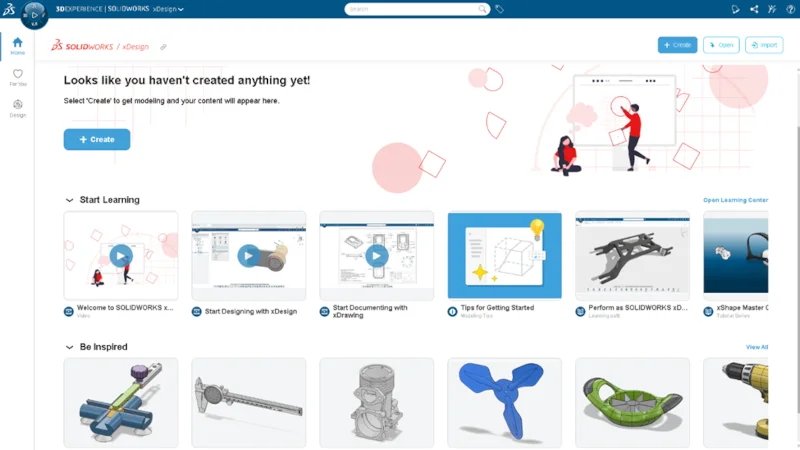
- Launch Projects and Access Learning Content with the New Landing Page
The xDesign landing page has been redesigned and features many resources to help get you going fast, keep you productive, and inspired, including:
- Instant access to your recent projects, helpful videos, and sample projects.
- Faster access to the Learning Center directly from the platform side panel so you can improve your skills and find answers fast.
- The new “For You” page includes interesting articles, 3DSwym posts, and online videos.
- Create Production-ready Drawings with New Drawings Features
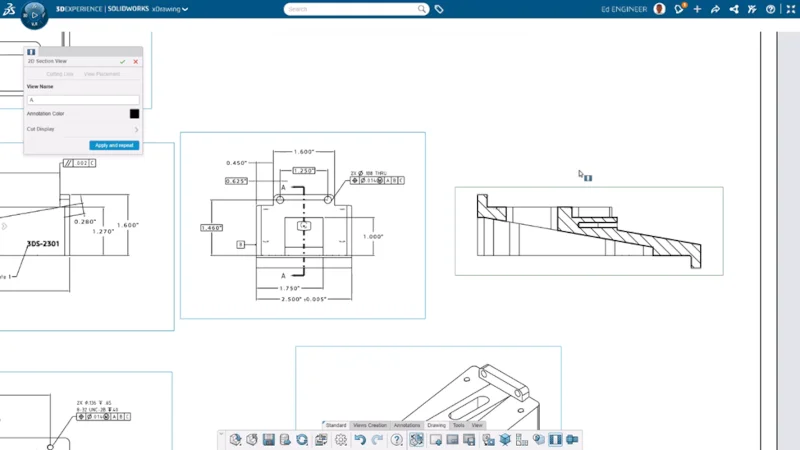
Create detailed drawings that clearly convey manufacturing requirements, including internal features, assembly fit, and hole locations with the following enhancements enabling you to:
- Easily create section and detail views from the drawing environment using familiar workflows with section lines and crop circles.
- Gain clarity in technical documentation with the new Exploded Views feature so you can illustrate part orientation and relationships. Create your exploded view in 3D and easily add it to your drawing sheet.
- Complete product definition for components with rounded features with the ability to add center marks and dimensions to silhouette edges.
- Elevate Design Reviews with Extender Reality VR and AR
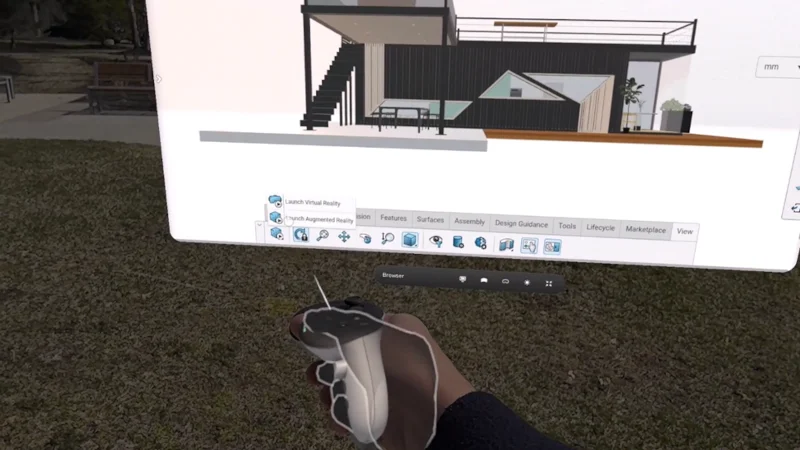
Enhance design reviews and spatial understanding with the ability to visualize your models in an immersive extender reality (XR) environment.
You can launch an immersive virtual reality (VR) or augmented reality (AR) experience directly from xDesign to view and interact with your models at scale in a virtual or real-world setting using a headset, tablet or phone.
- Easily Collaborate with Shareable Links
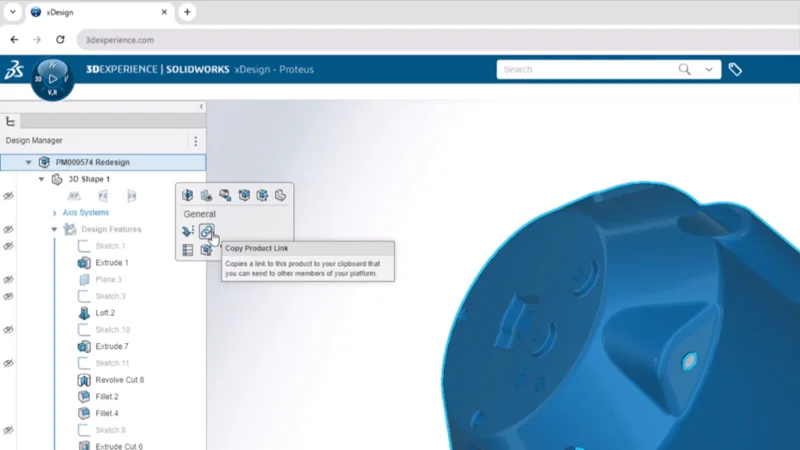
Effortlessly collaborate by sharing direct links to physical products, enabling faster feedback and smoother teamwork on design projects.
Generate a shareable link to any physical product in xDesign and send it to a colleague. When they click the link, the product will open directly in their xDesign session, allowing seamless collaboration and review.
- Create More Detailed Models with New Modeling Features
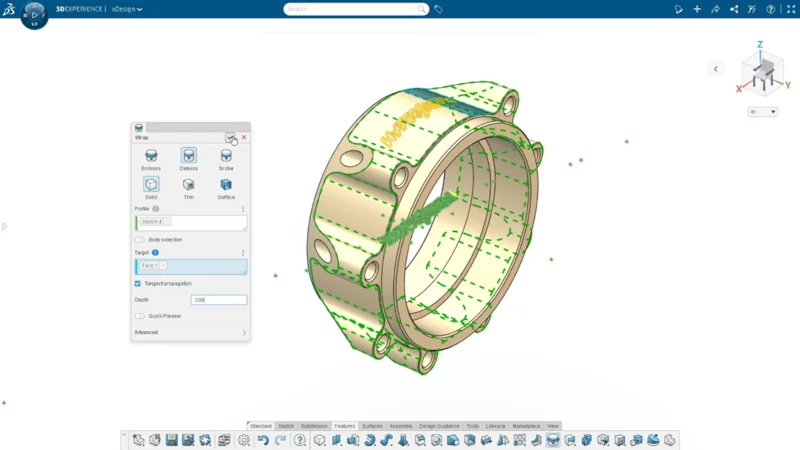
Create more detailed and accurate models with sophisticated modeling tools, in addition to intelligent feedback tools that help you build faster, highlight issues and offer guided corrections. Modeling enhancements include:
- The new Wrap command projects sketch profiles onto target faces to generate an Emboss, Deboss, or Scribe.
- The new Sketch Analysis command provides tools to correct over-defined sketches, resolve missing or dangling references, and close open sketch profiles.
- The Offset and Shell commands now provide visual indicators on the model to highlight areas where the features fail.
- Streamline Documentation Workflows with Generative Drawing Views
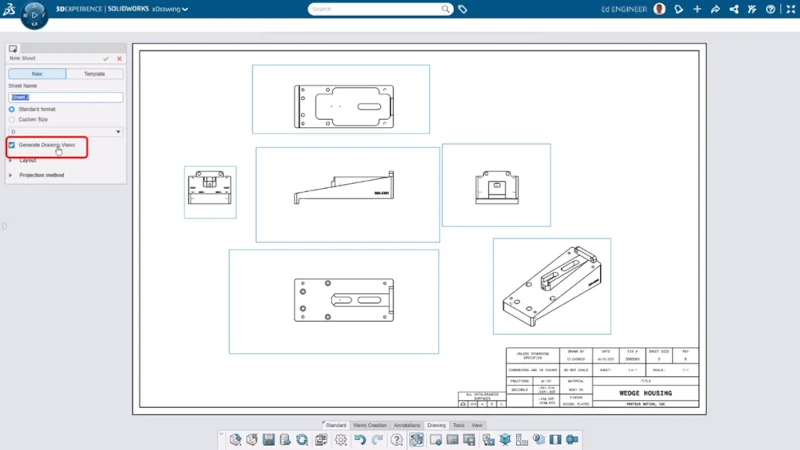
Use the power of artificial intelligence (AI) to eliminate repetitive tasks and accelerate drawing creation. To enable automatic view creation and placement check the box for “Generate Drawing Views” in the New Sheet command.
Once enabled the command will automatically generate standard drawing views, such as orthographic and isometric, when creating a new sheet.
- Easily Submit Feedback to the xDesign R&D Team
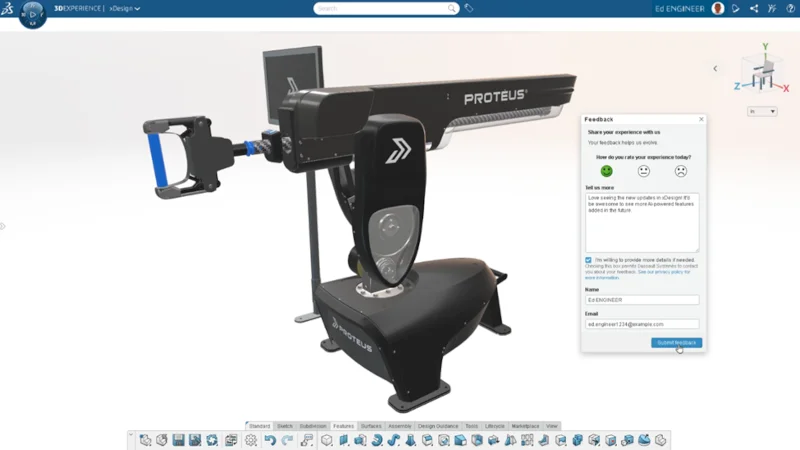
Help shape the future of xDesign by quickly sharing your ideas and providing direct input for improvement, ensuring a more user-focused development process.
With the new Feedback button, you can submit enhancement ideas directly to the xDesign R&D team. Feel free to Include your contact details if you’d like us to follow up with you about your suggestion.
- Add a Pop of Color to Improve Model Clarity
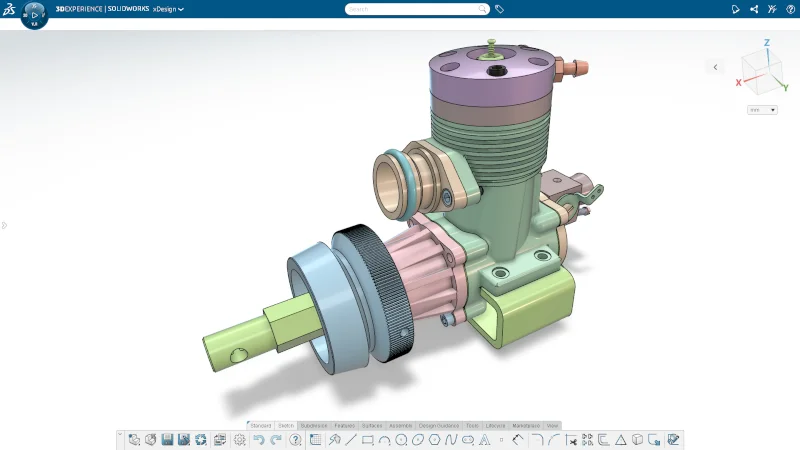
Add clarity and reduce interpretation errors by automatically assigning distinct colors to each new geometry set with a new option in the user Preferences menu.
- Protect Unsaved Data with Centralized Data Storage and Auto-Save
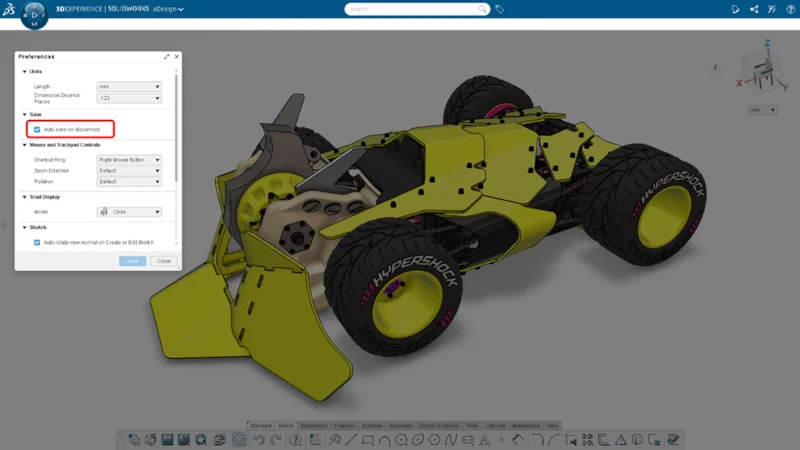
Protect your work from unexpected interruptions with the option to auto-save in the event of a disconnection, which could be caused by internet issues, timeouts, or crashes.
Also, recent content and automatic restore points are now stored centrally which allows you to resume work from any xDesign session.
10. Convert Images of Mechanisms to Fully Functional 2D Sketches
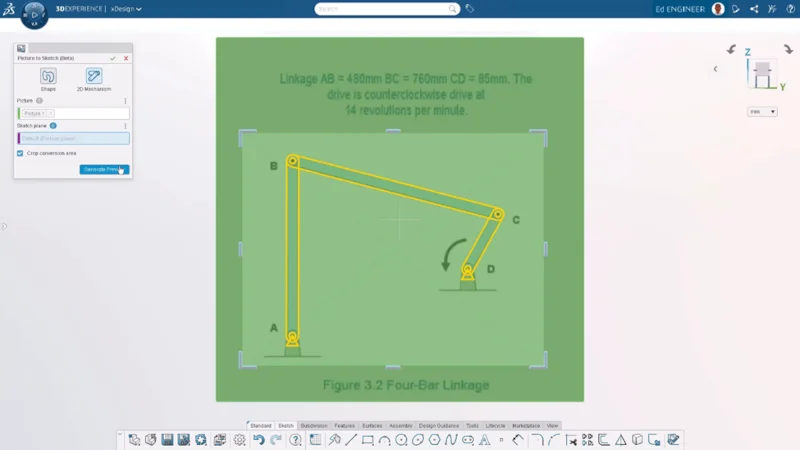
Convert an image of a mechanism into a parametric sketch with the 2D Mechanism option in the Picture to Sketch tool.
The mechanism is converted to a fully-constrained sketch by recognizing objects in the image (such as linkages, anchors, and rollers) and constraints (such as hinges, sliders, and anchor points).
There you have it! Our top 10 features of the year. What do you think? Let us know and tell us what’s on your wish list by using that new Feedback button.
Keep these enhancements handy. Download the flyer here. For more information about what’s new in xDesign, visit this website. And SOLIDWORKS 2026 is here! See what’s new at https://www.solidworks.com/product/whats-new.
Happy holidays, everyone!
See you in the new year! If you’re going to 3DEXPERIENCE World in 2026, I’ll be on hand to discuss all things xApps along with a few of my esteemed colleagues at the Web Browser Power Hour at 5:00 PM CST on Tuesday, Feb 3rd, during the Mega Meetup. I hope to see you there!