
As a Mechanical engineer, tenure professor and holding various positions within SOLIDWORKS and Dassault Systèmes, I was fortunate to be introduced to SOLIDWORKS in 1997 and later be one of the first customers to take the Certified SOLIDWORKS Professional (CSWP) Exam in 2002. At the time, the CSWP was an 8 hour exam, given only at SOLIDWORKS HQ. The CSWP was intense. You had to model quickly and accurately. Drawings were well aligned to industry standards. I knew passing the CSWP would prove to employers that candidates have the correct job skills.
In today’s competitive job market, the SOLIDWORKS certifications serve as tangible proof of your skills and knowledge, distinguishing your students from other candidates. The certifications indicate to employers that you have undergone rigorous training and have met industry standards, which can be particularly appealing for roles requiring specialized skills. If your students have taken the CSWA exam, this is their next step building on job skills required for engineering design. There are now over 950,000 SOLIDWORKS certified users in the world.
Moreover, SOLIDWORKS certifications come with the endorsement of reputable organizations, adding a layer of credibility to your professional profile. Employers frequently use SOLIDWORKS certifications as the benchmark during the hiring process to ensure candidates have the necessary competencies.
There are three main certification levels: Associate, Professional and Expert. In this lesson, we will focus on the SOLIDWORKS CAD Design Professional (CSWP), Segment 1.
The CSWP Certification is broken down into three separates and can be taken as three separate exams (one exam for each segment). These segments allow for the CSWP exam to be given in standard class or lab times.
The three-segment exam allows you to take each segment at any time, and in any order. Once you pass a segment, you will not have to take it again. Segment 1 is not a prerequisite for Segment 2, Segment 2 is not a prerequisite for Segment 3. Once all three segments have been successfully completed, you will automatically receive your CSWP certification.
Note: Students must have their CSWA certification 30 days prior to taking the CSWP exam.
In this lesson we address Segment 1 of the CSWP Certification exam. Segment 1 is 70 minutes long with eleven (11) questions. A total score of 75 out of 105 or better is required to pass. Note: The CSWP exam can be taken with either Desktop SOLIDWORKS or 3DEXPERIENCE SOLIDWORKS.
Segment 1 requires knowledge of the following:
- Recognize Engineering drawing views with annotations.
- Create a part from a drawing.
- Set correct document properties (units, precision, etc.).
- Apply material.
- Utilize various simple and complex sketch tools.
- Apply sketch relations and dimensions.
- Apply various simple and complex Feature tools.
- Utilize the Measure and Mass Properties tool.
- Use linked dimensions and equations to aid in modeling.
- Use equations to relate dimensions.
- Understand configurations.
- Modifying geometry on initial part to create a more complex part.
- Modifying parameters on the part at different stages while maintaining all other dimensions and design intent.
You will perform initial part creation, initial part update and various stage modifications. The format is either multiple-choice or single fill in the blank. The first question is an instructional page. Read the instructions. Agree to the Candidate Conduct Policy. Click Yes. It’s a free 5 points.
The second question is a multiple-choice format. You should have the exact answer (within 0.5% of the stated value in the multiple-choice section) before you move on to the next question. If you don’t have the exact answer, you will most likely fail the following question. This is crucial as there is no partial credit.
There are three major stages to be modeled: Stage 1 (question 2), Stage 2 (question 5) and Stage 3 (question 8). Questions 3, 4, 6, 7, 9, 10 and 11 request the user to create modifications. Note: Save the part after each question in a different file in case it must be reviewed.
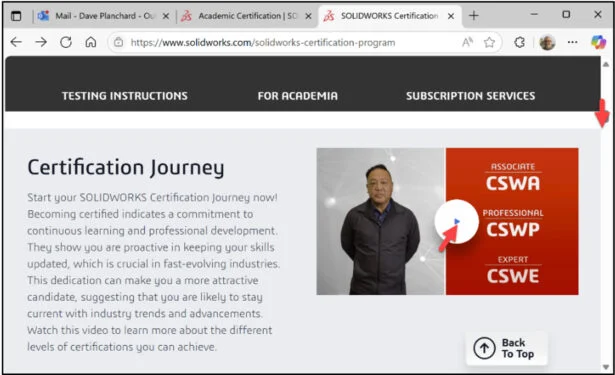
Click the following link: SOLIDWORKS Certification Program | SOLIDWORKS. The SOLIDWORKS Certification Program Home page is displayed.
Slide the side bar downward. Click start video on the Certification Journey.
Slide the side bar downward and explore the rest of the Home page.
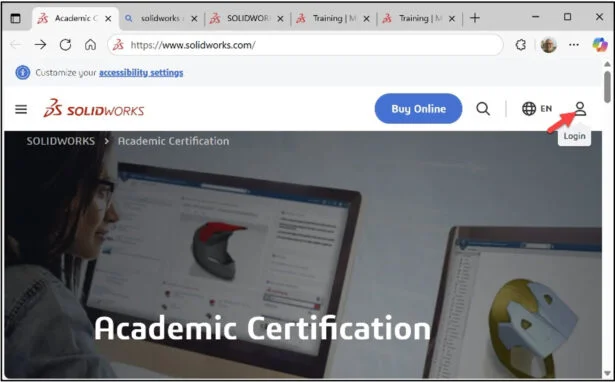
Click the following link: Academic Certification | SOLIDWORKS. View the available Academic SOLIDWORKS Certification Homepage.
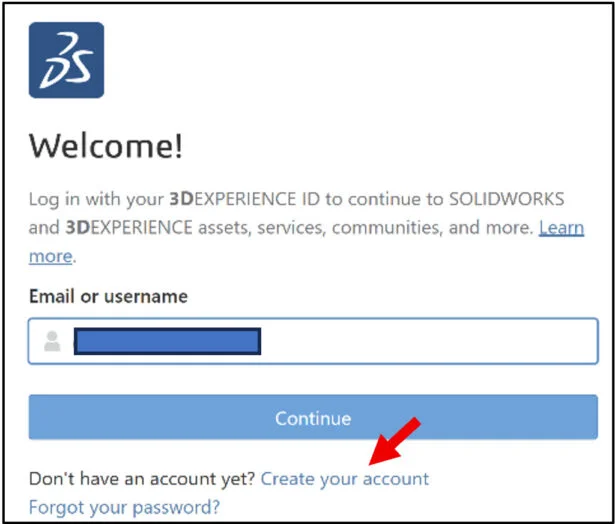
Login. The learning content is free. Note: You need a 3DEXPERIENCE ID.
Enter Email or username.
Click Continue.
Enter Password.
Click Login.
Note: If you do not have a 3DEXPERIENCE ID, create an account.
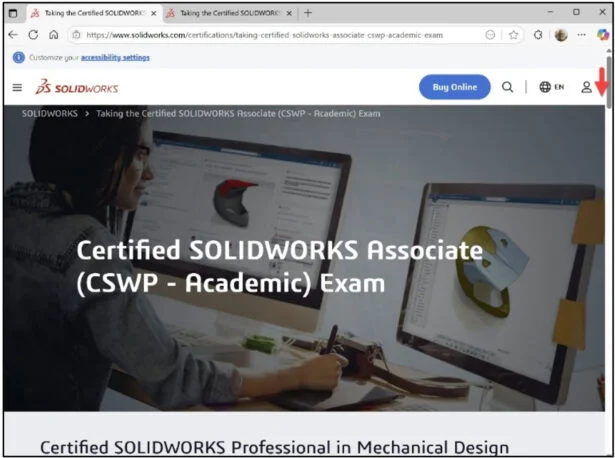
View the available information.
The page is an excellent resource of information on the available Academic Certification exams and how to become a SOLIDWORKS Academic Certification Provider.
Slide the side bar downward.
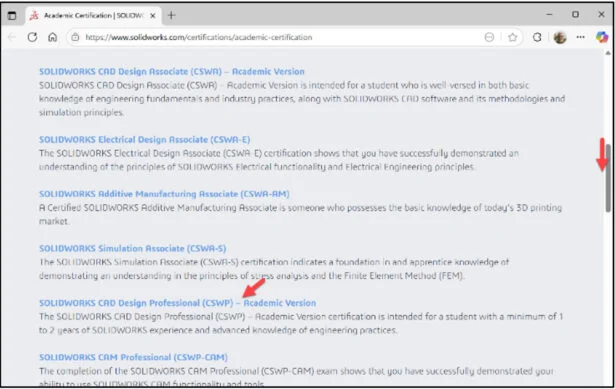
View your options.
Click the SOLIDWORKS CAD Design Professional (CSWP) – Academic Version link.
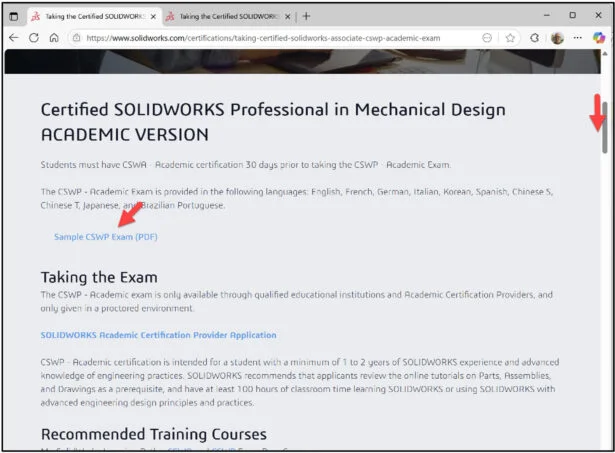
The Certified SOLIDWORKS CAD Design Professional (CSWP) page is displayed.
Slide the side bar downward.
View the available information. The page provides a wealth of information on the SOLIDWORKS CAD Design Professional (CSWP) exam.
Click the Sample CSWP Exam (PDF) link. It is recommended to download the Sample Exam before taking Segment 1 of the CSWP exam. The Sample Exam ONLY covers a section of Segment 1 of the CSWP exam. It does not cover Segment 2 or Segment 3 of the CSWP exam.
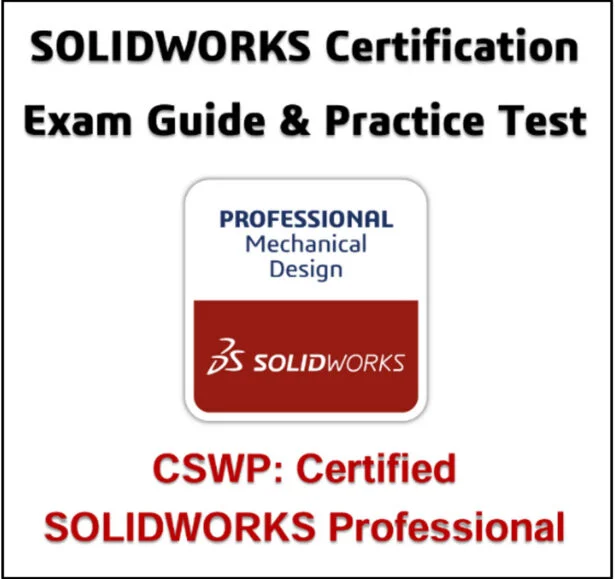
Sample Exam Table of Contents:
- About This Guide.
- The CSWP Certification.
- CSWP Exam Details.
- How to prepare for the Exam.
- How to take the Practice Exam.
- Taking the Real Exam.
- Test Questions.
- Answer Key.
- Hints and Tips.
- Frequently Asked Questions.
- Helpful Sites.
Additional Resources: Note: A 3DEXPERIENCE ID is required.
Click the following link: Training | MySolidWorks
Login.
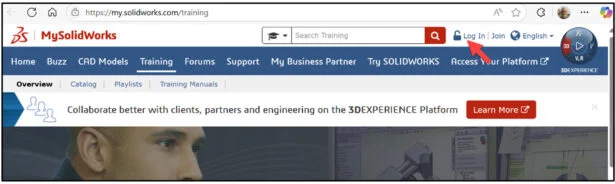
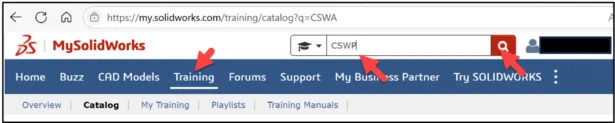
Click the Training tab.
Enter CSWP in the Search box.
Click the Search icon.
Slide the side bar downward.
View the available training videos and tutorials.
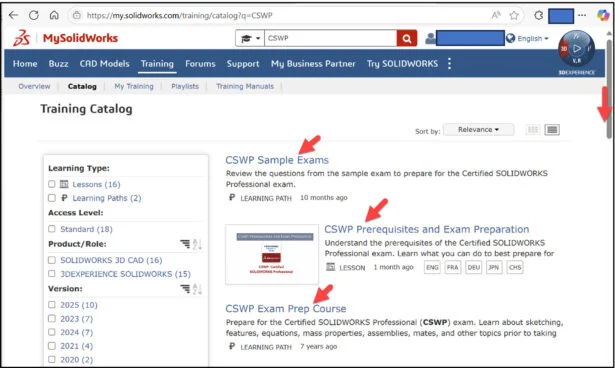
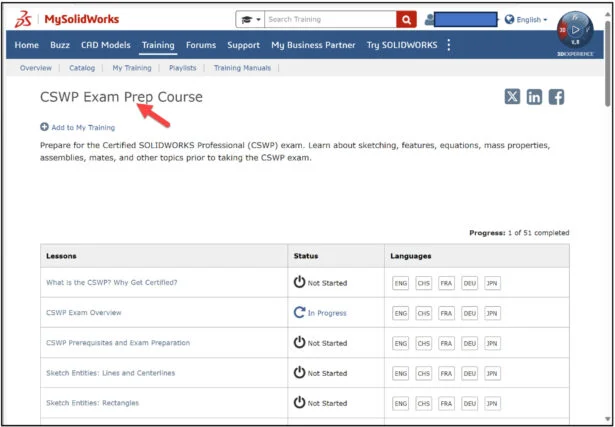
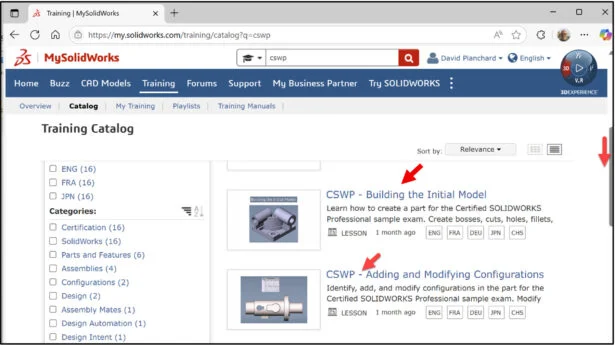
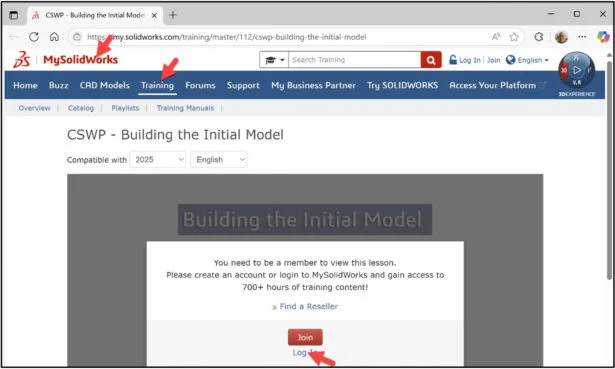
Click the following link: CSWP – Building the Initial Model | MySolidWorks Training
The lesson will cover building the initial sample model in CSWP Segment 1 exam.
Lesson 15 is finished.
Lesson 16 covers taking the on-line proctored SOLIDWORKS CAD Design Professional (CSWP), Segment 1 certification exam. Note: All candidates that pass the three segments of the CSWP certification exam receives an electronic certification, digital badge, business card logo and optional personal listing in the SOLIDWORKS Certification directory.
Other blogs in this SOLIDWORKS Academic Certification Series:
Lesson 1 SOLIDWORKS Academic Certification – What is the Journey?
Lesson 2 SOLIDWORKS Academic Certification – Certification Provider Program for EDU
Lesson 3 SOLIDWORKS Academic Certification 3DEXPERIENCE Certification Center
Lesson 4: SOLIDWORKS Academic Certification – Exam Opportunities
Lesson 5: SOLIDWORKS Academic Certification – Student Needs
Lesson 6: SOLIDWORKS Academic Certification – CSWA Exam Part 1
Lesson 7: SOLIDWORKS Academic Certification – CSWA Exam Part 2
Lesson 10: SOLIDWORKS Academic Certification – SOLIDWORKS Simulation Associate (CSWA-S) Exam
Lesson 13: SOLIDWORKS Academic Certification – SOLIDWORKS Electrical Design Associate (CSWA-E) Exam
Design well. Marie