
SOLIDWORKS Certification demonstrates your commitment to enhancing your skill set in an ever-changing world.
Sustainable design, like quality, time to market, and cost, will soon dictate how engineers approach most every product they develop. Choosing products based on their carbon footprint will be equally as important as design validation. To stay ahead of the curve, you and your company need to understand sustainable design and how to implement it now.
Sustainable engineering is the integration of social, environmental, and economic conditions into a product or process. Soon all design will be Sustainable Design.
Lesson 12 covers general information and content of the on-line proctored SOLIDWORKS Sustainability Associate (CSWA-SD) exam. Note: Formally called the Certified Sustainable Design Associate, old acronym (CSDA).
If your school is an Academic Provider, the provider can allocate free CSWA-SD exam opportunities. An Academic Certification Provider is defined as an educational institution on subscription, with a minimum number of licenses (varies by country), that is eligible to administer CSWA, CSWP and other specialty exams.
Passing the CSWA-SD exam indicates a foundation in and apprentice knowledge of demonstrating an understanding in the principles of environmental assessment, life cycle assessment and overall sustainable design.
The main requirement for obtaining the SOLIDWORKS Sustainability Associate (CSWA-SD) certification is to take and pass the on-line proctored 60-minute exam (minimum of 24 out of 30 points). There are 30 questions, each question is worth 1 point.
The 30 questions address various key categories: Environmental Assessment, Introduction to sustainability, and Sustainable design.
All questions are in a multiple choice/multi answer format. SOLIDWORKS does not require that you have a copy of SOLIDWORKS Sustainability, or even SOLIDWORKS. No SOLIDWORKS models need to be created for the exam.
You are allowed to answer the questions in any order. Use the Summary Screen during the CSWA-SD exam to view the list of all questions you have or have not answered
If you fail, there is a 14-day waiting period before retaking the (CSWA-SD) certification.
The CSWA-SD is based off the SOLIDWORKS Sustainable Design Guide that incorporates concepts including sustainability, environmental assessment and life cycle impact assessment.
The Guide is divided into ten chapters. First, feel free to jump around. The guide was made to be consumed in sections, and in no particular order.
The Guide addresses terminology early on, so if you find concepts that you’re unfamiliar with, navigate to the appropriate section to learn more. Going through the entire Guide should take approximately 3-4 hours.
On the completion of the reading the guide, you will be able to:
- Understand basic concepts of sustainability.
- Comprehend sustainable design concepts, such as Design for Disassembly (DfD), Extended Producer Responsibility (EPR) and Biomimicry.
- Recognize stages of a product life cycle.
- Understand Sustainability and Sustainable Business.
- Identify the many faces of Sustainable Design.
- Set up an Environmental Assessment study, such as environmental indicators, scope of the assessment.
- Appreciate goal and scope variables for an Environmental Assessment study, such as system boundary and functional unit.
- Basic steps for performing a Life Cycle Assessment (LCA) study.
- Value a product Environmental Assessment.
- Making Theory Matter – Initial Analysis Decisions.
Note: It is recommended to review the SOLIDWORKS Sustainability tutorials.
All candidates receive an electronic certification, a digital badge, business card logo and optional personal listing in the SOLIDWORKS Certification directory when they pass.
The main requirement for obtaining the SOLIDWORKS Sustainability Associate (CSWA-SD) certification is to take and pass the on-line proctored 60-minute exam (minimum of 24 out of 30 points). There are 30 questions, each question is worth 1 point.
The 30 questions address various key categories: Environmental Assessment, Introduction to sustainability and Sustainable design.
All questions are in a multiple choice/multi answer format. SOLIDWORKS does not require that you have a copy of SOLIDWORKS Sustainability, or even SOLIDWORKS. No SOLIDWORKS models need to be created for the exam.
You are allowed to answer the questions in any order. Use the Summary Screen during the CSWA-SD exam to view the list of all questions you have or have not answered.
Taking the on-line proctored CSWA-SD Exam
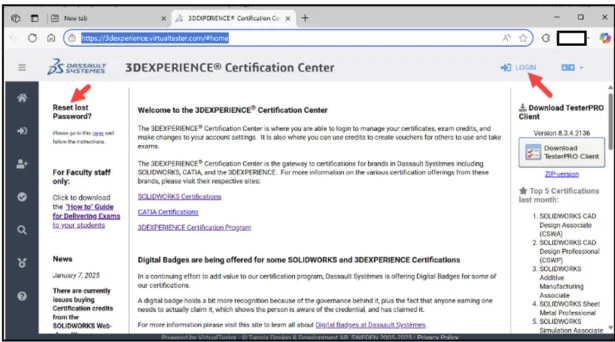
Click the provided link: https://3dexperience.virtualtester.com/#home.
The 3DEXPERIENCE Certification Center Home page is displayed.
The 3DEXPERIENCE Certification Center is where students are able to login to take their certification opportunities, manage their certificates, address their digital badges, and make changes to their account settings.
If your school is an Academic Provider, the provider can allocate free CSWA-AM exam opportunities.
Login to 3DEXPERIENCE Certification Center Home page.
Click the LOGIN icon.
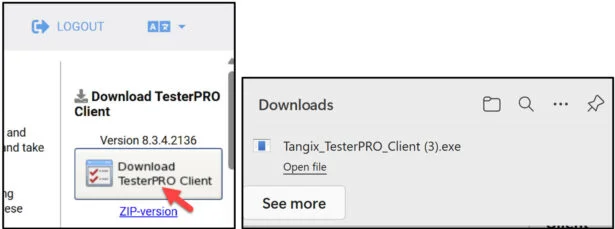
Download the TesterPRO Client to your desktop.
Un-zip the Tester PRO Client.
Read the License Agreement.
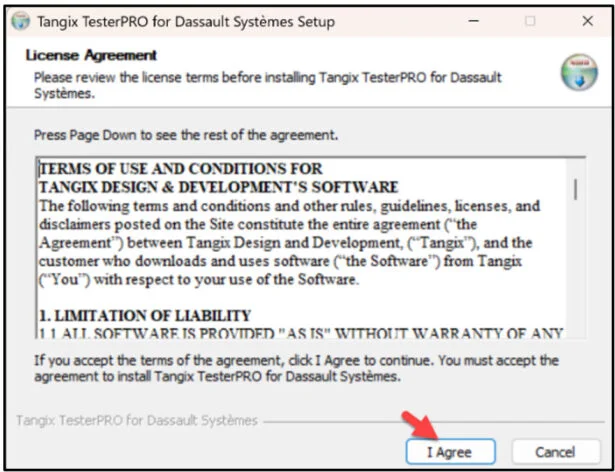
Agree to the Candidate Conduct Policy. Click I Agree.
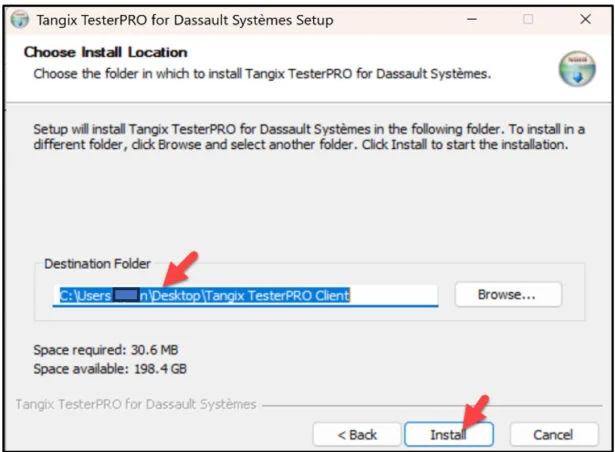
Install the Tester PRO Client. Click install.
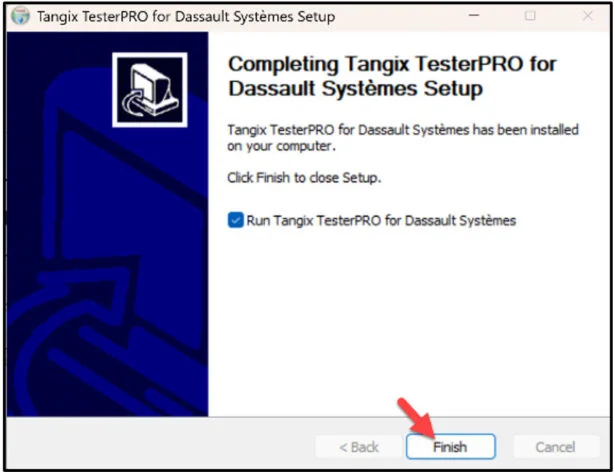
Click Finish.
View the available languages.
Select Test Language.
Click Continue.
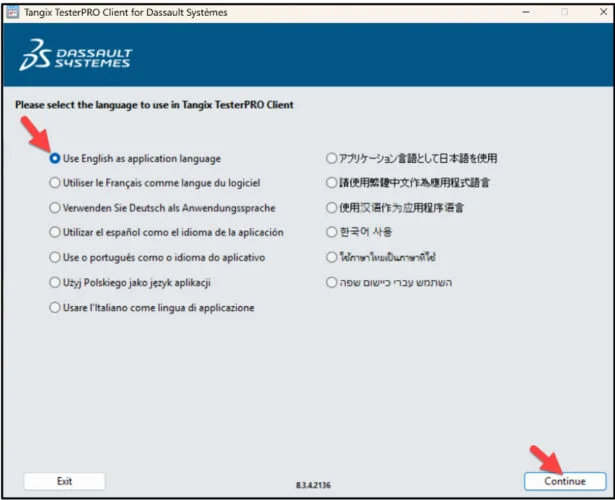
Click Continue.
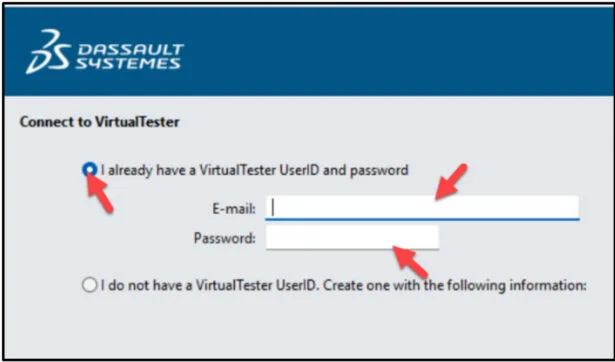
Create an account. If you already have an account, select “I already have a VirtualTester UserID and password”. Enter your school email address. Enter password. Click Continue.
Select SOLIDWORKS.
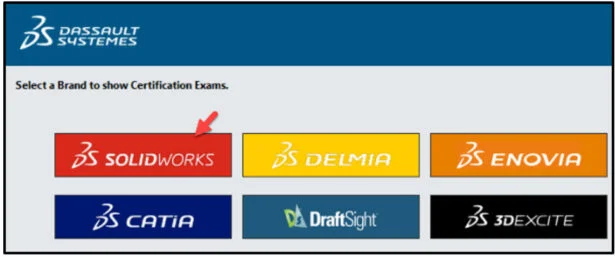
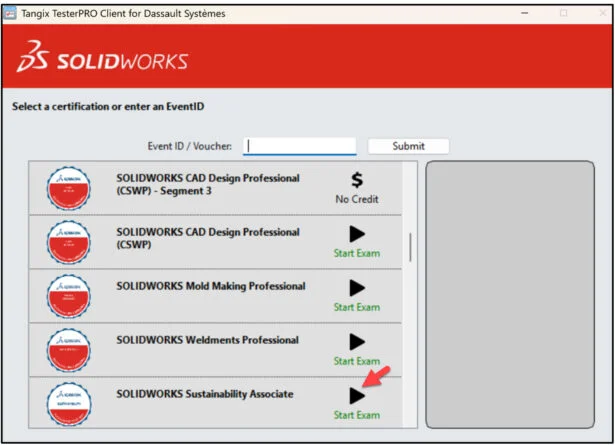
Select SOLIDWORKS Simulation Associate.
This will depend on the exam opportunity given by the Academic Provider.
Click Start Exam.
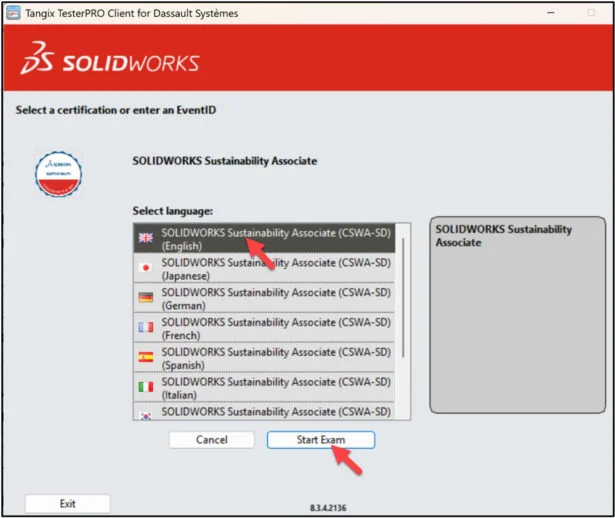
Select language.
Click Start Exam.
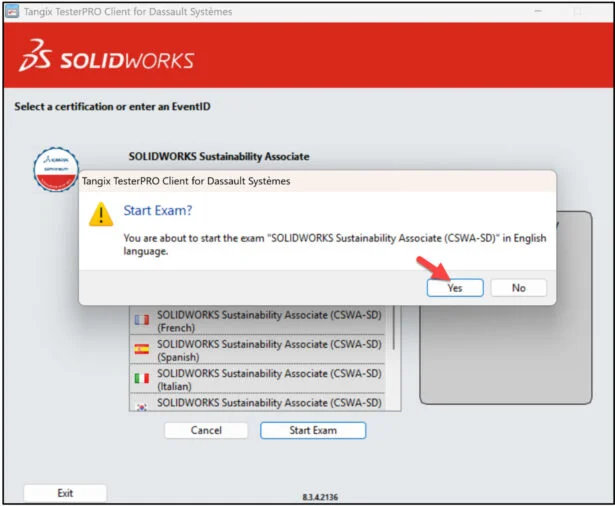
Click Yes.
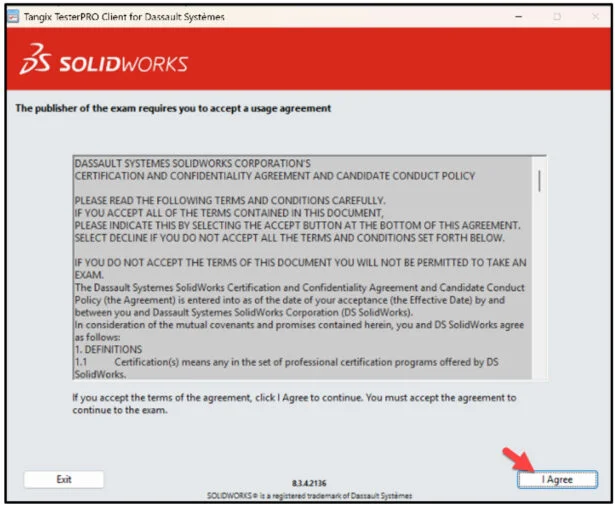
Read the instructions. Agree to the Confidentiality Agreement and Candidate Conduct Policy.
Click I Agree.
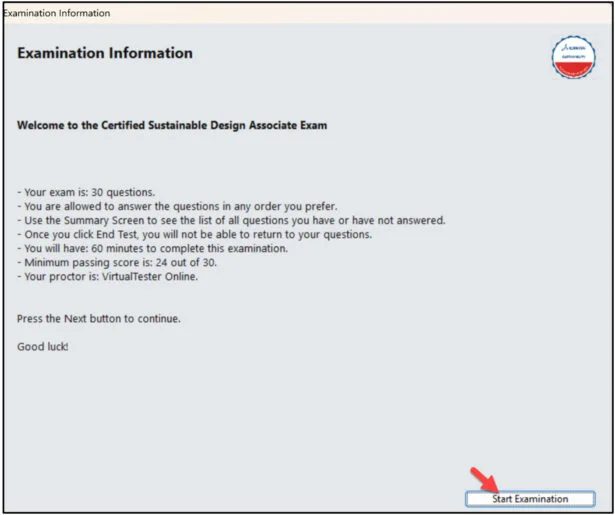
Click Start Examination.
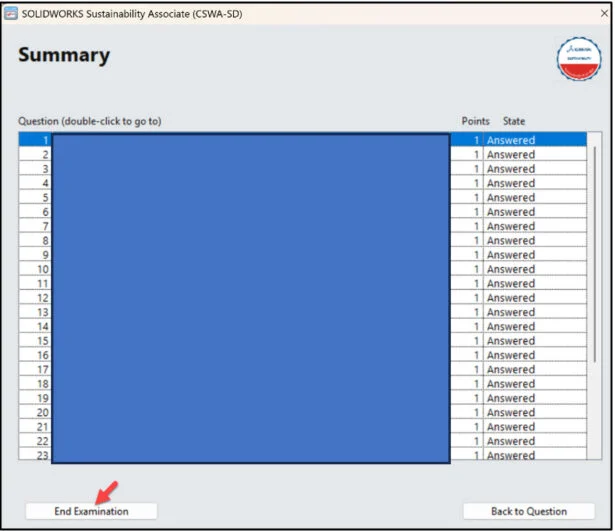
You are allowed to answer the questions in any order.

Use the Summary Screen during the exam to view the list of all questions you have or have not answered.
When finished, click End Examination.
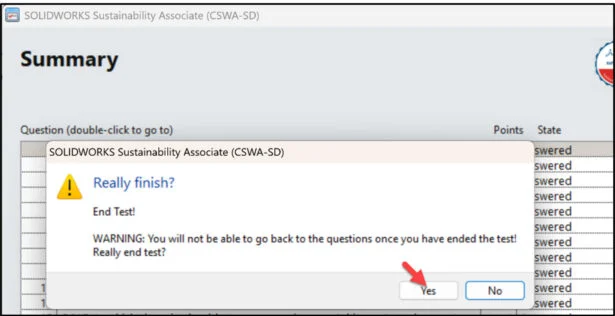
Click Yes.
The exam is automatically graded and the final grade is displayed to the student. The exam grade is provided directly to the Academic Provider. Download the class results into an excel spread sheet. You need 24 points or more to pass the 30-question exam.
All candidates receive an electronic certification, a digital badge, business card logo and optional personal listing in the SOLIDWORKS Certification directory when they pass the CSWA-SD exam.
If you fail the CSWA-SD exam, you will need to wait 14-days before retaking it again. Note: Individual questions results are not provided. The number of wrong and correct questions is displayed. The results will display the Topics to study.
The lesson is finished.
Lesson 13 covers the on-line proctored SOLIDWORKS Electrical Design Associate (CSWA-E) exam. The CSWA-E certification sets you apart as a person who has successfully demonstrated their understanding of the tools and functionality found in the SOLIDWORKS Electrical environment.
Other blogs in this SOLIDWORKS Academic Certification Series
Lesson 1 SOLIDWORKS Academic Certification – What is the Journey?
Lesson 2 SOLIDWORKS Academic Certification – Certification Provider Program for EDU
Lesson 3 SOLIDWORKS Academic Certification 3DEXPERIENCE Certification Center
Lesson 4: SOLIDWORKS Academic Certification – Exam Opportunities
Lesson 5: SOLIDWORKS Academic Certification – Student Needs
Lesson 6: SOLIDWORKS Academic Certification – CSWA Exam Part 1
Lesson 7: SOLIDWORKS Academic Certification – CSWA Exam Part 2
Lesson 10: SOLIDWORKS Academic Certification – SOLIDWORKS Simulation Associate (CSWA-S) Exam
Design well. Marie