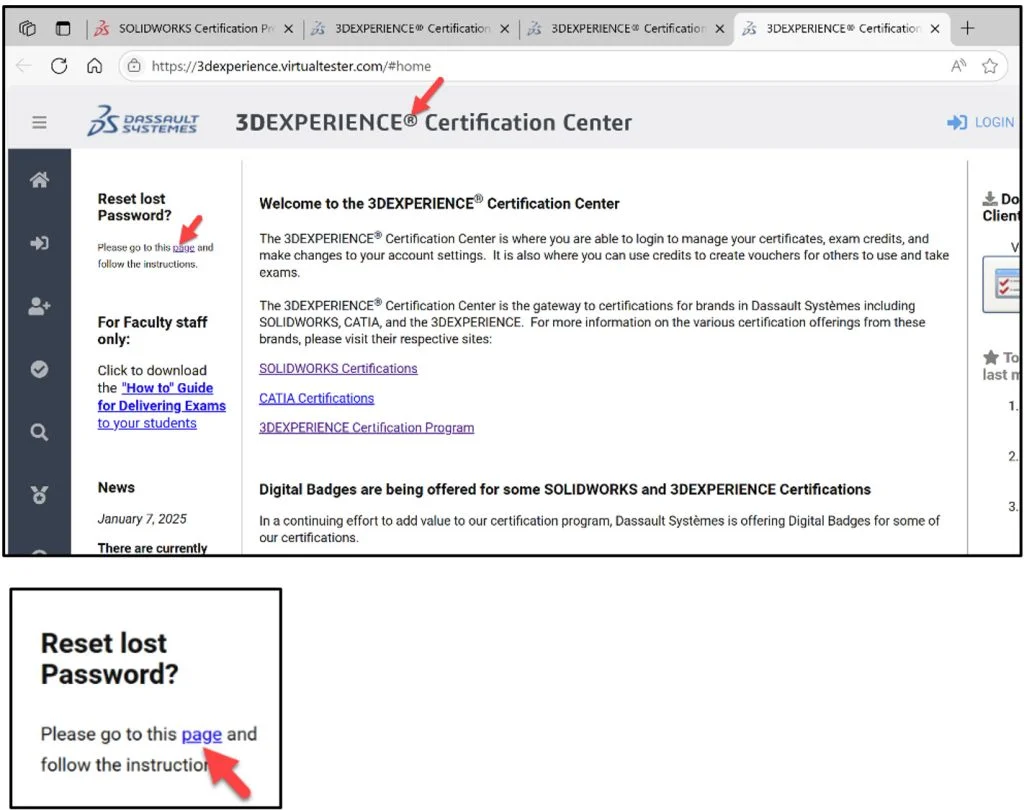

In Lesson 4, we visited the 3DEXPERIENCE Certification Center website.
The 3DEXPERIENCE Certification Center is where you are able to login to manage your certifications, create exam opportunities, apply student exam credits, setup exam classes, and modify changes to your account settings.
Lesson 5 covers accommodating student’s needs. We will first address the student password recovery procedure and then the Academic Provider procedure in obtaining extra exam time for students.
First, let’s address the student password recover process. Have your student click the following link: https://3dexperience.virtualtester.com. The 3DEXPERIENCE Certification Center Home page is displayed. Remember, the Academic Provider does NOT have access to student account passwords.
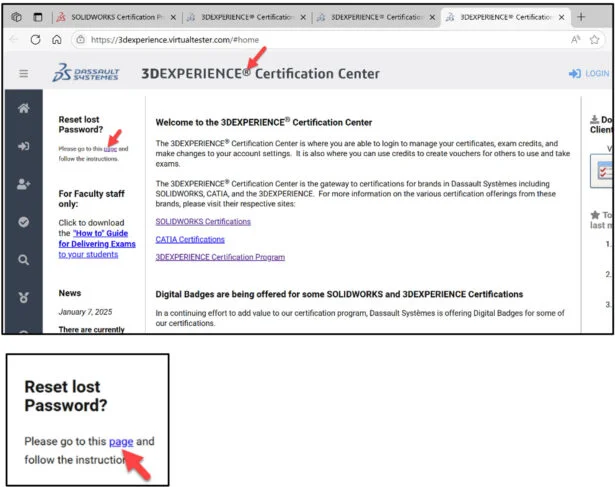
Have the student click the hyperlink under Reset lost Password as illustrated.
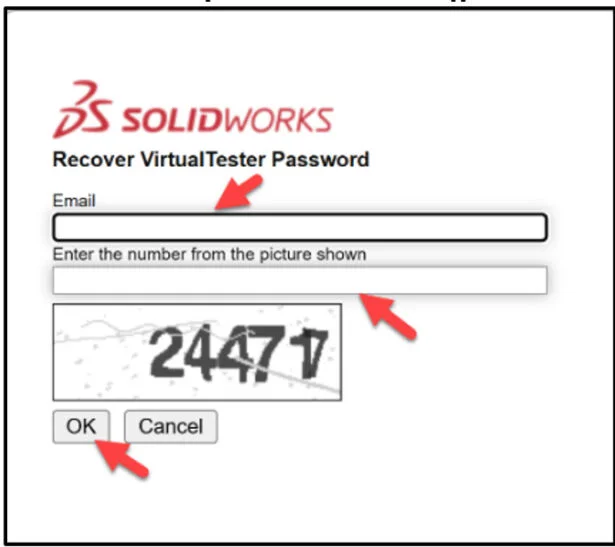
Have the student fill in the requested fields. A school email address is required.
Click OK. The student will receive information on how to change their VirtualTester account password.
Second, address the step-by-step procedure for the Academic Provider accommodating students who require extra exam time.
Click the following link: https://3dexperience.virtualtester.com. The 3DEXPERIENCE Certification Center Home page is displayed.
Click the LOGIN icon as illustrated.
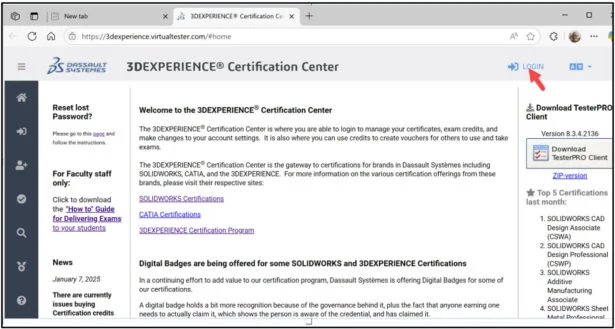
Click the How to Guide for Delivering Exams link.
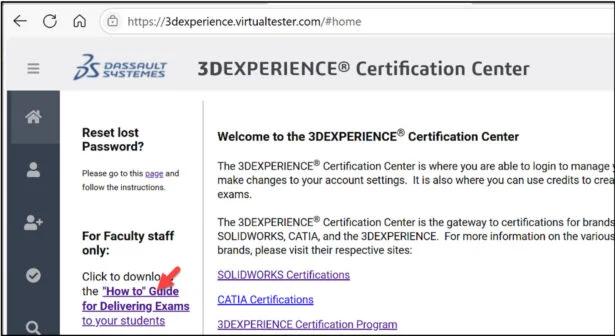
The pdf provides a step-by-step guide for accommodating students who need extra time to take a certification exam. Start the student extra exam time process at least 7 working days before the exam day.
Note: The Academic Provider can either provide the CSWA in two parts with a default time of 1.5 hours/part or in a single part with a default time of 3 hours.
Accommodating Students Who Need Extra Time
Step 1. Obtain documentation from the school or doctor authorizing the extra time. A scanned PDF copy is the best.
Step 2. Have the student(s) create a VirtualTester account from the 3DEXPERIENCE Certification Center website using their school email address.
Step 3. Contact the SOLIDWORKS EDU Certification team via email at: solidworks.edu-certs@3ds.com. Include the following info:
- The students name.
- Email ID.
- Indicate how much extra time the student will need as either 1.5x or 2x the normal time. We can accommodate up to 2x (which will be 6 hours) maximum. You do not need to send the documentation authorizing the extra time to us, but please keep a copy of it on hand or an electronic (PDF) in the event of an audit.
Step 4. The SOLIDWORKS EDU Certification team adjust the settings in the student’s account to the extra time the Academic Provider indicated. An email is sent to the Academic Provider for confirmation.
Step 5. The student’s VirtualTester account is now set up with the adjusted extra time. Any SOLIDWORKS Certification exam the student takes will automatically have either 1.5x or 2.0x the normal time of the exam as long as the student uses the same VirtualTester account they created (School email).
Lesson 5 is finished.
Lesson 6 will cover general information, content and taking the on-line proctored Part 1 of the SOLIDWORKS CAD Design Associate (CSWA) Certification exam. The exam can be taken with either Desktop SOLIDWORKS or 3DEXPERIENCE SOLIDWORKS.
Note: If your school is an Academic Provider, the provider can allocate a free CSWA Part 1 and Part 2 exam opportunity.
Other blogs in this SOLIDWORKS Academic Certification Series
Lesson 1 SOLIDWORKS Academic Certification – What is the Journey?
Lesson 2 SOLIDWORKS Academic Certification – Certification Provider Program for EDU
Lesson 3 SOLIDWORKS Academic Certification 3DEXPERIENCE Certification Center
Lesson 4: SOLIDWORKS Academic Certification – Exam Opportunities
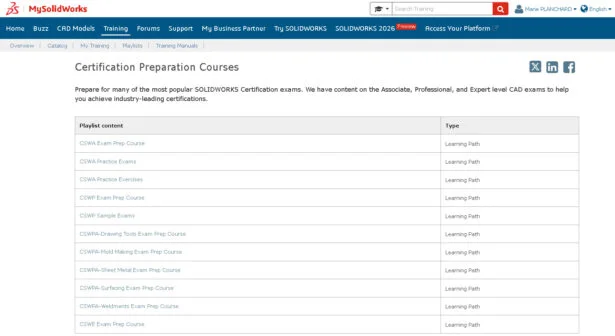
Learning Materials for educators and students to help achieve SOLIDWORKS Certification are available at MySolidWorks.
Design well, Marie