
SOLIDWORKS Certification demonstrates your commitment to enhancing your skill sets in an ever-changing world. Teaching future designers, engineers, manufacturers, your students need to have competencies in Electrical theory, 2D schematics, 3D wire harness, and overall electrical design fundamentals.
Lesson 13 covers the on-line proctored SOLIDWORKS Electrical Design Associate (CSWA-E) exam. Lesson 14 will cover taking the CSWA-E exam. I created this Electrical certification blog in two parts to emphasize its importance and provide extensive details.
Although I earned a masters of science in mechanical engineering, my professional career involved designing laboratory robotics, industrial automation systems, and biomedical products – all with electronics. As an engineering educator, I taught electrical concepts with physics and calculus and applied electric design with robotics. Your students cannot design a product today without electrical knowledge!
To assist students with these critical job skills, SOLIDWORKS Education provides SOLIDWORKS Electrical 2D Schematic, SOLIDWORKS Electrical 3D, SOLIDWORKS Electrical curriculum, SOLIDWORKS Electrical Associate Exam Guide and the CSWE-E exam.
The CSWA-E certification sets you apart as a person who has successfully demonstrated their understanding of the tools and functionality found in the SOLIDWORKS Electrical environment.
For hiring managers, it acts as a valuable assessment to attest for an individual’s competency, thereby reducing the amount of time and energy required to research candidates.
If your school is a SOLIDWORKS Academic Provider, the provider can allocate free CSWA-E exam opportunities. An Academic Certification Provider is defined as an educational institution on subscription, with a minimum number of licenses (varies by country), that is eligible to administer CSWA, CSWP and other specialty exams. The CSWA-E exam can be taken with Desktop SOLIDWORKS (SOLIDWORKS Education Edition).
There are 50 questions in the CSWA-E exam. Each question is worth 1 point. Questions are either in a True or False or a multiple-choice format. Total exam time is 60 minutes. You need a minimum of 35 points out of 50 points to pass the exam.
You are allowed to answer the questions in any order. Use the Summary Screen during the CSWA-E exam to view the list of all questions you have or have not answered.
Note: There is a 14-day waiting period before retaking the CSWA-E exam.
All candidates receive an electronic certification, a digital badge, business card logo and optional personal listing in the SOLIDWORKS Certification directory when they pass.

The CSWA-E exam covers the following topics:
- Electrical Theory (fundamentals)
- SOLIDWORKS Electrical Schematics (fundamentals)
- SOLIDWORKS Electrical 3D (fundamentals)
- Electrical Design (fundamentals)
- Installation
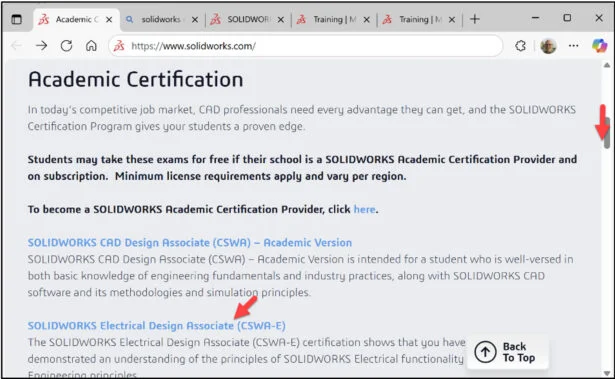
Click the following link: Academic Certification | SOLIDWORKS. View the available Academic SOLIDWORKS certification Homepage.
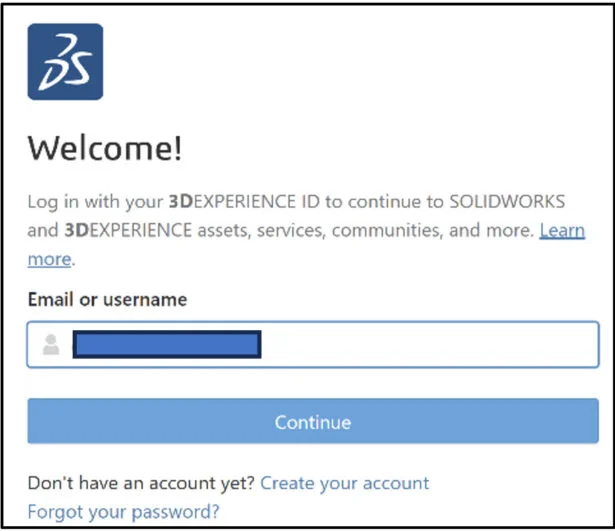
Login. The learning content is free. Note: A 3DEXPERIENCE ID is required.

If you do not have a 3DEXPERIENCE ID, create an account.
Slide the side bar downward.
View the available information.

Click the SOLIDWORKS Electrical Design Associate (CSWA-E) hyperlink.
The SOLIDWORKS Electrical Design Associate (CSWA-E) page is displayed.
Slide the side bar downward.
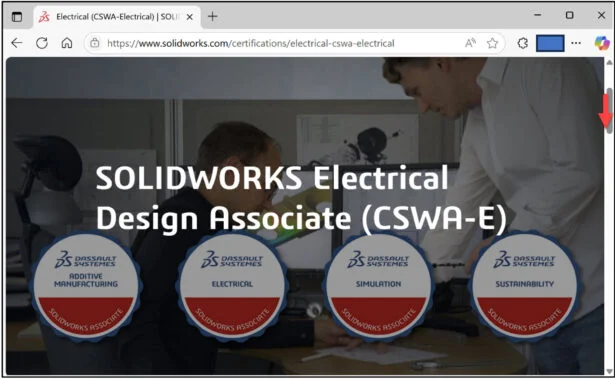
View the available information.
The page provides a wealth of information on the SOLIDWORKS Electrical Design Associate (CSWA-E) exam.
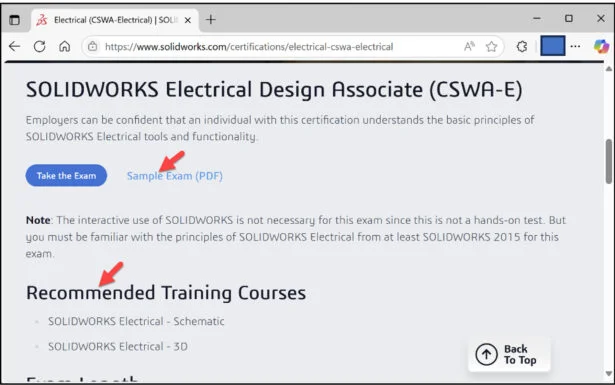
Click the Sample Exam (PDF) link. It is recommended to download the Sample Exam before taking the CSWA-E exam. The Sample Exam questions are a great way to better understand the needed skill set and knowledge for the CSWA-E exam.
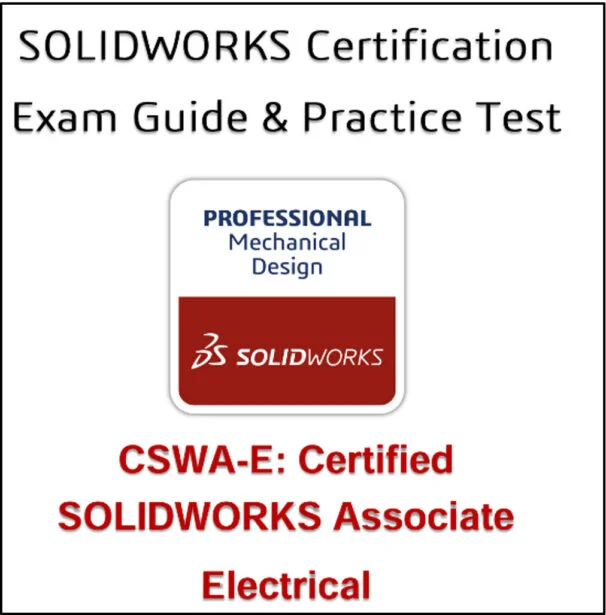
Sample Exam Table of Contents:
- About This Guide
- The CSWA-E Certification
- CSWA-E Exam Details
- How to Prepare for the Exam
- How to Take the Practice Exam
- Taking the Real Exam
- Test Questions
- Answer Key
- Frequently Asked Questions
- Helpful Sites
Note: You do not need to run SOLIDWORKS Electrical for either the practice or actual exam. However, It is recommended to have SOLIDWORKS Electrical running to help answer some of the true or false or a multiple-choice format question.
Additional Resources from MySolidWorks
A 3DEXPERIENCE ID is required.
Click the following link: MySolidWorks – Official SOLIDWORKS Community
Login.

Click the Training tab.
Enter Electrical in the Search Field.
Click the Search icon.

View the available videos and tutorials on SOLIDWORKS Electrical.
Click the SOLIDWORKS Electrical link as illustrated.
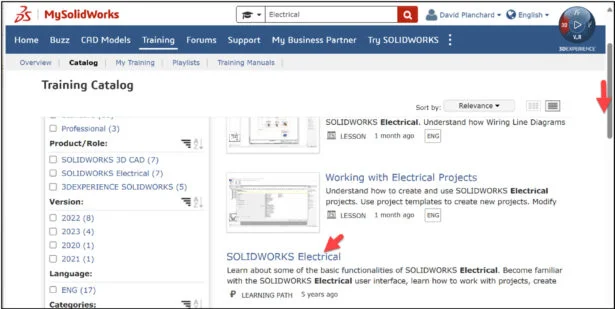
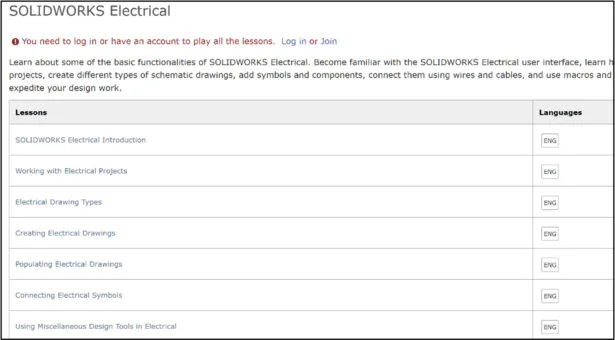
View the SOLIDWORKS Electrical training path.
Lesson 13 is finished.
Lesson 14 covers taking the on-line proctored SOLIDWORKS Electrical Design Associate (CSWA-E) exam. The CSWA-E certification sets you apart as a person who has successfully demonstrated their understanding of the tools and functionality found in the SOLIDWORKS Electrical environment.
Other blogs in this SOLIDWORKS Academic Certification Series:
Lesson 1 SOLIDWORKS Academic Certification – What is the Journey?
Lesson 2 SOLIDWORKS Academic Certification – Certification Provider Program for EDU
Lesson 3 SOLIDWORKS Academic Certification 3DEXPERIENCE Certification Center
Lesson 4: SOLIDWORKS Academic Certification – Exam Opportunities
Lesson 5: SOLIDWORKS Academic Certification – Student Needs
Lesson 6: SOLIDWORKS Academic Certification – CSWA Exam Part 1
Lesson 7: SOLIDWORKS Academic Certification – CSWA Exam Part 2
Lesson 10: SOLIDWORKS Academic Certification – SOLIDWORKS Simulation Associate (CSWA-S) Exam
Design well. Marie
MySolidWorks – Official SOLIDWORKS Community
SOLIDWORKS Electrical | MySolidWorks Training