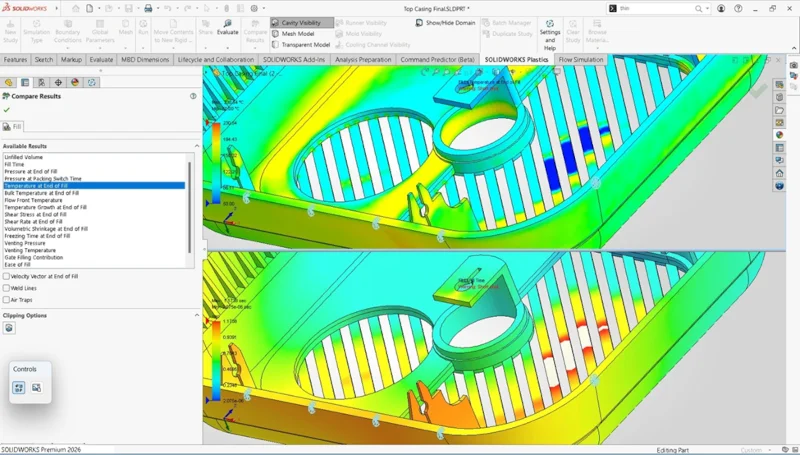

One thing our users love about SOLIDWORKS Simulation is that it’s integrated directly into SOLIDWORKS, allowing you to analyze a design without leaving the SOLIDWORKS interface. This eliminates the need for separate, disconnected systems and reduces the learning curve. This year marks 30 years of SOLIDWORKS, and I’m excited to tell you about the latest enhancements in SOLIDWORKS Simulation 2026 solutions!
This release helps you improve the fidelity, control, and efficiency of complex structural simulations. Force options for beams let you define loads as either Per Item or Total, improving precision in load application. In addition, you can now extract detailed Pin Connector forces in random-vibration simulations, enabling more comprehensive analysis of connector behavior under dynamic loading.
Here is a look at some of the top enhancements, including my personal favorites: the ability to apply total force spread across multiple beams, the ability to plot angular rotation results in either degrees or radians, and the ability to decide whether thick or thin shells are defined by default in new studies.
- Force Load Options for Beams – improve modeling efficiency with greater flexibility in load definition.
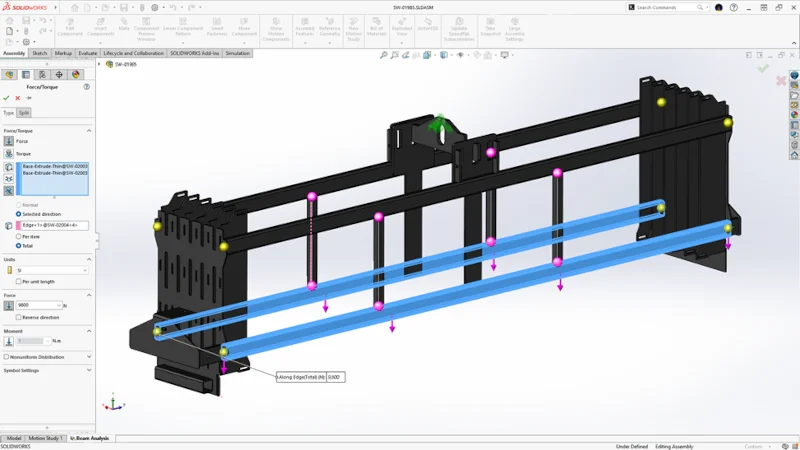
Complex structures with beams can be difficult to measure. In SOLIDWORKS Simulation 2026 we’ve improved the workflow with solid mesh visibility when using a model based on beams. You can choose between Per Item and Total definitions when applying force to beam elements giving you more precise control in structural simulations. If you recall previously, you were only able to apply a force as a Per Item load.
In the Assembly menu under Force Torque, you will find both Per Item and Total options when applying force to beam elements.
- Pin Connector Force Results in Random Vibration – improve design accuracy and streamline analysis of pinned joints in vibration environments.
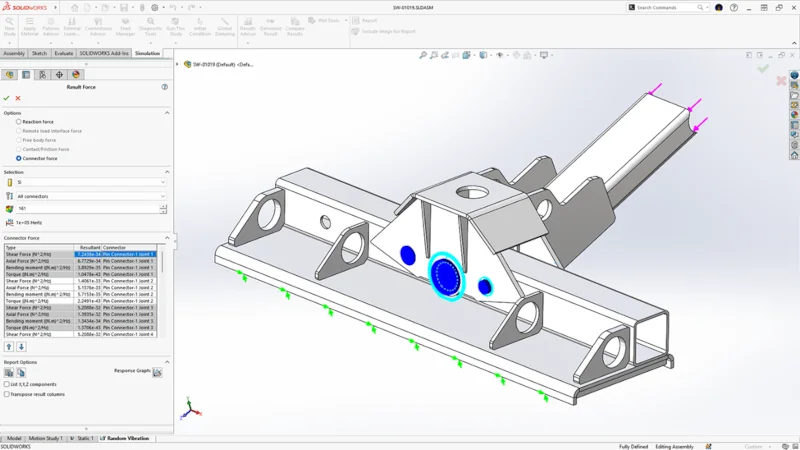
It is now possible to view connector forces from a pin connector being used in a random vibration study. Under the Simulation menu> Result Force there’s a Connector Force option enabling you to extract detailed pin connector forces in random vibration simulations.
To get pin connector force results in a random vibration study in SOLIDWORKS, you must first run the simulation and then list the forces from the Result Force folder. This will also allow you to view a response graph showing resultant forces across the entire range of vibration. You can extract detailed results like shear force, axial force, bending moment, and torque for selected pins by right-clicking Results and choosing List Connector Force.
- Angular Displacement Plot Options – meet engineering standards and project requirements easier.
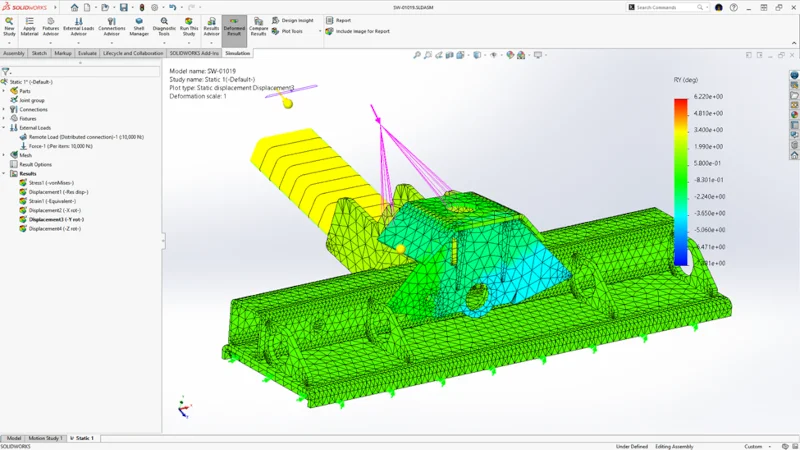
You can now plot angular rotation results in either degrees or radians, giving you greater flexibility in how displacement data is displayed and interpreted. This plot type is available in studies containing solids, shells, or beams.
- Validity Check Improvements – resolve setup issues with clearer, faster diagnostics.
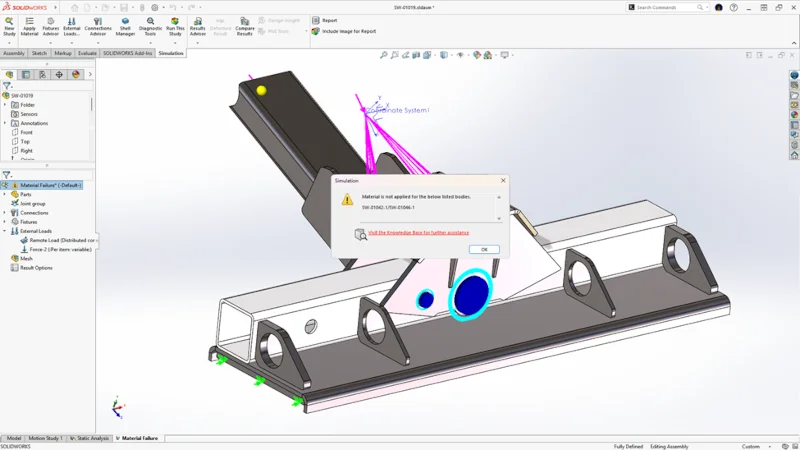
Identify and resolve setup issues more efficiently, improving simulation reliability and workflow speed with clearer warnings for missing materials, invalid mesh controls, and incomplete fixture definitions.
In addition, accelerate issue resolution with one-click deselection for reports, quicker access to stress diagnostics, and streamlined validation messages.
- Shell Improvements – decrease setup time and enhance modeling accuracy for complex shell structures.
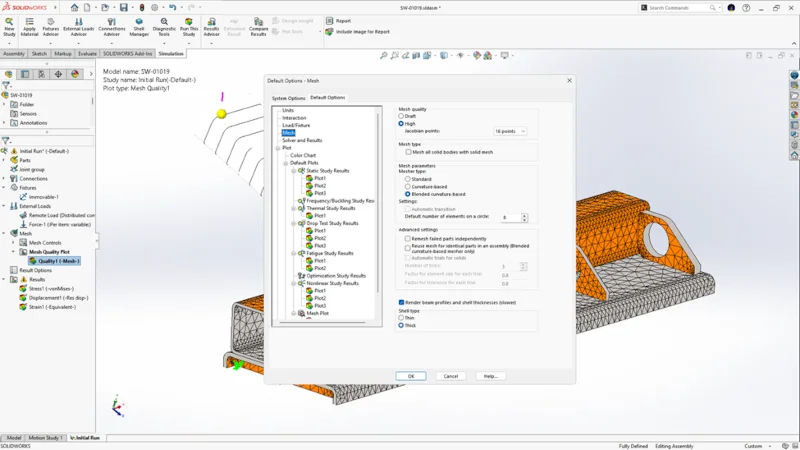
Save time on setup by setting global defaults for thick or thin shell definitions. There’s a new option under Default Options> Mesh, so you can specify whether you’d like thick or thin shells to be defined by default for new studies.
In addition, you’ll find a new enhancement, enabling you to specify distributed remote loads and remote masses on shell edges. The distributed coupling formulation for remote load and remote mass now supports shell edges.
When you select a shell edge as support, the remote load or mass is distributed across the edge’s coupling nodes. Previously, the distributed coupling formulation was available only for faces. This is available for linear static studies, along with the associated fatigue, design, and pressure vessel design studies.
- Apply Remote Mass in Response Spectrum Tests – simplify seismic response studies.
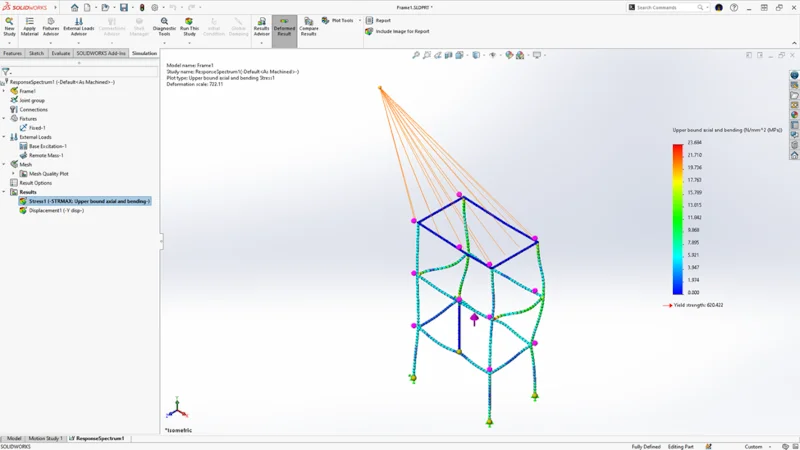
Response spectrum analysis studies now support the application of remote masses. This enables you to include the effect of a component’s mass that is not part of the meshed geometry to the rest of the model by treating it as a remote mass, increasing performance by allowing complex bodies to be simplified.
SOLIDWORKS PLASTICS
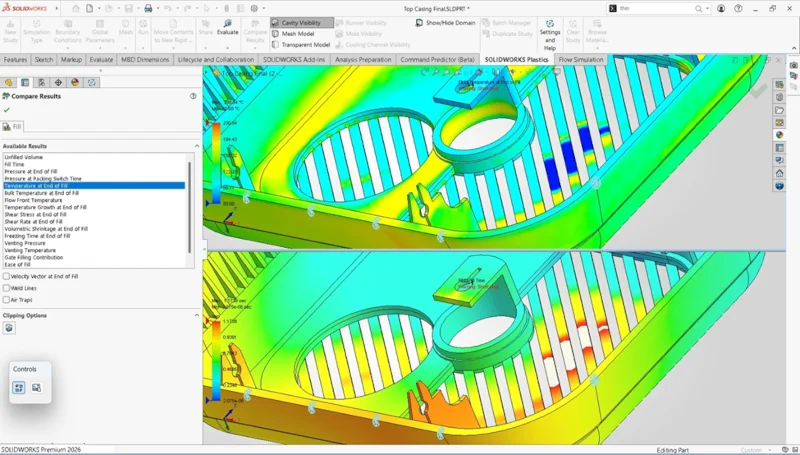
Improve accuracy, insight, and speed with powerful injection molding simulation enhancements in SOLIDWORKS Plastics 2026. Quickly identify unfilled regions in Fill simulations using the new Unfilled Volume plot. Improve the realism of your venting analysis with precise Air Vent boundary conditions applied directly to model edges. Plus, experience a major boost in performance with up to 30% faster solve times across Fill, Pack, and Warp simulations.
- Post-Processing Enhancements – easily identify areas that remain unfilled due to incomplete material injection.
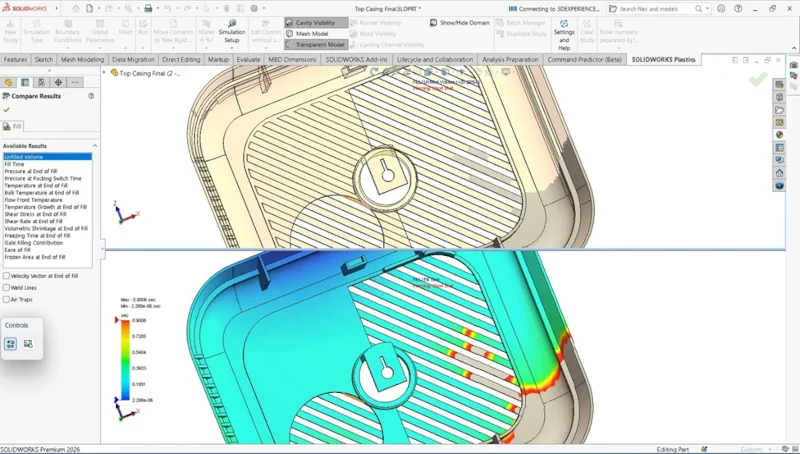
There’s a new “Unfilled Volume” plot for Fill simulations in SOLIDWORKS Plastics. It visually highlights areas of the model that were not completely filled with material due to a short-shot during the filling process. This will help identify where material injection was incomplete.
- Edge-based Air Vent Definition – capture real-world mold behavior more accurately.
Define Air Vent boundary conditions directly on model edges to get a more realistic venting analysis. These can be applied to both Cavity and Cold Runner System domains, better representing actual mold venting behavior.
SOLIDWORKS FLOW SIMULATION
SOLIDWORKS Flow Simulation 2026 streamlines thermal analysis and helps you gain deeper insights with intelligent automation. Improve thermal analysis by automatically filling thin gaps with appropriate materials for realistic results, providing exact coordinates of minimum and maximum parameter points for precise optimization, and offering quick access to component temperature summaries within the Component Explorer.
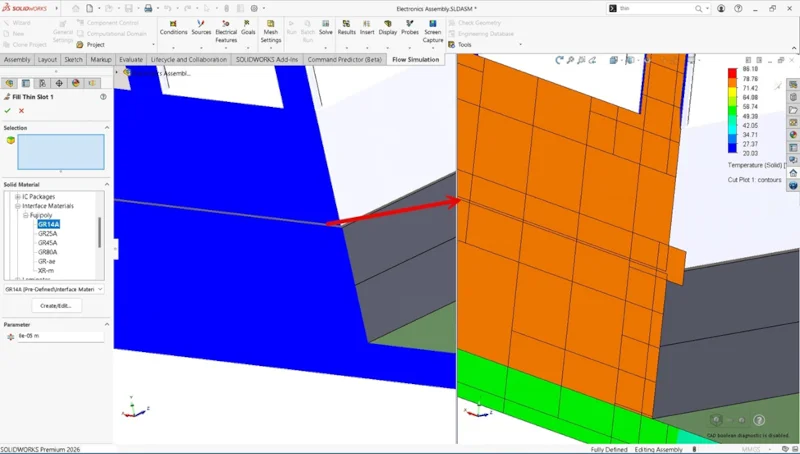
- Fill Thin Slot Feature – capture heat transfer paths more precisely.
Thermal simulations can now automatically fill thin gaps—such as those between heated components and heatsinks or glued parts—with a specified solid material, like thermal interface material or adhesive.
This is based on a user-defined thickness threshold, ensuring more accurate thermal results by accounting for materials present during real-world assembly.
It’s a nice feature for tightly packed or glued components.
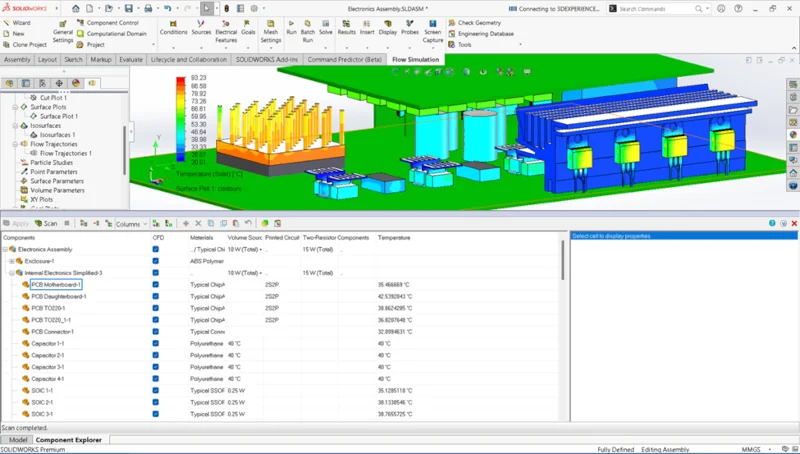
10. New Column in Component Explorer – get a faster thermal assessment at a glance.
After solving, you can now view a summary of all component temperatures directly within the Component Explorer in the new Temperature column. This will help you identify overheating components or imbalanced heat sources more efficiently.
At SOLIDWORKS, we believe that every designer can leverage simulation tools to improve product performance, enhance customer satisfaction, and reduce the environmental impact — ultimately driving greater innovation and market growth. Learn more about our solutions here: https://www.solidworks.com/product/solidworks-simulation and talk to your local reseller.
Keep the enhancements highlighted in this blog handy. Download the flyer here. And see what else is new in SOLIDWORKS CAD and other solutions at https://www.solidworks.com/product/whats-new.