
Most drawings begin the same way: open a template, add the views, add a section to reveal what matters, zoom in for a detail, and lay down starter dimensions. What if you could skip these steps? With new generative drawing enhancements, you can.
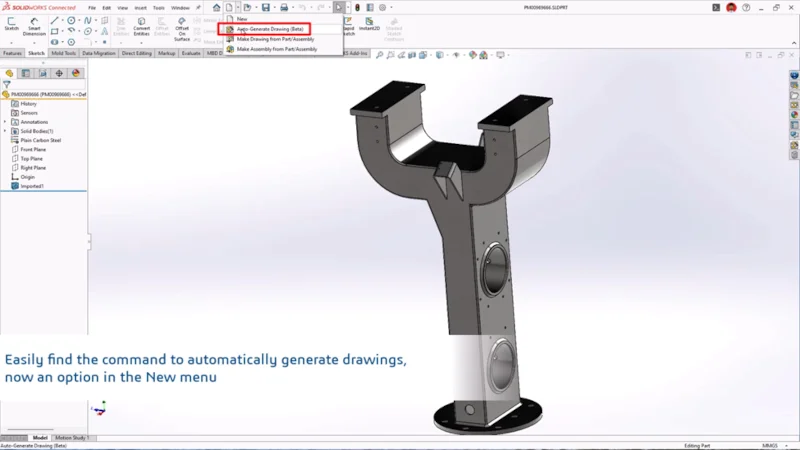
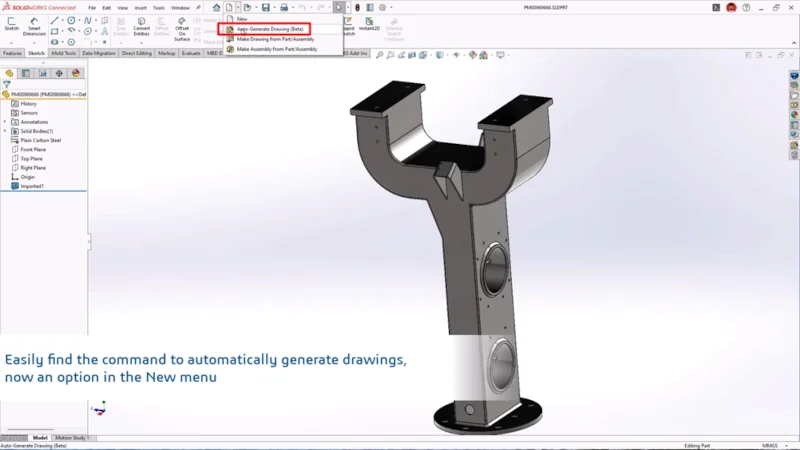
Welcome to the generative drawing experience. In this workflow, you simply open a model, hit Auto Generate Drawing (Beta) under the New menu to create a drawing sheet with views and proposed dimensions.
When enabled, the Auto-Generate Drawing functionality also includes these capabilities:
- Automatic hole recognition leveraging artificial intelligence (AI).
- Views are automatically arranged to avoid overlap with each other and with annotations using AI.
- Automatically matches the sheet format industry standard to the part or assembly industry standard.
- Automatically determines the best fit for sheet size, ensuring all views and annotations are clearly scaled and neatly arranged without overlap.
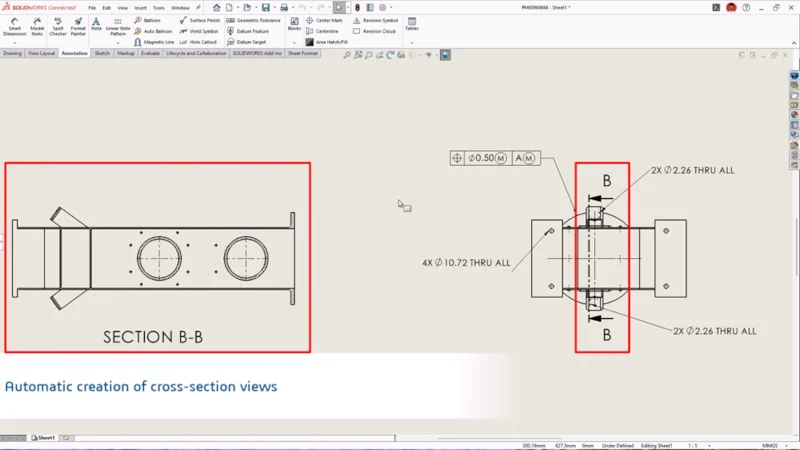
With the click of a button, you can generate your drawing sheet and move on to editing. If the design requires a cut, the system adds a section view automatically, and you can adjust or add another. Long parts remain legible because the system picks the best fit for a sheet size, ensuring views and annotations fit the sheet.
You have the flexibility to edit the proposed dimensions as needed. Keep the ones that communicate intent and add geometric dimensioning, and tolerancing (GD&T) where function demands it. Save, run your normal review, and move on. Nothing changes in PDM or approvals.
Keep in mind, the functionality exists to make your life easier, not to make decisions for you. It incorporates common drafting practices at the beginning stages of your drawing, without requiring you to narrate each step. For instance, it adds recommended cuts and offers details where density would otherwise hide meaning. As for dimensions, it would propose a sensible scaffold so you are curating rather than building from zero.
The automatic drawing creation functionality enables you to use your expertise on more important aspects, such as: Does the dimension scheme express design intent clearly? Do the tolerances match how the part is made and inspected? Are the notes clear and evident? By removing the tedious steps of creating a drawing from scratch, the generative drawing experience gives you more time to answer those questions, streamlining the workflow from design, all the way through to production.
This functionality is particularly useful for prismatic machined parts, brackets, plates, housings, and everyday subassemblies. Having automated functionality for these types of drawings is extremely useful as it reduces setup time, freeing up more time to focus on the finer details and designing.
Generative drawing functionality not only speeds up drawing creation but also enables you to keep your templates clean and the review simple. When borders, title blocks, and notes are tidy, the first draft of a drawing inherits that clarity.
You’re not changing your design process; you’re jump-starting it.
Ready to try it? You can access the automatic drawing generation functionality in three ways:
- Click File, then select Auto-Generate Drawing (BETA).
- Right-click a part, subassembly, or top-level assembly in the FeatureManager design tree or in the graphics area, and select Click Auto-Generate Drawing (BETA).
- Click the New menu and select Auto-Generate Drawing (BETA).
This functionality is available in 3DEXPERIENCE SOLIDWORKS and SOLIDWORKS with Cloud Services. Try it today or contact your local reseller for a demo.
Did you know that 3DEXPERIENCE SOLIDWORKS is now available through our online store? Discover what it can do for you.