How to Use Selection Sets | Tech Tip Tuesday


Selection Sets can save you hours of time, especially if you’re working with imported meshes, and help you create features and extract patterns.
... Continued26 Years of Model Mania®
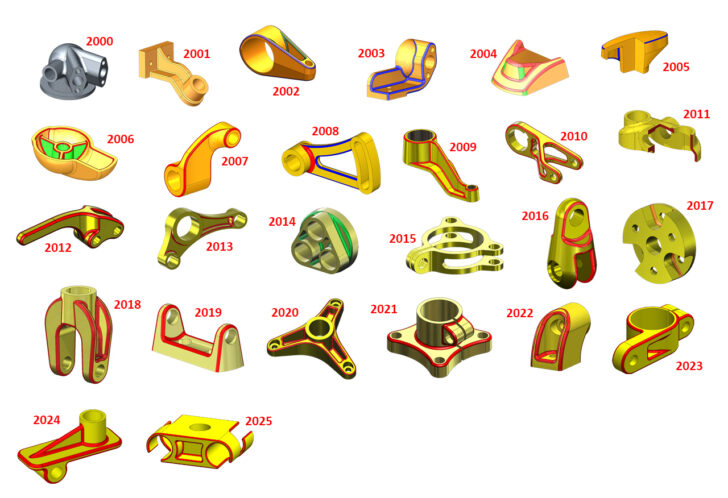
Every year, Dassault Systemes hosts one of the largest engineering conferences in the world. Since SOLIDWORKS World 2000, Model Mania® has been an attraction for many engineers and designers wanting to compete and show off their SOLIDWORKS skills. Model Mania, for those
... ContinuedAutomatic Mate Creation in SOLIDWORKS | Tech Tip Tuesday

Discover how to create Mate References, and effortlessly snap components into place with automatic mate placement. Save time and optimize your workflow with this powerful feature!
... ContinuedTips for SketchXpert, Isolate, and More | Tech Tip Tuesday

Learn how to use SketchXpert to diagnose errors and solve sketch issues, how special tools in the Selection menu can save time, and learn about the power behind the Isolate feature.
... ContinuedSOLIDWORKS® Support Monthly News – January 2025
Hello to all, Welcome to the new edition of the SOLIDWORKS® Support Monthly News! This monthly news blog is co-authored by members of the SOLIDWORKS® Technical Support teams worldwide. Here is the list of topics covered in this month’s Blog:
... ContinuedIntricate Vents From Simple Sketches in SOLIDWORKS | Tech Tip Tuesday

A well-designed electronics enclosure should safeguard its housed components, but aesthetic considerations can also be important. Vents protect electronics from overheating by facilitating airflow and can add visual appeal if detailed artfully. Discover how to create intricate vent patterns from
... ContinuedHandling Multibody Design In xShape | Tech Tip Tuesday

Explore the power of xShape as we demonstrate the use of Ordered Geometrical Sets (OGS). Learn the essentials of using OGS to organize the Design Manager Tree efficiently see how OGS allows you to manage bodies independently and streamline your design workflow
... ContinuedSOLIDWORKS® Support Monthly News – December 2024
Hello to all, Welcome to the new edition of the SOLIDWORKS® Support Monthly News! This monthly news blog is co-authored by members of the SOLIDWORKS® Technical Support teams worldwide. Here is the list of topics covered in this month’s Blog:
... ContinuedChristmas Tree Bell Run: SOLIDWORKS Tutorial

This tutorial was inspired by a recent 3DExperience Challenge. The challenge was to create a model inspired by the Fibonacci sequence in SOLIDWORKS and then render a high-quality 2D image with the help of 3DEXCITE’s xStudio rendering software. You can see my entry rendering below.
... ContinuedSOLIDWORKS for Makers: Design and Create a Remote Control Car Part 2

If you haven’t checked out the first part of this blog series where I got to grips with designing my own RC car you can check it out [here] I set my created designs away to print overnight and came
... Continued