Tips & Tricks
Use Magnetic Mates for Quick Layout of Conveyors and Tracks in SOLIDWORKS 2017


Written by: Alex Frank, Support Engineer, DASI Solutions Magnetic Mates are a new feature in SOLIDWORKS 2017 that allow you to quickly and easily arrange and rearrange assembly components until you achieve a desirable configuration. This new feature is
... ContinuedSOLIDWORKS Part Reviewer: Golden Icosahedron Tutorial

Golden Icosahedron: This model is a icosahedron which is a polyhedron with twenty faces. The twenty triangular faces have five faces meeting at each vertex. Construction Surfaces(Golden Rectangles) are used to start the model. These rectangles are used to create the individual triangular
... ContinuedWire Style Modification in SOLIDWORKS Electrical

The process of creating a large quantity of wire styles can be simplified through the use of Microsoft Excel. SOLIDWORKS Electrical can interface directly with Excel to allow for much faster wire style generation. The following is an outline of
... ContinuedSOLIDWORKS Part Reviewer: Calendar Dial Tutorial

Calendar Dial: This is a fully detailed production part with over a hundred features. Learn about how to use a Layout sketch to plan your work and work your plan. Many techniques are demonstrated in this model. Multi-body part design
... ContinuedSOLIDWORKS Part Reviewer: Candy Castle Assembly Tutorial

Candy Castle Assembly: This festive assembly has easy to understand component patterning and mirroring. It has examples of linear, circular and curve-driven patterns. One part has a fill pattern. Assembly level cuts using “Feature Scope” are used to control which components are cut. Part
... ContinuedSOLIDWORKS: Fix your sketch with Repair Sketch

One of the most fundamental parts of SOLIDWORKS is the sketch. Every design starts with it and in most cases the sketch is used to configure the design. And when your sketch fails, your 3D model will probably fail also.
... ContinuedSOLIDWORKS Part Reviewer: Motor Slide Base Tutorial

Motor Slide Base: This model demonstrates the use of a time saving technique called a Smart Component. A Smart Component allows you to associate or “package together” other necessary components and features when placing a part in an assembly. The associated
... ContinuedSOLIDWORKS Part Reviewer: Waffle Iron Tutorial

Waffle Iron: This model shows a few of the mold tool features available in SOLIDWORKS. In this case the waffle iron is made from reversing the waffle geometry. The multi-body part has some simple sheet metal features along with standard features.
... ContinuedHow to Create and Use Custom Appearances in SOLIDWORKS
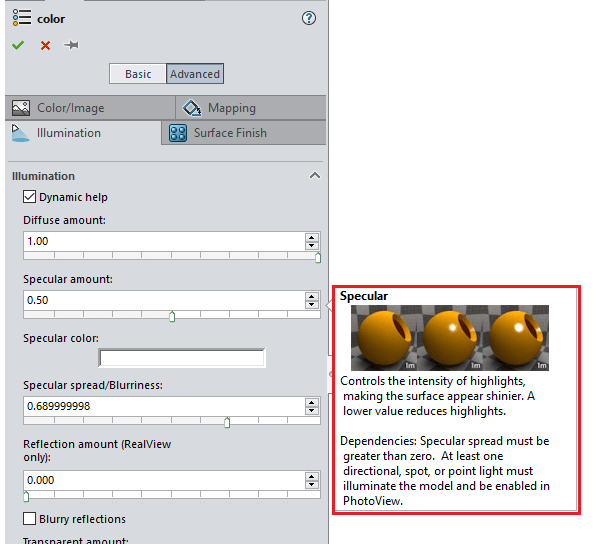
Within the install of SOLIDWORKS, a vast library of appearances and textures are included. Read on to find out how to add, create and use your own ‘out-of-the-box’ appearances…
... ContinuedSOLIDWORKS Part Reviewer: Epoxy Syringe Tutorial

Epoxy Syringe: This practical, familiar model shows various techniques on geometry creation. Multi-body part design creates two solids representing the cylinder and piston of this epoxy syringe. This model is mainly created with extrusion but some hybrid modeling is shown.
... Continued