Menu
  • SOLIDWORKS Blog
  • Education Blog
  • Tech Blog
  • International Blogs
    • SOLIDWORKS Brazil
    • SOLIDWORKS France
    • SOLIDWORKS France Education
    • SOLIDWORKS Germany
    • SOLIDWORKS Japan
    • SOLIDWORKS LATAM y España
  • Podcast
SOLIDWORKS Tech Blog

SOLIDWORKS

Make it Move with SOLIDWORKS – Part 1

By TPM December 15, 2016
Share this...
Share on facebook
Facebook
Share on pinterest
Pinterest
Share on twitter
Twitter
Share on linkedin
Linkedin
Make it Move with SOLIDWORKS – Part 1

Have you ever wanted to make your model move but were not sure how to do it? As a young aspiring engineer I wanted to make stuff move, which is why I didn’t get a civil engineering degree (they might

... Continued

SOLIDWORKS Part Reviewer: Motor Slide Base Tutorial

By SOLIDWORKS December 14, 2016
Share this...
Share on facebook
Facebook
Share on pinterest
Pinterest
Share on twitter
Twitter
Share on linkedin
Linkedin
SOLIDWORKS Part Reviewer: Motor Slide Base Tutorial

Motor Slide Base: This model demonstrates the use of a time saving technique called a Smart Component. A Smart Component allows you to associate or “package together” other necessary components and features when placing a part in an assembly. The associated

... Continued

SOLIDWORKS Part Reviewer: Waffle Iron Tutorial

By SOLIDWORKS December 7, 2016
Share this...
Share on facebook
Facebook
Share on pinterest
Pinterest
Share on twitter
Twitter
Share on linkedin
Linkedin
SOLIDWORKS Part Reviewer: Waffle Iron Tutorial

Waffle Iron: This model shows a few of the mold tool features available in SOLIDWORKS. In this case the waffle iron is made from reversing the waffle geometry. The multi-body part has some simple sheet metal features along with standard features.

... Continued

How to Create and Use Custom Appearances in SOLIDWORKS
By Innova Systems December 2, 2016
Share this...
Share on facebook
Facebook
Share on pinterest
Pinterest
Share on twitter
Twitter
Share on linkedin
Linkedin
How to Create and Use Custom Appearances in SOLIDWORKS

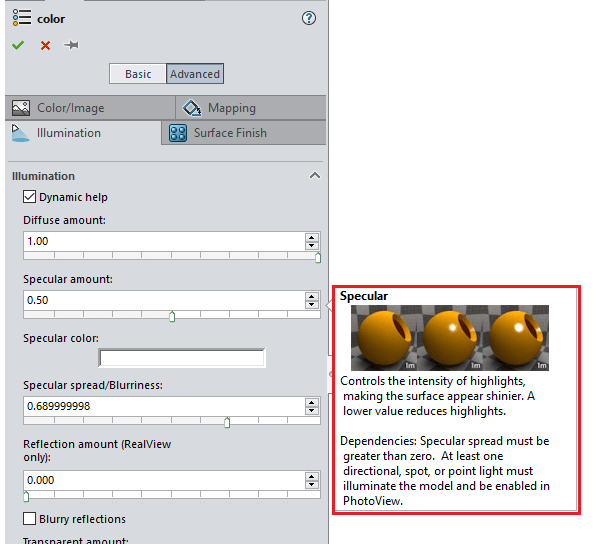
Within the install of SOLIDWORKS, a vast library of appearances and textures are included. Read on to find out how to add, create and use your own ‘out-of-the-box’ appearances…

... Continued

SOLIDWORKS Part Reviewer: Epoxy Syringe Tutorial

By SOLIDWORKS November 30, 2016
Share this...
Share on facebook
Facebook
Share on pinterest
Pinterest
Share on twitter
Twitter
Share on linkedin
Linkedin
SOLIDWORKS Part Reviewer: Epoxy Syringe Tutorial

Epoxy Syringe: This practical, familiar model shows various techniques on geometry creation. Multi-body part design creates two solids representing the cylinder and piston of this epoxy syringe. This model is mainly created with extrusion but some hybrid modeling is shown.

... Continued

SOLIDWORKS Part Reviewer: Cardboard Box Tutorial

By SOLIDWORKS November 19, 2016
Share this...
Share on facebook
Facebook
Share on pinterest
Pinterest
Share on twitter
Twitter
Share on linkedin
Linkedin
SOLIDWORKS Part Reviewer: Cardboard Box Tutorial

Cardboard Box: This model shows some basic sheet metal features along with some standard solid features. Sheet metal features are used so that the part can be flattened out to create a flat pattern. This model goes over some of the

... Continued

Obtaining Your Complimentary Serial Number for Visualize Standard

By Solid Solutions Technical Team November 18, 2016
Share this...
Share on facebook
Facebook
Share on pinterest
Pinterest
Share on twitter
Twitter
Share on linkedin
Linkedin
Obtaining Your Complimentary Serial Number for Visualize Standard

SOLIDWORKS Visualize Standard 2017 is fully integrated with the regular SOLIDWORKS Install and is available as part of subscription for Professional and Premium CAD users. As a result of it’s integration as part of the SOLIDWORKS install a new serial number is

... Continued

SOLIDWORKS Part Reviewer: Chain Assembly Tutorial

By SOLIDWORKS November 12, 2016
Share this...
Share on facebook
Facebook
Share on pinterest
Pinterest
Share on twitter
Twitter
Share on linkedin
Linkedin
SOLIDWORKS Part Reviewer: Chain Assembly Tutorial

Chain Assembly: This assembly has just three unique parts but it does provide a practical example of a chain component pattern. This chain component pattern functionality was introduced in SOLIDWORKS last year. There are three assembly configurations showing different catenary

... Continued

Applying Linked Properties to Drawing Sheet Formats

By NT CADCAM November 11, 2016
Share this...
Share on facebook
Facebook
Share on pinterest
Pinterest
Share on twitter
Twitter
Share on linkedin
Linkedin
Applying Linked Properties to Drawing Sheet Formats

Automation of your SOLIDWORKS drawings is one of the biggest time savers in the software. Manually entering values for model properties, such as Weight, is not only time consuming but prone to human error. This information already exists within your

... Continued

SOLIDWORKS Part Reviewer: Simple Sheet Metal Part 9 Tutorial

By SOLIDWORKS November 5, 2016
Share this...
Share on facebook
Facebook
Share on pinterest
Pinterest
Share on twitter
Twitter
Share on linkedin
Linkedin
SOLIDWORKS Part Reviewer: Simple Sheet Metal Part 9 Tutorial

Simple Sheet Metal Part 9: Side Flange profile sketches do not need the cross section drawn. The lines will be thickened and all the sharp edges will be turn into bends. Sheetmetal features are used so that the part can

... Continued
  • See older posts
  • See newer posts
Register for 3DEXPERIENCE World 2026

Search

SELECT CATEGORY

Recent Posts

  • 15 Top Tips from a SOLIDWORKS Instructor
  • Fluid Simulation in SIMULIA Fluid Dynamics Engineer
  • SOLIDWORKS® Support Monthly News – Dec 2025
  • SOLIDWORKS for Makers: How I Made My Own Offroad Kart – Part 3
  • Unlocking Smarter Design: Configuration Table Enhancements in SOLIDWORKS 2025

Archives