Menu
  • SOLIDWORKS Blog
  • Education Blog
  • Tech Blog
  • International Blogs
    • SOLIDWORKS Brazil
    • SOLIDWORKS France
    • SOLIDWORKS France Education
    • SOLIDWORKS Germany
    • SOLIDWORKS Italy
    • SOLIDWORKS Japan
    • SOLIDWORKS LATAM y España
  • Podcast
  • DELMIAWorks Blog
The SOLIDWORKS Blog

partial open capability

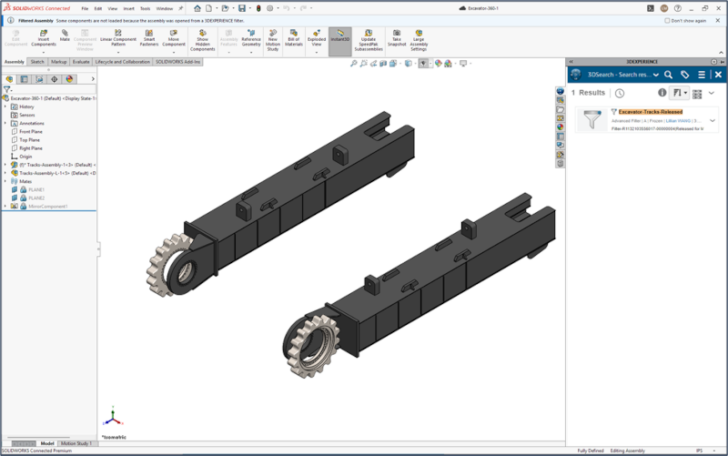
Open Less & Work Faster: Selective Loading with 3DEXPERIENCE Advanced Filters

By Lillian Wang September 17, 2025
Share this...
Share on facebook
Facebook
Share on pinterest
Pinterest
Share on twitter
Twitter
Share on linkedin
Linkedin
Open Less & Work Faster: Selective Loading with 3DEXPERIENCE Advanced Filters

Selectively open sections of your assemblies in SOLIDWORKS by using filters on the 3DEXPERIENCE platform. Learn how you can set up advanced filters to improve your design workflow.

... Continued
Register for 3DEXPERIENCE World 2026

Search

Select Category

Recent Posts

  • Innovations on Stage: A Preview of the 3DEXPERIENCE Theater
  • How Do I Save My Design to a Previous Version of SOLIDWORKS? – Ask AURA
  • Get Hands-On with Simulation at 3DEXPERIENCE World 2026
  • Behind the Design: Meet the Man Behind the Props— Kirby Downey
  • Get in on the Shop Floor Excitement at 3DEXPERIENCE World

Archives