
This is a bittersweet blog as I’m retiring this month after 25 years with the company. One of the best parts of my job has been seeing what you, our customers, create using SOLIDWORKS. The range of creations is truly amazing.
Before I sign off, I wanted to share with you some of the top SOLIDWORKS electrical enhancements from this year. From assigning accessory parts to specific terminals or circuits to improved flexibility in PDF exports, and more, see how you will benefit from SOLIDWORKS 2026 – ECAD.
These enhancements apply to SOLIDWORKS Electrical Schematic Professional (desktop and 3DEXPERIENCE platform versions) unless stated otherwise.
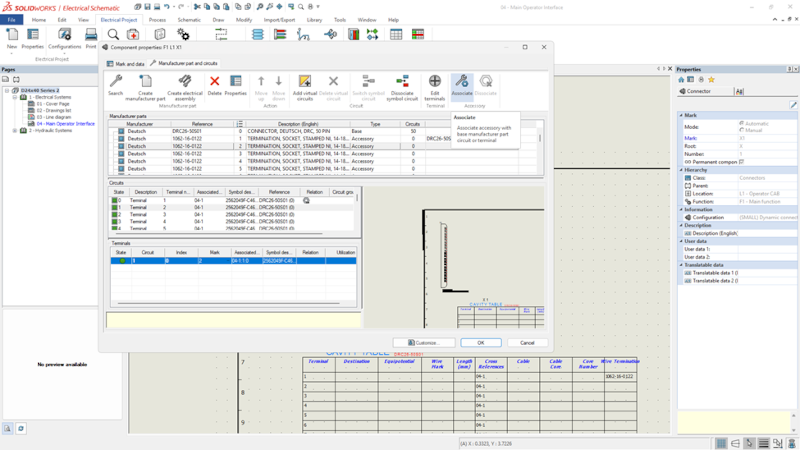
- Assign Accessory Parts to Specific Terminals or Circuits – create complete BOM documentation in 2D with components and accessories.
Enhance design accuracy and manufacturing documentation by assigning accessory parts, such as pins, sockets, seals, and plugs, to specific connector terminals or circuits.
In addition, save time with the ability to create a full 2D electrical structure without modeling accessory components.
- Improved Flexibility in PDF Export from Electrical – quickly organize and output ultra-clear PDF production documentation.
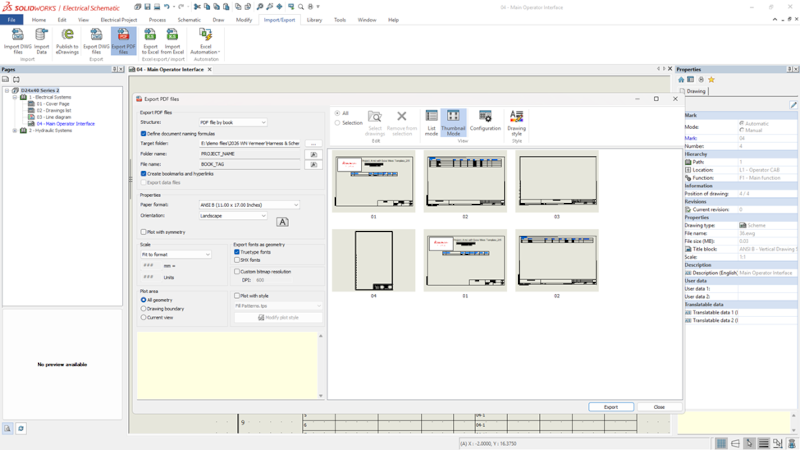
You now have more options that increase flexibility when exporting PDFs of your electrical projects from the 3DEXPERIENCE platform. For starters, you can organize your PDFs by project, book, or page. This can be helpful for document management or if you’d like to distribute specific information to different people, a control engineer, for example, by providing information relevant to them.
You can also auto-number and name each PDF sheet and file as needed to better conform to company standards and production requirements. In addition, you can control the orientation of each page by selecting portrait or landscape.
- Streamlined Manufacturer Part and Cable Reference Import – simplifies data entry for multiple items such as circuits, terminals, and cable cores.
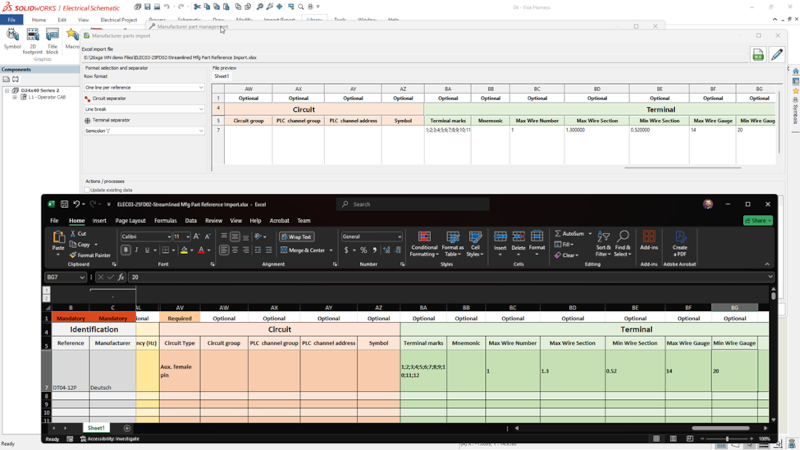
Accelerate library creation and improve data accuracy with faster import of manufacturer parts and cable references from Microsoft® Excel. Click Manufacturer part management > Import, then click the XLS icon to easily import your list into the library.
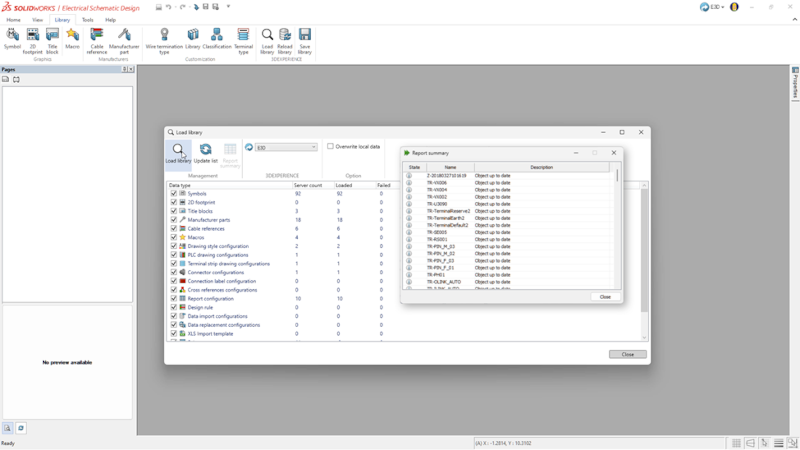
- Load and Reload Feature in 3DEXPERIENCE Libraries – speed up electrical library management.
Simplify electrical library management with load and reload capabilities from the 3DEXPERIENCE platform, ensuring better coordination and consistency across teams.
In addition, the interface now consolidates all comments into a single, easy-to-access toolbar.
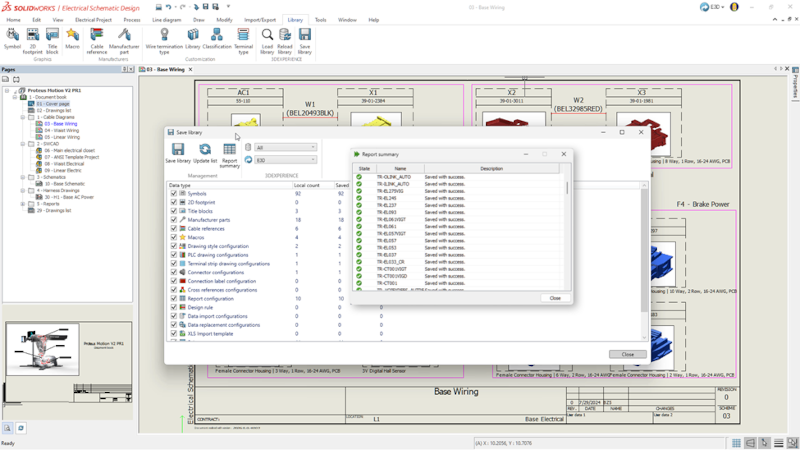
- Saving Local Libraries to the 3DEXPERIENCE Platform – centralize valuable content.
Easily save local electrical content to a central library on the 3DEXPERIENCE platform. This will enable you to keep content in one convenient place and easily aggregate electrical content from team members, eliminating duplicate work, ensuring consistent results across the team.
This enhancement applies to SOLIDWORKS Design Electrical Schematic Professional (platform version).
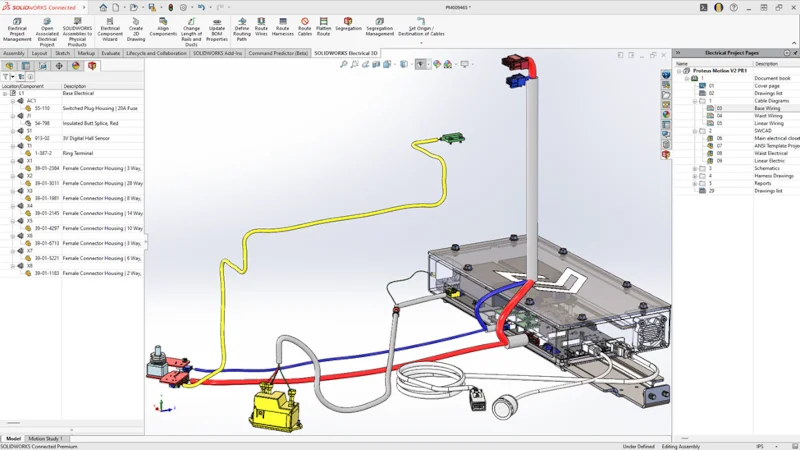
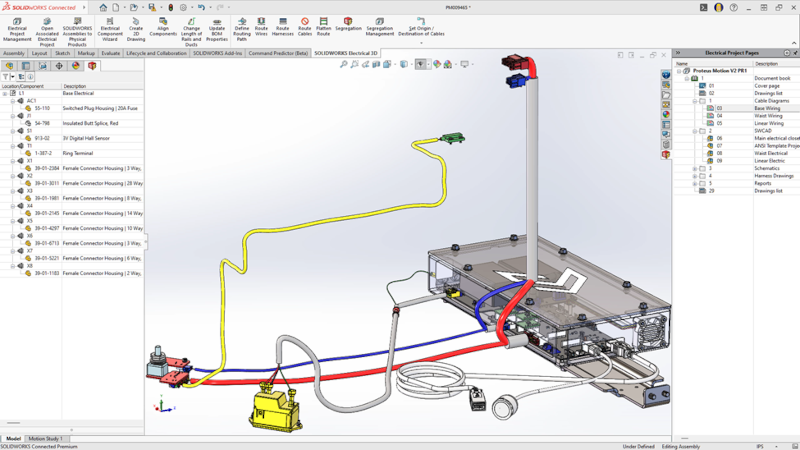
- Introducing SOLIDWORKS Electrical 3D – streamline workflows with integrated electrical design and routing on the 3DEXPERIENCE platform.
Earlier this year, we expanded the electrical solutions available on the 3DEXPERIENCE platform. We introduced a new role called SOLIDWORKS Electrical 3D (E3D). E3D is a cloud-connected solution that enables a direct, two-way connection between 3D CAD and Electrical Schematic Professional (Platform version). E3D enables you to place electrical components in 3D, auto-route wires and cables using rules, and generate accurate production documentation like wire lengths and harness drawings. Check out this blog to learn more.
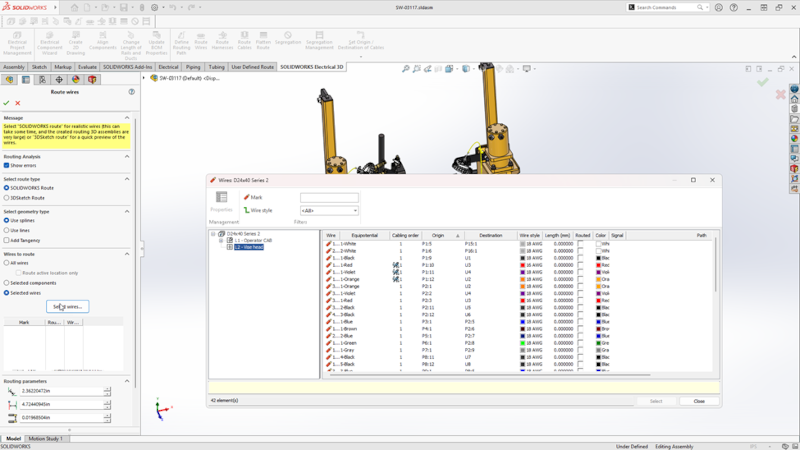
- Route Wires Property Manager Enhancement – accelerate 3D electrical workflows by routing specific wires.
Simplify harness design by routing selected wires directly through the Route Wires property manager, enhancing control and efficiency. This will help you focus routing on a specific wire or a set of wires, just like with cables, for greater precision and flexibility in harness design.
This enhancement applies to SOLIDWORKS Electrical 3D and SOLIDWORKS Electrical Schematic Professional.
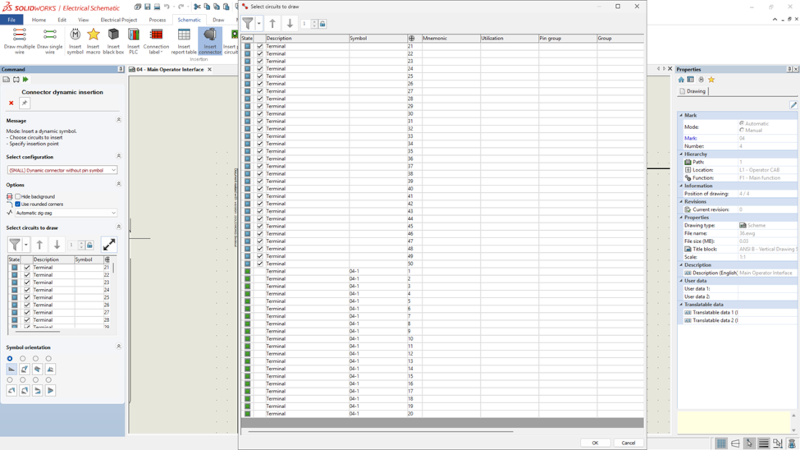
- Dynamic Connector Insertion Improvements – streamline connector insertion with improved access, circuit selection, filtering, and control options.
Simplify connector insertion with direct symbol access and a new, detailed circuit selection dialog for faster, more accurate design choices. This also improves the layout, sorting, filtering, and limit controls in the circuit list for faster, easier navigation.
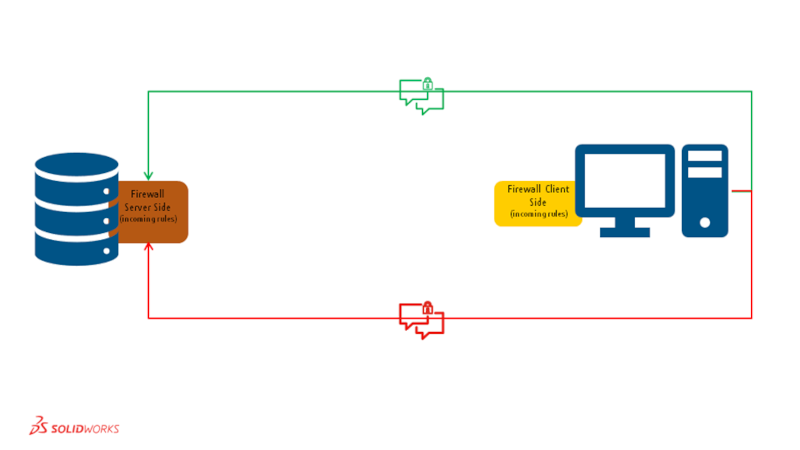
- Collaborative Server Enhancement – boost IT security and compatibility with client-initiated connections and no client-side firewall changes.
We’ve enhanced compatibility with modern IT environments through optimized client-to-server connections for more reliable performance. You can initiate all communication from the client to eliminate server-to-client connections, reduce firewall complexity, and enhance network security.
This enhancement applies to SOLIDWORKS Electrical 3D and SOLIDWORKS Electrical Schematic Professional (desktop versions).
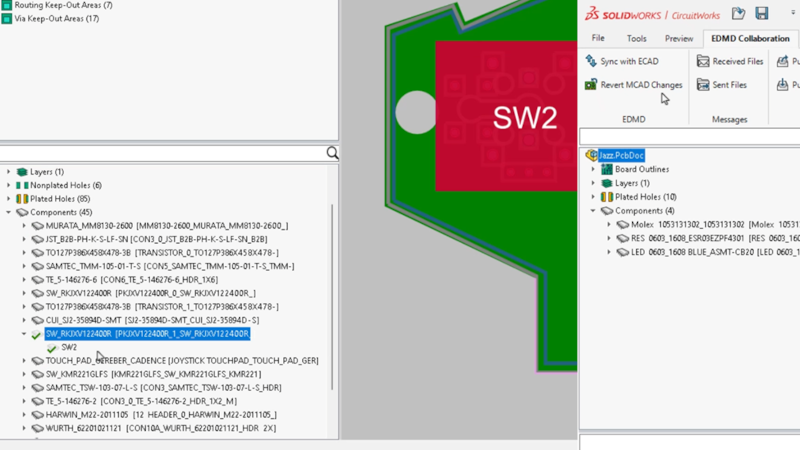
- Enhancements to ECAD-MCAD Collaboration Using IDX 3.0 – strengthen ECAD-MCAD collaboration through data tracking, change control, and faster design cycles.
CircuitWorks now supports parent-child associations between components and other board items, such as keep-in, keep-out, plated holes, and non-plated holes, when interacting with IDX 3.0 files. You can accept or reject changes to these items from either ECAD or MCAD, enabling you to sync both items in a single action. If you accept or reject changes at the top level, you can sync them at the lower level if needed, and vice versa.
When modifying parent components in MCAD, all related child items are automatically updated during export to CircuitWorks.
These enhancements are available now! As a reminder, many enhancements become available throughout the year via functional deliveries. Keep this list handy, download the flyer.
Can you believe this year marks 30 years of SOLIDWORKS? See what is new in SOLIDWORKS 2026 here.
It’s been a pleasure working with you!
Now, I look forward to being a reader of this blog, along with all of you, and look forward to the upcoming enhancements in all areas of SOLIDWORKS. I’ve seen many of them already in development, and I can’t wait.
Happy Holidays!