
Earlier this year we introduced 3D Mechatronics Creator, a fully browser-based solution for mechatronics design, available in the Lighthouse Program, which enables customers to get a first look, test drive, and provide feedback on the software.
3D Mechatronics Creator automates the creation of mechatronics components by providing a multi-disciplinary design, simulation, and validation environment. It integrates mechanical, electrical, and software design in one unified environment.
3D Mechatronics Creator includes 2D and 3D circuit design capabilities, access to components with embedded programming systems, and more. Additional key features include:
- Automatic Wiring Completion (2D): A single-click leads to the automatic wiring of components in the 2D circuit view, eliminating manual wiring, reducing errors, and accelerating design processes.
- Auto Routing (3D): Automatically generates optimal wire paths between placed components in 3D, considering spatial constraints like clearance and more. It simplifies routing, reduces errors, and ensures efficient, manufacturable paths within 3D designs.
- AI-Powered Dynamic Component Suggestions: AI capabilities detect missing components and automatically suggest or adjust required or alternative components when exporting library parts to create designs, ensuring error-free designs.
- Wiring Optimization: Guided wire path creation with bend radius control and real-time validation to prevent wire damage and errors.
- Extensive Library Integration: Access to a vast library of fully defined smart standard parts, facilitating seamless integration across projects and teams, enhancing collaboration, and reducing design conflicts.
Aside from the features and benefits above, another plus is that enhancements become available throughout the year via functional deliveries (FD). Here is a look at some of the latest updates, FD02 and FD03.
Wire Cutlists
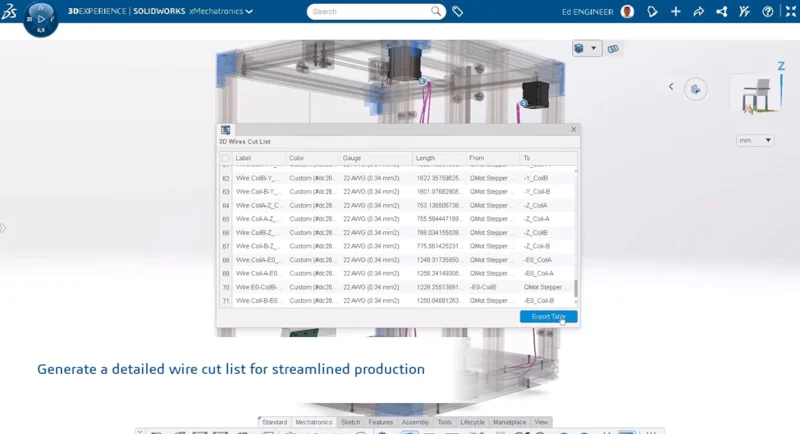
In FD02 we added the ability to create wire cutlists, which provide essential documentation for manufacturing, ensuring that the correct wire lengths and components are used in the assembly process.
With 3D Mechatronics Creator you can now generate wire cutlists that include detailed list of all wires, including their lengths, connectors, and other properties, for your mechatronic designs. The ability to edit wires and their properties simplifies design iterations, automatically updating the wire cutlist with any changes made in the 2D or 3D environment.
Automating the generation of wire cutlists minimizes manual errors and ensures consistency in the manufacturing process. Furthermore, 3D Mechatronics Creator fosters collaboration by allowing mechanical, electrical, and software engineers to work together on the same design, ensuring that wire cutlists reflect the needs of all disciplines.
Quick Tours Using Sample Content
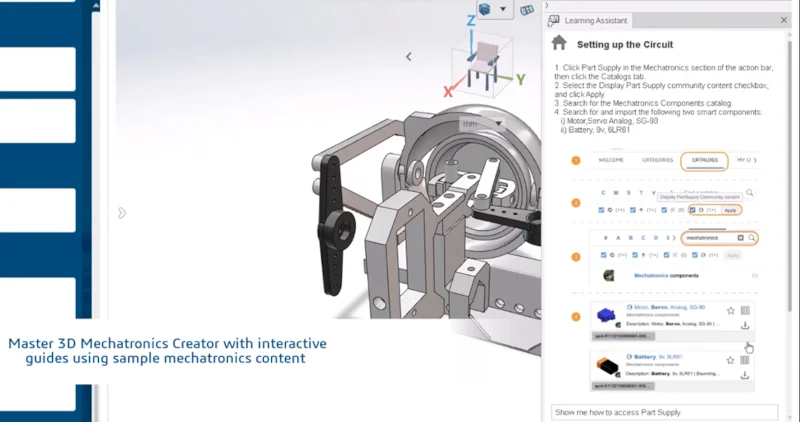
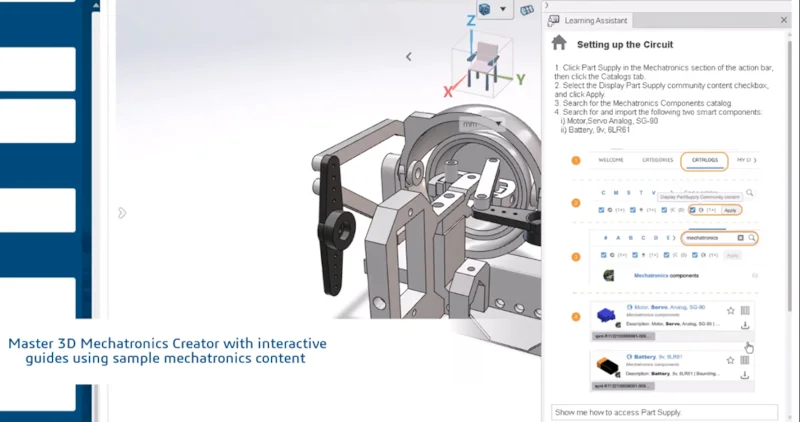
Access Sample Content right from the Learning Assistant, which displays interactive demos that walk you through workflows providing clear contextual guidance.
For example, you can learn how to set up a circuit, how to switch to circuit view and how to solve the physical product.
Smart Component Authoring Enhanced
3D Mechatronics Creator lets you create and integrate your own smart components that include associated features and components that you can reuse in your designs. When inserted into an assembly, smart components automatically add the associated elements, automating the workflow. You can also edit wires between smart components.
In addition, you can access an extensive library of smart components and import intelligent smart components from libraries like PartSupply and get guidance on compatibility and required quantities.
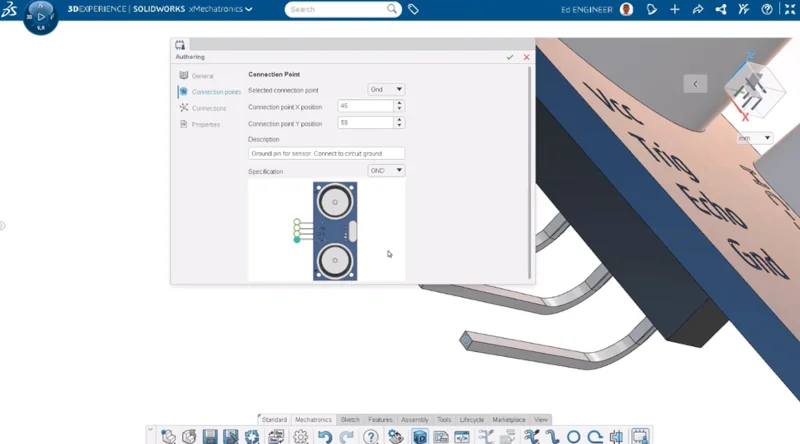
3D Mechatronics Creator also features Smart Component Authoring that enables you to create and bring in your own customized electronic components AND define the connection points, generate 2D wiring diagrams, categorize components and add specific parameters. In FD03 smart component authoring has been enhanced with the ability to create and define your smart components with user-specific requirements, to match your unique project or manufacturing needs.
For a general overview of 3D Mechatronics Creator, see my last blog here. Interested in joining the Lighthouse Program? Click here.
Did you know that 3DEXPERIENCE SOLIDWORKS is now available through our online store? Discover what it can do for you.