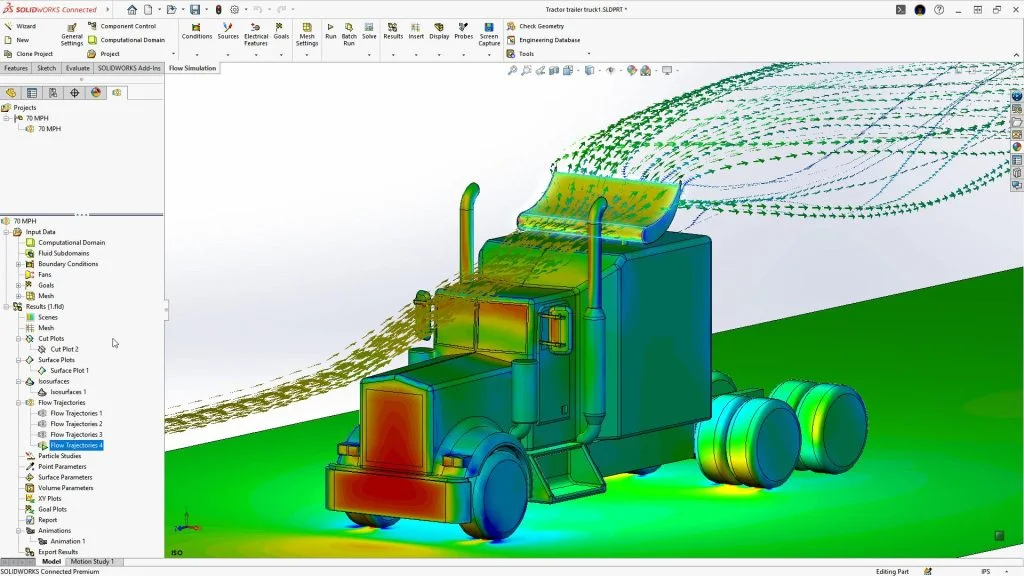

When developing exceptional products, it’s critical to predict how your designs will perform under real-world conditions. For engineers and product designers, late-stage failures and inefficiencies can mean costly delays and setbacks. This is where SOLIDWORKS Flow Simulation steps in, offering a streamlined way to simulate and optimize real-world scenarios directly within your SOLIDWORKS environment.
From fluid flow and heat transfer to aerodynamics, SOLIDWORKS Flow Simulation empowers you to solve complex engineering challenges with precision and speed. This blog dives into how Flow Simulation works, its standout features, and key applications across industries.
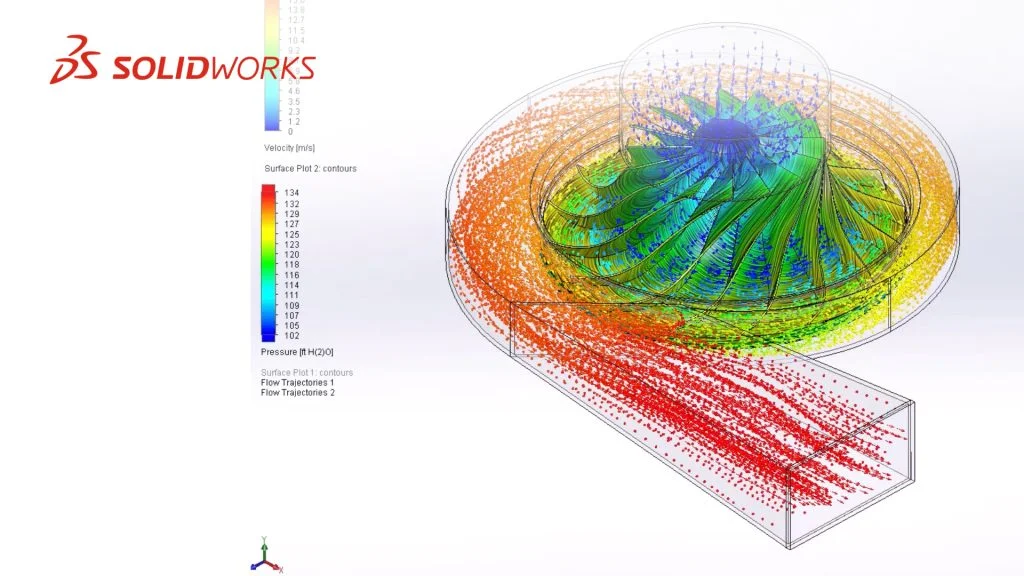
Seamlessly Embedded into Your SOLIDWORKS Workflow
SOLIDWORKS Flow Simulation eliminates the need for separate simulation software, keeping everything in one integrated platform. It equips you with Computational Fluid Dynamics (CFD) tools right within your design interface, making simulation both accessible and efficient.
This integration means design and analysis happen side by side. You can test design iterations quickly, visualize performance, and make data-driven decisions—all while staying focused on innovation.
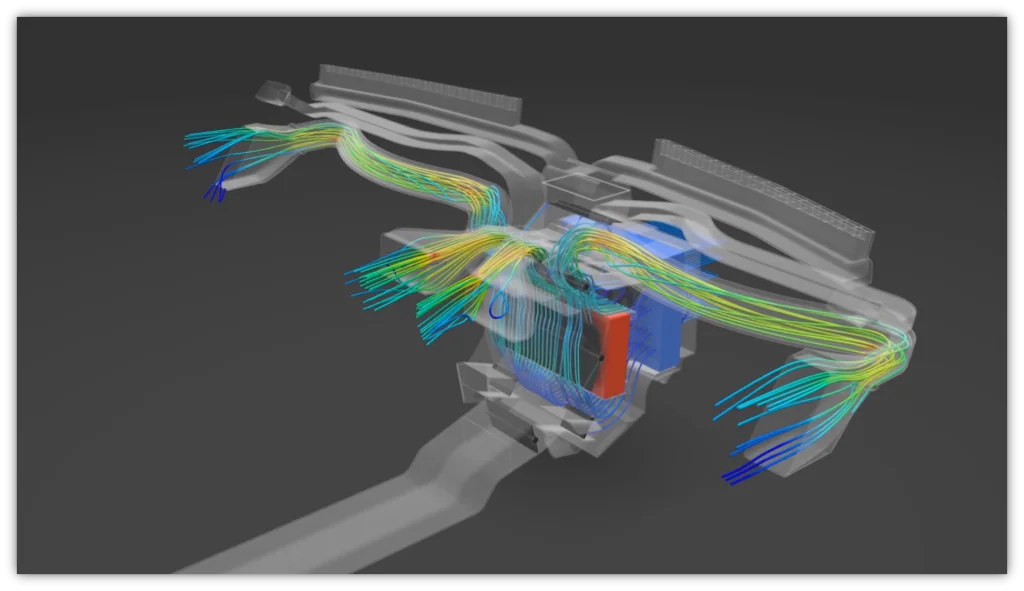
Key Benefits:
- Streamlined Workflow: Conduct in-depth simulations without disrupting your design process.
- Unified Tools: Avoid the back-and-forth between separate software platforms.
- Faster Iterations: Quickly test multiple design configurations, reducing prototyping cycles.
Cutting-Edge Features for Real-World Simulation
1. Intuitive Wizard for Seamless Setup
Even complex simulations start with ease using Flow Simulation’s intuitive setup wizard. Define key parameters, such as fluid properties and boundary conditions, with guided prompts that ensure accuracy. Whether you’re simulating pressure changes or heat dissipation, the process feels effortless.
2. GPU-Powered Visualization
Visualization is at the heart of understanding performance. With powerful GPU rendering, you can explore fluid flow through intricate geometries and pinpoint areas of inefficiency. This capability provides unparalleled insight into critical design elements like turbulence, stagnation zones, and pressure distribution.
3. Dynamic Visualization Tools
Dynamic, interactive tools offer ways to observe a range of conditions:
- Watch fluid paths in action to identify hot spots or bottlenecks.
- Expose pressure losses that lead to inefficiencies.
- Pinpoint wake regions and optimize for better aerodynamic performance.
4. Enhanced Design Studies
Create parametric studies, simulate multiple variables, and test for a range of real-world conditions. From transient flow to rotational dynamics, Flow Simulation enables engineers to evaluate design performance before a single physical prototype is built.
5. Integrated Material Libraries
Access libraries of fan curves, heat sinks, circuit boards, and fluid types to simplify simulation modeling. Tailor your inputs to match real-world conditions and ensure predictive accuracy.
Applications Across Industries
The versatility of SOLIDWORKS Flow Simulation makes it an invaluable tool across multiple industries. Here’s how different sectors benefit:
Electronics
Heat dissipation is a critical factor in electronic devices. Flow Simulation ensures efficient thermal design by:
- Testing natural vs. forced convection.
- Optimizing fan placement and airflow paths.
- Simulating heat transfer in PCBs and enclosures.
HVAC Systems
HVAC efficiency depends on managing fluid and air flow effectively:
- Evaluate heat exchanger designs for better thermal transfer.
- Model baffle and duct arrangements to maximize efficiency.
- Simulate varied material configurations to optimize costs.
Aerospace and Automotive
Aerodynamics play a critical role in vehicle and aircraft performance:
- Simulate wind tunnel conditions to assess lift and drag.
- Optimize designs for wake regions and overall efficiency.
- Ensure stability under varying aerodynamic forces.
Industrial Equipment
For equipment like pumps and valves, precision is essential:
- Simulate flow rates, pressures, and turbulence to avoid cavitation.
- Evaluate sealing under pressure for performance durability.
- Test rotational components such as impellers for fluid efficiency.
Why Choose SOLIDWORKS Flow Simulation?
Flow Simulation isn’t just about running analyses—it’s about achieving confidence in your designs. By simulating real-world scenarios early in the process, you gain actionable insights that reduce trial-and-error iterations, saving both time and resources. Whether your focus is optimizing performance or meeting regulatory standards, SOLIDWORKS Flow Simulation is your partner in precision and innovation.
Key Takeaways:
- Comprehensive Insights into fluid flow, heat transfer, and aerodynamics.
- Intuitive Tools for fast, hassle-free setup and dynamic visualization.
- Industry Applications that address high-stakes design challenges.
Take the guesswork out of engineering excellence. See Flow Simulation in action—watch the “First Look” video to explore features, workflows, and real-world applications. To learn more, contact your local SOLIDWORKS partner and elevate your designs with simulation-driven decision-making.
Discover how SOLIDWORKS Flow Simulation can transform your design process, driving innovation and ensuring products that perform reliably under pressure. Design smarter, simulate faster, and build with confidence.