
SOLIDWORKS is one of the best CAD software programs for designing 3D printed models, not just because of its convenience and parametric modeling,
but also its support of a variety of evaluation tools assisting the 3D printing process.
1、Print3D
Print3D is a SOLIDWORKS feature designated for 3D printing, it includes different features assisting the printing process before export.
i. Printer library for previewing the model with the printer volume ii. Orient and scale model before export, auto-calculate the maximum scale for your model iii. Export to file for 3D print: stl, 3mf, amf
iiii. Preview model with building analysis of angle, layer height, thickness/gap, material, slices and faces required support
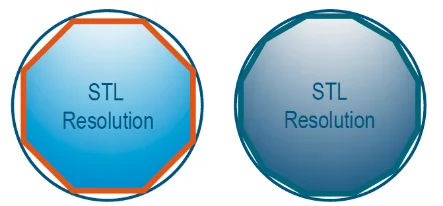
2、Export OptionsExport is the key function from SOLIDWORKS to 3D print, where export resolution directly affects the model quality and the file size.Using deviation, angle, maximum facet size and preview settings can help to define the most suitable resolution.
3、Thickness Analysis
Identify thin regions to prevent potential wall thickness failure or flaws.
4、Geometry Analysis
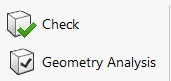
For surface bodies and import bodies, checking insignificant geometry, sharp angles and discontinuous geometry. Check for import bodies, checking invalid geometry and open surface.
5、Section View

Simulate slicing for the printing process.
After section view, we can further evaluate the slices.
Section Properties
Provide information for an entire section, e.g. surface area and center of mass.

Measure

Provide information for the selected items, e.g. thickness and dimension.
6、Interference Detection Validate the ability to assemble the model.
Clearance Verification Validate the clearance in assemblies.

The above evaluation tools can help you to validate the 3D printed model and provide the information needed for the printing process early in the design stage. These can greatly reduce the failure of printing and prototype, and thus the time and cost.
Written by Marco Yam, Intelligent CAD/CAM Technology Ltd.