
Whether you’re a designer checking a bolted joint early in development, an analyst evaluating nonlinear behavior under changing loads, or a mold designer fine-tuning cooling channels, the SOLIDWORKS simulation portfolio lets you test and validate your 3D CAD designs virtually before they go to manufacturing.
SOLIDWORKS 2027 adds new capabilities across SOLIDWORKS Simulation, SOLIDWORKS Plastics, and SOLIDWORKS Flow Simulation, including improvements to nonlinear modeling, post-processing, results management, and model preparation. Here is a look at the top enhancements and how they help engineering teams make better design decisions faster and with greater confidence.
SOLIDWORKS Simulation
The following enhancements apply to SOLIDWORKS Simulation and give you deeper insight into structural performance, from time-based bolt preloads and general spring connectors in nonlinear studies to shear stress results for beams and interface stresses for bonded interactions.
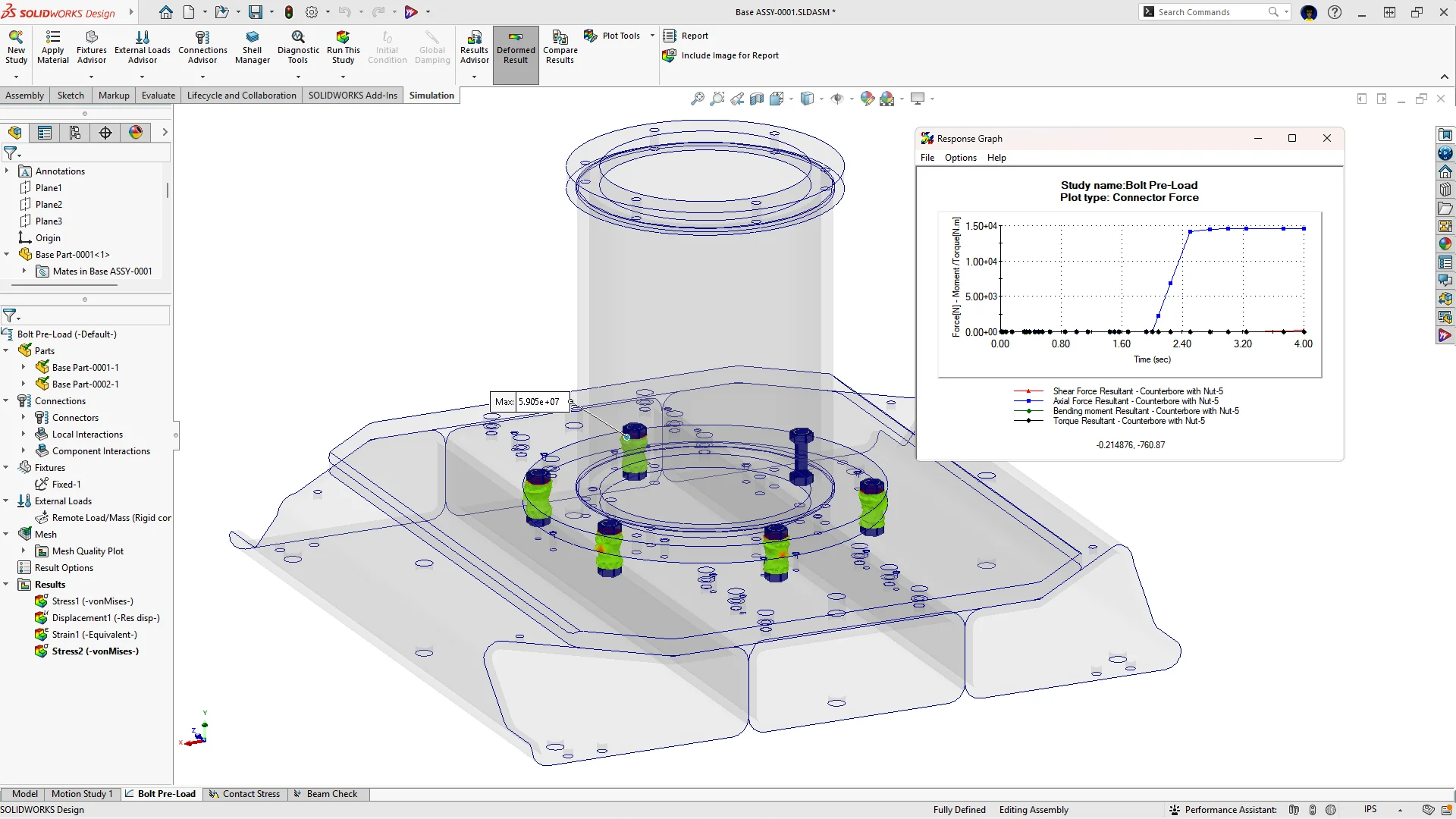
Time-Based Preloading of Bolts in Nonlinear Simulations
Apply time-based preloads to bolt connectors in nonlinear static and dynamic studies to capture real-world tightening and changing loads.
Choose between two tightening methods. Gradual tightens the bolts with the given preload based on the start time and end time you set, while Immediate preloads the bolts before the nonlinear analysis starts. Existing nonlinear studies open with the Immediate method, so they keep the behavior of the original study.
Use time-based preloads to predict bolt behavior accurately and validate bolted-joint performance for pipe clamps and other bolted assemblies under complex, changing loads before you build a prototype.
General Spring in Nonlinear Simulations
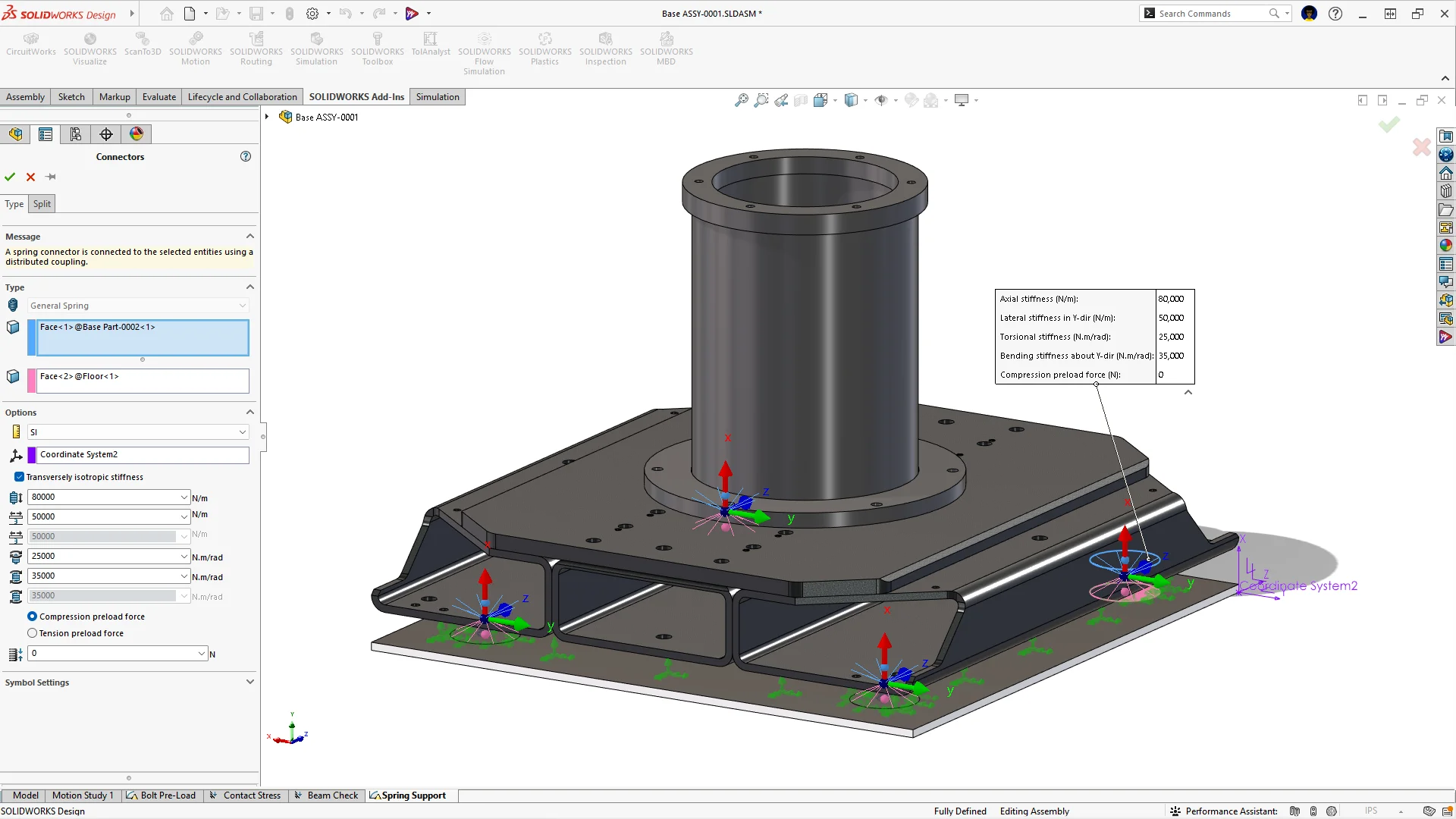
Use General Spring connectors in nonlinear static and nonlinear dynamic studies to accurately represent spring elements in simulations involving large displacements and other nonlinear effects.
Define a general spring between flat, non-flat, and concentric cylindrical surfaces with up to six stiffness parameters in a local coordinate system, and reuse spring definitions from linear studies without redefining connectors. After the run, extract the shear force, axial force, bending moment, and torque acting on each spring with List Connector Forces.
Beam Shear Stress Results in Post-Processing
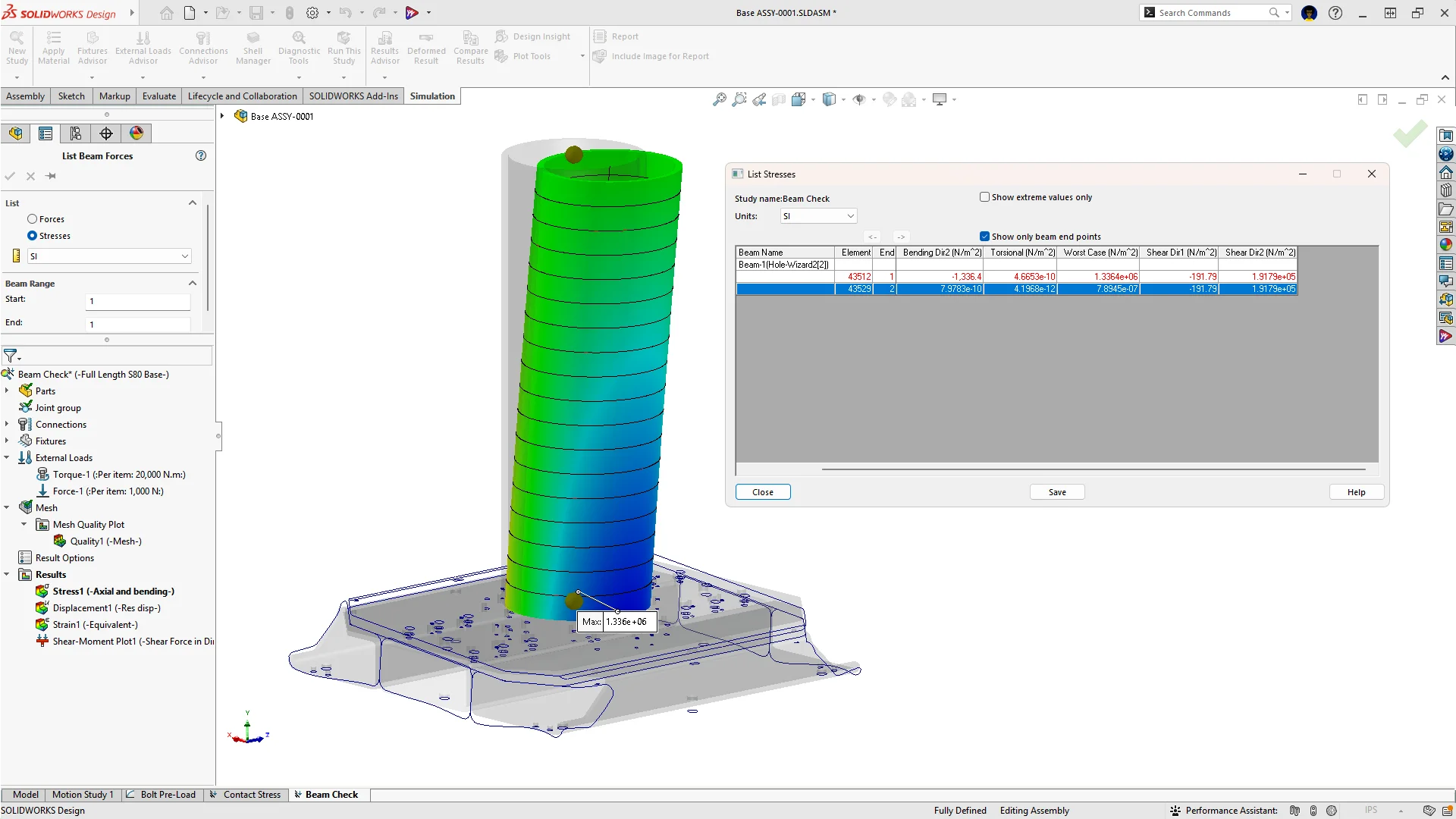
List shear stress values for beams in both local directions with the List Beam Forces command.
In earlier versions, beam shear stresses were only available in plots. Now the List Stresses table in List Beam Forces includes dedicated Shear Dir1 and Shear Dir2 columns, so you can compare and export beam shear stress results without manual calculations.
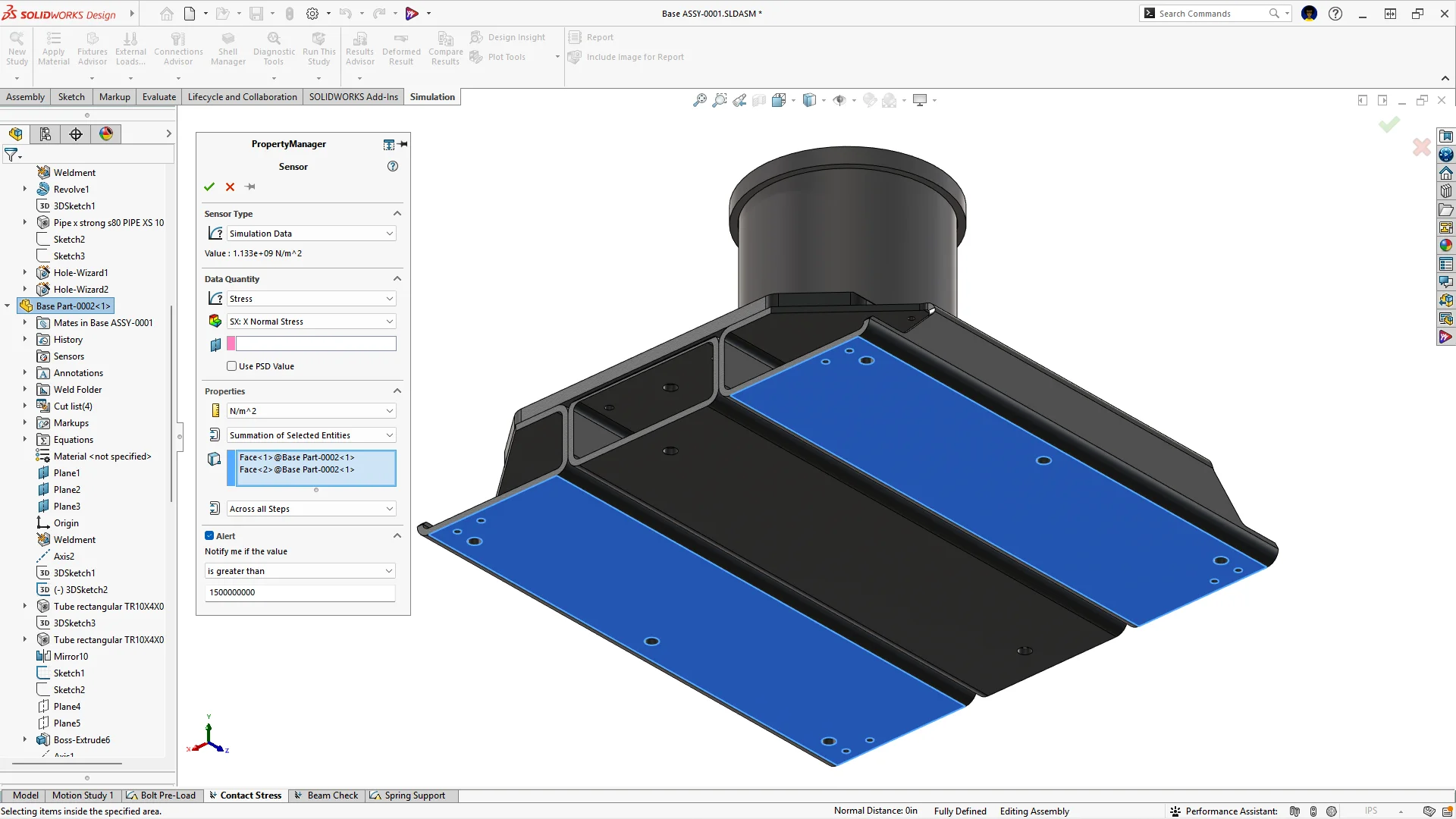
New Sensor Criterion: Sum of Selected Entities
Add a sensor that totals forces across multiple selected entities, such as the total axial force carried by all the bolts in an assembly, with the new Summation of Selected Entities criterion.
Previously, you had to extract the result values one at a time and add them manually. Now the sum appears directly in the Sensor Property Manager as soon as you select the entities, so you can monitor aggregate results for a single sensor. For connector forces, the summation can be applied to an entire connector type, such as all bolts, pins, or bearings.
Bonding Interface Stress Evaluation
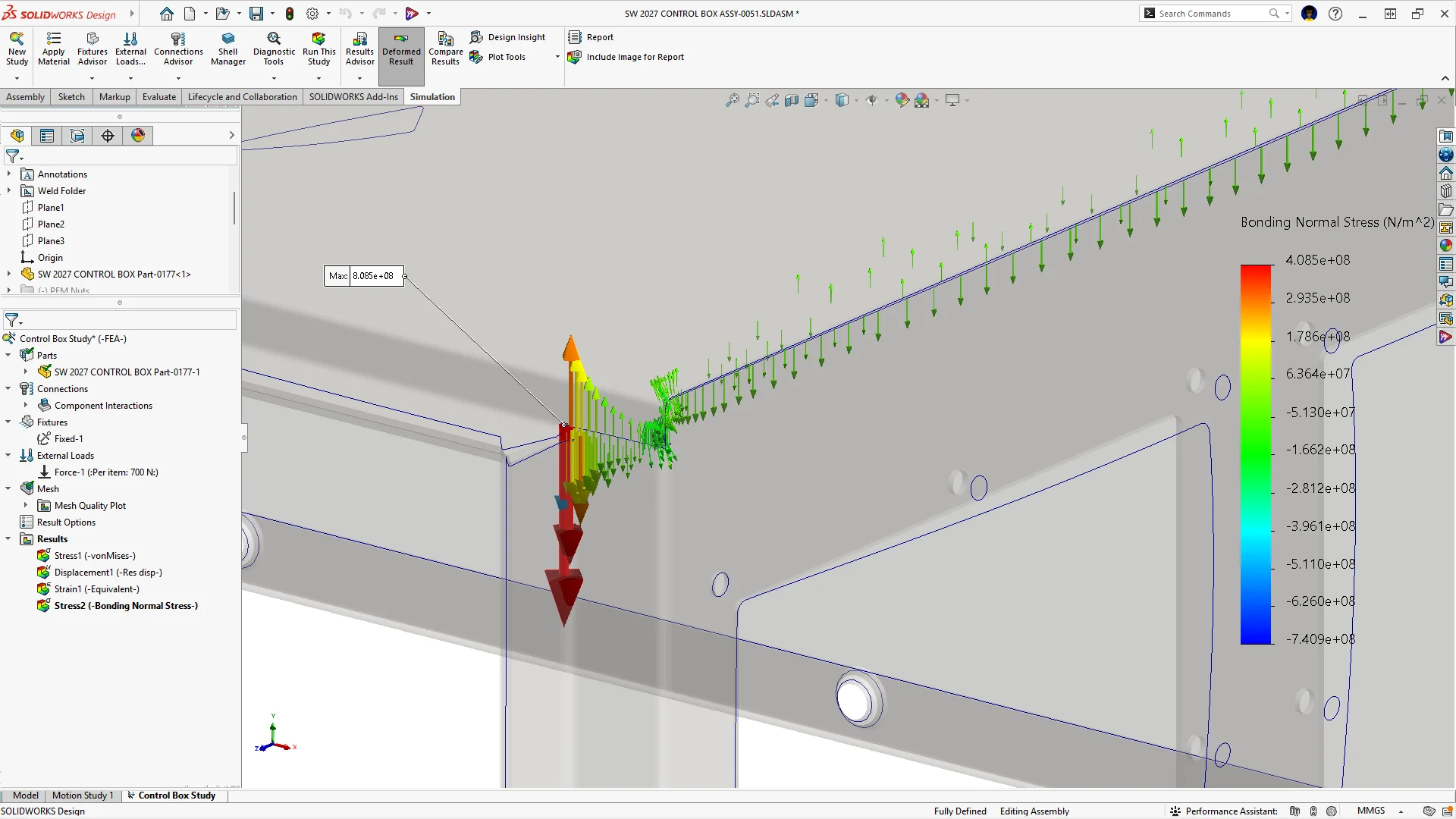
View normal and tangential interface stresses for bonded interactions that use the Surface-to-Surface bonding formulation.
Plot the BN: Bonding Normal and BT: Bonding Tangential stress components to find regions with high tensile, compressive, or shear stress at bonded interfaces, and list the values at each interface node. Vector plots indicate whether a bonded component is in tension or compression, helping you spot weak bonded interfaces more quickly and assess interface load distribution without manual calculations.
SOLIDWORKS Plastics
The following enhancements apply to SOLIDWORKS Plastics and give you more control over injection molding study results, with custom storage paths for study output, multi-point result queries, and Reynolds number results in mold cooling analysis.
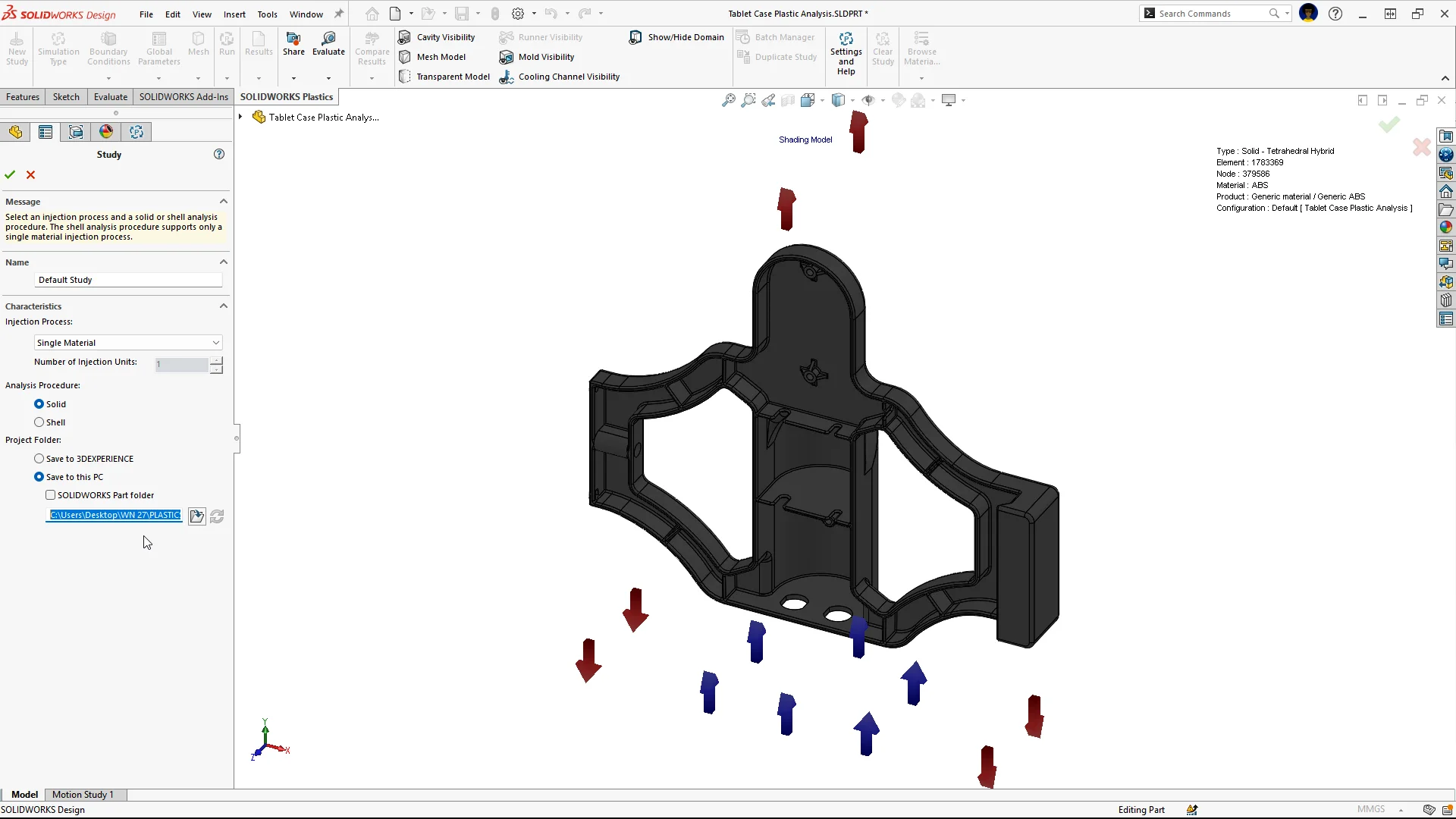
Custom Storage Path for Plastics Study Results
Set a custom project folder for SOLIDWORKS Plastics study results instead of relying on default storage locations.
Keeping simulation data separate from CAD files reduces file clutter and supports a consistent, project-based folder structure. Custom folders also simplify synchronization with PDM and PLM systems, making it easier to manage and trace simulation results in enterprise workflows.
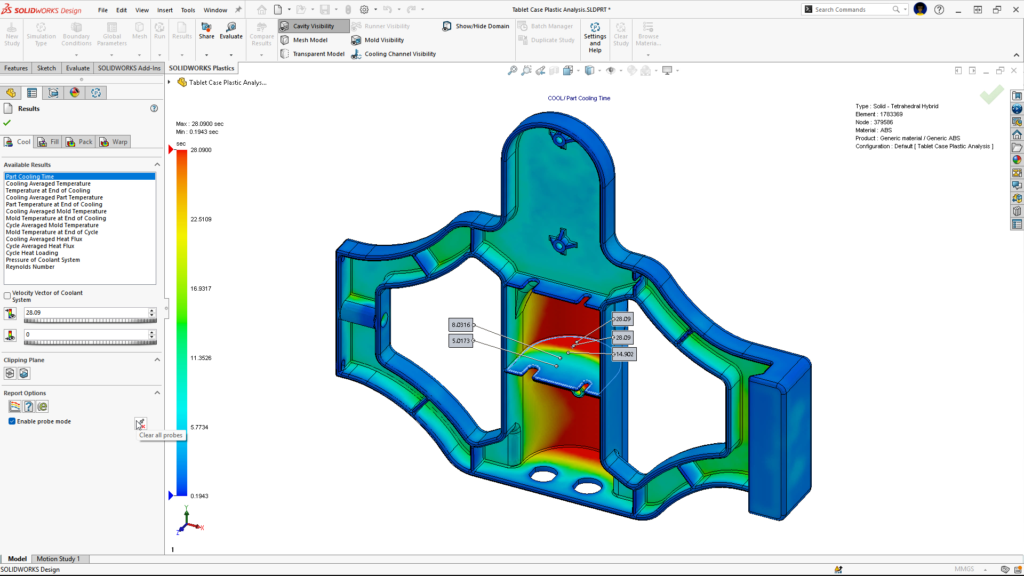
Multipoint Result Query
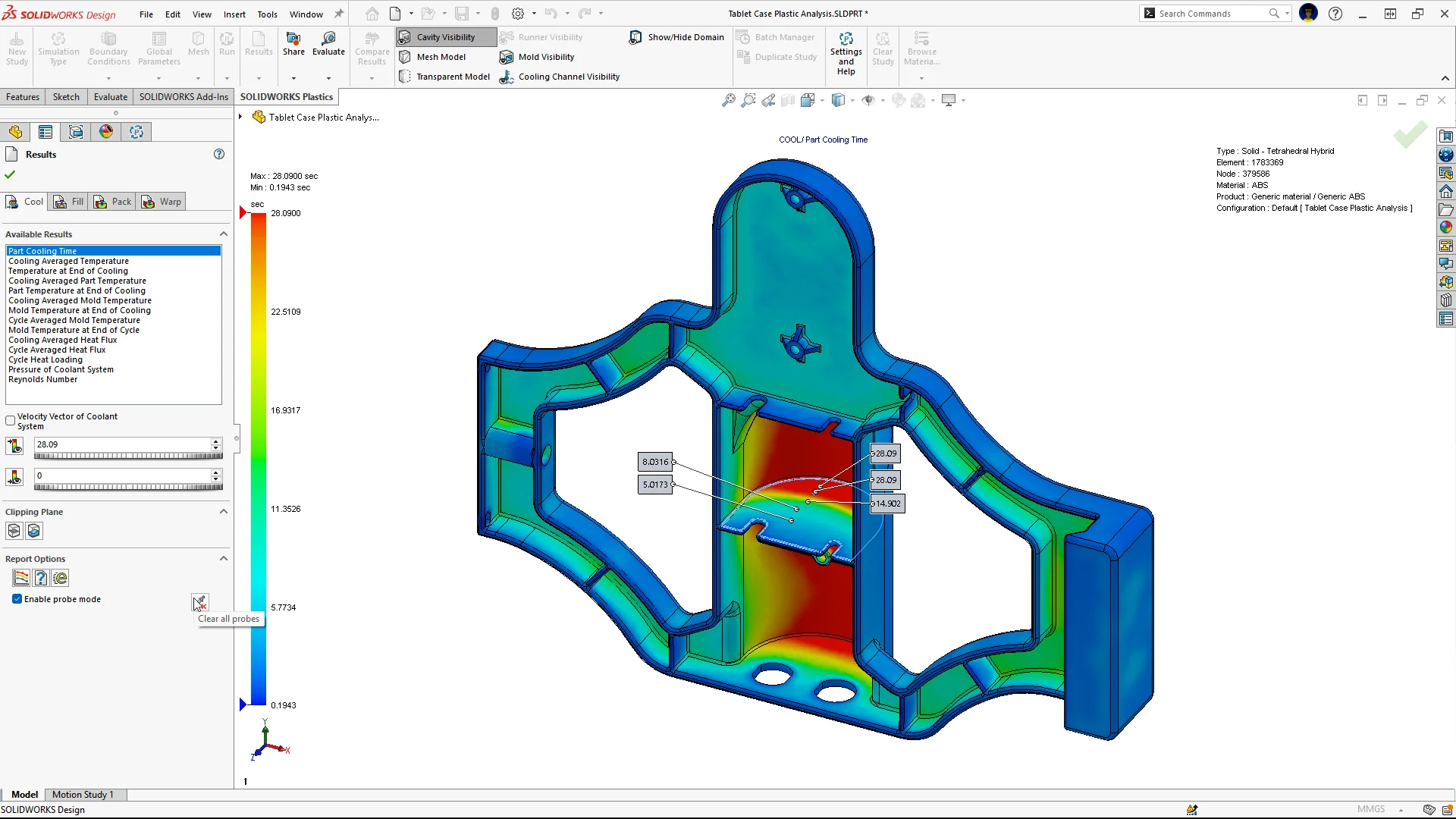
Compare simulation results at multiple locations on a molded part simultaneously.
Identify critical areas affecting filling, cooling, and warpage in a single pass, rather than probing locations one at a time, and validate your injection-molded designs faster.
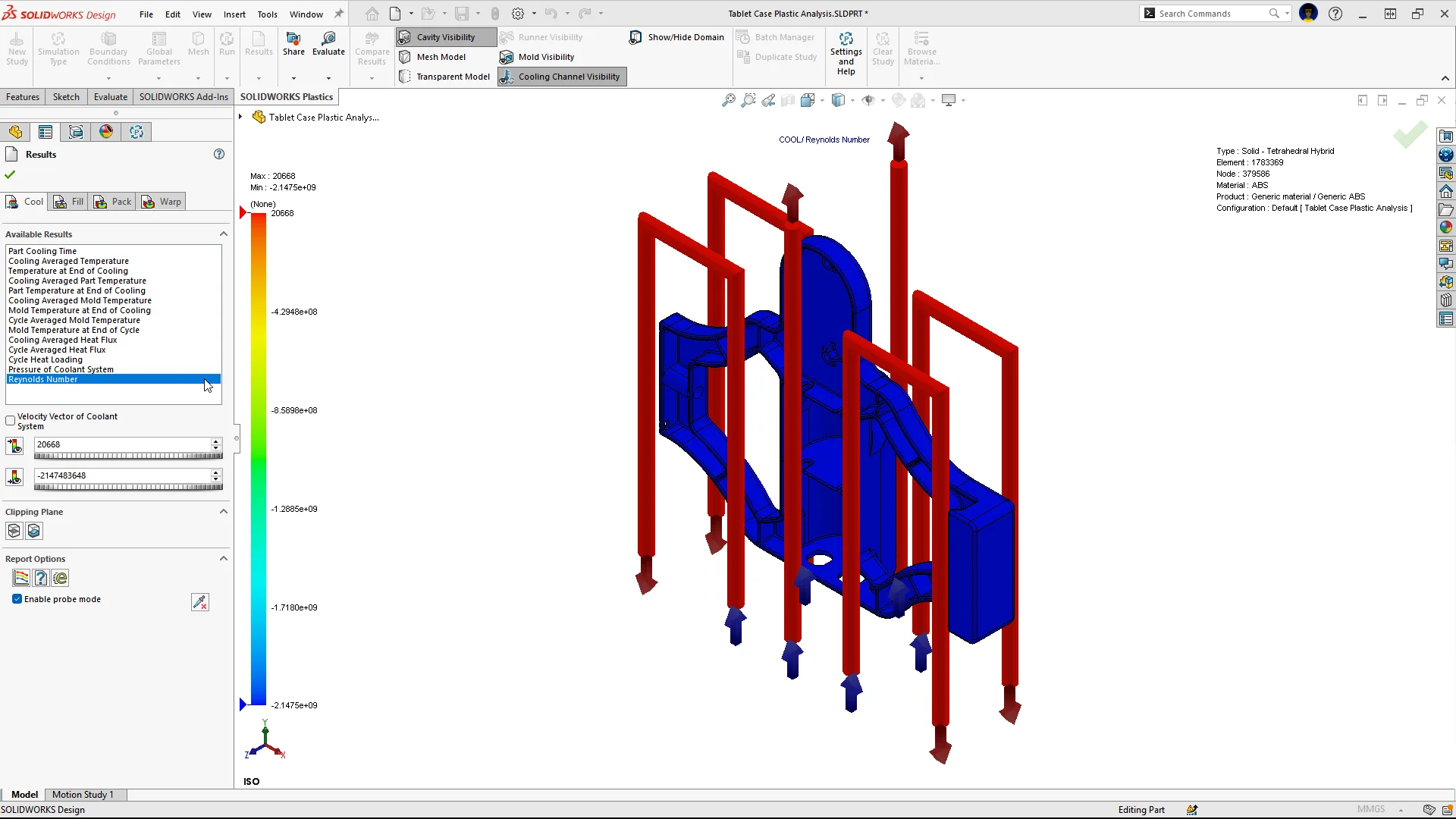
Reynolds Number Plot in Mold Cooling Simulation
Plot Reynolds number results in cooling simulations to assess flow regimes in mold cooling channels.
Reynolds number results help you confirm that cooling channels operate in the desired turbulent flow regime, so you can optimize flow rates, pressure drop, and heat transfer efficiency for better cooling performance.
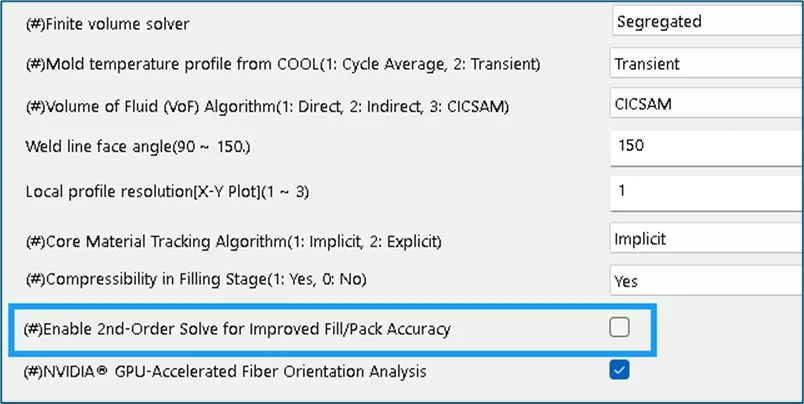
2nd Order Solve for Fill and Pack Analyses
Get more accurate Fill and Pack results on models with relatively coarse meshes by turning on the 2nd Order Solve option.
SOLIDWORKS Flow Simulation
The following enhancements apply to SOLIDWORKS Flow Simulation and reduce manual setup in computational fluid dynamics (CFD) and thermal analysis.
Automatic Sealing for Internal Flow Tasks
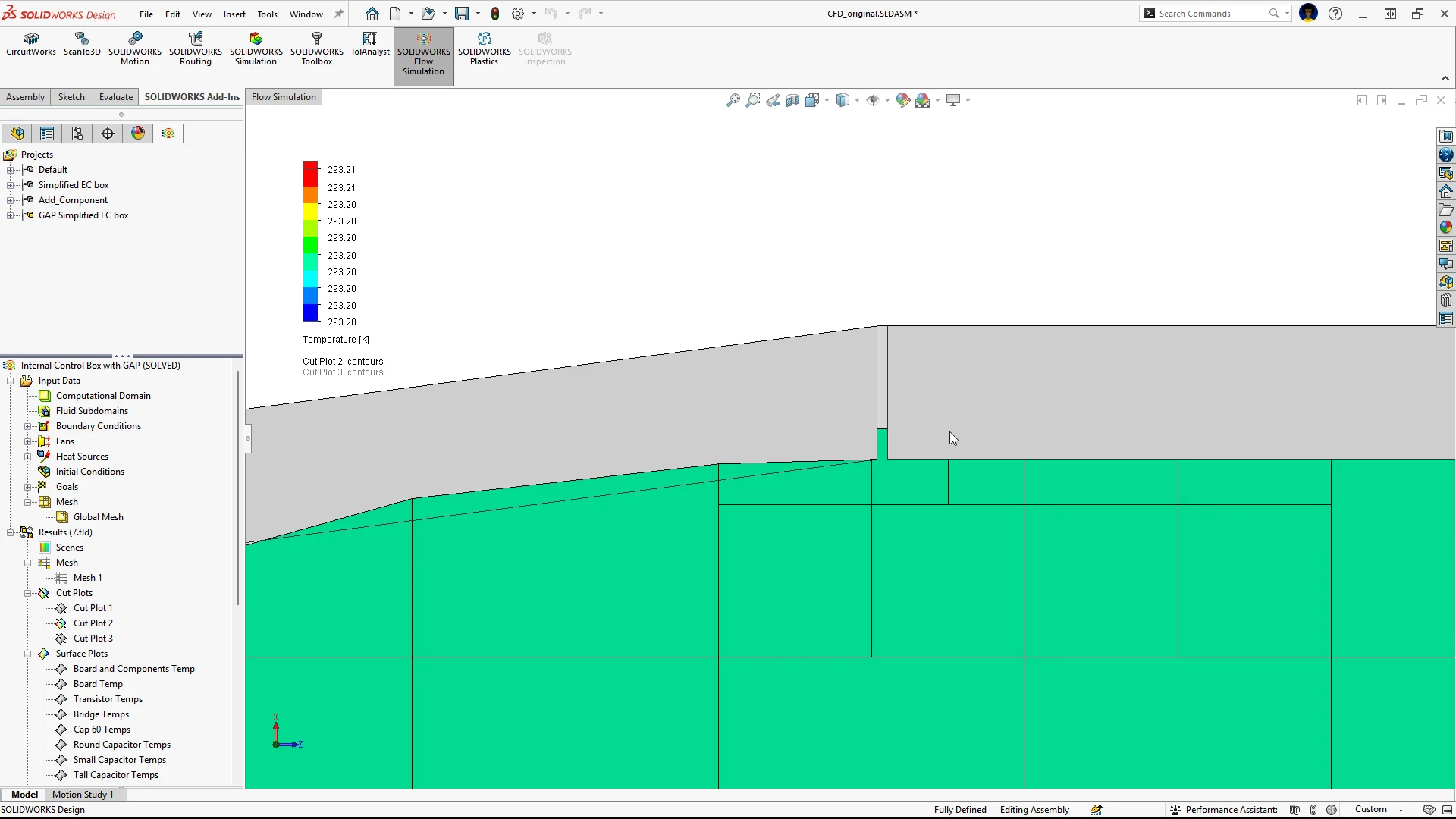
Automatically seal thin gaps and leaks in internal flow tasks with the Close Thin Slot and Fill Thin Slot features.
Small gaps between components can prevent a model from forming a closed internal volume, which often means time-consuming geometry cleanup before you can run an internal analysis. Automatic sealing cuts model prep time and produces more robust flow simulation results. The Mesh plot in Cells mode lets you confirm the sealed regions visually before you solve.
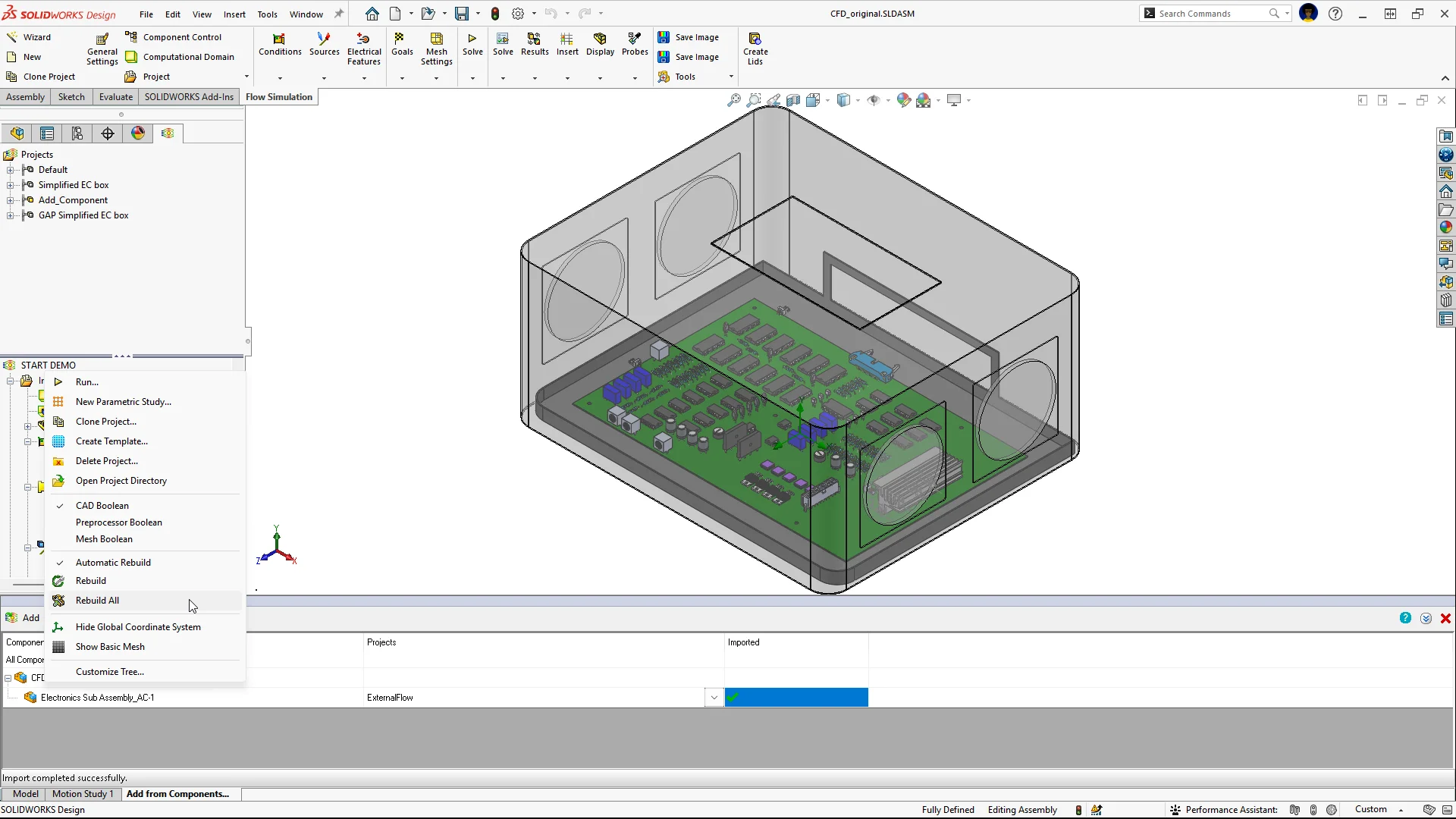
“Rebuild All” Feature in Component Sub-Projects
Rebuild and save every subassembly configuration that includes Flow Simulation sub-projects in a single operation with the Rebuild All command in the Project menu.
Skip repetitive, one-by-one processing of individual subassemblies, and keep your projects consistent when the design changes.
Why upgrade to the SOLIDWORKS Simulation 2027 portfolio?
These enhancements build on the SOLIDWORKS simulation portfolio to help you validate designs faster. From time-based bolt preloading and nonlinear spring connectors in SOLIDWORKS Simulation to Reynolds number results in SOLIDWORKS Plastics and automatic sealing in SOLIDWORKS Flow Simulation, the 2027 release delivers more accurate results with less manual setup.
Keep these enhancements handy by downloading this flier of the top 10 enhancements, and check out these videos to see the latest features in action.
To learn more about what’s new in SOLIDWORKS 2027 solutions for design and modeling, AI, collaboration, and data management, check out the What’s New in SOLIDWORKS Design 2027 page here and the SOLIDWORKS 2027 eBook here.
See my last blog to catch up on the new capabilities for the SOLIDWORKS simulation roles in R2026x FD03.
Ready to learn more? Make confident design decisions, reduce costly prototypes, and accelerate time to market with the latest SOLIDWORKS simulation offerings by checking out our solutions at https://www.solidworks.com/domain/simulation.
See these related blogs:
SOLIDWORKS 2026 AI Features: Everything Engineers Need to Know
What’s New in SOLIDWORKS 2027 – Design
What’s New in SOLIDWORKS 2027 — Data Management and Collaboration