
SOLIDWORKS 2027 is here and delivers many customer-driven enhancements added over this past year in functional delivery (FD) updates. As you probably know, when new features are ready, we make them available immediately, rather than waiting for a major update once a year. Many of this year’s top enhancements were driven by customer requests, including the Fastener Pattern Assistant, the ability to import color point clouds, sheet metal bend-on-stamp, the ability to save to an older version, and UV unwrapping.
Let’s take a look at the top ten enhancements added this year, including updates from FD01 through FD04 of R2026x that now make up your favorite parametric modeling solution, SOLIDWORKS Design 2027!
The following enhancements apply to SOLIDWORKS Design Standard/Professional/Premium/Ultimate and SOLIDWORKS Design Standard/Professional/Premium/Ultimate with Cloud Services.
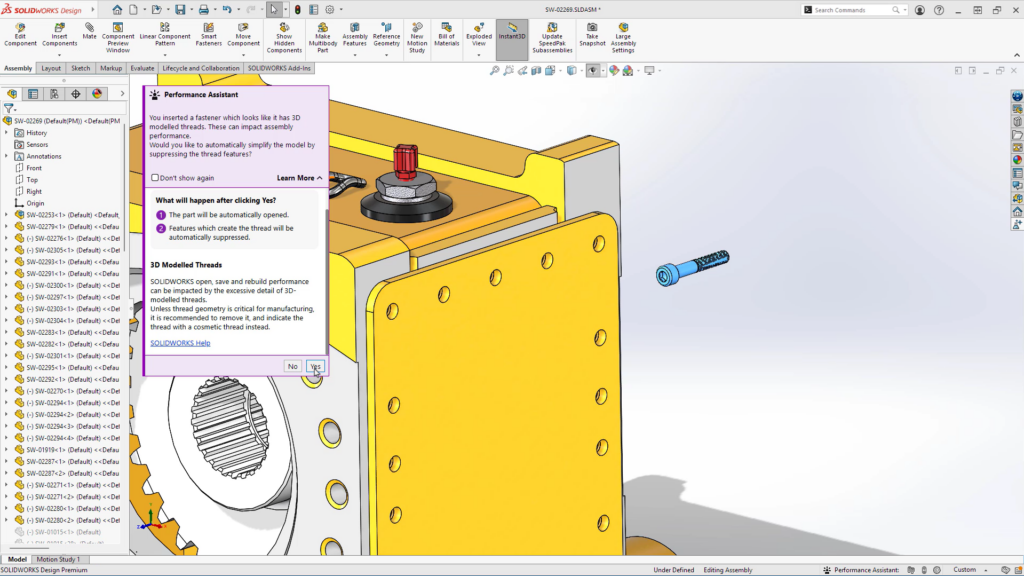
In Context Design and Performance Assistants – get guidance on fasteners and performance on the go.
Get timely, action-specific guidance while using advanced SOLIDWORKS Design workflows with the Performance Assistants.
For example, keep large assemblies running smoothly with automatic thread-suppression suggestions from the Fastener Performance Assistant.
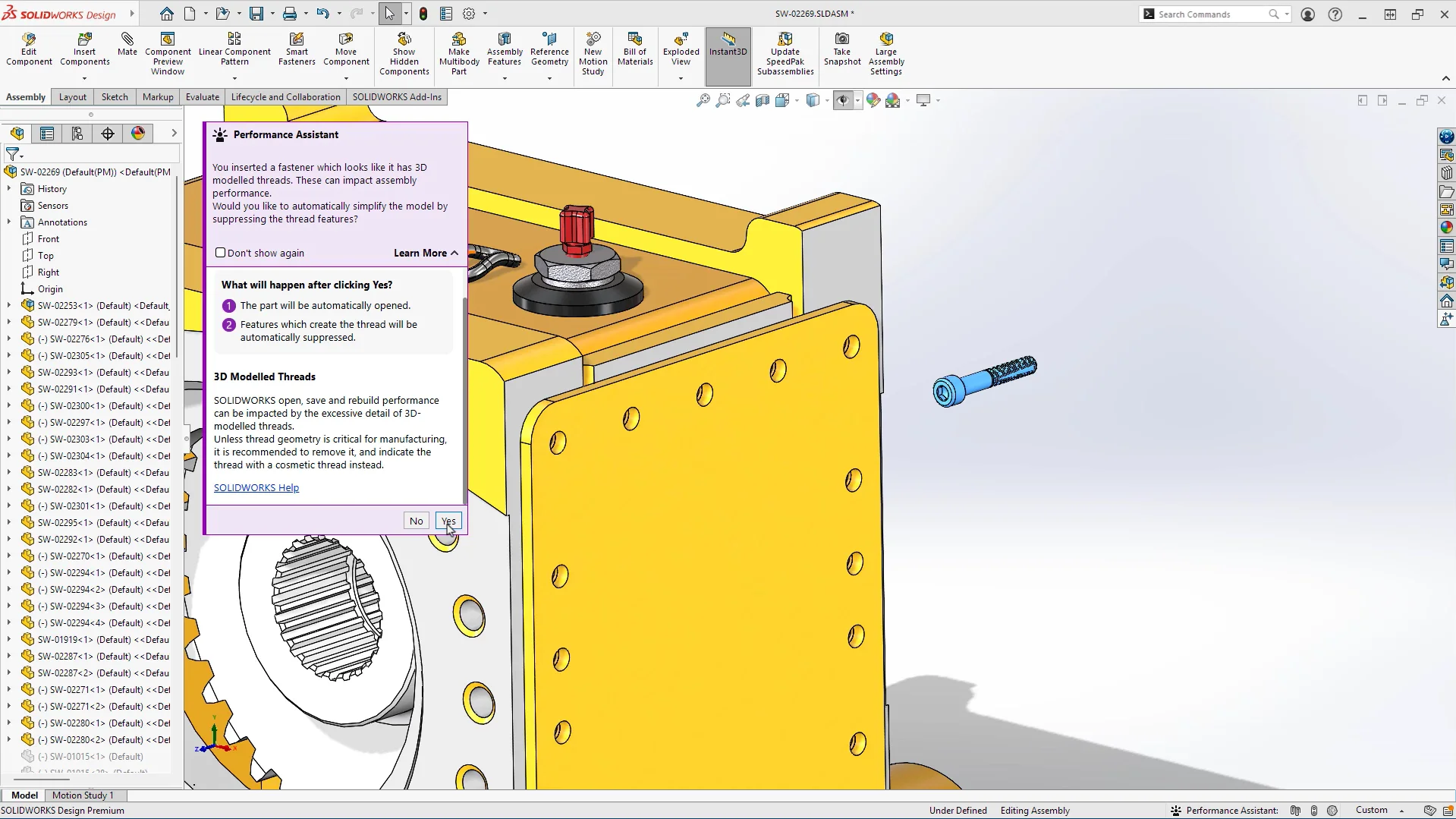
In addition, monitor your assembly’s performance at a glance with a persistent performance status bar that tracks graphics performance, mate issues, and circular references, using a color-coded indicator with the Performance Evaluation Assistant.
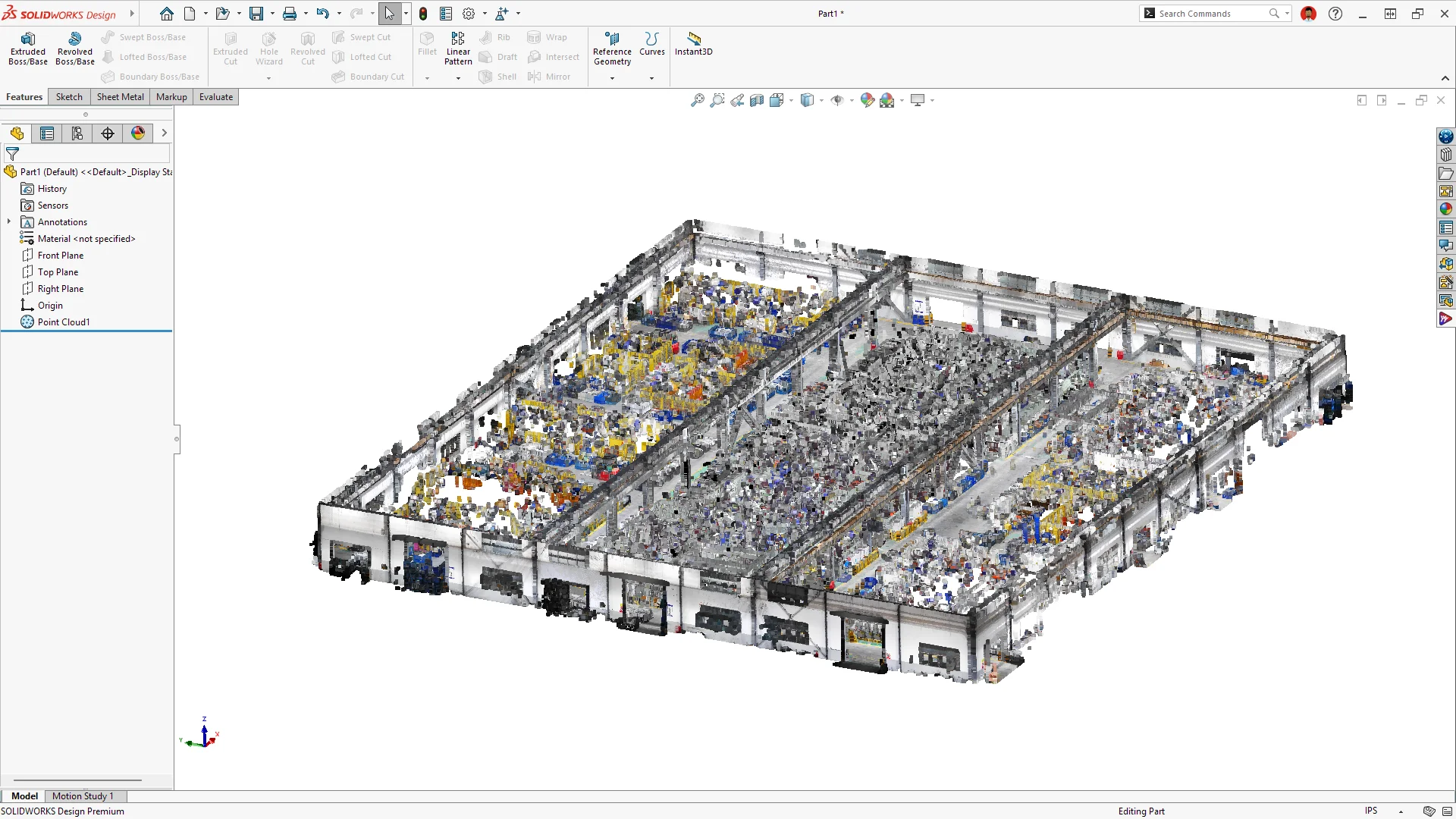
Ability to Import Massive Point Clouds With Color – Interpret point cloud details more clearly.
Import massive point clouds, including full scanned buildings and large facilities, directly into SOLIDWORKS with the color fidelity that industrial scan-to-design workflows demand. Full color display delivers the visual clarity and understanding needed to work confidently with complex scan data.
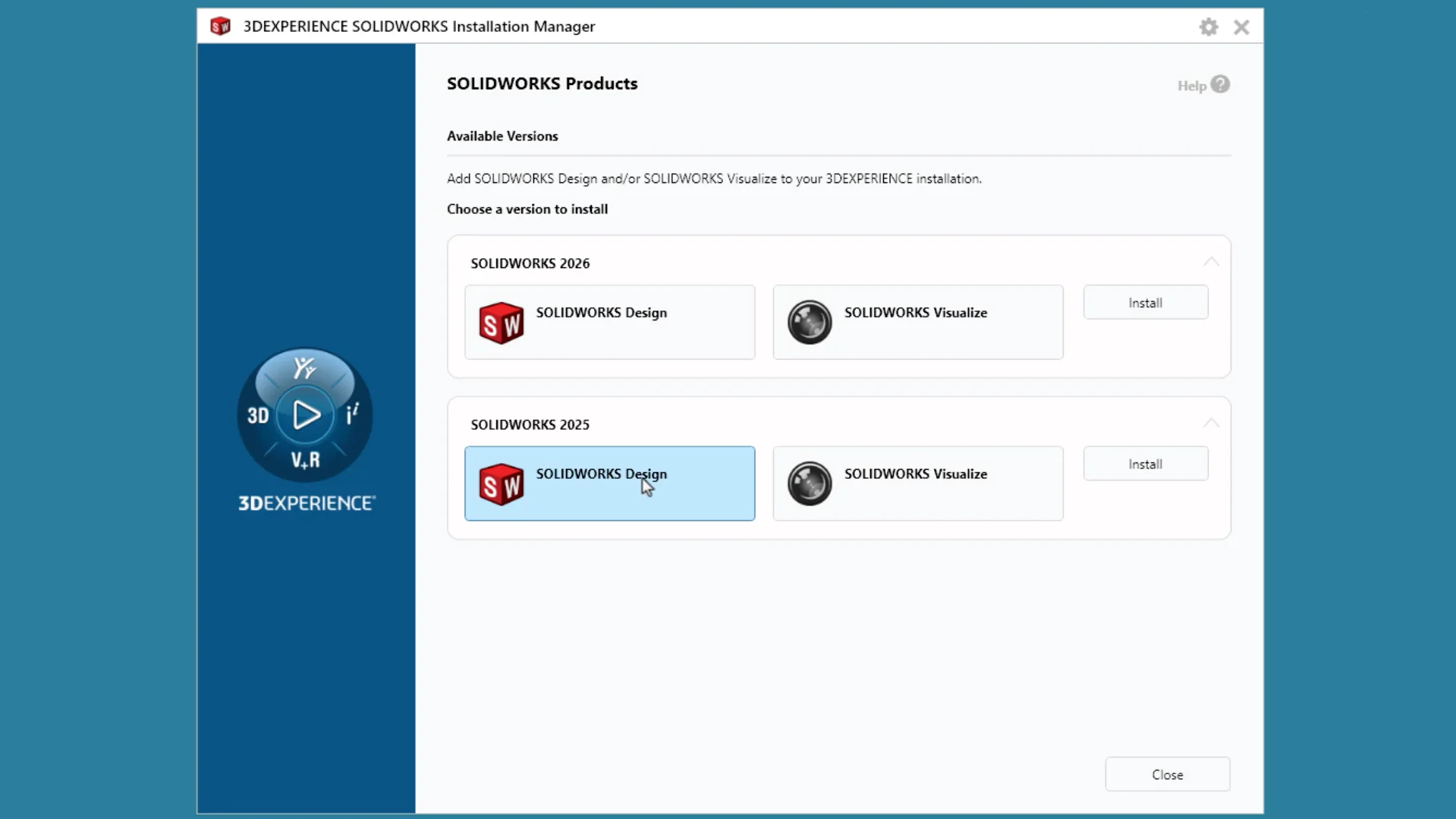
Multiple-Version Installation – collaborate with partners using different versions.
Install multiple versions of SOLIDWORKS Design so you can continue working on older projects or with partners who use a different version. For instance, you can install SOLIDWORKS Design 2027 and the two previous versions.
In addition, you can easily create shortcuts and modify existing installations.
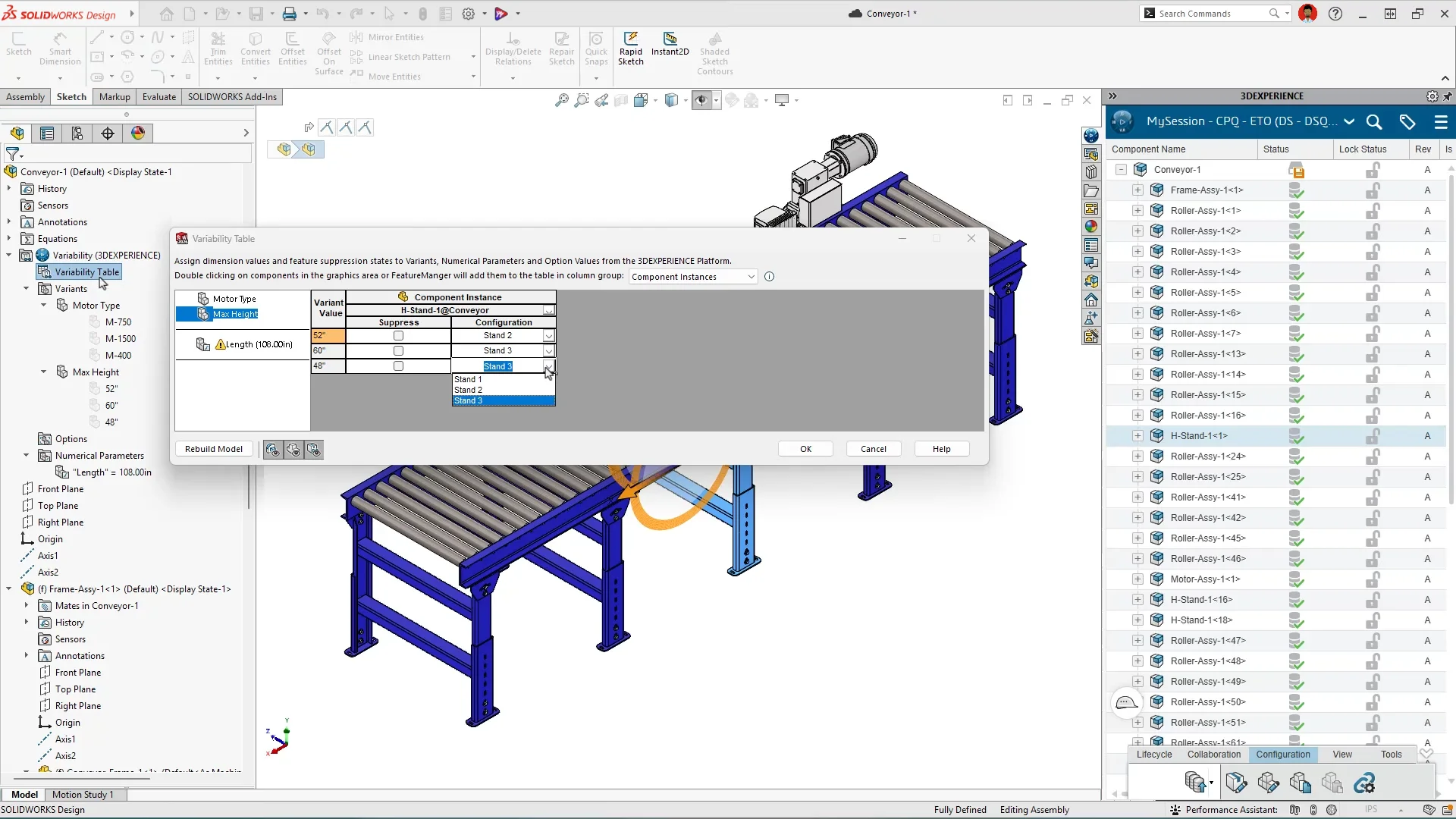
Model Variability – create product variants faster from one master design.
Create new product variations by changing inputs at the top-level assembly. Define variants, optional features, and numerical parameters, then use the Variability Table to connect those choices to dimensions, features, components, and mates throughout the model. When you change an input, the assembly rebuilds to show the new variation, without creating a separate top-level configuration for every combination. When a variation needs its own files, drawings, or revision history, save it with Pack and Go or Save As New.
Learn more in this blog.
In-Context Editing for LDR and Background Processing of Imported Geometry – work faster with large designs, including editing components, importing files, and updating drawings.
The following updates help you work with large assemblies faster and continue working while processes run in the background.
For example, you can now edit components while in Large Design Review mode, which is the fastest way to open large assemblies.
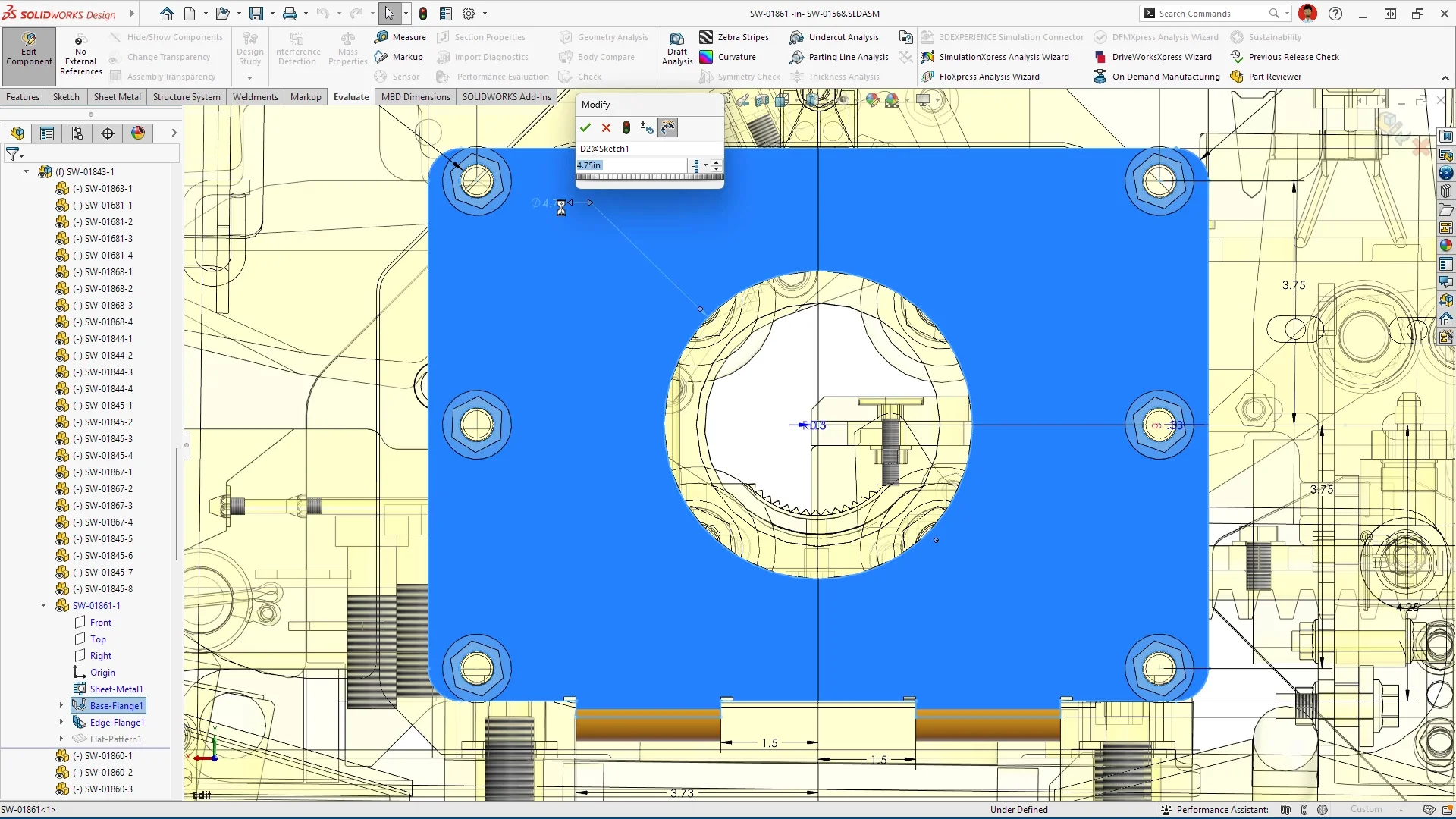
In addition, when you import large non-native models, including STEP and IGES files, the import runs in the background so you can continue working.
The same goes for when you update drawings for modified parts and assemblies; the update happens in the background.
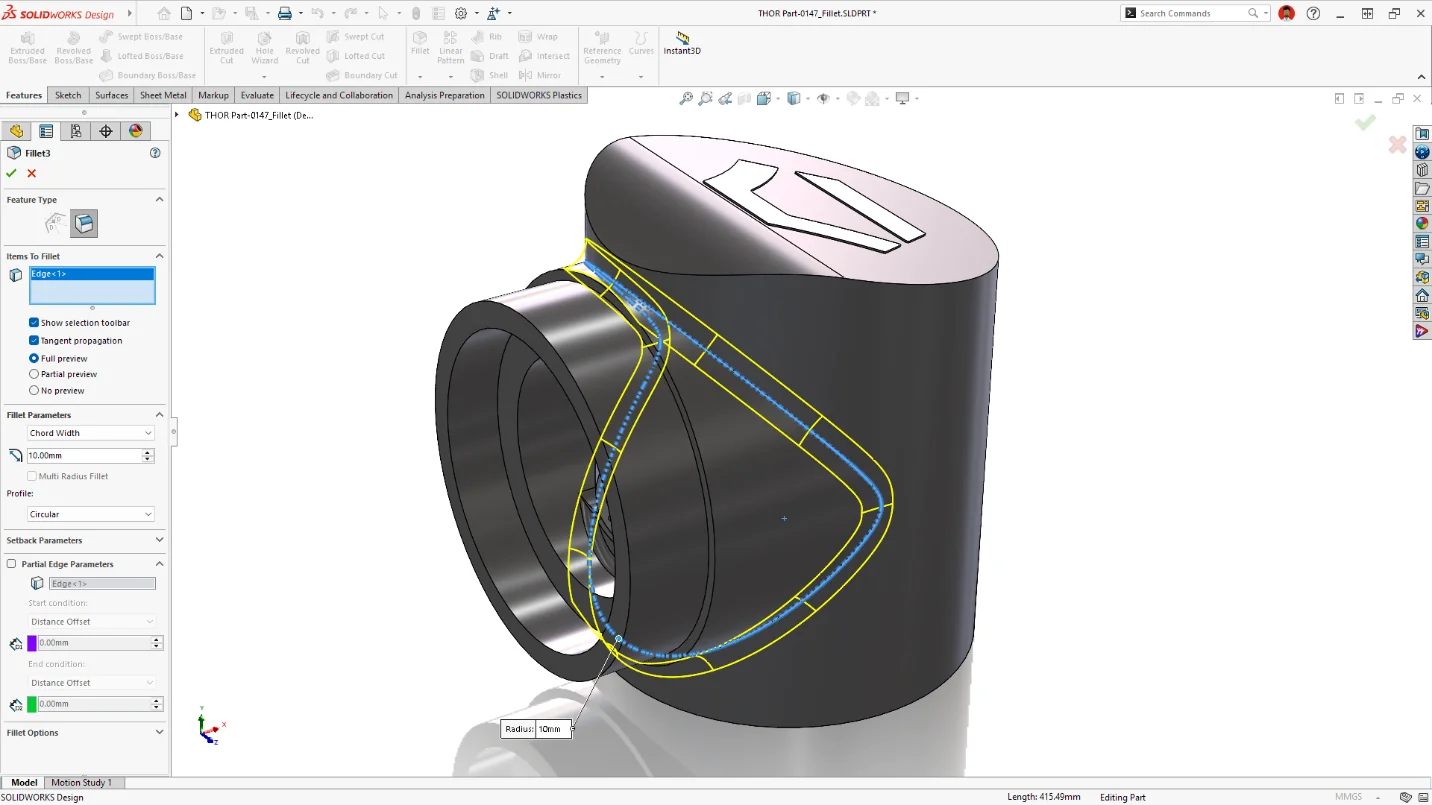
Chord Width Fillet Option – specify chord width instead of radius for Constant Size fillets.
Achieve the exact fillet geometry your design requires, with greater control over Constant Width fillets. More flexibility is provided for creating Constant Width fillets by using the Chord Width option with Edge Fillets, allowing you to create more complex geometry, such as three edges meeting at a vertex.
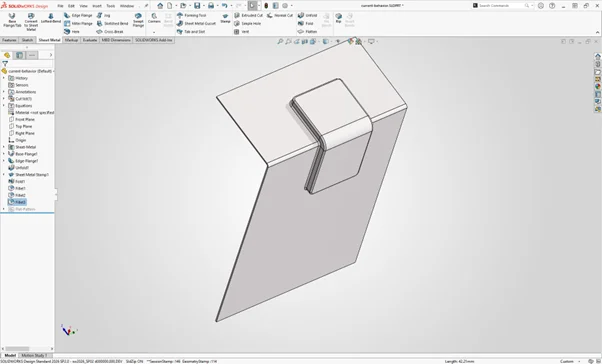
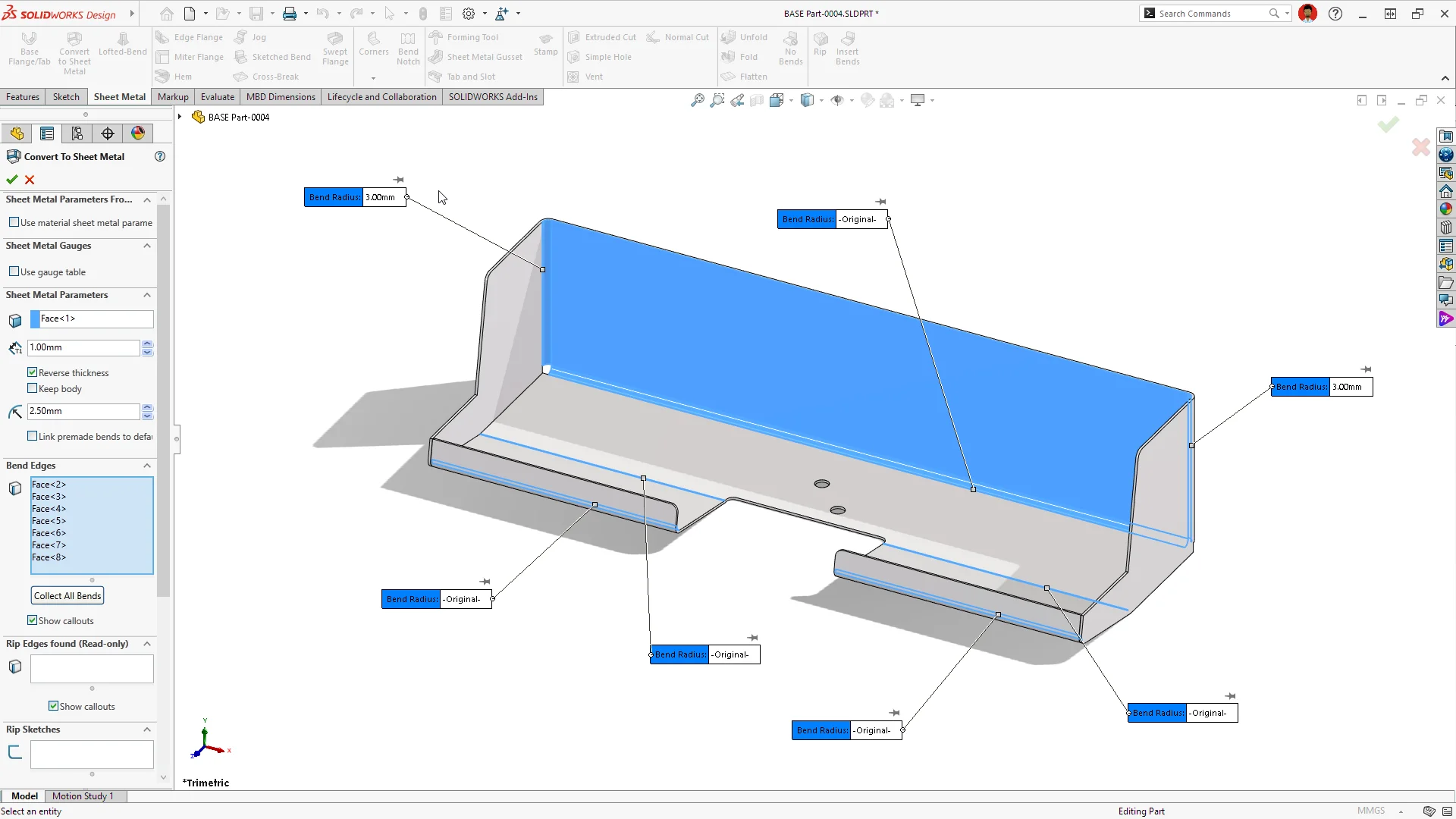
Sheet Metal Bend Editing & Stamping – model manufacturable sheet metal features faster and more accurately.
Create stamped geometry on bend regions in sheet metal parts, reducing workaround steps and enabling more accurate modeling of manufactured sheet metal features. In addition, modify bend radii on imported bend faces during or after sheet metal conversion.
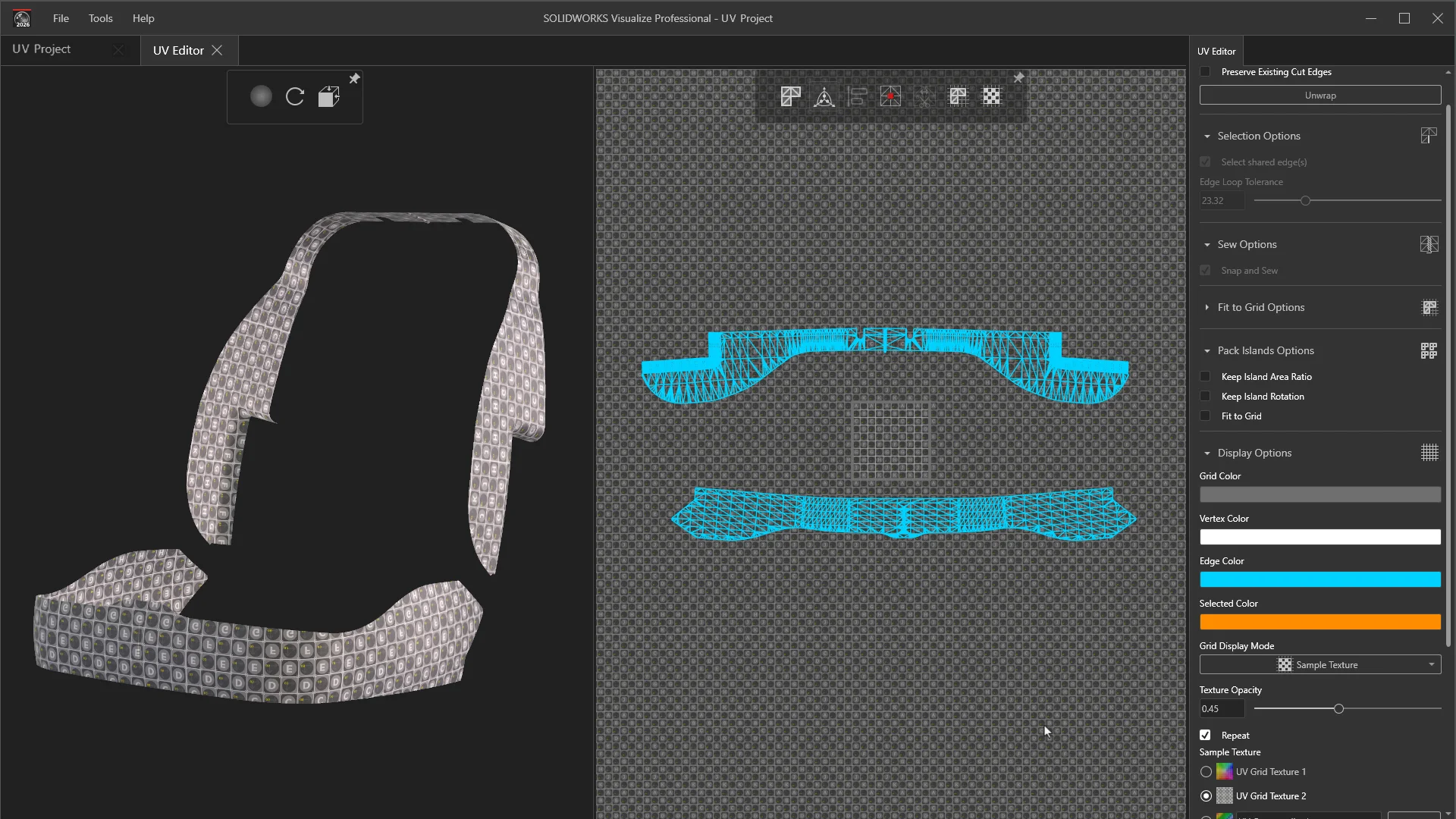
UV Unwrapping and Editing – create higher-quality, more realistic model appearances.
As for rendering, when applying visual materials and textures, you can control how textures wrap around 3D models using UV unwrapping and editing tools, producing higher-quality, more realistic visuals with less distortion and rework.
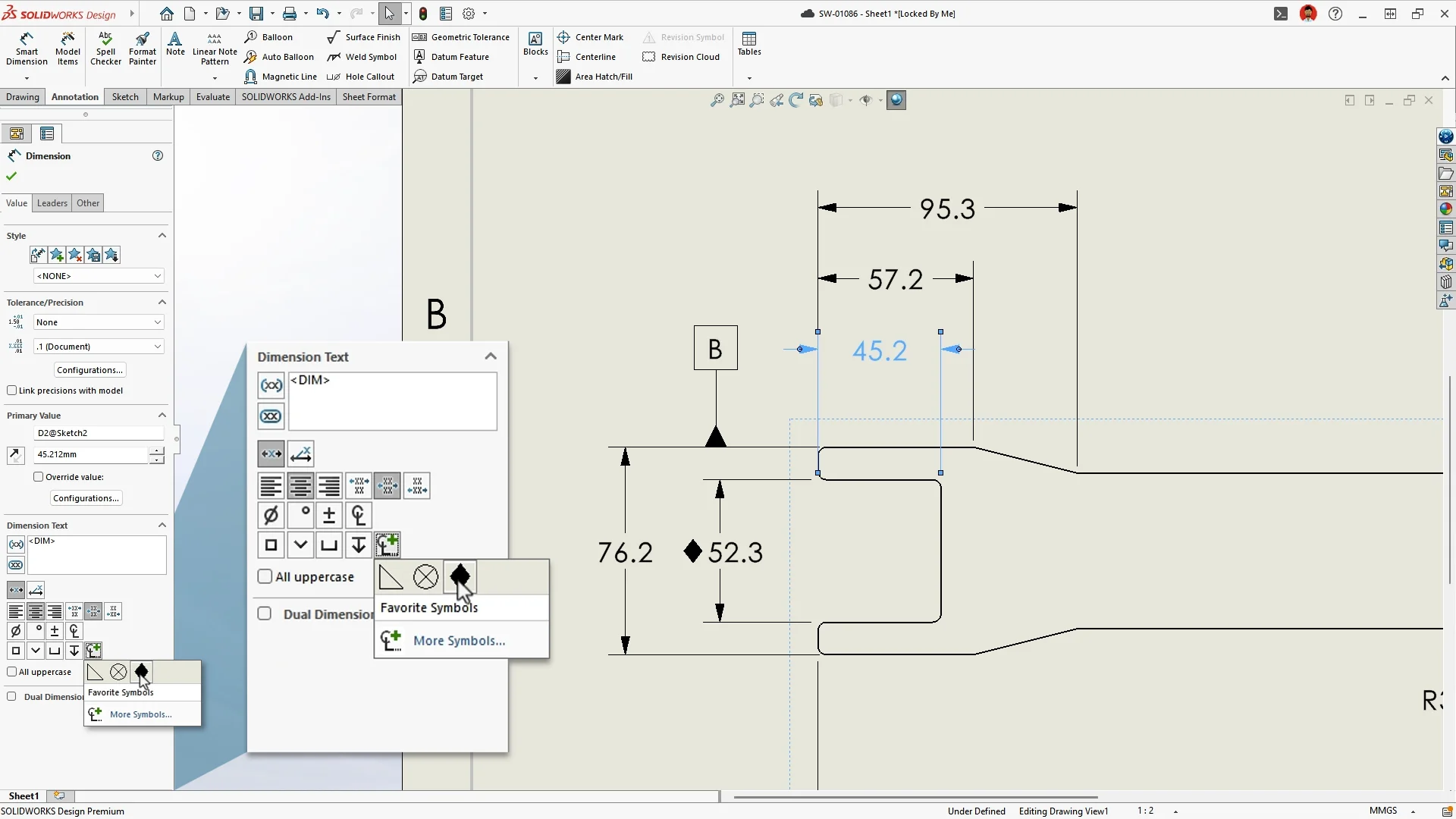
Favorite Symbols Folder for Dimensions and Annotations – reduce time spent searching symbol libraries during documentation.
Save your most used dimension and annotation symbols to a dedicated favorites folder for instant access to accelerate the documentation process.
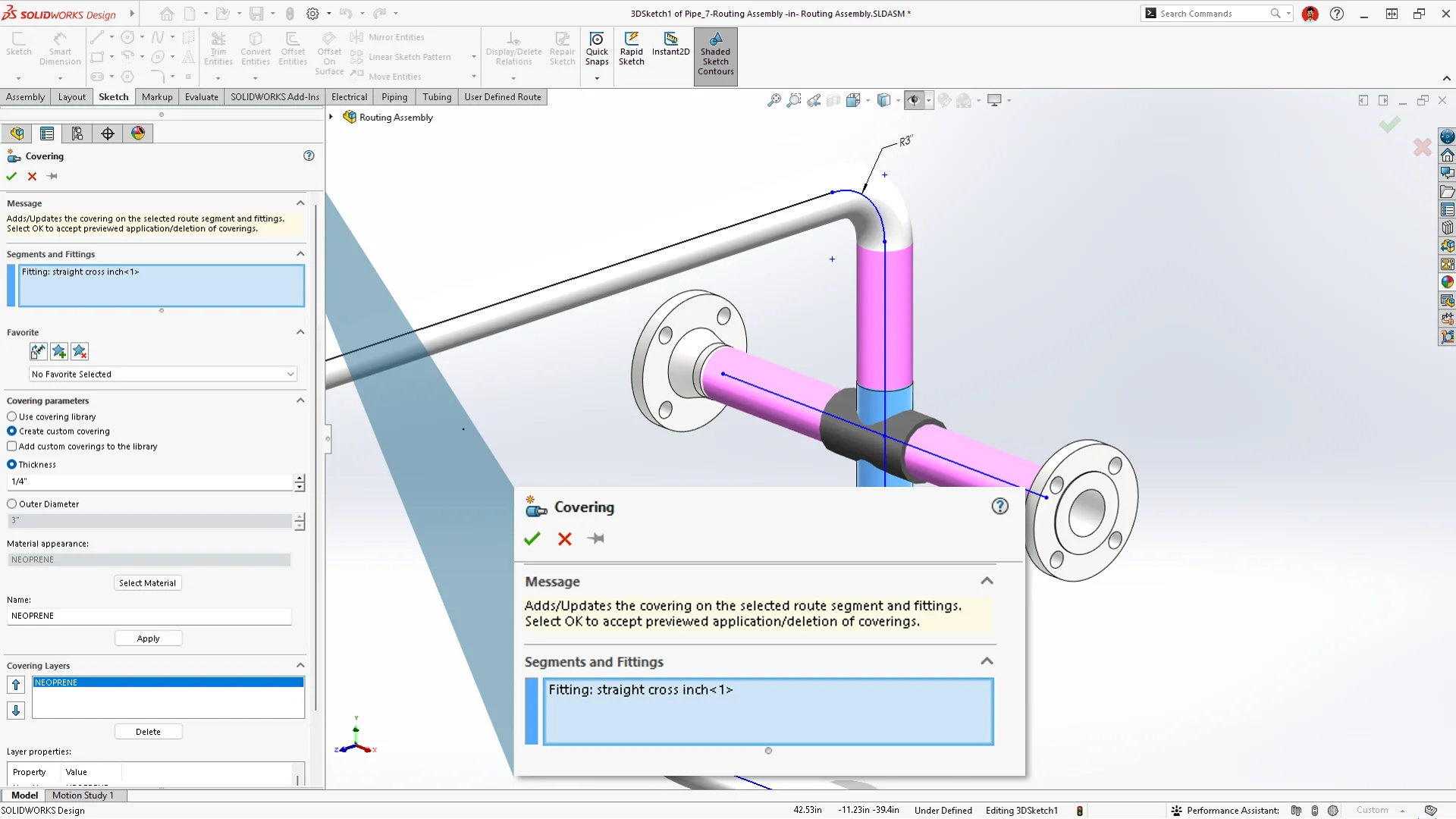
Uniform Covering Across Pipes and Fittings – eliminate manual adjustments and save design time in piping and routing workflows.
Apply coverings automatically to fittings, including tees, crosses, and reducers, so you can focus on optimizing the layout, rather than fixing visual inconsistencies.
This is just a glimpse of what’s new in SOLIDWORKS Design 2027. Check out the SOLIDWORKS 2027 enhancements eBook here and the What’s New in SOLIDWORKS Design 2027 page here to learn more about what’s new in SOLIDWORKS design and modeling, AI, collaboration and data management, simulation, and more!
What’s on your wish list? Weigh in on what you’d like to see in future SOLIDWORKS updates by submitting your ideas to the SOLIDWORKS Top Ten List here.
Download the flyer of the top ten SOLIDWORKS features for design, and start using the latest functionality today!