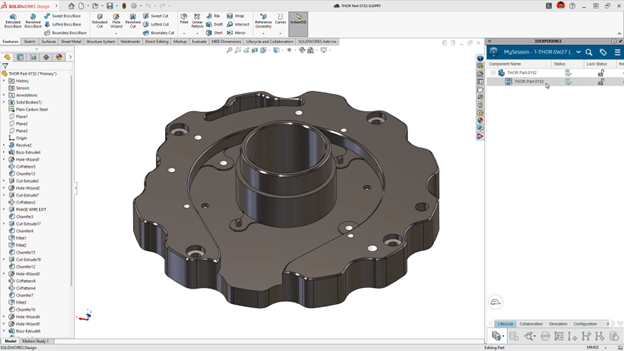

SOLIDWORKS Design 2027 is here and delivers many beneficial data management and collaboration enhancements that help you easily manage your data and share it internally and externally, including the Content Explorer, cross-company collaboration, and auto-save on the platform. Here are the top ten enhancements delivered this year.
Content Explorer in SOLIDWORKS Design – find and reuse platform content faster, without leaving SOLIDWORKS.
An exciting new data management feature we introduced earlier this year is the Content Explorer that lets you browse, search, and organize files and content on the 3DEXPERIENCE platform. Use it to quickly find and open your files, adjust maturity states, and more, right from the Open Dialog in SOLIDWORKS Design or in the Task Pane without switching to a separate browser.
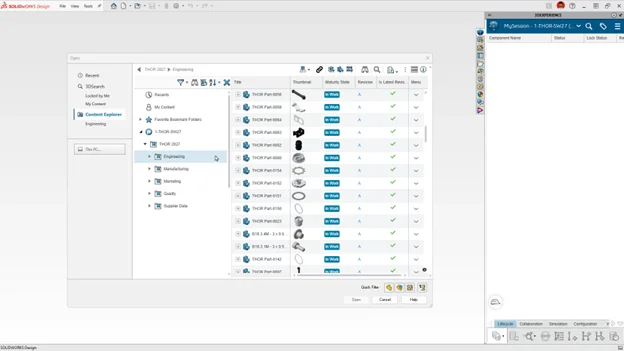
Learn more in my blog on the Content Explorer here.
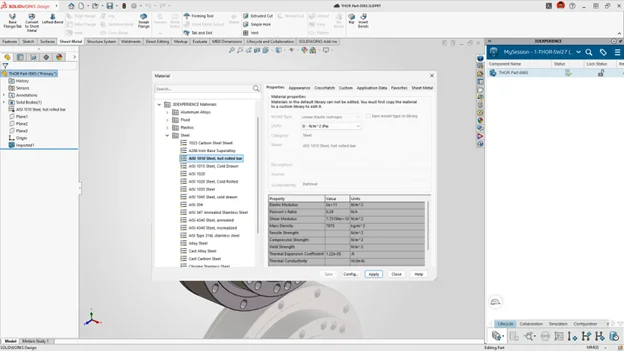
SOLIDWORKS Materials Mapping to 3DEXPERIENCE Platform Materials – keep materials consistent across SOLIDWORKS and the 3DEXPERIENCE platform.
In SOLIDWORKS Design 2027 when you apply a material from SOLIDWORKS to one of your parts, it will be mapped to the 3DEXPERIENCE platform, eliminating the need to reapply materials and keeping your material libraries in sync.
Generating Derived Output with the 3DEXPERIENCE SOLIDWORKS Task Host – keep derived file formats consistent and accurate.
There’s a new SOLIDWORKS tool called the 3DEXPERIENCE SOLIDWORKS Task Host, which works as a conversion engine to process Derived Format Outputs. The 3DEXPERIENCE SOLIDWORKS Task Host automates the generation of downstream derived files (such as PDF, STEP, DXF, and DWG) directly from native SOLIDWORKS designs in the 3DEXPERIENCE platform.
The Task Host offers an alternative to using the derived format converter in the cloud, eliminating tokens and enabling you to use your SOLIDWORKS installation as your conversion engine.
SOLIDWORKS Design performs the conversion, so Derived Output files match the source files more accurately. For example, when generating PDF files from drawings, SOLIDWORKS Design updates date stamps in notes and preserves fonts.
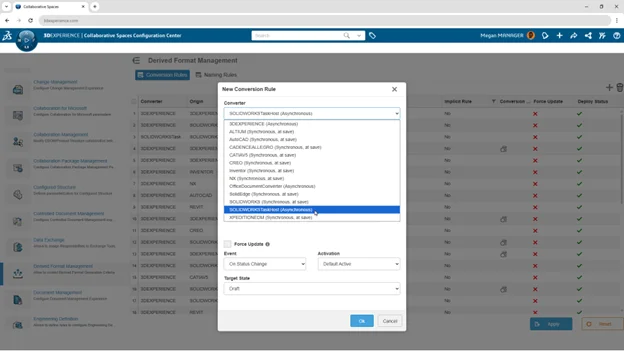
Check out my blog on recommendations and getting the most out of this functionality when working with derived outputs.
Composed Drawings – access the right drawing and manage its lifecycle with the physical product.
A Composed Drawinglinks a drawing file directly to its physical product file (part or assembly) through a composed or aggregated representation relationship. In SOLIDWORKS Design 2027 you can view and manage composed drawings directly inside MySession.
This makes it easier to manage drawings and the physical product lifecycle operations such as revisions, duplicates, and maturity changes.
An administrator enables this feature under Collaborative Spaces Configuration Center > CAD Collaboration > SOLIDWORKS > Settings > Drawing by setting Couple Life Cycle of Drawing and referenced Product to Coupling.
Auto-Save to the Platform – protect your work automatically, without manually saving.
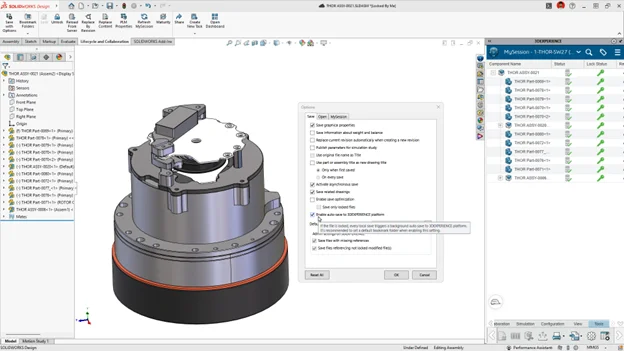
This is another great SOLIDWORKS feature that can be enabled to save you time. In the MySession action bar, under the Save tab of the Options dialog box, select Enable auto-save to the 3DEXPERIENCE platform.
When you save your work, SOLIDWORKS Design automatically saves modified files so platform data is always current. For best results, create a default bookmark when you enable this option.
Guided New Tenant Setup – onboard faster with guided setup and less manual admin work.
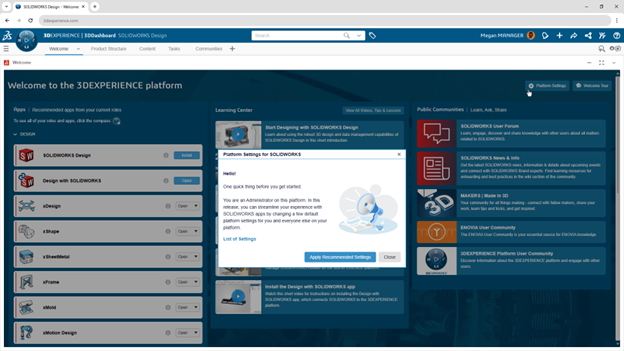
Starting a new project or getting a new user onboard the 3DEXPERIENCE platform is faster than ever. Apply SOLIDWORKS-recommended platform settings for new tenants in a single step from the Welcome app.
Easily apply platform defaults through a guided wizard and skip manual configuration in the administration panel entirely.
Cross-Company Collaboration – collaborate and share data with external partners more easily.
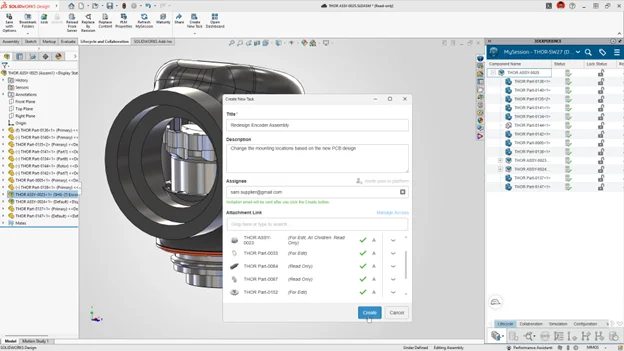
Share data with other external SOLIDWORKS users, such as partners and suppliers, who aren’t on the same tenant, right from SOLIDWORKS, simply by creating a task. Check out this informative blog to see how you collaborate across company boundaries on shared SOLIDWORKS projects using new collaboration and data management workflows.
Primary and Secondary Governed Revision Format –differentiate in-progress design increments from finalized designs ready for wider use.
The 3DEXPERIENCE platform provides design teams with an in-built set of capabilities for managing both the revisions and the lifecycle of a design.
The Primary and Secondary Governed format keeps your working iterations separate from your official releases. Each time you create a new secondary revision (A.2, A.3…), the previous one is set to Obsolete automatically, so only one secondary revision is In Work at a time. When a design is Released, only the primary revision (A, B…) is displayed, so everyone can see which revision is official. An administrator enables the format in the Collaborative Spaces Configuration Center.
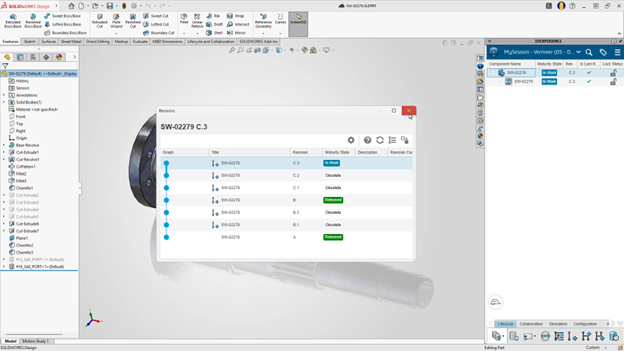
Learn more about Primary and Secondary GovernedRevisions here.
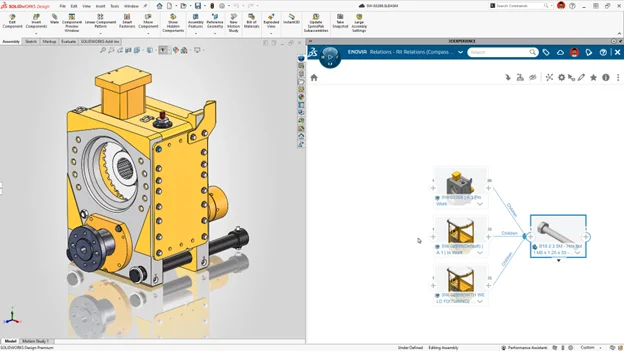
Toolbox Components Batch Save – reduce duplicates and keep your platform organized.
When you use the Batch Save to 3DEXPERIENCE add-in to save an assembly with Toolbox components, the add-in checks if the components were already saved to the platform. If the components are already on the platform, it saves the assembly with the existing referenced Toolbox files.
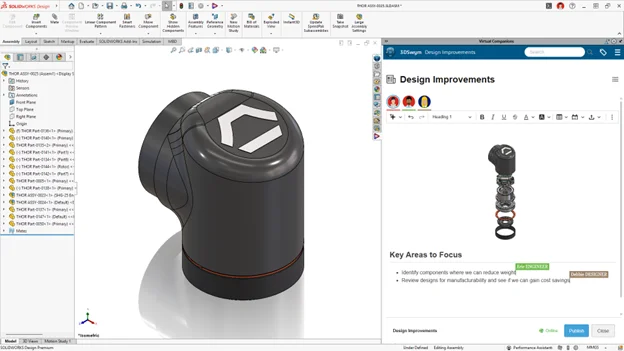
Content Co-Editing – collaborate on content in real time with instant, shared updates.
Edit the same content, such as a post in Conversations or a wiki page, at the same time as others with cloud-based collaboration. See updates from other collaborators instantly as they happen.
That’s a glimpse of the latest tools for data management and collaboration tools in SOLIDWORKS Design 2027 that enable the best product lifecycle management and in-house and remote collaboration workflows. To learn more about other SOLIDWORKS tools delivered via functional deliveries this year check out the following blogs:
Download the flyer of these top ten enhancements and see what else is new in SOLIDWORKS Design for design and modeling, AI, and other SOLIDWORKS solutions here.