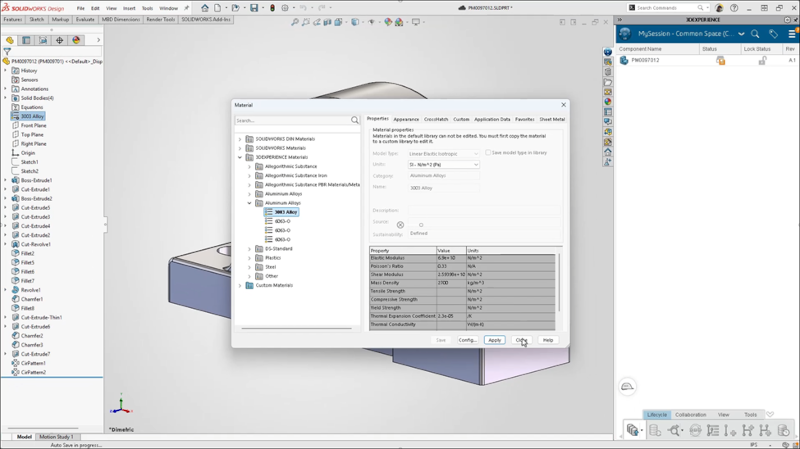

These days, modern engineering teams require tools that go beyond design. That is why with each update, we aim to empower you with not only the best tools for design and modeling, but also for collaboration and data management. In the latest functional delivery update R2026x FD02, we have delivered a more accessible way to access your content with Content Explorer integration, help keep your material libraries in sync with material mapping, and more!
Let’s have a look at what’s new in SOLIDWORKS Design and SOLIDWORKS Design with Cloud Services R2026x FD02 for collaboration and data management.
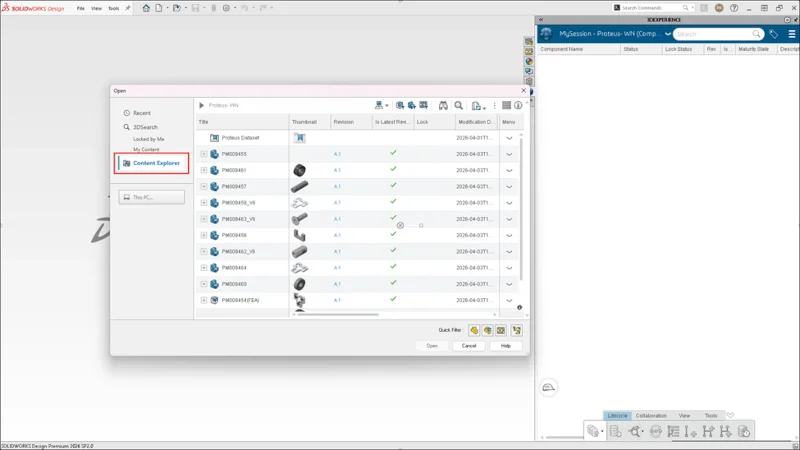
- Content Explorer Now Integrated into SOLIDWORKS Design Open dialog – browse and open platform files without leaving SOLIDWORKS.
Earlier this year, we introduced the Content Explorer app, a central repository for storing, organizing, and managing all your SOLIDWORKS files on the 3DEXPERIENCE platform. Previously, you could only access it on the platform. In the latest update, you can choose whether your content opens in the Content Explorer or the Bookmark Editor, which appear directly in SOLIDWORKS Design under the Open dialog.
The Content Explorer contains the same bookmark folders and content as the Bookmark Editor, but provides a more modern way to organize and share files within Collaborative Spaces.
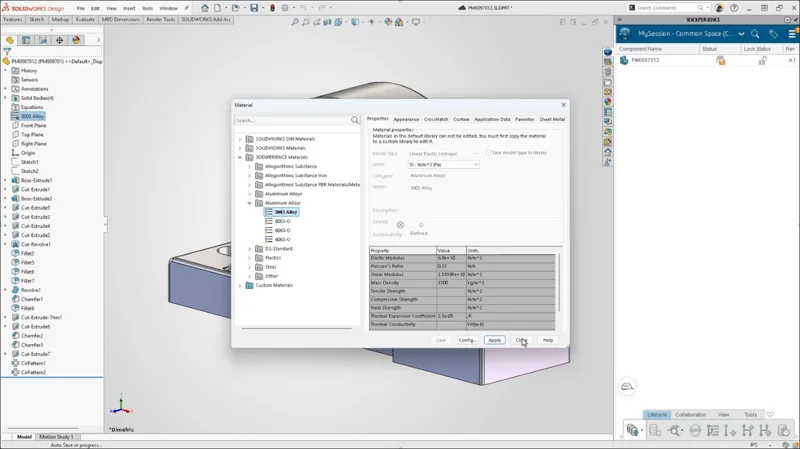
- Map SOLIDWORKS Materials to the 3DEXPERIENCE Core Materials Library – reduce time and ensure consistency when using materials.
Now, when you apply a material from SOLIDWORKS to one of your parts, it will be mapped to the 3DEXPERIENCE platform. This eliminates the need to reapply materials and keeps your material libraries in sync.
What it does is re-assign the existing SOLIDWORKS material to its equivalent in the 3DEXPERIENCE material library, which is available directly within the SOLIDWORKS Materials dialog. So instead of creating something new, it reuses an existing, governed definition.
And if no equivalent is found, you will be informed so you can decide how to handle it. Overall, this improves consistency, protects platform data, and ensures reliable material usage across the platform.
- Batch Save Checks for Duplicate Toolbox Components – reduce clutter and keep your data organized.
When you use the Batch Save to 3DEXPERIENCE add-in to save an assembly with Toolbox components, the add-in checks if the components were already saved to the platform. If the components are already on the platform, it saves the assembly with the existing referenced Toolbox files.
[batch save toolbox image]
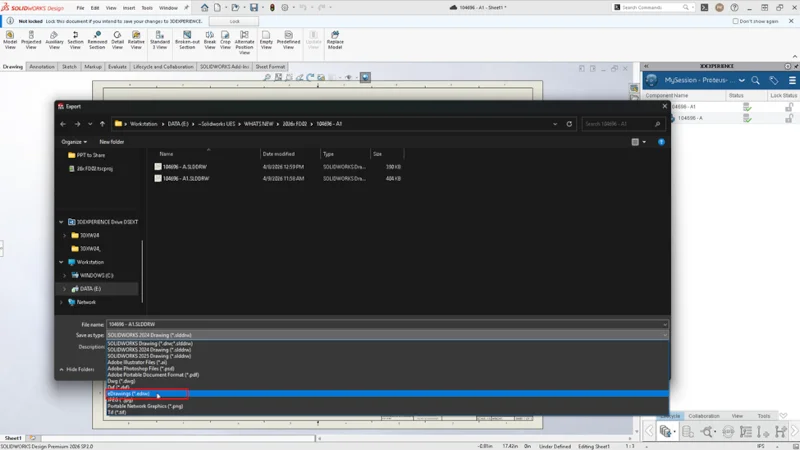
- Save as eDrawings File Format from SOLIDWORKS Design – share lightweight files faster with non-SOLIDWORKS users.
Quickly share lightweight, view-only files with colleagues and customers who don’t have SOLIDWORKS installed, with the ability to export SOLIDWORKS documents directly to an eDrawings file format from within SOLIDWORKS Design and automate batch exports using the Task Scheduler.
You can also export eDrawings from SOLIDWORKS Simulation and SOLIDWORKS Plastics.
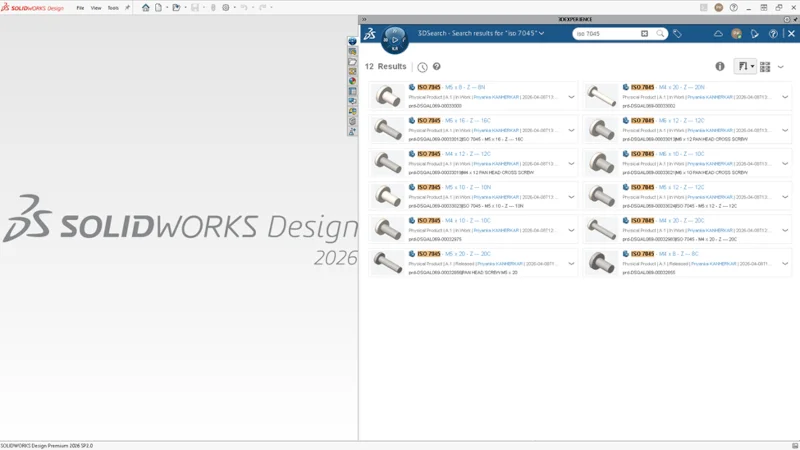
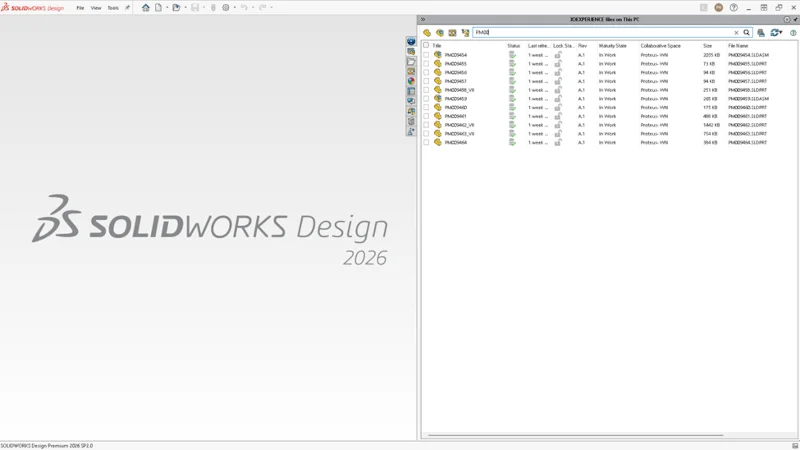
- Enhanced Search Behavior for 3DEXPERIENCE Files on This PC Tab – view active filters at a glance and quickly clear them.
This enhancement improves the Search dialog in the 3DEXPERIENCE ‘Files on This PC’ view. Active filters are now clearly visible, with an option to quickly clear them. Click the x icon to instantly remove the filter and return to the full file list.
You can also see and reuse recent search terms, making it easier and faster to find files.
There you have it! To see these enhancements in action and see what else is new in this update for design and modeling, check out the What’s new wiki page here. To learn more about the FD01 update from February, check out this blog.
To use these features, you must be connected to the platform. The benefits of cloud-based design and collaboration enable secure remote and real-time collaboration on any device. It provides a collaborative environment that speeds up product development for individuals and teams.
If you haven’t checked out the cloud-based capabilities available with your subscription, ask your local reseller for a demo and visit the https://www.3ds.com/3dexperience/ for more information, including customer stories.