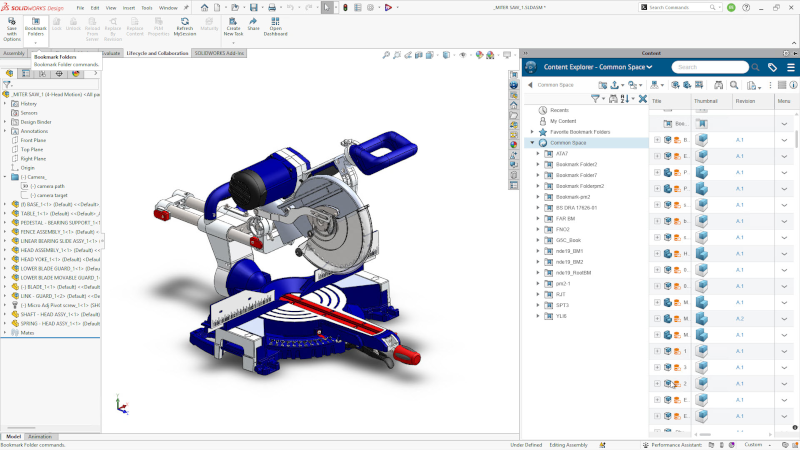

We want to make accessing your SOLIDWORKS design data as easy and quick as possible. With that in mind, we’ve made it easier and faster to do so with the Content Explorer app right from SOLIDWORKS Design.
The Content Explorer is a simple, web-based interface similar to Windows Explorer that lets you browse, search, and organize files and content on the 3DEXPERIENCE platform. Use it to quickly find and open your files, adjust maturity states, and more right from the Open Dialog in SOLIDWORKS Design without switching to a separate browser.
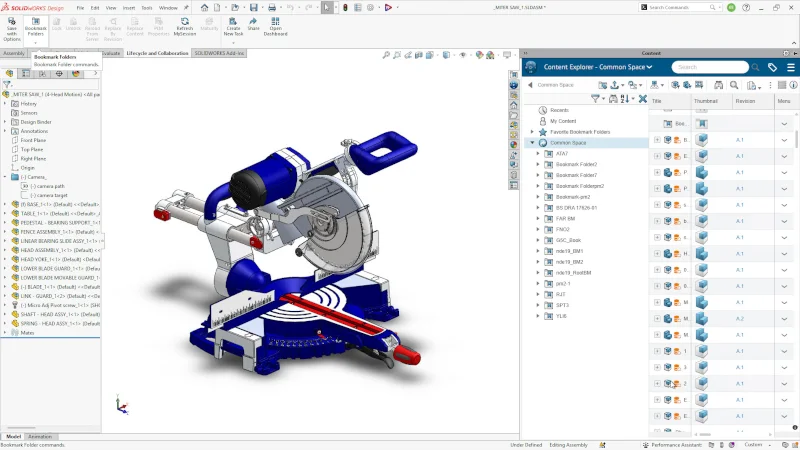
You can choose whether you want to use the Content Explorer or the Bookmark Editor to open content; however, the Bookmark Editor only includes your bookmarks, whereas the Content Explorer provides a more thorough view of your content in one place, as you can see and access both collaborative spaces and bookmarks. The search and filtering capabilities in the Content Explorer are also much more robust compared to the Bookmark Editor, as you can filter by assemblies, parts, and drawings. Also, unindexed content will be flagged with a visual indication while it is still being processed.
In addition, in the Content Explorer:
- There is a node for each collaborative space the user can access.
- The bookmark folders appear under the collaborative space in which they were created.
- New bookmark folders are created with “In Work” maturity state as opposed to Bookmarks, where they are in Draft state.
- Everyone in the Collaborative Space can see all the bookmark folders and access all the content from the collaborative space in those folders.
- Like in the Bookmark Editor, you can still add content from multiple collaborative spaces to any bookmark folder and can share with people who aren’t members of the collaborative space.
- You can see all engineering content in a collaborative space and use the same content and lifecycle management commands whether or not it’s in a bookmark folder.
Ready to try it? To enable the Content Explorer, choose the Content Explorer option in Me> Preferences.
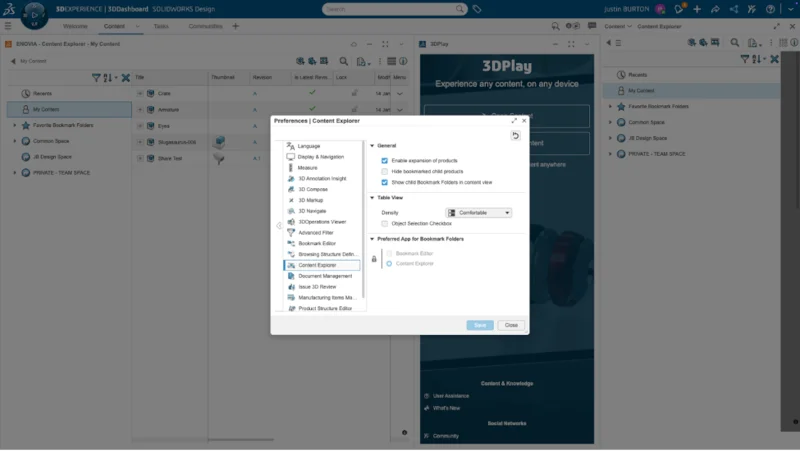
The Content Explorer was introduced in the February update of SOLIDWORKS Design and SOLIDWORKS Design with Cloud Services, R2026x FD01.
It’s an excellent complement to the Bookmark Editor and also serves as a data management hub. The Content Explorer contains the same bookmark folders and content as the Bookmark Editor but provides a more modern way to organize and share files within collaborative spaces. From the Content Explorer, you can organize and explore all of your content within your collaborative spaces and bookmark folders.
Data management doesn’t have to be difficult. With the Content Explorer, you’ll spend less time looking for data and more time designing. I’d encourage you to take advantage of using integrated tools like the Content Explorer in the 3DEXPERIENCE platform. It’s right at your fingertips. Besides, what good is your data if you can’t find it?
For companies with greater data management needs, SOLIDWORKS offers cloud-based product lifecycle management (PLM) solutions, such as SOLIDWORKS PLM. Talk to your reseller about the benefits of cloud-based engineering tools and to see what’s most suitable for you.
To learn more about collaboration and data management enhancements delivered this year, check out these blogs on R2026x FD01 and R2026x FD02, and stay tuned for the R2026x FD03 update coming this month.