
As August comes to a close, many educators, students and parents are thinking “back to school.” Are you an educator that just got notified to teach a SOLIDWORKS – based class? Well here are some technical tips to help you get started. Are you an educator that has been teaching SOLIDWORKS for 20 years? We have new advancements in technology with established and new product offers including the SOLIDWORKS Education Edition and 3D Designer for Education (SOLIDWORKS xDesign),100% browser based for MAC, PC and Tablets, and 3DEXPERIENCE Engineer for advanced simulation and manufacturing.
Artificial Intelligence (AI) is a big topic. Did you know that your students are using AI technology – right inside of SOLIDWORKS 2025? Read on.
What is SOLIDWORKS 3D CAD?
SOLIDWORKS is the industry standard for mechanical CAD design throughout the world. With 800,000+ designers and engineers certified in our tools, knowing SOLIDWORKS is a key job skill set for graduates. Learning SOLIDWORKS in school provides an understanding of engineering and geometric mathematical competencies. In the SOLIDWORKS Education Edition, we provide computer aided design (CAD), simulation, documentation, manufacturing, and visualization tools for university, college, technical institutions, high schools and middle schools.
These 10 Tips SOLIDWORKS Educators concentrate on SOLIDWORKS Desktop for Windows. There will be additional blog posts on SOLIDWORKS Simulation (FEA/CFD) and 3DEXPERIENCE (cloud) platform in the next few weeks.
1. Free SOLIDWORKS Student Access – Home Use Licensing
Qualified schools on subscription are provided SOLIDWORKS Student Access Home Use 12month Licensing for free. Your value added reseller or school’s IT professional provides a serial number for your students to download SOLIDWORKS to their own computers. Students can work on class assignments, projects, and prepare for certifications and job interviews. Your competitive student teams, SAE, Shell-Eco, AUVSI, FIRST Robotics and more, can apply for SOLIDWORKS Student sponsorship too.

2. Academic Certification, Learning & SolidWorks Practice Problems
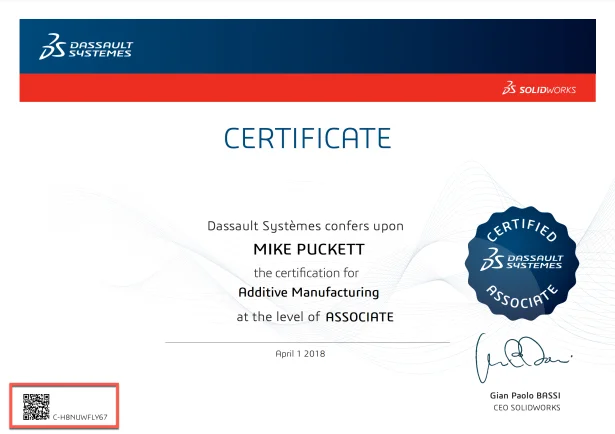
SOLIDWORKS Academic Certification program allows qualified schools on subscription to provide our certification exams to their students in a proctored setting. We have over 14 certification exams in engineering graphics competencies, sustainability, additive manufacturing, drawings, simulation and more. Questions are random, based on 1000’s of values, and grading is automatic. Certificates with unique numbers are given to successful students and employers can confirm certifications through our 3DEXPERIENCE Certification Center and LinkedIn. These are the same exams given in industry. Give your students an exam for life-long learning. SOLIDWORKS credentials are tracked on industry career webpages and online jobsites.
For SOLIDWORKS based courses and SOLIDWORKS Certification exams, students and their instructors have access to hundreds of hours of video training with active assessments to build competency and confidence.
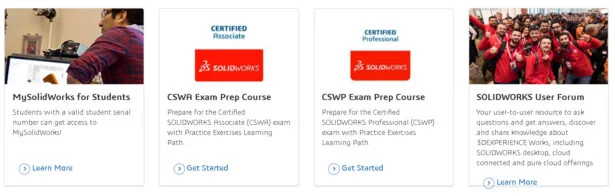
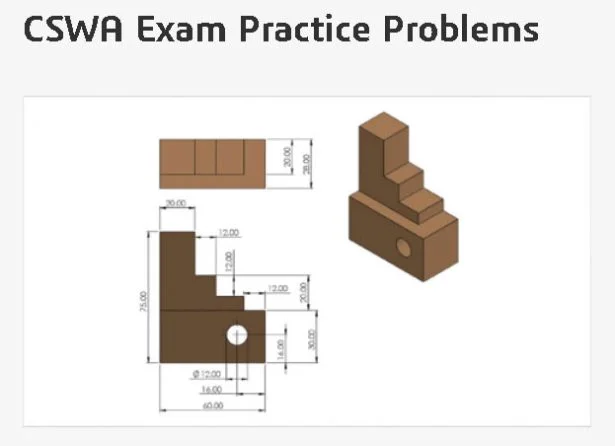
To help prepare for certification and promote engineering graphics standards, we have prepared SOLIDWORKS Practice Problems too.
3. Integrated use of Artificial Intelligence (AI) in SOLIDWORKS
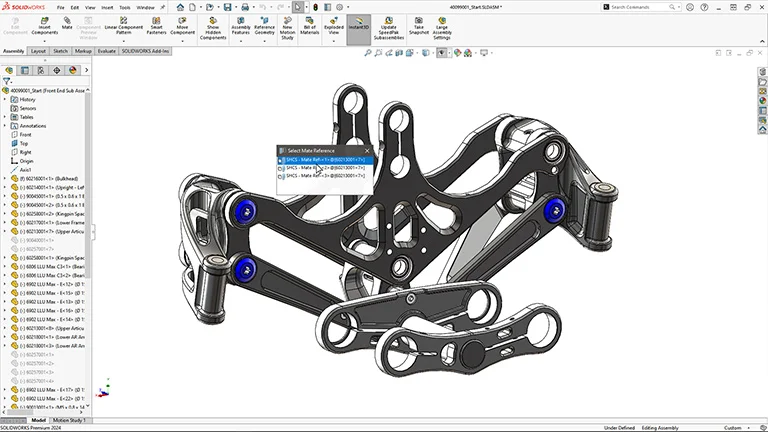
As educators look to update course curriculum, their students are already familiar with using ChatGPT for their next writing assignment or research paper. For year SOLIDWORKS has incorporated AI technology into features like FilletXpert, FeatureWorks, and Mates. In SOLIDWORKS 2025, your students will see more assistance in Parts, Assemblies, Drawings and Visualization.
The direction of AI with SOLIDWORKS is all about helping the designer, no matter what their age, complete tasks easier.
For educators to understand where we are going and why, SOLIDWORKS CEO, Manish Kumar describes our future in this SOLIDWORKS blog.
To help your students, SOLIDWORKS has a great introductory webpage to understanding “How AI is Augmenting CAD Tools.”
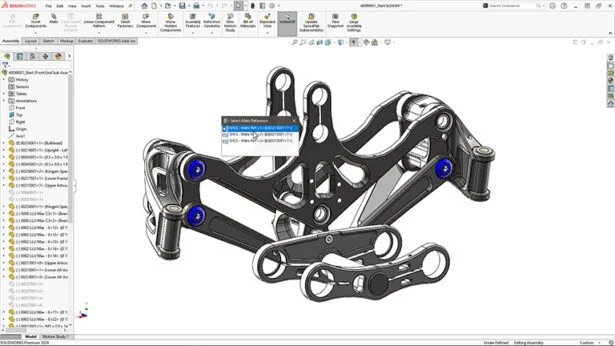
Predictability behind the scenes of SOLIDWORKS software make learning easier for students. New in SOLIDWORKS 2025, we also provide a Simplified Interface Display option – show casing the most important features – as a new learner.
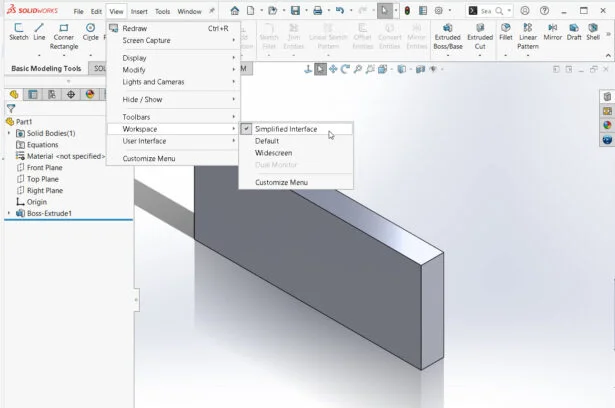
More information on the Simplified Interface can be found here.
4. My SolidWorks – Lessons and Learning Paths
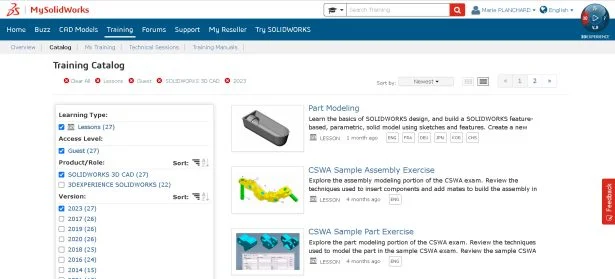
MySolidWorks is filled with lessons and learning paths. A guest account has access to introductory lessons. Educators and students can use their SOLIDWORKS Student Home Use serial number to access 100’s of lessons and learning paths including introduction, certification preparation, sheet metal, weldments, assemblies, manufacturing, electrical, visualize, simulation and composer. If you need examples for your class, this is the place to go.
5. SOLIDWORKS Tutorials
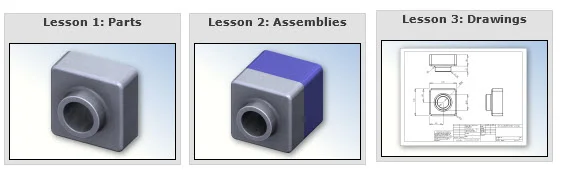
From the Help menu, F1, or ? in the upper right hand corner, inside of SOLIDWORKS, select Tutorials. When I first started teaching at Mass Bay College, my new students worked through Lesson 1 – Parts, Lesson 2 – Assemblies and Lesson 3 – Drawings. In one lab period, students got a basic understanding of SOLIDWORKS and CAD. Quick feedback and accomplishment made my students feel great.
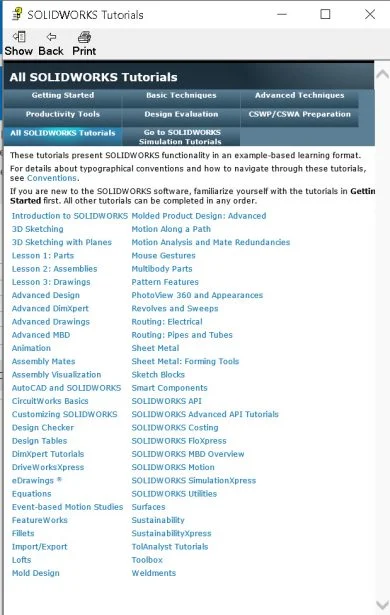
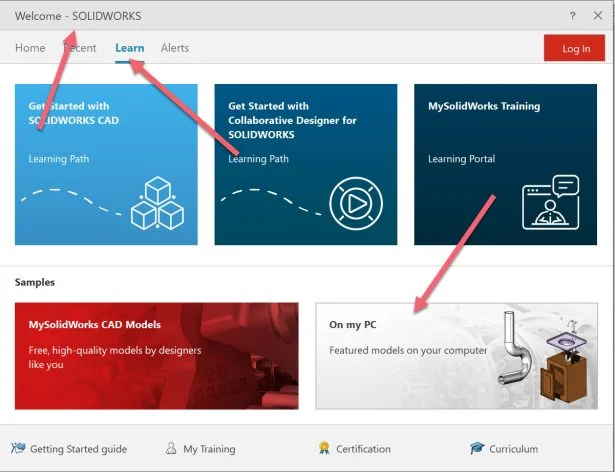
6. Welcome to SOLIDWORKS – Short .pdf Tutorial
The Welcome dialog box, Learn option, provides access to “On my PC” a samples folder that contains parts and assemblies. One short .pdf is called “Introducing SOLIDWORKS”, also available directly from the Help menu. This 100 page document quickly takes students through the design process, parts, assemblies and drawings – with a exercises. The sample folder provides some great models to explore and use in your classes.
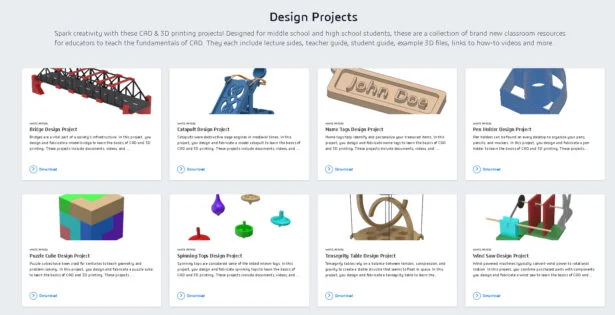
You can also find design projects and additional resources on our SOLIDWORKS curriculum page.
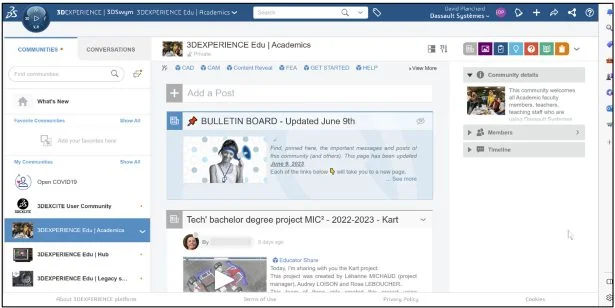
7. 3DEXPERIENCE Academic Community and SolidWorks User Group Network (SWUGN) Communities
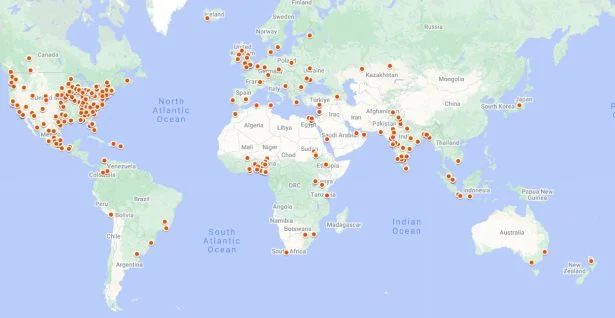
SOLIDWORKS has many online communities. Any educator of a Dassault Systemes software can be part of the 3DEXPERIENCE Academic Community, to find resources and ask questions. The community is private. You can request to join at go.3ds.com/academiccommunity. You need to create a 3DEXPERIENCE ID.
The SolidWorks User Group Network are independent user groups throughout the world. They share a common love for SOLIDWORKS and welcome educators and students to their meetings.
8. Science, Technology, Engineering & Math (STEM) Projects
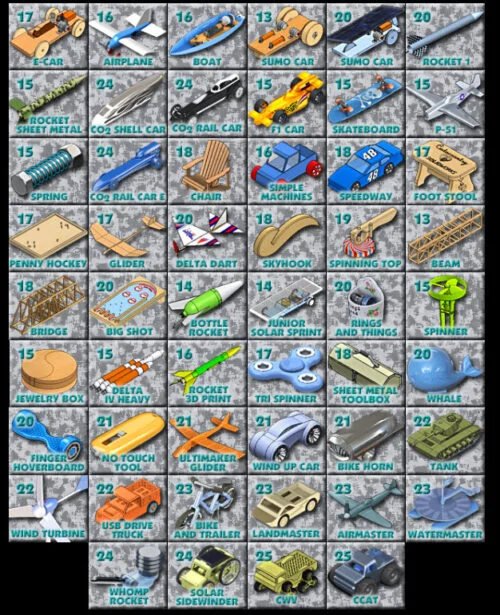
SOLIDWORKS is used across STEM programs. Educators have used SOLIDWORKS to develop great projects for classroom and competitions.
One of my favorite sites is CudaCountry, that features all terrain vehicles, balsa wood bridges, solar cars, rockets, and more. All with design-build outcomes.
For computer science students, SOLIDWORKS has a easy to understand API with tutorials that allow students to learn how to program with geometric outcomes. They are performed with SOLIDWORKS C#, VB.NET, or VBA macro recorder.
9. Tutorials, SOLIDWORKS User Forum, Help & Quick Tips
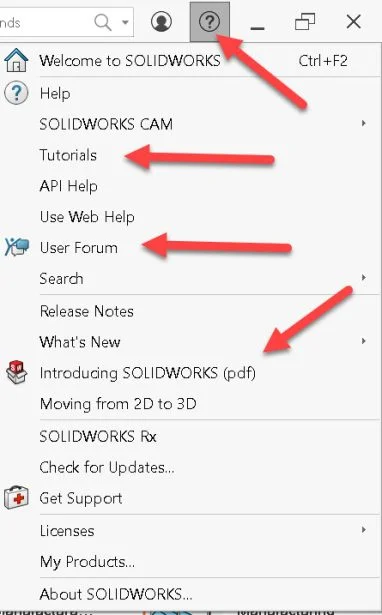
From the upper right hand corner of the menu bar, SOLIDWORKS provides access to help from the ? icon or F1 key. In the Help menu, access the Tutorials, User Forum (Community support), Introducing SW .pdf and more.
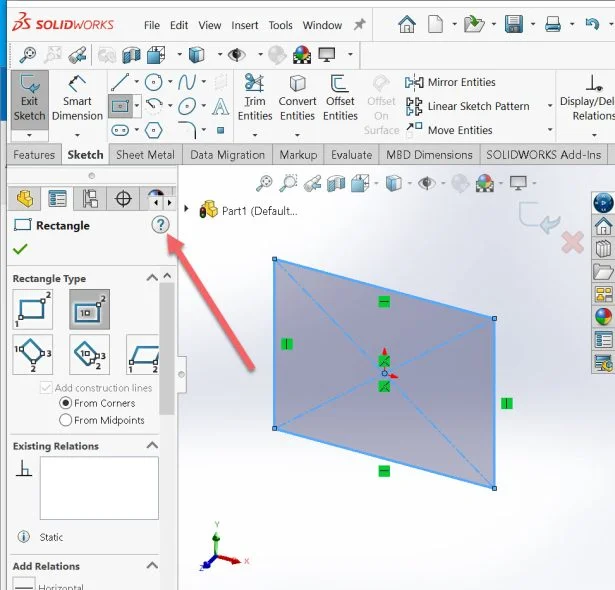
When you are in a FeatureManager, the Help icon, ?, is relevant to the command. SOLIDWORKS also provides short animation tool tips on a feature to show students how to create and modify geometry.
10. Academic Integrity
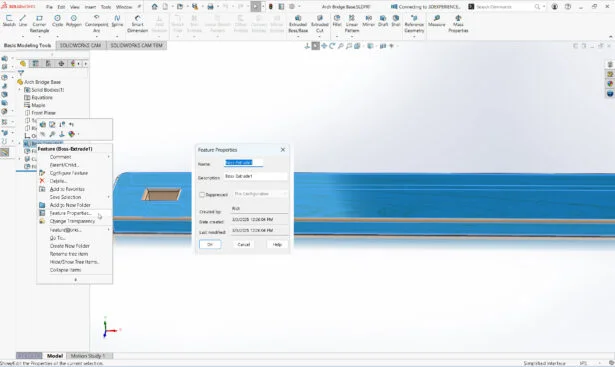
Educators have challenges. We ask you provide our SOLIDWORKS certification exams to your students in a proctored setting. We also provide a tool inside of SOLIDWORKS to determine the user name, creation date and modified date of a particular feature.
We thank all educators for using our tools in the classroom and look forward in hearing from you through our SOLIDWORKS Education Facebook, SOLIDWORKS Edu Instagram, SolidWorks User Group or 3DEXPERIENCE EDU Academic Community,
Design well. Marie