


Building a Simpsons-Inspired Language Robot with SOLIDWORKS and AI
By Carlos Reyes
I recently shared the story behind my Simpsons-inspired invention board, which combines my love for The Simpsons with my passion for CAD. I chose several inventions from the show to see how far SOLIDWORKS can take them: the electric hammer, the generator, the Mr. Burns subscriber button, and a few other projects inspired by The Simpsons.
Quick introduction if we haven’t met: I’m Carlos Reyes, a.k.a. Carlos3D — engineer, maker, and SOLIDWORKS for Makers Ambassador. Many of the projects I share focus on cosplay and prop work: Iron Man armor, a Proton Cannon, a full Mandalorian costume, and a Green Goblin glider. I’ve been using SOLIDWORKS for over a decade, and I’m a Certified SOLIDWORKS Professional (CSWP).
Learn more about Carlos’ Green Goblin glider on the full SOLIDWORKS Live Episode.
After working on several smaller Simpsons-inspired inventions, I wanted a bigger challenge. Something with real mechanical complexity, real electronics, and a project I wasn’t sure I could even build. That led me to Lisa.
Lisa: The Brains of the Family
If you know the show, you know Lisa is the smart one — the inventor, the one always gluing something together for a school project or a science fair. She’s basically the only character who does actual engineering on screen. Homer’s inventions mostly explode; Lisa’s occasionally work. So, when I needed a project with real depth, I looked to her inventions.
That’s how I landed on “Trilogy of Error,” a 2001 episode where Lisa builds a robot for the school science fair with one job: correcting people’s grammar. She names him Linguo. He is not a fan favorite — nobody’s cosplaying Linguo at a con, and nobody quotes him the way they quote Bart or Homer’s doughnut monologues. But I couldn’t stop thinking about him, because I had a personal reason to build him.
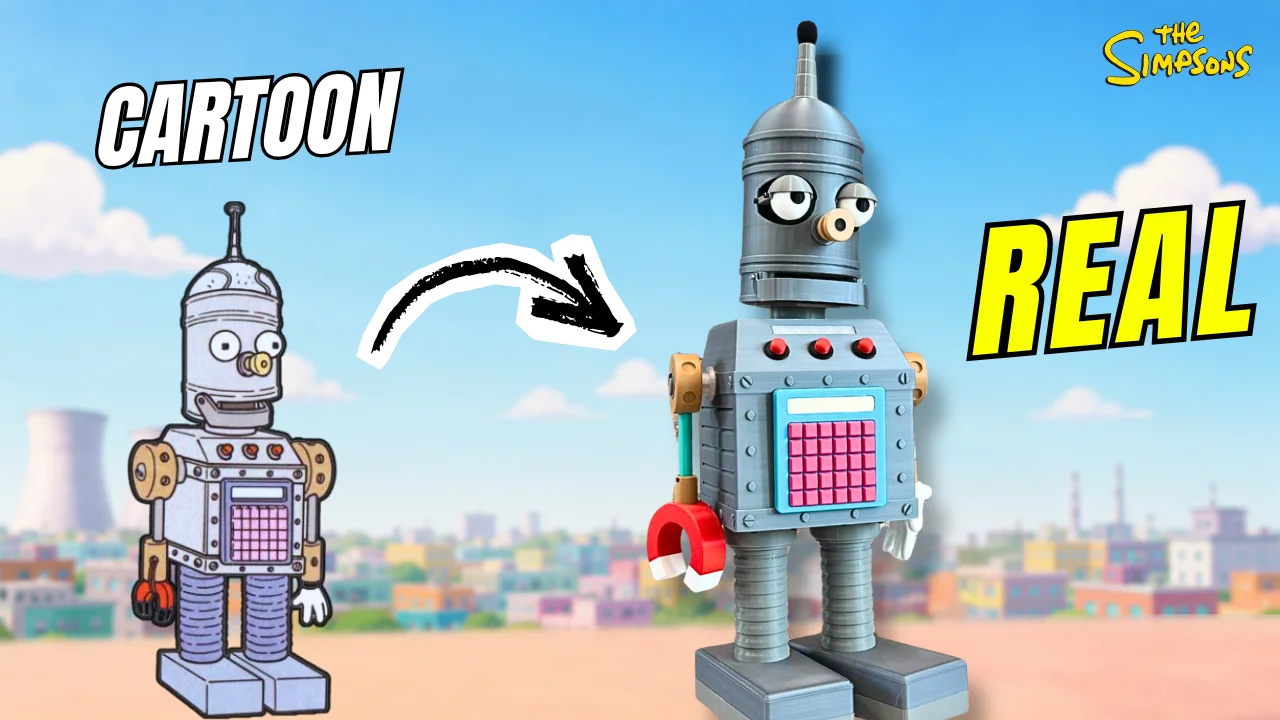
Why I Wanted to Build Lisa’s Language Robot
I’m Mexican, and English isn’t my first language. I’m always working on it, always double-checking myself when I speak or write. So when I found Linguo, a robot whose entire job is correcting grammar, it was exactly what I needed.
So that became the goal: take the invention that mobsters’ slang destroyed, and build a version that could genuinely handle my English, using AI to do the part the cartoon only pretended to do. I named mine Linguo.
Building Linguo with Full Mechatronics
This project required mechanical design, electronics, and AI programming, and it was also my first time giving a robot the ability to show facial expressions. Before I started, I spent time on YouTube watching how other makers approached robot heads and expressions, reviewed a handful of mechanisms, and then built my own simple version.
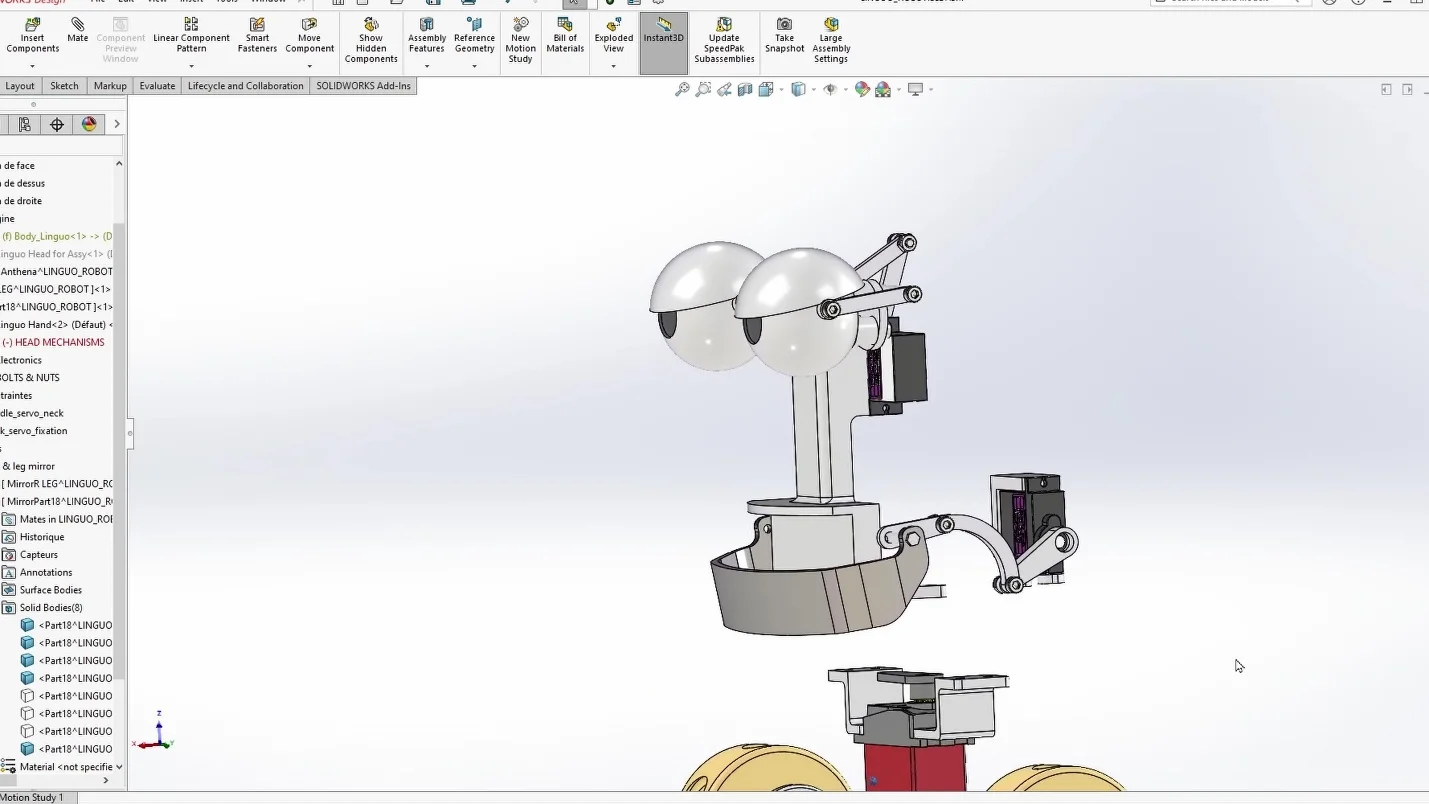
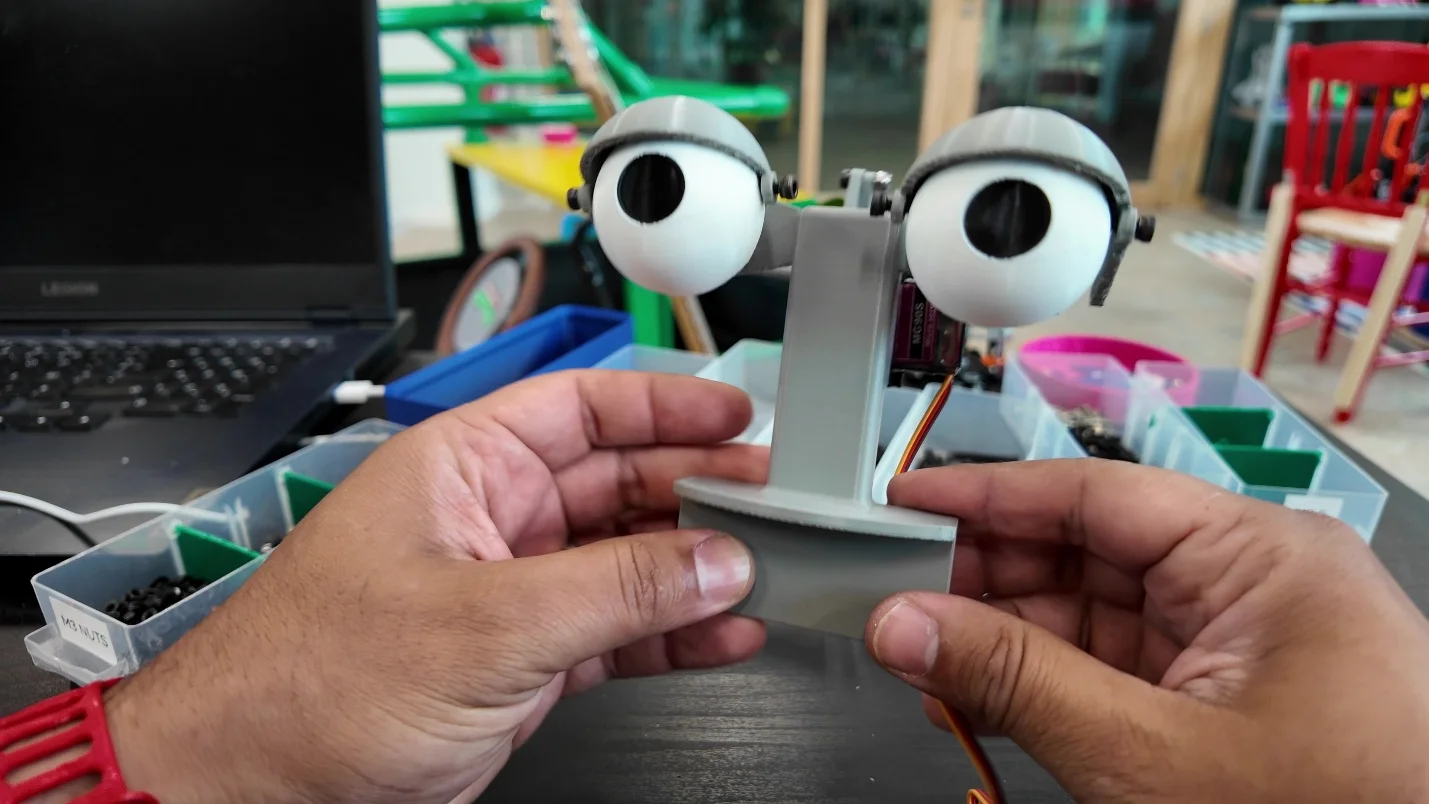
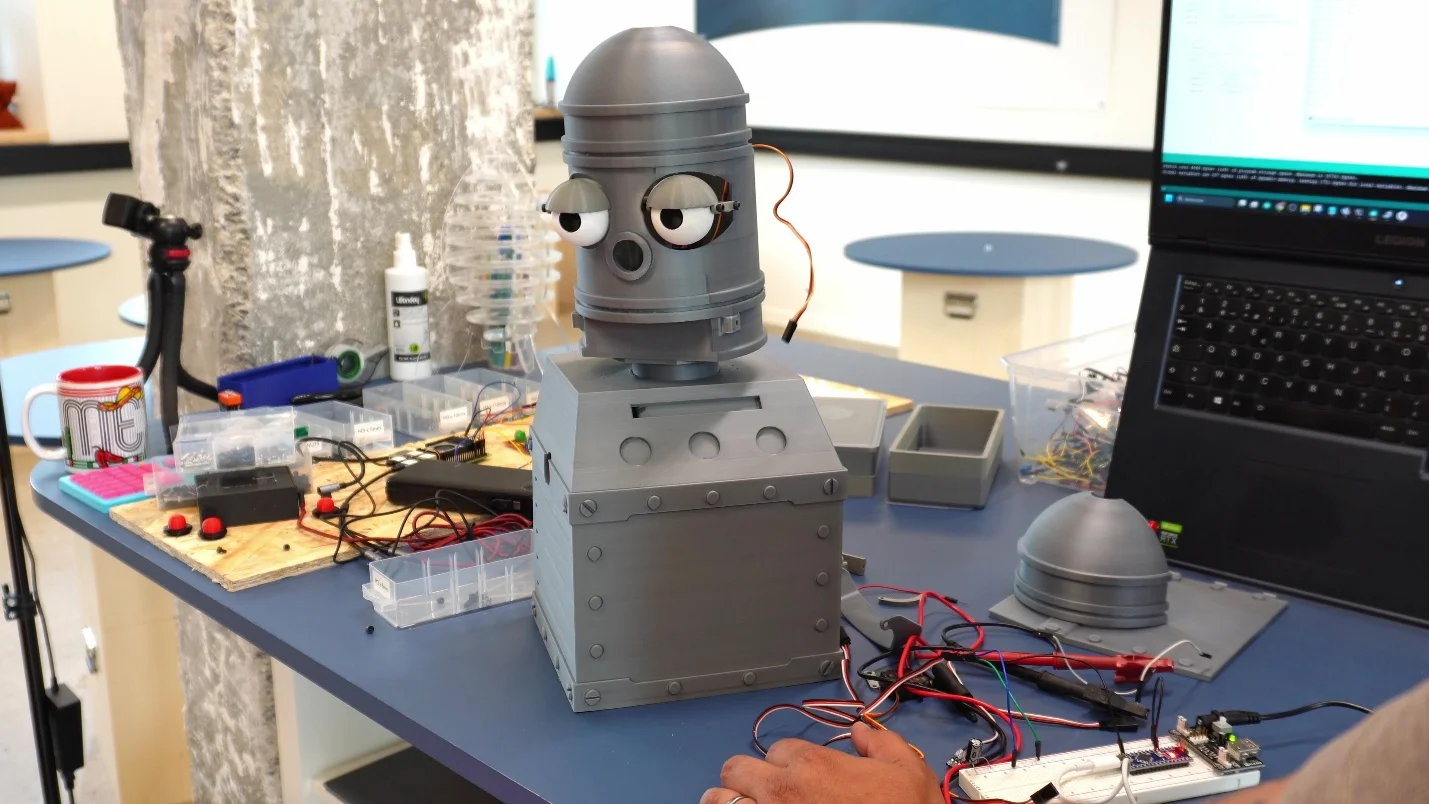
Most of Linguo’s body is square, which made it a great fit for parametric modeling in SOLIDWORKS. That part came together fast.
Designing the hands was harder. There wasn’t a clean parametric way to get the shape right, so I switched over to xShape and sculpted it instead.
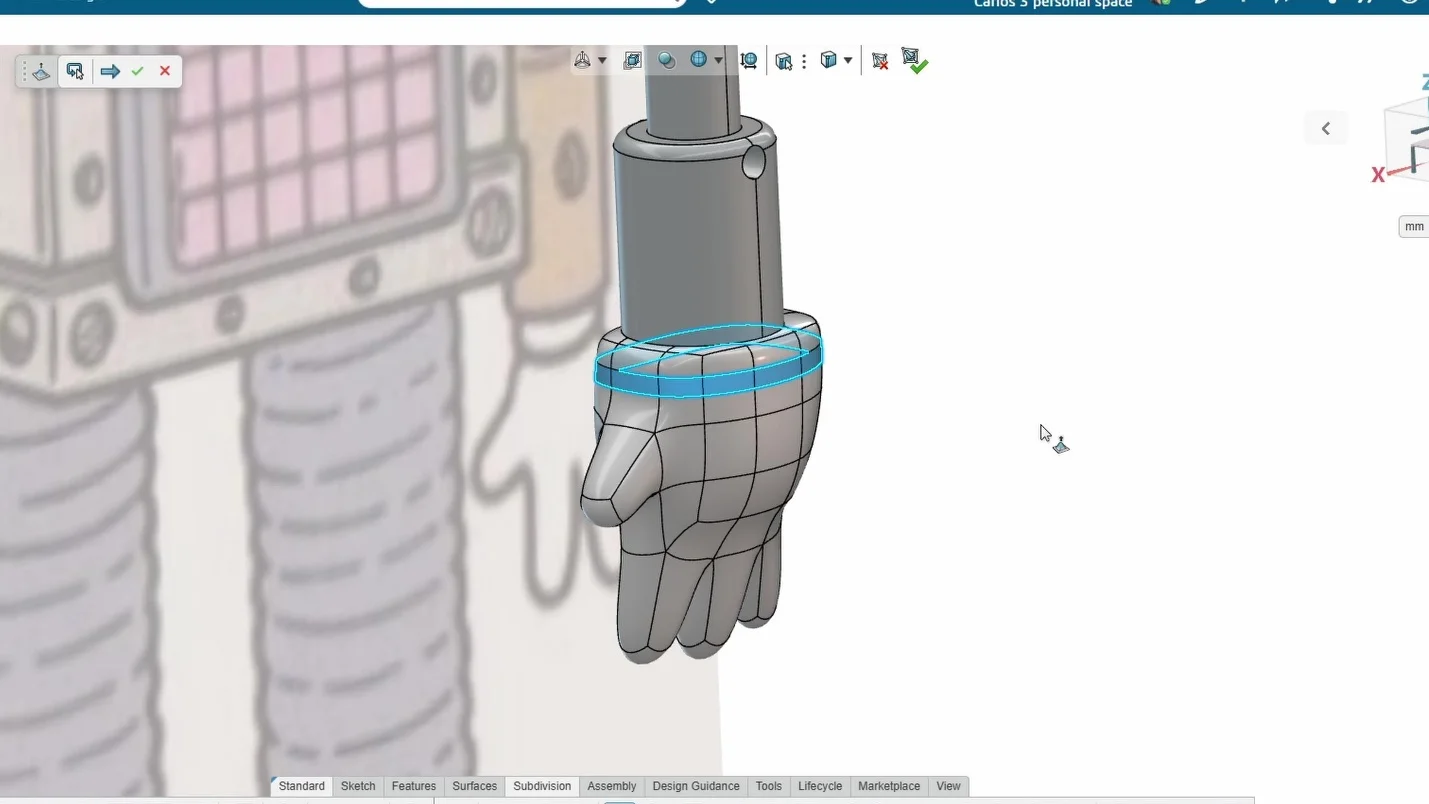
That ended up being the most technical modeling challenge of the whole build—though once I got into it, it took about an hour, and it dropped into my assembly without any issues.
How Linguo Works
Inside his body, there’s a small PC. He’s got a microphone in his head and a speaker built into his body. When you talk to him, he listens, runs it through an AI model I set up to catch grammar mistakes, and tells you what’s off and how to say it correctly. He replies in a robotic voice that suits the character.
When he talks, his jaw moves in sync with his speech. That detail is what really completes Linguo. At the end of the video, I sit down and have a real conversation with him on camera. He corrects my English live. None of it is staged — that’s how he performs, mistakes and all.
Supporting the Programming with AI
Programming isn’t my strongest skill. My background is mechanical design and CAD, not software. So, for the parts of this build that required real coding — getting Linguo to listen, process language, and respond — I used AI as part of my workflow, just as I used YouTube tutorials to learn new modeling techniques for the hand. That’s the part I want people to take away from this project: you don’t need to know everything to start an ambitious project.
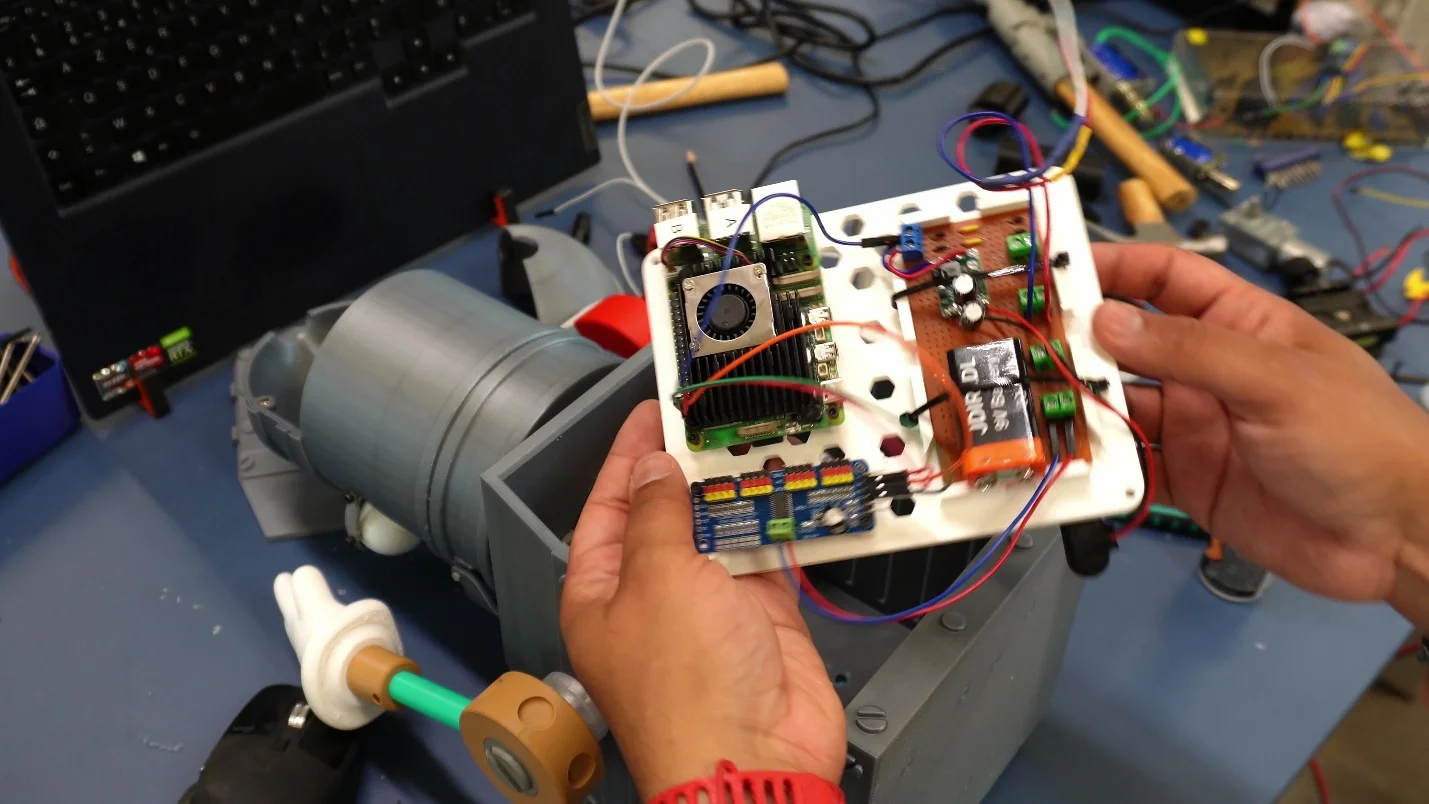
I want to share the mechatronics setup behind Linguo with anyone interested in learning from it, and I break it all down in the video.
What Linguo Represents
I’m an engineer, and a robot with real expressions that listens and responds always felt like actual science fiction — the kind of thing nobody teaches you in engineering school. But a decade of SOLIDWORKS, a lot of late-night YouTube, and AI covering the gaps helped me get there anyway.
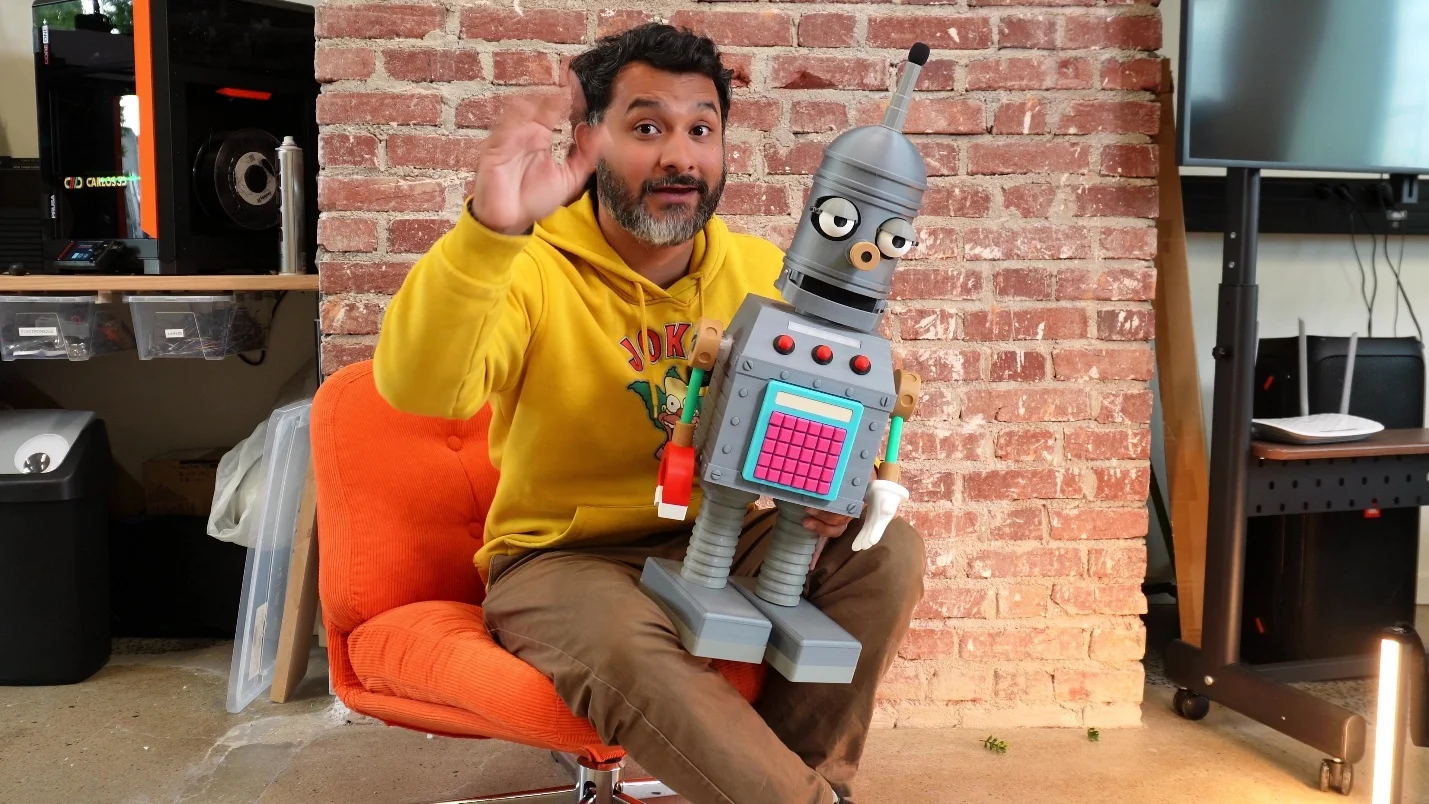
At the end of the Trilogy of Error episode, an overload from the grammar of the mobsters causes Linguo to short-circuit and die. However, there’s no need to worry; my Linguo is still up and running. He sits in my studio, and every now and then, he catches my English mistakes before I do. Lisa would be proud.
Check out more of my projects here:
– YouTube
– X
Inspired to try a creative project of your own? Learn more about SOLIDWORKS for Makers, 3D modeling, and cloud-based design tools for personal use — just $48 USD a year. Use code: CARLOS3DPRINT for 20% off.