
Today, 2D drafting still plays a major role in many engineering and manufacturing workflows. Technical documentation, layout updates, drawing revisions, shop-floor communication, and legacy CAD work often depend heavily on 2D tools. That is exactly why we continue to improve upon DraftSight2D CAD software and offer regular updates.
The latest update, DraftSight R2026x FD03, focuses on productivity, reliability, and drafting efficiency. DraftSight workflow improvements are centered on core drafting reliability and usability, mechanical drafting automation, and faster, more precise day-to-day CAD work.
DraftSight features in FD03 include automatic post-crash restart to reduce downtime and enable faster recovery; one-click locking control over selected drawing viewports; and automated centerline and center cross tools, which are crucial in drafting because they provide speed, accuracy and manufacturing clarity.
The following enhancements apply to DraftSight Professional, Premium, and Mechanical with a named-user license, and Collaborative Designer for DraftSight.
Automatic Post-Crash Restart – minimize downtime.
Resume work instantly after a crash by enabling automatic restart from a new checkbox in the crash report dialog.
![[crash report image]](https://blog-assets.solidworks.com/uploads/2026/08/crashreportaug1426.png.webp)
Viewport Lock/Unlock Status Toggle – gain more control of selected drawing viewport.
Lock the viewport with one click from the Status Bar to stop unwanted scale shifts while panning, keeping your layout intact for a more precise, reliable drafting workflow.
![[viewport lock image]](https://blog-assets.solidworks.com/uploads/2026/08/viewportlockaug1426.png.webp)
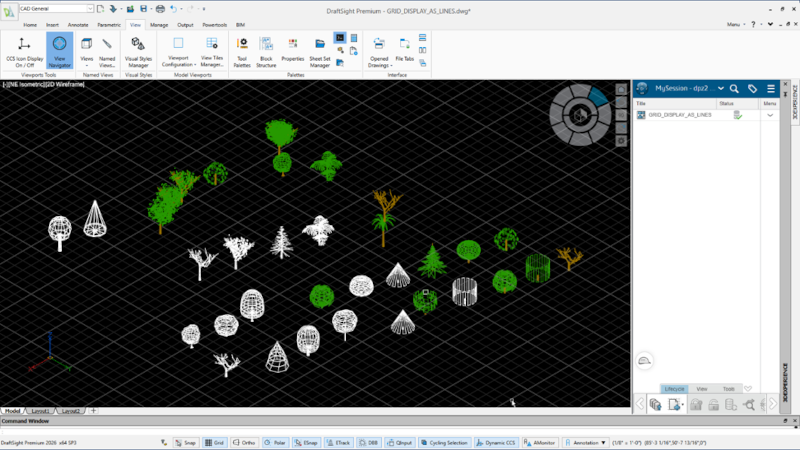
Line-Style Grid Display – align geometry, estimate dimensions visually, and maintain precise modular coordination.
Draft with more precision using new line-based grids that mimic graph paper, giving you a structured visual guide for better alignment and scale in 2D work.
![[Line-style grid image]](https://blog-assets.solidworks.com/uploads/2026/08/linstylegridaug1426.png.webp)
The following enhancements apply to DraftSight Mechanical.
Automated Centerline and Center Cross Utilities – instantly place accurate reference marks on circles, holes, and symmetric shapes.
In the latest DraftSight version, you can place centerline crosses, centerlines, pitch circles, and holes at specified points using dedicated mechanical commands, accelerating standard mechanical drawing creation.
![[automated centerline image]](https://blog-assets.solidworks.com/uploads/2026/08/automatedcenterlineaug1426.png.webp)
Intelligent Extent Construction Lines – automate drawing layout.
DraftSight Mechanical updates also include the ability to instantly generate smart X/Y construction lines at entity extents, eliminating redundancy for a cleaner, more efficient drafting workflow.
![[extent construction line image]](https://blog-assets.solidworks.com/uploads/2026/08/extentconstructionlineaug1426.png.webp)
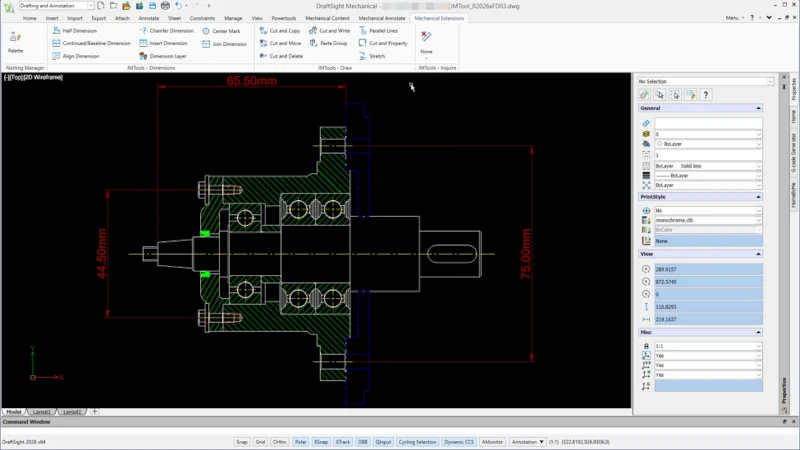
JMTools Workflow Suite – eliminate manual clicking.
DraftSight’s new tools include a new suite for precise regional detailing, automated dimensioning, and compliant layer management, optimizing mechanical workflows.
DraftSight software enhancements continue to focus on productivity, reliability, and precision gains. Check out these videos to see how the latest features can improve drafting workflows.
See my last blog on DraftSight R2026x FD03 here to stay up to date on the latest DraftSight updates.
Also, have you tried the fully browser-based drafting tool, DraftSight Creator? Learn more here and see what’s new.