
In Lesson 18 we covered taking the on-line proctored SOLIDWORKS CAD Design Professional (CSWP) Segment 2 certification exam.
In this lesson address the SOLIDWORKS CAD Design Professional (CSWP) Segment 3 certification exam. Segment 3 focuses on assemblies and modifications.
The exam is 80 minutes long with fourteen (14) questions divided into three categories. The format is either multiple-choice or single fill in the blank. A total score of 77 out of out of 109 points is required to pass.
The first question is an instructional page. Read the instructions. Agree to the Candidate Conduct Policy. Click Yes. It’s a free 5 points. Click the link to download the components and sub-assemblies. Save the downloaded files to a working folder, (Extract All). Questions 2 – 14 are worth 8 points each.
Question 2, create an assembly from the extracted folder. Note: Questions 2, 8, 10, and 12 are in a multiple-choice format. You should have the exact answer (within 0.5% of the stated value in the multiple-choice section) before you move on to the next question. If you don’t have the exact answer, you will most likely fail the following question. This is crucial as there is no partial credit.
Questions 3, 4, 5 and 6 modify the original assembly geometry and coordinate system by inserting components and sub-assemblies. Note: During the exam, you will be asked to refer to various images, to ensure that you have the correct orientation and the assembly is fully constrained.
Question 7, create a new assembly from the extracted folder. Note: Questions 3, 4, 5 ,6, 7, 9, 11, 13 and 14 are in a single fill in the blank format.
Question 8, 9, 10, 11, 12, 13 and 14 modify mates to address require movement, insert additional component and sub-assembly, insert and remove components, address rebuild issues, and recover from errors.
Segment 3 requires knowledge of the following:
- Download and unzip a folder (Extract all).
- Recognize Engineering drawing views with annotations.
- Create an assembly.
- Set document properties (units, precision, etc.).
- Apply material.
- Fix the first part to the Origin.
- Insert downloaded components and sub-assemblies.
- Assembly and mate parts in an assembly.
- Utilize Standard & Advanced (Width, Distance, Angle, Gear, etc.) mates.
- Create a Flexible assembly.
- Measure angles.
- Mate modification.
- Suppress mates.
- Move/Rotate components.
- Apply Rigid and Flexible states.
- Employ the Interference Detection and Collision tools.
- Create and use a new Coordinate System.
- Modify and replace components.
- Recover from mate errors.
- Calculate mass and center of mass.
- Save the assembly.
Note: Do not use feature recognition when you open the downloaded components. This is a timed exam.
If you fail this segment of the exam, you need to wait 14 days before you can retake it. In that time, you can take another segment.
Note The CSWP exam can be taken with either Desktop SOLIDWORKS or 3DEXPERIENCE SOLIDWORKS.
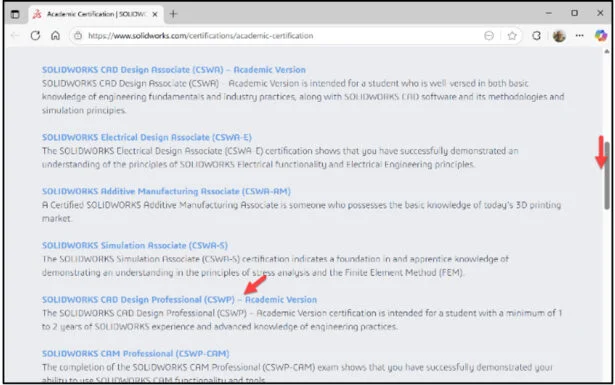
Click the following link: Academic Certification | SOLIDWORKS. View the available Academic SOLIDWORKS Certification Homepage.
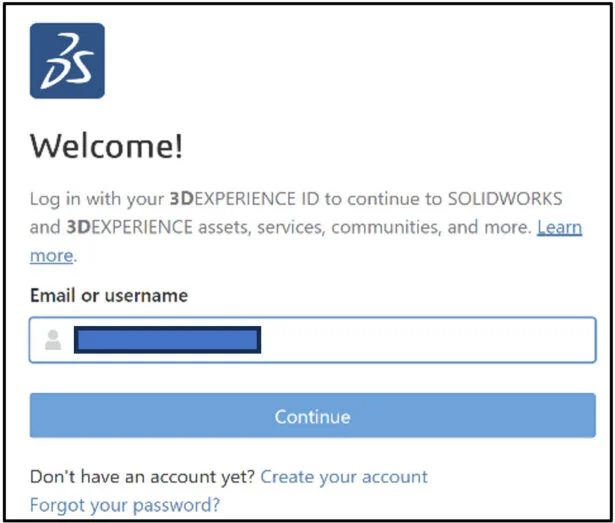
Login. The learning content is free. Note: You need a 3DEXPERIENCE ID.

If you do not have a 3DEXPEERIENCE ID, create an account.
View the available information.
The page is an excellent resource of information on the available Academic Certification exams and how to become a SOLIDWORKS Academic Certification Provider.
Slide the side bar downward.

Click the SOLIDWORKS CAD Design Professional (CSWP) – Academic Version link.
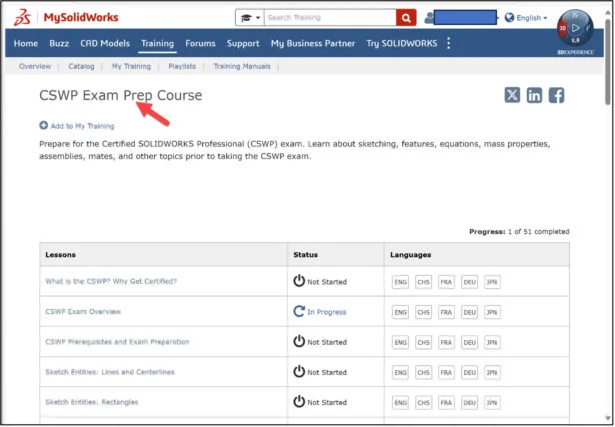
The Certified SOLIDWORKS CAD Design Professional (CSWP) page is displayed.
Slide the side bar downward.
View the available information. The page provides a wealth of information on the SOLIDWORKS CAD Design Professional (CSWP) exam.
Sample Exam Table of Contents:
- About This Guide.
- The CSWP Certification.
- CSWP Exam Details.
- How to prepare for the Exam.
- How to take the Practice Exam.
- Taking the Real Exam.
- Test Questions.
- Answer Key.
- Hints and Tips.
- Frequently Asked Questions.
- Helpful Sites.
Additional Resources: Note: A 3DEXPERIENCE ID is required.
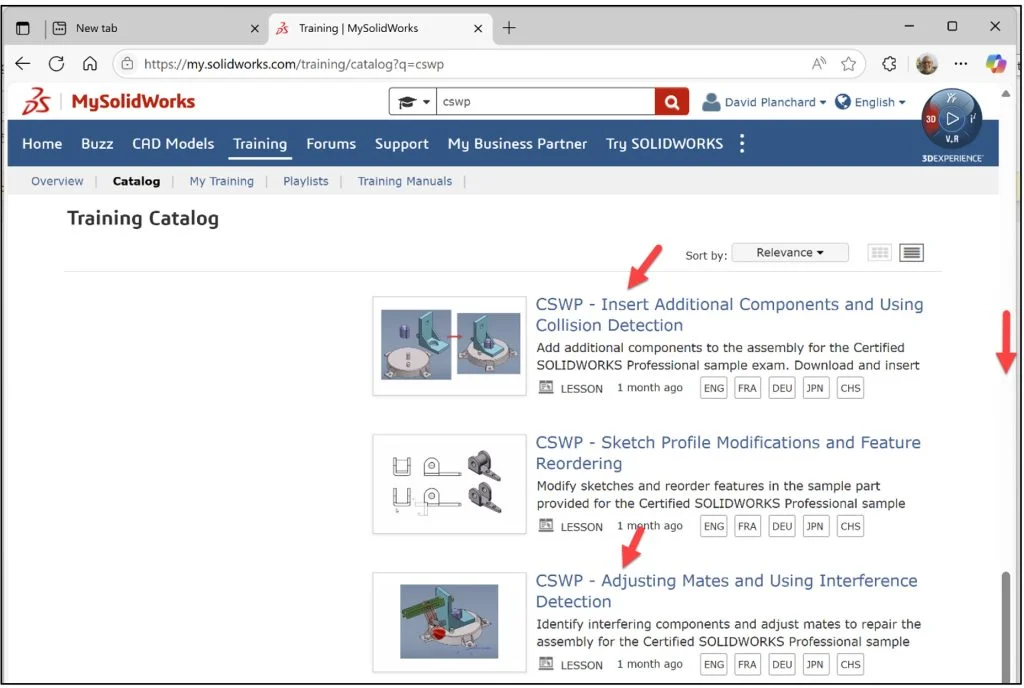
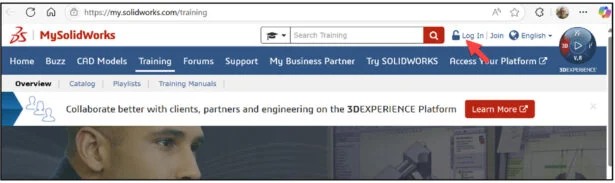
Click the following link: Training | MySolidWorks.
Login.
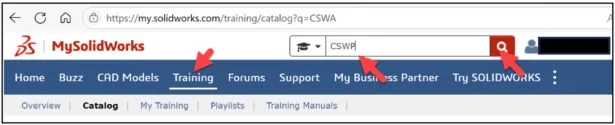
Click the Training tab.
Enter CSWP in the Search box.
Click the Search icon.
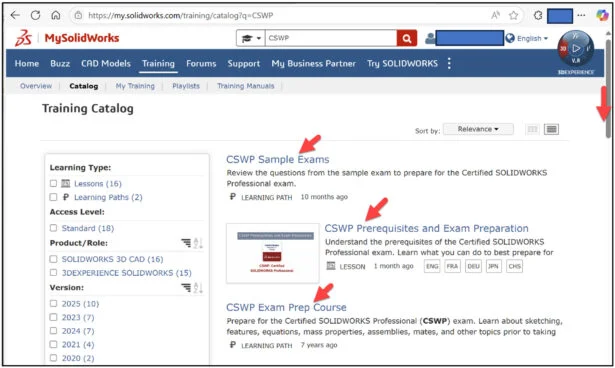
Slide the side bar downward.
View the available training videos and tutorials.
Note: Save the assembly after each question in a different file in case it must be reviewed.
Lesson 19 is finished.
Lesson 20 covers taking the on-line proctored SOLIDWORKS CAD Design Professional (CSWP), Segment 3 certification exam. Segment 3 focuses on assemblies and modifications.
The exam is 80 minutes long with fourteen (14) questions divided into three categories. The format is either multiple-choice or single fill in the blank. A total score of 77 out of out of 109 points is required to pass.
All candidates that pass the three segments of the CSWP certification exam receives an electronic certification, digital badge, business card logo and optional personal listing in the SOLIDWORKS Certification directory.
Other blogs in this SOLIDWORKS Academic Certification Series:
Lesson 1 SOLIDWORKS Academic Certification – What is the Journey?
Lesson 2 SOLIDWORKS Academic Certification – Certification Provider Program for EDU
Lesson 3 SOLIDWORKS Academic Certification 3DEXPERIENCE Certification Center
Lesson 4: SOLIDWORKS Academic Certification – Exam Opportunities
Lesson 5: SOLIDWORKS Academic Certification – Student Needs
Lesson 6: SOLIDWORKS Academic Certification – CSWA Exam Part 1
Lesson 7: SOLIDWORKS Academic Certification – CSWA Exam Part 2
Lesson 10: SOLIDWORKS Academic Certification – SOLIDWORKS Simulation Associate (CSWA-S) Exam
Lesson 13: SOLIDWORKS Academic Certification – SOLIDWORKS Electrical Design Associate (CSWA-E) Exam
Design well, Marie