
In Lesson 15, we focused on the contents of the SOLIDWORKS CAD Design Professional (CSWP), Segment 1 certification exam. In Lesson 16 we cover taking the on-line proctored SOLIDWORKS CAD Design Professional (CSWP) Segment 1 certification exam.
The CSWP Certification is broken down into three separates and can be taken as three separate exams (one exam for each segment). Once you pass a segment, you will not have to take it again. Segment 1 is not a prerequisite for Segment 2, Segment 2 is not a prerequisite for Segment 3. Once all three segments have been successfully completed, you will automatically receive your CSWP certification.
Note: Students must have their CSWA certification 30 days prior to taking the CSWP exam.
Segment 1 is 70 minutes long with eleven (11) questions. A total score of 75 out of 105 or better is required to pass.
You will perform initial part creation, initial part update and various stage modifications. The format is either multiple-choice or single fill in the blank. The first question is an instructional page. Read the instructions. Agree to the Candidate Conduct Policy. Click Yes. It’s a free 5 points.
The second question is a multiple-choice format. You should have the exact answer (within 0.5% of the stated value in the multiple-choice section) before you move on to the next question. If you don’t have the exact answer, you will most likely fail the following question. This is crucial as there is no partial credit.
Save the part after each question in a different file in case it must be reviewed by the SOLIDWORKS Certification team.
Taking the on-line proctored CSWP Exam (Segment 1)
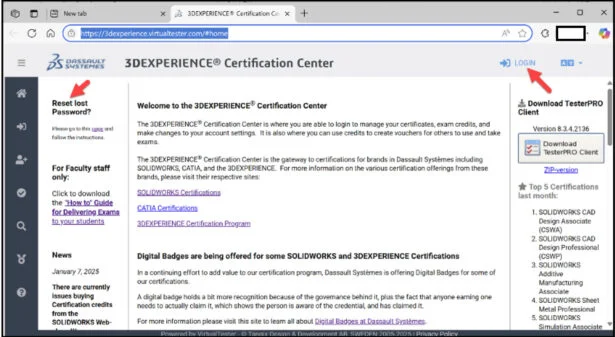
Click the provided link: https://3dexperience.virtualtester.com/#home.
The 3DEXPERIENCE Certification Center Home page is displayed.
The 3DEXPERIENCE Certification Center is where students are able to login to take their certification opportunities, manage their certificates, address their digital badges, and make changes to their account settings.
If your school is an SOLIDWORKS Academic Certification Provider, the provider can allocate free student CSWP Segment 1, Segment 2 and Segment 3 exam opportunities.
Login to 3DEXPERIENCE Certification Center Home page. Note: A 3DEXPERIENCE ID is required.
Click the LOGIN icon.
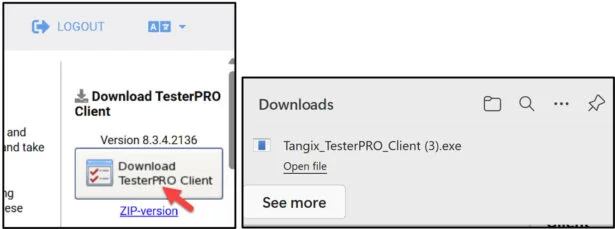
Download the TesterPRO Client to your desktop.
Un-zip the TesterPRO Client.
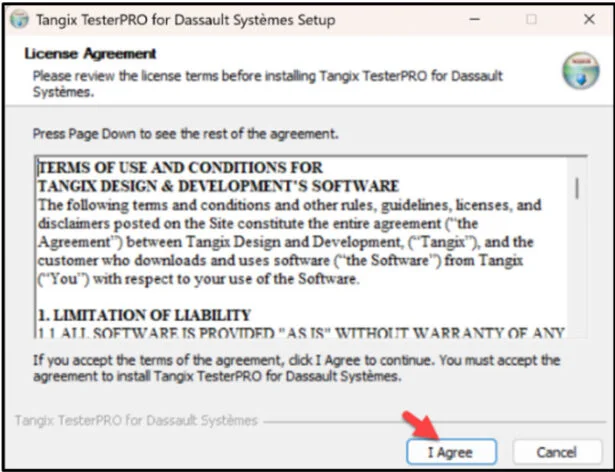
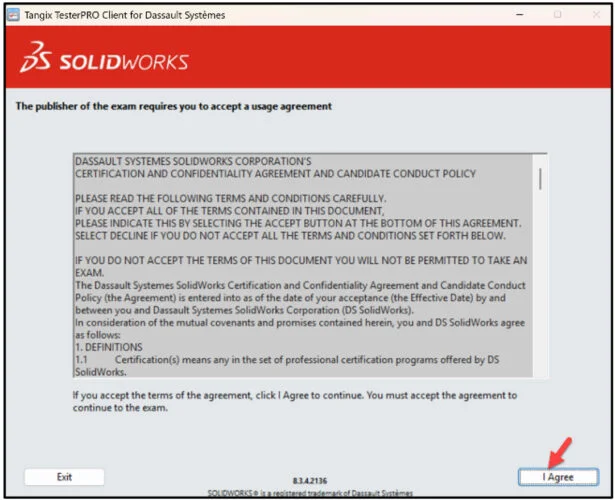
Read the License Agreement.
Agree to the Candidate Conduct Policy.
Click I Agree.
Install the TesterPRO Client.
Click Install.
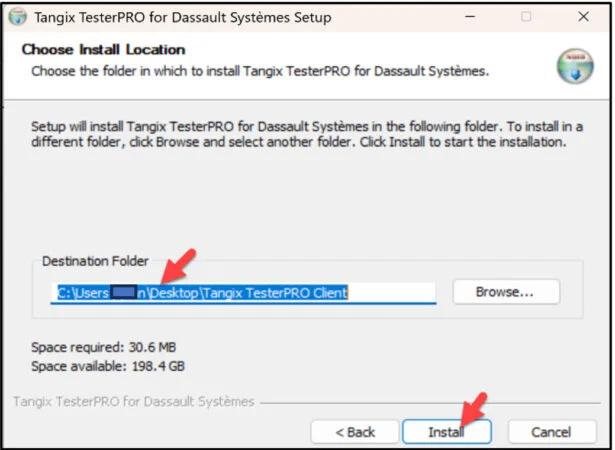
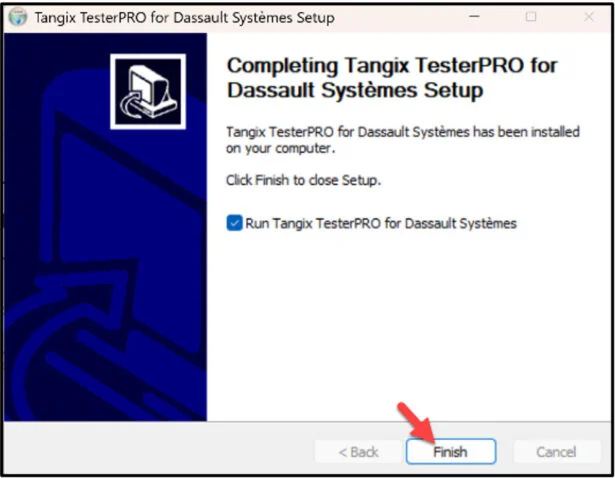
Click Finish.
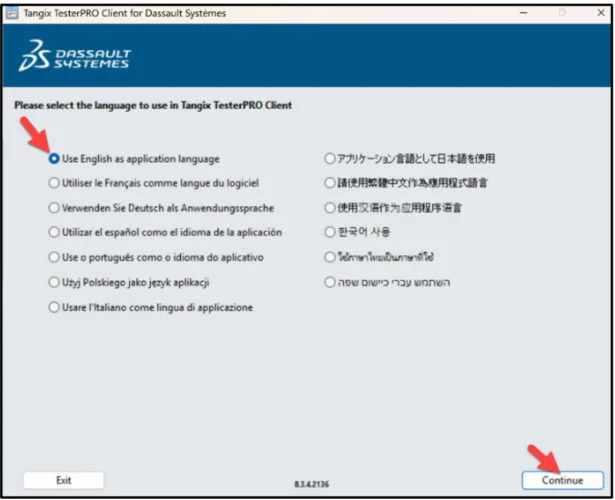
View the available languages.
Select Test Language.
Click Continue.
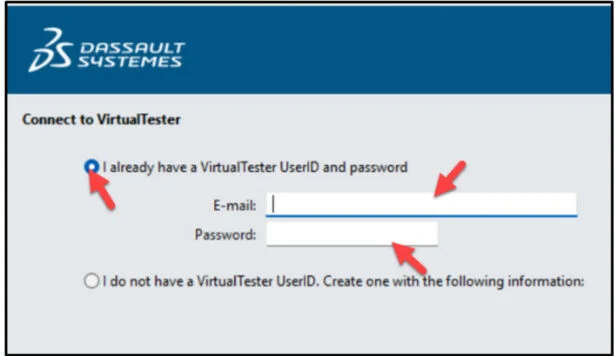
Create an account. If you already have an account, select “I already have a VirtualTester UserID and password”. Enter your school email address. Enter password. Click Continue.
Select SOLIDWORKS.
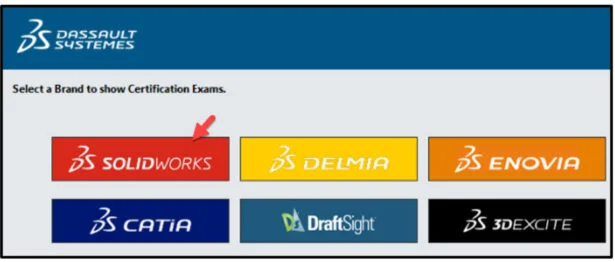
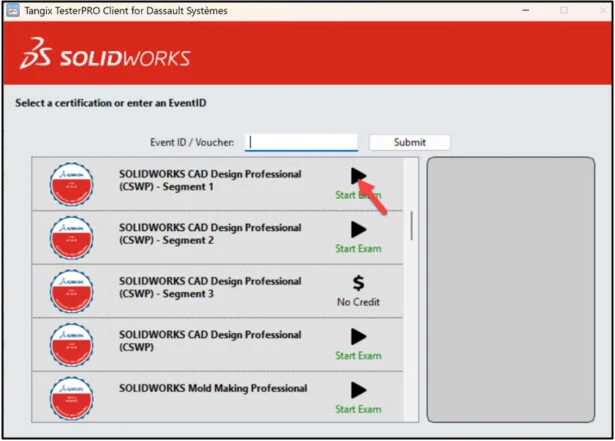
Select SOLIDWORKS CAD Design Professional (CSWP) – Segment 1.
This will depend on the exam opportunity given by the Academic Provider.
Click Start Exam.
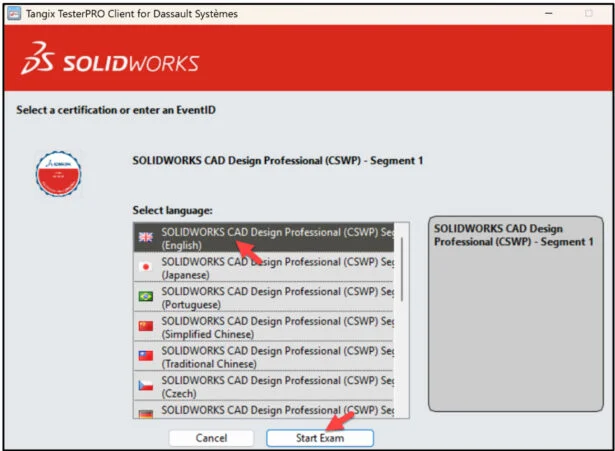
Select language.
Click Start Exam.
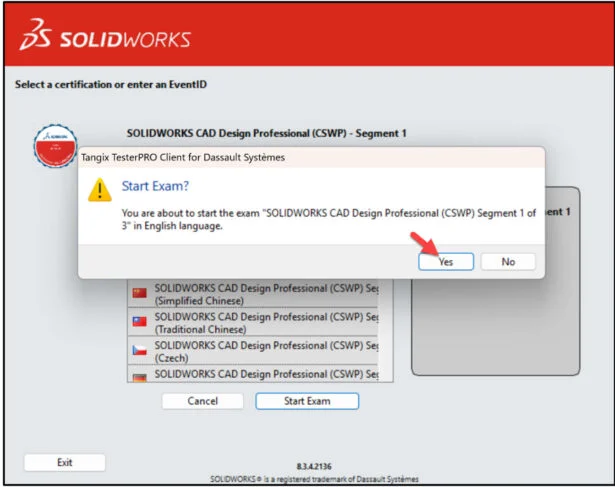
Click Yes.
Read the instructions. Agree to the Confidentiality Agreement and Candidate Conduct Policy.
Click I Agree.
Click Start Examination.
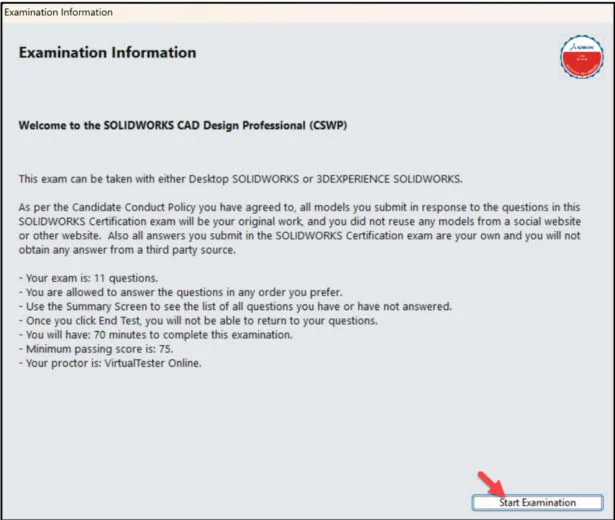
Segment 1 is 70 minutes long with eleven (11) questions. A total score of 75 out of 105 or better is required to pass.
You will perform initial part creation, initial part update and various stage modifications. The format is either multiple-choice or single fill in the blank. The first question is an instructional page. Read the instructions. Agree to the Candidate Conduct Policy.
Click Yes. It’s a free 5 points.
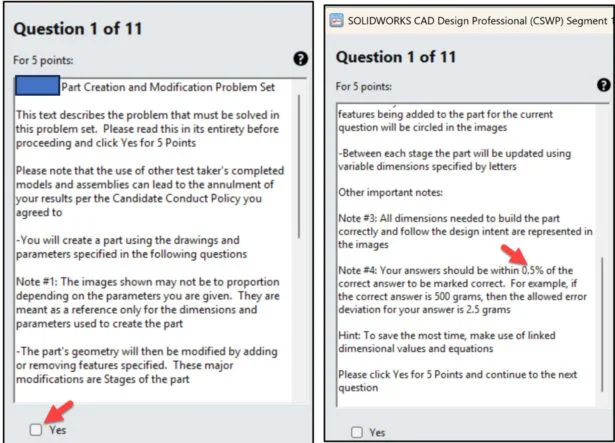
The second question is a multiple-choice format. You should have the exact answer (within 0.5% of the stated value in the multiple-choice section) before you move on to the next question. If you don’t have the exact answer, you will most likely fail the following question. This is crucial as there is no partial credit.
There are three major stages to be modeled: Stage 1 (question 2), Stage 2 (question 5) and Stage 3 (question 8). Questions 3, 4, 6, 7, 9, 10 and 11 request the user to create modifications. Note: Fillets and rounds are highlighted in RED during the exam for better clarity. There can be up to 18 fillets on a part.
Save the part after each question in a different file in case it must be reviewed.
You are allowed to answer the questions in any order you prefer.

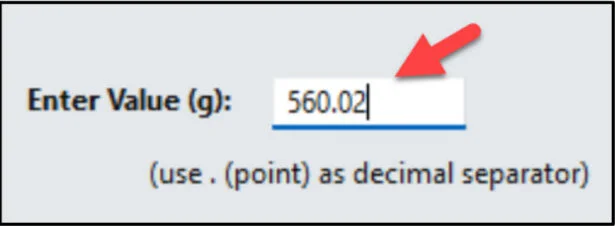
Note: Use a point as a decimal separator on a single answer question.
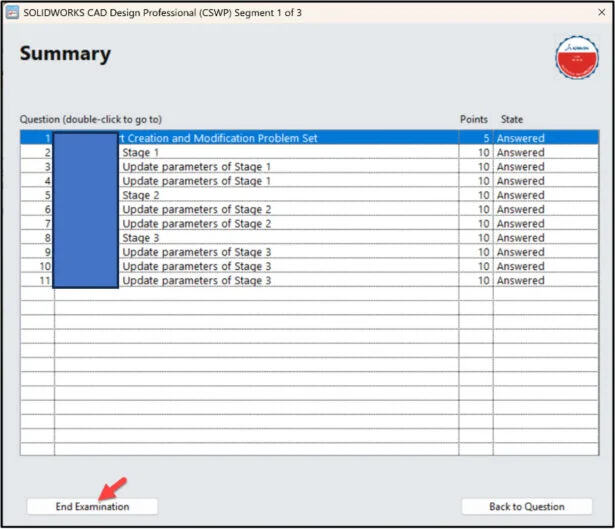
Use the Summary Screen during the exam to view the list of all questions you have or have not answered.
When finished, click End Examination.
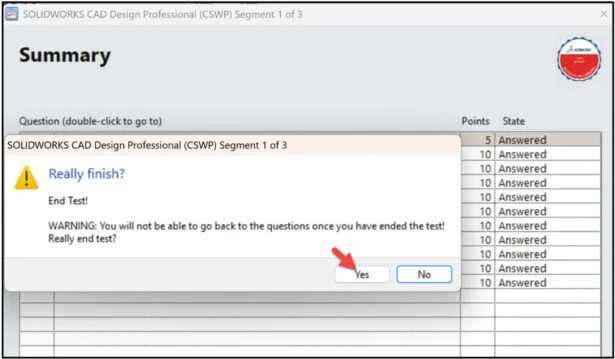
Click Yes.
The exam is automatically graded and the final grade is displayed to the student. The exam grade is provided directly to the Academic Provider. Download the class results into an excel spread sheet. Minimum passing score is 75 or better is required to pass.
Note: Individual questions results are not provided. The number of wrong and correct questions is displayed. The results will display the strong Topics areas and Topic areas to study.
You need to pass all three segments to obtain your CSWP certification. Once you pass a segment, you will not have to take it again. You can take any segment in any order.
If you fail a part, there is a 14-day waiting period before retaking the failed segment. Note: Individual questions results are not provided. The number of wrong and correct questions is displayed. The results will display the strong Topics areas and Topic areas to study.
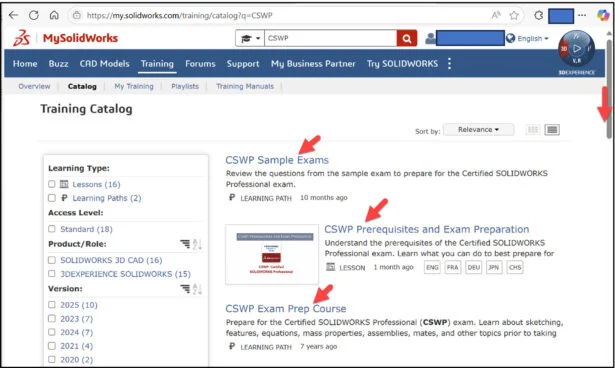
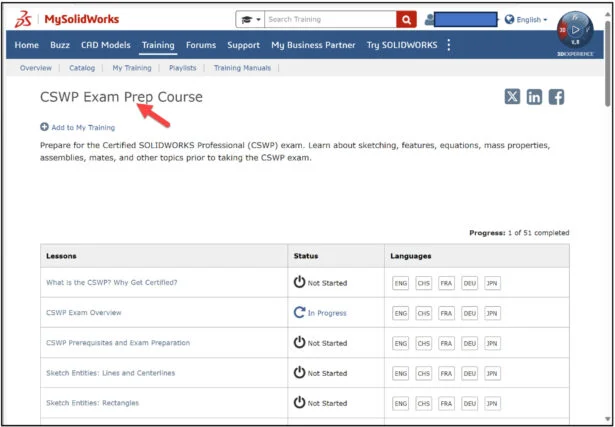
In Lesson 15 you learned that your students should review content in MySOLIDWORKS. Here is a review of accessing CSWP content in MySOLIDWORKS.
Click the following link: Training | MySolidWorks
Login.
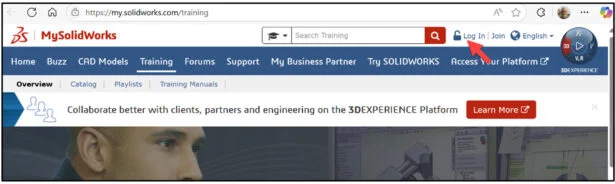
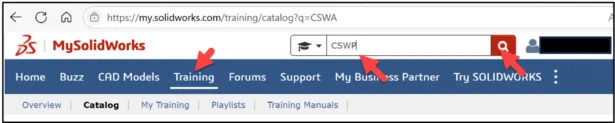
Click the Training tab.
Enter CSWP in the Search box.
Click the Search icon.
Slide the side bar downward.
View the available training videos and tutorials.
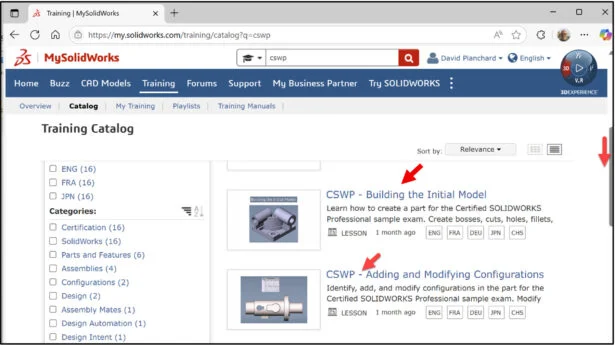
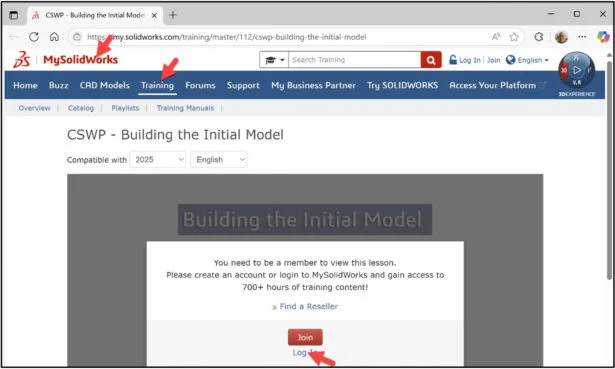
Click the following link: CSWP – Building the Initial Model | MySolidWorks Training
The lesson will cover building the initial sample model in CSWP Segment 1 exam.
Lesson 16 is finished.
Lesson 17 will address Segment 2 of the CSWP Certification exam. Segment 2 focuses on part modifications and configurations. The exam is 50 minutes long with twelve (12) questions divided into three categories. A total score of 77 out of 104 or better is required to pass.
Note: All candidates that pass the three segments of the CSWP certification exam receives an electronic certification, digital badge, business card logo and optional personal listing in the SOLIDWORKS Certification directory.
Other blogs in this SOLIDWORKS Academic Certification Series:
Lesson 1 SOLIDWORKS Academic Certification – What is the Journey?
Lesson 2 SOLIDWORKS Academic Certification – Certification Provider Program for EDU
Lesson 3 SOLIDWORKS Academic Certification 3DEXPERIENCE Certification Center
Lesson 4: SOLIDWORKS Academic Certification – Exam Opportunities
Lesson 5: SOLIDWORKS Academic Certification – Student Needs
Lesson 6: SOLIDWORKS Academic Certification – CSWA Exam Part 1
Lesson 7: SOLIDWORKS Academic Certification – CSWA Exam Part 2
Lesson 10: SOLIDWORKS Academic Certification – SOLIDWORKS Simulation Associate (CSWA-S) Exam
Lesson 13: SOLIDWORKS Academic Certification – SOLIDWORKS Electrical Design Associate (CSWA-E) Exam
Lesson 15: SOLIDWORKS Academic Certification – SOLIDWORKS CAD Design Professional (CSWP) Segment 1
Design well, Marie