
In Lesson 8, we addressed general information and content of the SOLIDWORKS Additive Manufacturing Associate (CSWA-AM) exam.
The CSWA-AM exam covers numerous areas: material types, printing technologies, machine types and processes, part design and orientation for 3D printing, printer preparation, post printing finishing STereoLithography (SLA), Slicer software features and functionality and available software-based printing aids.
Lesson 9 covers taking the on-line proctored SOLIDWORKS Additive Manufacturing Associate (CSWA-AM) exam. The exam can be taken with either Desktop SOLIDWORKS or 3DEXPERIENCE SOLIDWORKS.
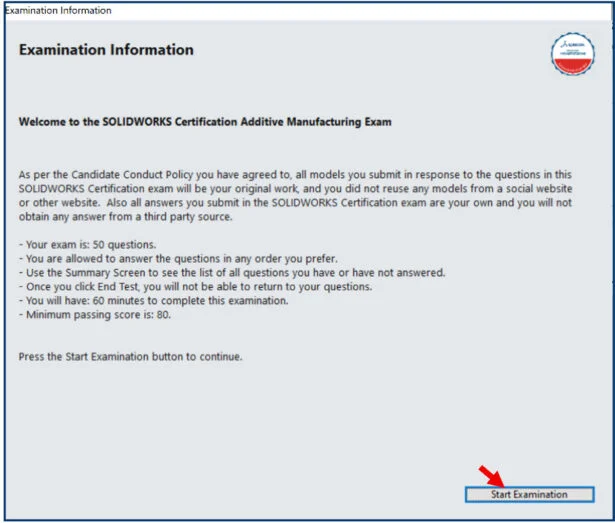
There are 50 questions in the CSWA-AM exam. Each question is worth 2 points. Questions are either in a True or False or a multiple-choice format.
You are allowed to answer the questions in any order. Total exam time is 60 minutes. You need a minimum passing score of 80 or higher. The exam is out of 100 points.
Note: The exam covers the Ultimaker 3 Fused Filament Fabrication (FFF) and the FormLabs Form 2 STereoLithography (SLA) machine as examples. Fused Filament Fabrication (FFF) and Fused Deposition Modeling (FDM) are used interchangeably in the certification exam.
Taking the on-line proctored CSWA-AM Exam
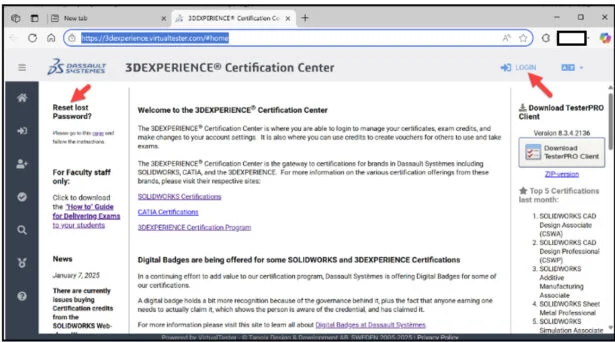
Click the following link: https://3dexperience.virtualtester.com/#home.
The 3DEXPERIENCE Certification Center Home page is displayed.
The 3DEXPERIENCE Certification Center is where students are able to login to take their certification opportunities, manage their certificates, address their digital badges, and make changes to their account settings.
If your school is an Academic Provider, the provider can allocate free CSWA-AM exam opportunities.
Login to 3DEXPERIENCE Certification Center Home page.
Click the LOGIN icon.
Download the TesterPRO Client to your desktop.
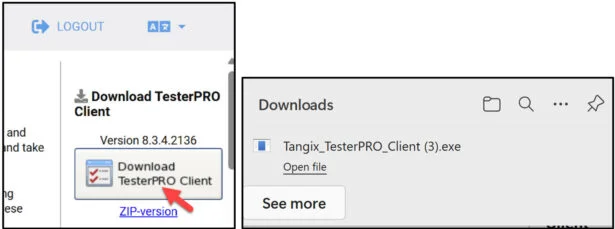
Un-zip the TesterPRO Client.
Read the License Agreement.
Agree to the Candidate Conduct Policy.
Click I Agree.
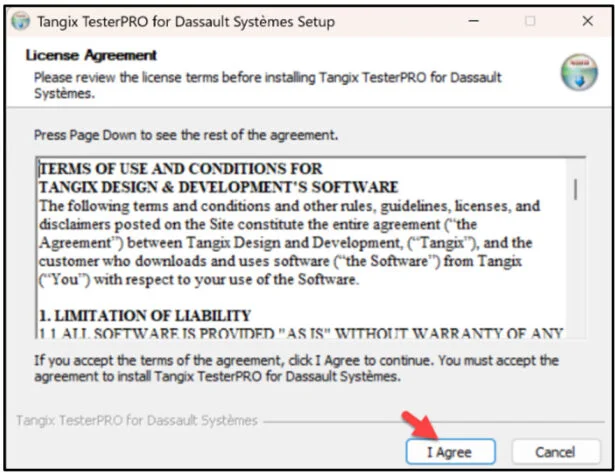
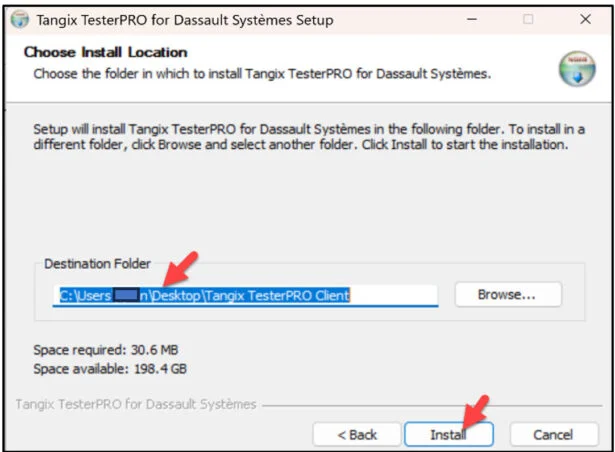
Install the TesterPRO Client.
Click install.
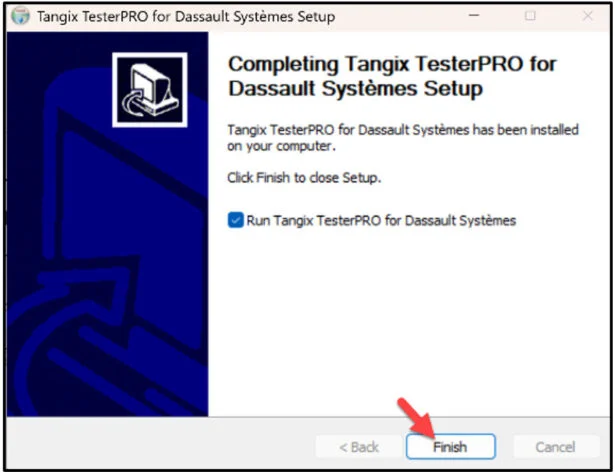
Click Finish.
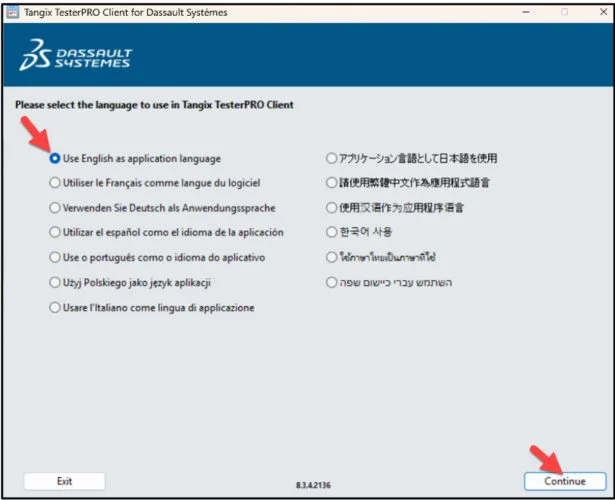
View the available languages.
Select Test Language.
Click Continue.
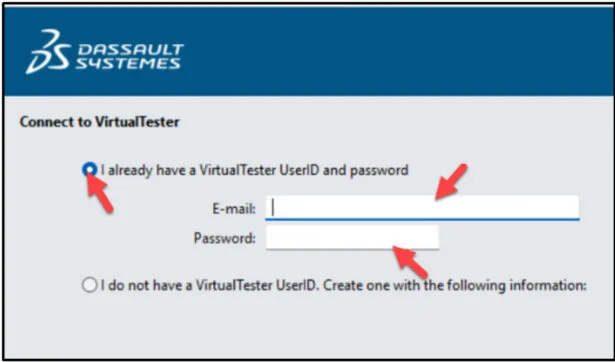
Create an account. If you already have an account, select “I already have a VirtualTester UserID and password”. Enter your school email address. Enter password. Click Continue.
Select SOLIDWORKS.
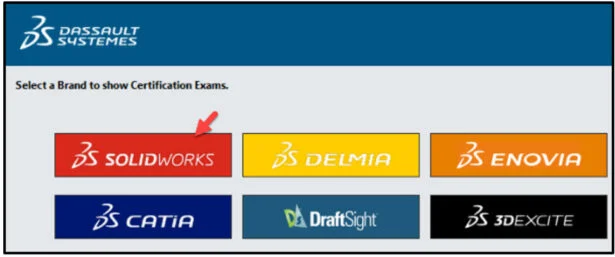
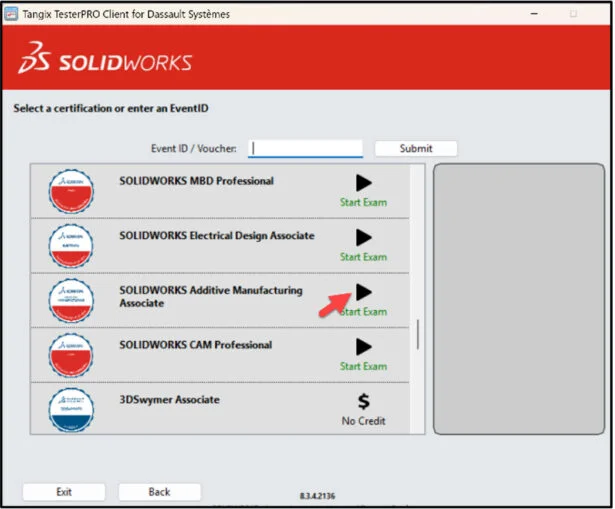
Select SOLIDWORKS Additive Manufacturing Associate (CSWA-AM).
This will depend on the exam opportunity given by the Academic Provider.
Click Start Exam.
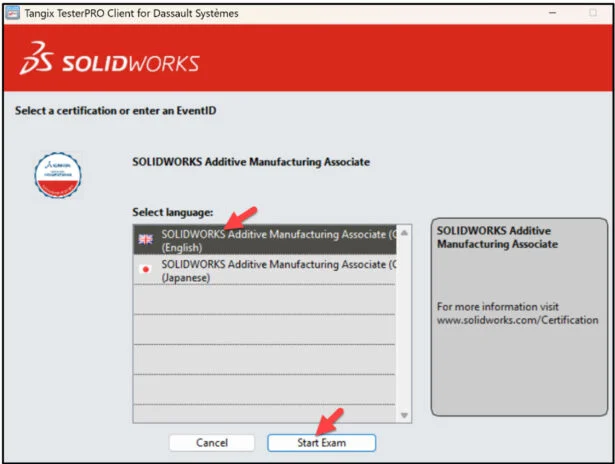
Select language.
Click Start Exam.
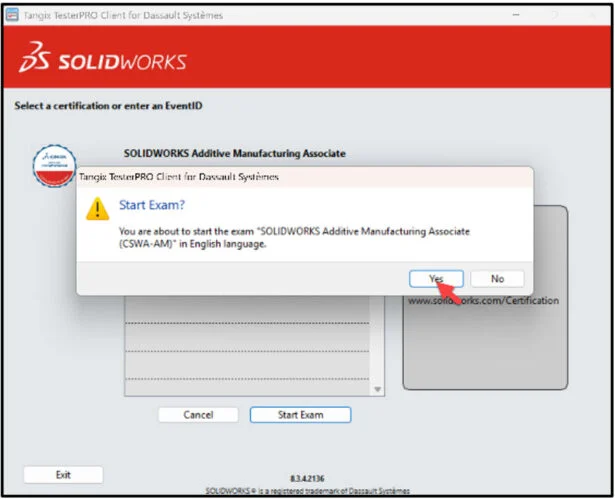
Click Yes.
Read the instructions. Agree to the Confidentiality Agreement and Candidate Conduct Policy. Click I Agree.
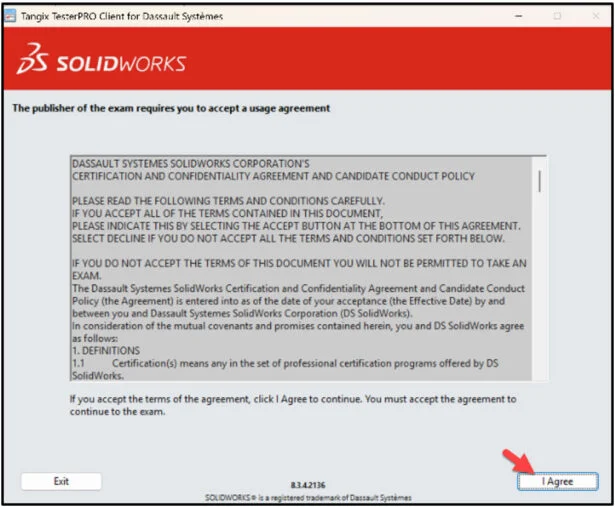
Click Start Examination.
You are allowed to answer the questions in any order.

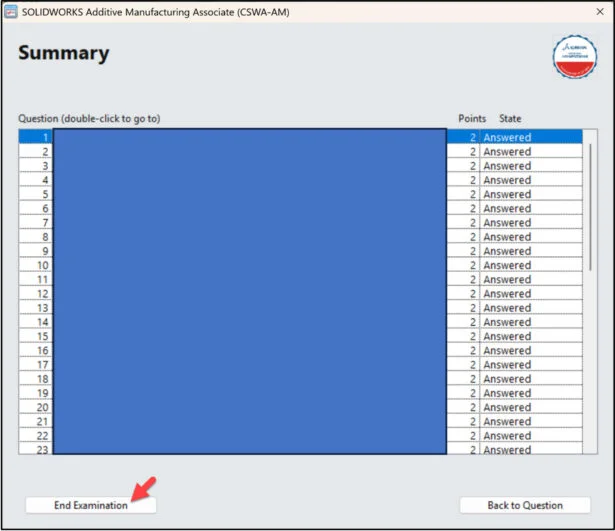
Use the Summary Screen during the exam to view the list of all questions you have or have not answered.
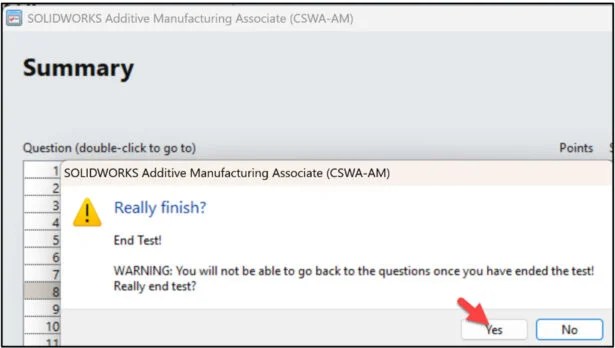
When finished, click End Examination.
Click Yes.
The exam is automatically graded and the final grade is displayed to the student. The exam grade is provided directly to the Academic Provider. Download the class results into an excel spread sheet. You need a minimum passing score of 80 or higher. The exam is out of 100 points.
All candidates receive an electronic certification, a digital badge, business card logo and optional personal listing in the SOLIDWORKS Certification directory when they pass the CSWA-AM exam.
If you fail the CSWA-AM exam, you will need to wait 14-days before retaking it again. Note: Individual questions results are not provided. The number of wrong and correct questions is displayed. The results will display the strong Topics areas and Topic areas to study.
Lesson 9 is finished.
Other blogs in this SOLIDWORKS Academic Certification Series
Lesson 1 SOLIDWORKS Academic Certification – What is the Journey?
Lesson 2 SOLIDWORKS Academic Certification – Certification Provider Program for EDU
Lesson 3 SOLIDWORKS Academic Certification 3DEXPERIENCE Certification Center
Lesson 4: SOLIDWORKS Academic Certification – Exam Opportunities
Lesson 5: SOLIDWORKS Academic Certification – Student Needs
Lesson 6: SOLIDWORKS Academic Certification – CSWA Exam Part 1
Lesson 7: SOLIDWORKS Academic Certification – CSWA Exam Part 2
Lesson 10 covers the on-line proctored SOLIDWORKS Simulation Associate (CSWA-S) exam. Obtaining the CSWA-S certification indicates a foundation in and apprentice knowledge of demonstrating an understanding in the principles of stress analysis and Finite Element Method (FEM).
For hiring managers, it acts as a valuable assessment to attest for an individual’s competency, thereby reducing the amount of time and energy required to research candidates.
Design well, Marie