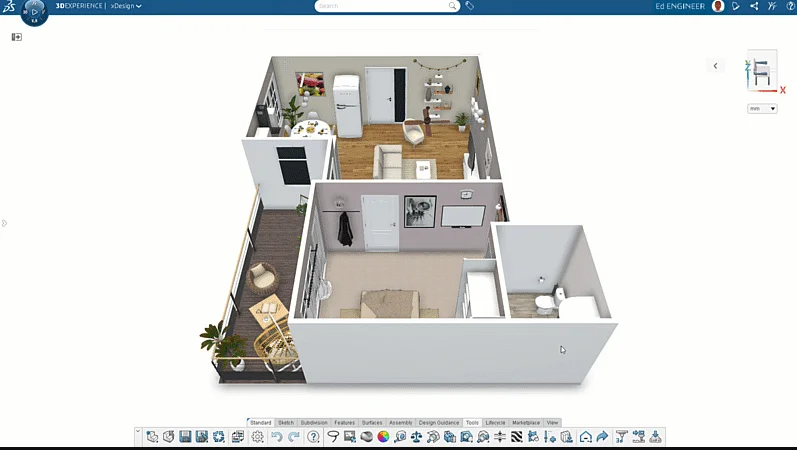

In 2023, we introduced the ability to design in the context of your HomeByMe project in xDesign, which enables you to insert your project into xDesign and work on your product design in that environment to get a more realistic feel for how your product will look and fit in your dream home or its intended environment.
This enables you to take advantage of free, easy, and intuitive interior and architectural design capabilities in HomeByMe, as well as powerful parametric, subdivision (Sub-D) and other powerful engineering design capabilities in xDesign. In xDesign, you can test for fit, function, and aesthetics with the ability to reference, measure, and mate to your HomeByMe geometry all in one environment.
The integration between the two solutions enables you to design your products within a more realistic, lifelike context. Easily design your dream home in HomeByMe and use that model in xDesign to design your own custom furnishings.
For those unfamiliar, HomeByMe is a free online home design solution by Dassault Systèmes that enables you to easily design your home in 2D, furnish and decorate in 3D, and generate realistic renderings. You can design from scratch, import your own 2D plans, or use templates to create layouts, add furniture and decor from an extensive catalog that includes branded appliances, and visualize projects in 3D.
In this blog post, I will discuss the features and benefits of using your HomeByMe project in xDesign to better visualize your designs.
- Insert HomeByMe Project
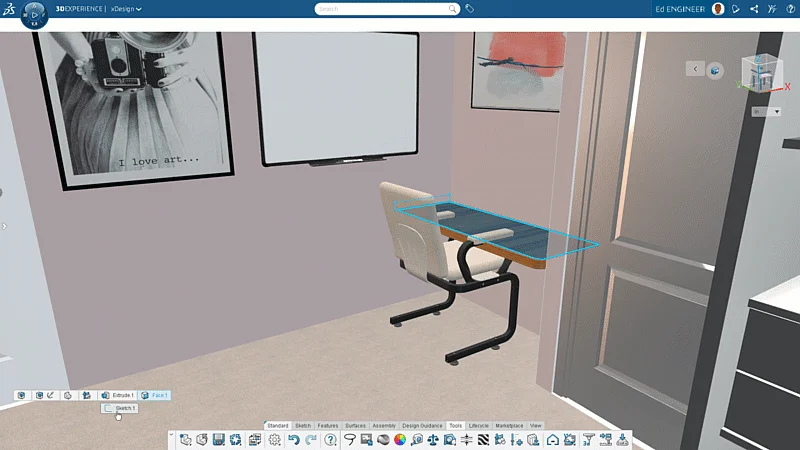
Designing within the context of your HomeByMe project is an effective way to work with products in their natural environment. As you’ll see in the examples in this blog, I brought my HomeByMe model into xDesign to better design and test a custom desk. I wanted to make sure it would fit in the corner of my home office in the model.
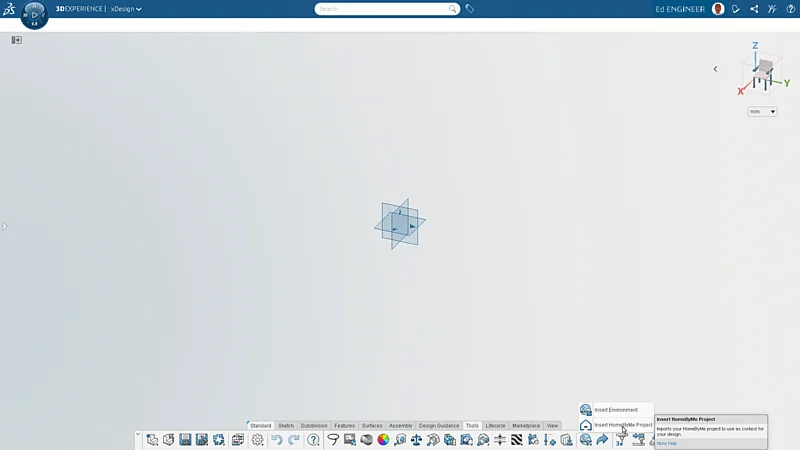
Bringing a HomeByMe model into xDesign is easy as you will find the Insert HomeByMe Project option on the Action Bar in xDesign under Tools. What’s nice about using this feature is that the HomeByMe model is exported as a lightweight model that has little impact on xDesign’s performance, compared to if the entire model context were natively created in xDesign.
When your HomeByMe model is in xDesign, you can take advantage of all the commands in xDesign to better design your products in their natural environment. You could use the Measure command to take any measurements in the room. Easily measure the distance between two walls in the corner of the room to test your product for a perfect fit.
You can also completely hide the HomeByMe model, allowing you to focus more on your product design and make the model visible as needed throughout your workflow.
- Declutter with Volume Section
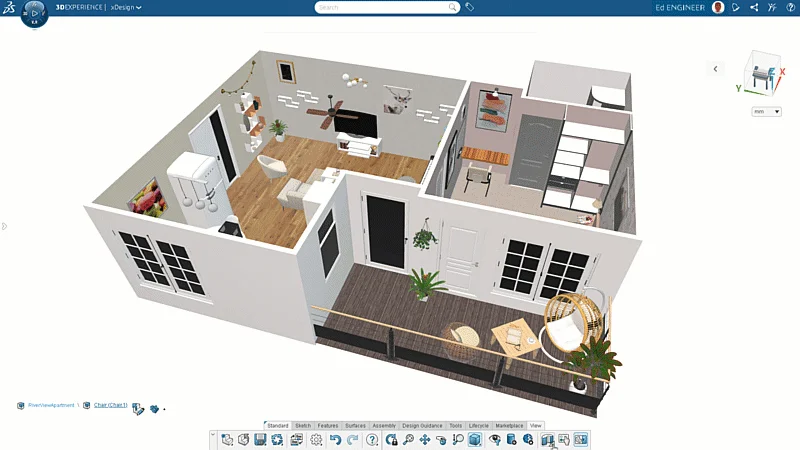
You can declutter the environment by creating section views of your design with the Volume Section View command. This enables you to focus on a specific portion of the design by creating a 3D section. You can find this command in the View tab.
- Use HomeByMe Model Geometry for References
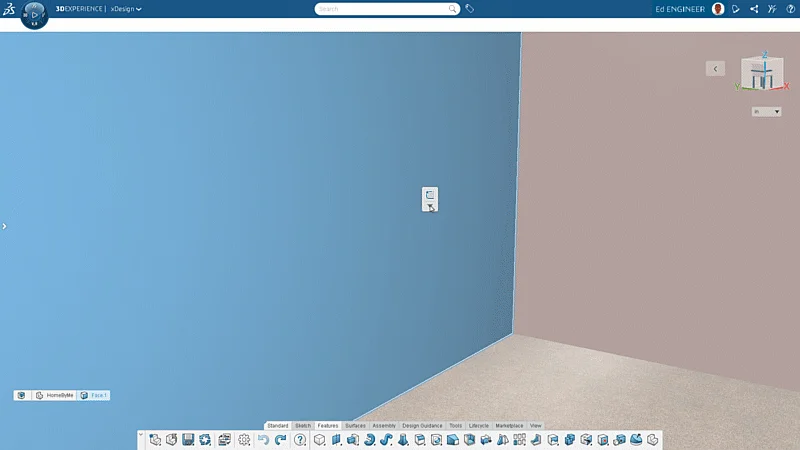
You can use HomeByMe model geometry for your sketch as well as feature references. For example, I can use the wall from my HomeByMe model to create a sketch, without needing to create a reference plane and then use different elements of that model to constrain different sketch elements. Next I might use the Extrude command and the “Up to geometry” option so my extrude would extend up to that wall. I can use the existing geometry to refine the design of my desk, allowing me to better visualize how it will fit in its intended space.
These references help constrain the design geometry without keeping it linked to the inserted HomeByMe model. So even when it is deleted later, it won’t affect the design geometry. The references appear in the DesignManager as Isolated External references.
- Use Position-only Type Mates
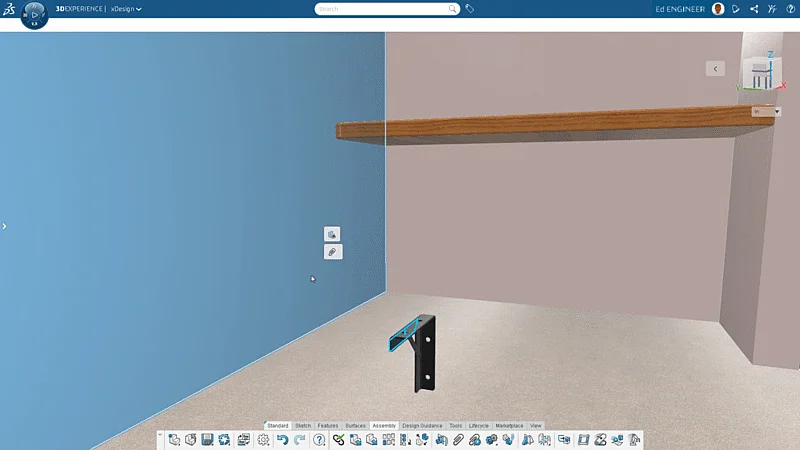
Similarly, you can use your HomeByMe model environment to create mates that are just used for positioning that won’t affect the constraints or any geometry of your xDesign part or assembly if the environment (HBM model) itself is deleted. These position-only mates allow you to create mates like the standard mates that you typically use. The mated geometry aligns as the standard mates do, but once you apply the command, they do not appear in the DesignManager.
This is a great feature, as you can create position-only mates between your HomeByMe model and other components to ensure you design your products in the right position or place them wherever you want.
- Visualize in VR and AR with New Extender Reality (XR) Functionality
Gain a deeper understanding of how your models will integrate into the real world with the new Extender Reality (XR) functionality in xDesign, which enables you to visualize your product in either a virtual or real world using virtual reality (VR) and augmented reality (AR) settings in the View tab. Stay tuned for more on this powerful technology from my colleague Renan Ichi coming soon.
- Export Back to HomeByMe
Inspire HomeByMe community members with your awesome xDesign models. Easily share your completed xDesign designs in HomeByMe with the click of a button so you can reuse them or make them available to other HomeByMe users to use in their projects.
Go to the Share button under the Tools tab in xDesign, and choose the Publish to HomeByMe option.

In my next blog, I’ll cover how you can visualize your products by inserting pre-existing design environments from a library in xDesign, like a hospital, kitchen, gym, etc. In addition to that, you can modify (position as well as hide/show specific elements in) the pre-existing design environments using the Edit Environment tool or create a completely new custom environment using the Create Environment tool in xDesign, so you can easily create custom user-defined design environments and insert them into your product design environment. This is a nice feature if you’re creating a rendering of a product and want to include it in its natural environment to show its intended use.