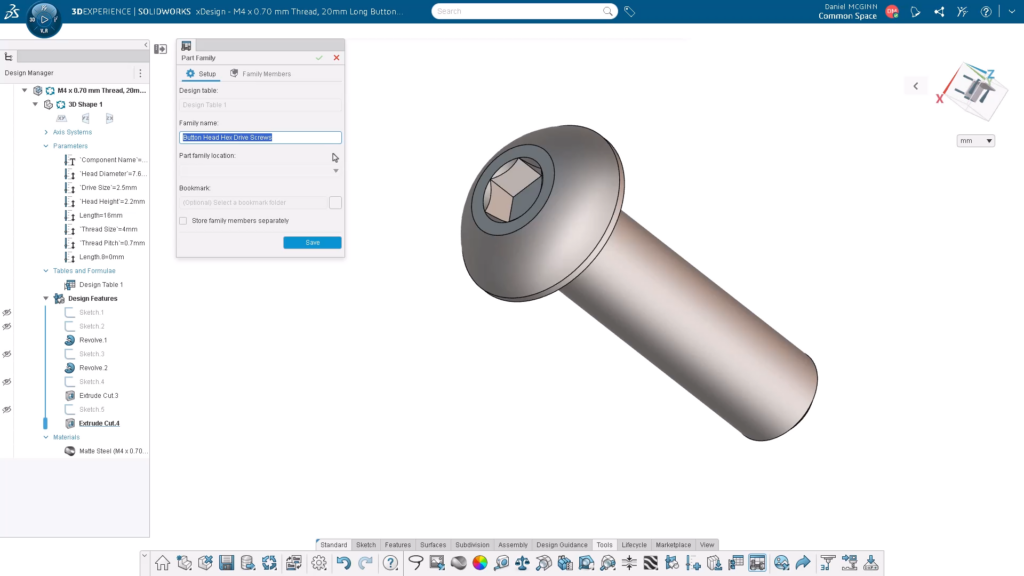

Creating part families using design tables is a highly efficient way to manage multiple configurations of a model. It’s important because it allows you to generate multiple variations of a part from a single master model, rather than creating and managing dozens of models separately. This automates the design process, eliminates redundancy, and ensures consistency across product lines.
In SOLIDWORKS xDesign R2026x FD03, you can now create and manage part families from a single master design to streamline product development and reduce repetitive work. The first step is to define a design table. Design tables allow you to set a different value for user-specified parameters to create multiple unique variations of the part. Then, you can use the design table to generate a part family, creating a separate physical product for each configuration. The derived parts are linked to the parameters outlined in the design table.
In this blog, I’ll walk you through how you can easily create configurations with part families, in addition to other new enhancements that are now available in the R2026x FD03 update.
Create a Design Table
Create your parametric master component. Click Create Design Table from the Tools tab. Pick your Parameters to include in the design table, including filters such as All, User, Created, etc.
Create a String Parameter for the unique name of each component generated by the design table. Fill out the design table to create additional configurations. Activating the row will rebuild the active physical product.
You’ll then see that the design table is listed in the feature tree.
STEPS TO CREATE A PART FAMILY
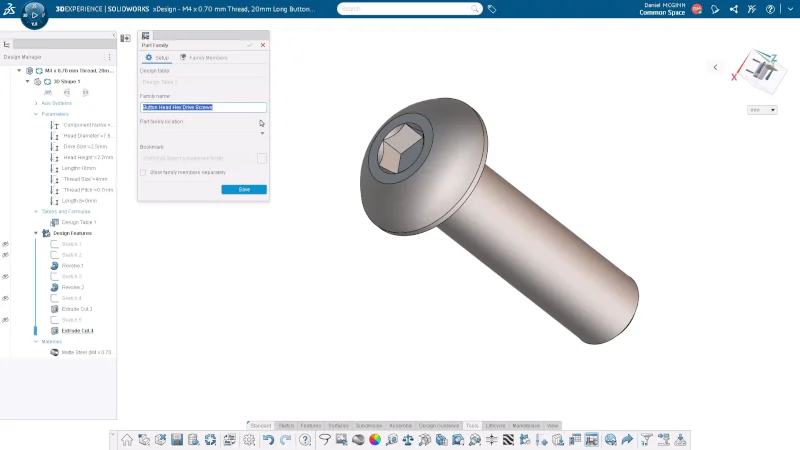
Select Create Part Family from the Tools tab. Then fill out the setup options. Note that these options are not editable later after they have been saved.
Next, generate family members. You can test specific instances to ensure the generation will work.
Once the part family has been generated, you can still edit the design table to create additional family members. To do so, you create a new instance in the design table, then use the Part Family command to generate the additional family member.
Last, create a new revision. Go to the part family, create a new revision, and click Generate.
Here, you can also make changes to the master model.
Pretty simple. What do you think? I think you’ll find that using design tables will enable you to update designs efficiently by modifying the master model and regenerating the family, or creating new revisions to propagate changes across all variants. In addition, you’ll reduce manual modeling effort, ensure consistency, and accelerate the creation of configurable product designs.
Additional Enhancements in SOLIDWORKS xDesign R2026x FD03
- Visual settings are now preserved across sessions, so your display preferences remain consistent each time you return.
- Added the ability to attach hole callouts to either the inside or outside edge of a counterbore for improved drawing clarity.
- The modification date for physical products now reflects the correct time and date when component updates occur.
- Introduced a new welcome message for platform administrators, providing a one-click way to apply recommended settings. The option to apply the recommended settings is also accessible from the settings menu on the landing page.
In addition to the above, SOLIDWORKS xDesign features many other cloud-based design tools for parametric design, freeform modeling, MBD, mold design, and more. It runs on the 3DEXPERIENCE platform, offering more than traditional CAD tools, providing real-time collaboration and data management.
Plus, with frequent functional delivery updates throughout the year, you’ll have instant access to enhancements that save you time, cut prototyping costs, improve customization and support collaboration across distributed teams. To learn more about SOLIDWORKS xDesign, visit https://www.solidworks.com/product/solidworks-xdesign or ask your reseller for a demo.