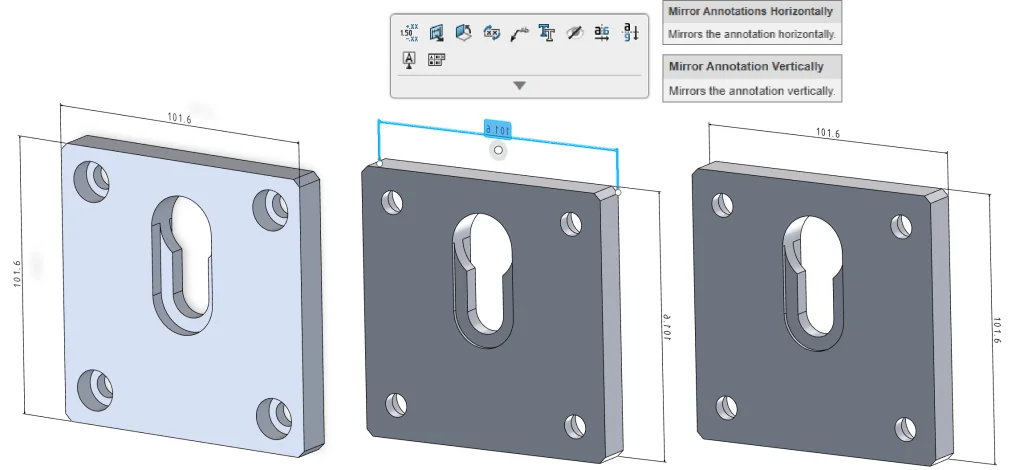

Your favorite browser-based solution, SOLIDWORKS xDesign, is introducing some exciting new enhancements this month! The latest functional delivery (FD) update, R2025x FD03, includes:
- 2D Authoring for Section and Detail Views
- Generative Drawing Views
- Enhanced Control for XR Design Review
- Generative Hole Callouts for Non-Native Geometry
- Convert Image to 2D Mechanism Option
Let’s have a look at what’s new in this release.
PART & ASSEMBLY DESIGN
Convert an Image to a 2D Mechanism
Convert an image of a mechanism into a sketch with the new 2D Mechanism option in the Picture to Sketch tool. This option uses logic to recognize objects in the image, such as straight linkages, linkages with slots, bent linkages, fixed anchors, and rollers, to convert them into sketch objects. It also recognizes constraints in the image, such as hinges, sliders, and anchor points, to convert them into sketch constraints.
This command works best for converting a screenshot of a mechanism in a textbook into an editable 2D sketch.
In addition to the enhancements above FD03 also includes the following updates:
- Added the option “Show Feature in Design Manager” in context menus and breadcrumbs, which expands the entire parent path and auto-scrolls to the selected feature in the Design Manager.
- Added a “Refresh” command to the context menu for SOLIDWORKS components that will bring the latest version of the component from the database into the session.
- Added the ability to send an unlock request to other users when using the Unlock command on the Lifecycle tab of the Action bar for a component that is locked by another user.
- Added a Flip button to the Edit Sketch Plane dialog to correct issues where the sketch flips in the wrong direction, resulting in downstream errors.
- Added the ability to pin the Session Information panel to the right side of the session.
- Improved performance and accuracy of dynamic and selection highlighting in the graphics area.
- Improved the logic for expanding sets when activating or expanding components in the Design Manager.
- Improved the Sweep command with the Up To Geometry end condition so that the end face is tangent to the reference geometry and improved assigning face IDs for a sweep feature, so the faces are referenceable in downstream operations.
These enhancements are available starting July 5th.
We’ve also got some enhancements specific to the SOLIDWORKS xDesign for Students and 3D Designer for Education editions. Stay tuned for the blog coming soon on the SOLIDWORKS Education Blog.
Check out the last update, FD02, in this blog here. And visit the What’s New page to learn more about FD03 updates.
One last important note is that the SOLIDWORKS xDesign Offer will now include a new single combined SOLIDWORKS xDesign role instead of a package of separate roles. Not to worry, because the offer will still include all your favorite tools for parametric modeling, subdivision modeling, sheet metal, 2D drawing, and MBD, structure design, mold design, and rendering.