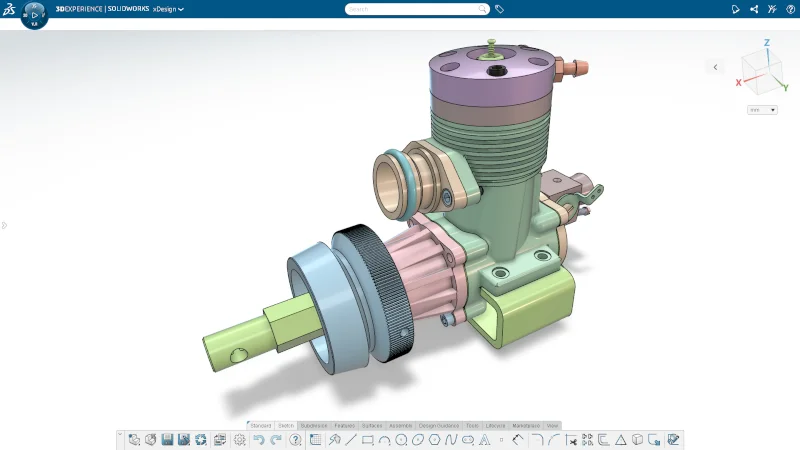

Fall is here, and I’m happy to announce there’s a new update for SOLIDWORKS xDesign. The R2026x GA update includes many time-saving enhancements, including a redesigned landing page, the ability to wrap sketches onto 3D faces, exploded views for product definition, and much more.
USER EXPERIENCE
Redesigned Landing Page for All Users
New to xDesign? No worries, we’ve got you covered with the redesigned home page. Hit the create button to start modeling or watch the tutorials on how to get started using the parametric, subdivision modeling, documenting tools, and more.
The redesigned landing page, which has been available to students since R2025x FD02, is now available for makers and commercial users!
Get started fast with learning content right at your fingertips, or quickly find your recent designs, and much more on the new landing page.
RENDERING
Automatic Camera Matching
Effortlessly align the camera with your backplate in a single click to achieve the perfect layout quickly and accurately, thanks to advanced Artificial Intelligence (AI), which boosts content production.
This is usually pretty hard to do manually in rendering. Getting an object to look like it’s realistically sitting on a flat image is quite difficult because it’s not a 3D image, it’s just flat. Aligning an object to the correct perspective can be difficult, and the Automatic Camera Matching functionality automates this, making it easier, and gives your rendering a more realistic feel.
Camera Grid
There’s also another option to help you better align objects with the option to turn on a grid. Improve precision and capture the perfect perspective with the new grid settings to assist with manual camera adjustments.
Additional Enhancements
- Added support for importing Parasolid files into xDesign, enabling seamless data migration from third-party CAD applications such as Siemens NX and Solid Edge.
- Cross-highlighting now works with items that were hidden with view filters. If you select or hover over an item in the DesignManager that was hidden with a view filter, that item will now appear highlighted in the graphics area.
- Added an option to open the Information Panel for a 3D Shape directly from the 3D Shape context toolbar.
- When you create a revision in xDrawing it includes all of the related objects so that you only have to manage the top level.
These enhancements are available starting Saturday November 15th so by the time you get back to your desk on Monday November 17th you’ll be able to dive right in.
Also, xDesign is now available as a single product, that includes parametric part and assembly design, subdivision modeling, sheet metal, frame design, mold tools, drawings, MBD, and rendering. Check out this blog to learn about the new SOLIDWORKS xDesign role offer or visit https://www.solidworks.com/product/solidworks-xdesign.
See what’s new in SOLIDWORKS 2026 here.