
At SOLIDWORKS, we recognize the importance of continually updating our solutions with new features to help design professionals collaborate with customers and meet their design goals on time and cost-effectively. That is why we deliver new enhancements throughout the year through functional delivery updates. The latest update, R2026x FD02, is available starting April 25th and provides xDesign users with workflow efficiency improvements for part and assembly design and model-based definition (MBD).
Many enhancements are based on user feedback, and I’m happy to announce that in this update, we’ve added the ability to use custom fonts in sketch text, easier access to content and a new option to auto-start the projected view command. Let’s learn more about what’s new in xDesign below.
Manage, Organize, and Browse Your Data with the Content Explorer
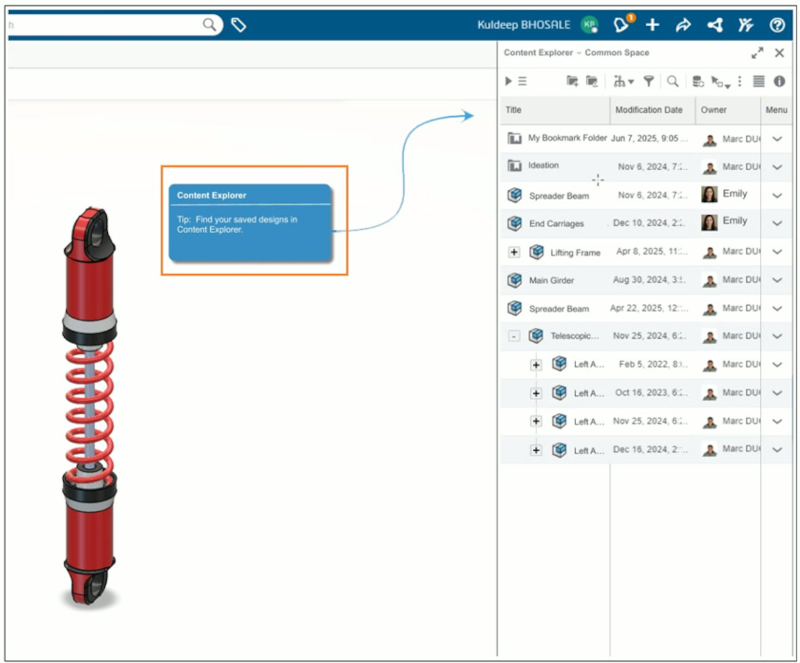
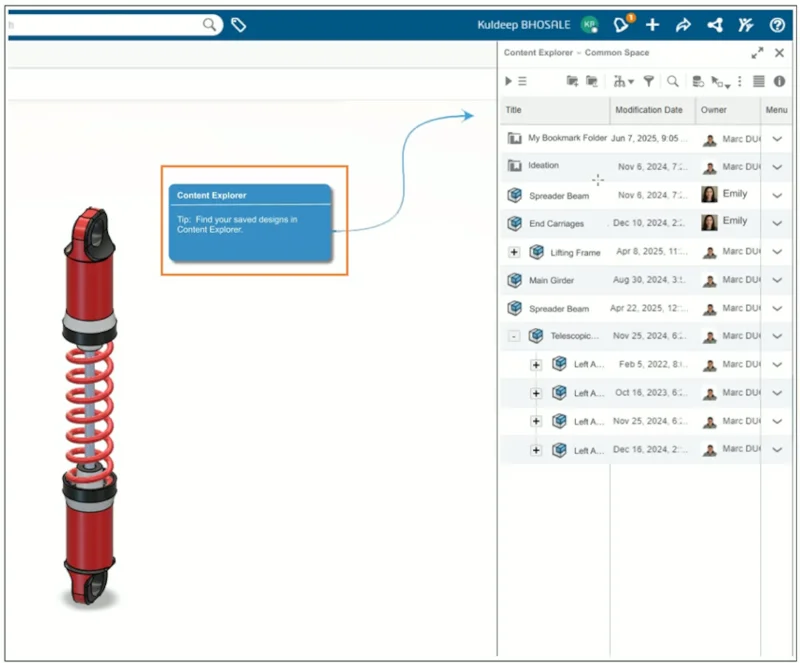
Organize and access your design files more easily with the new Content Explorer app. When you open or save content in xDesign, you are now prompted to browse or store your files in the Content Explorer, a centralized place to manage, organize, and quickly find your data.
You can open the ContentExplorer directly within your xDesign session to easily sort content into bookmarks, share content with other collaborators, and more!
Use Custom Fonts in Sketch Text
Now you can create text that fits your design and manufacturing needs by importing your own font files. Add .ttf or .otf fonts and use them directly in sketch text within your design, giving you greater flexibility to design labels, engravings, and markings with the exact style you require.
This enhancement was a big request from our maker community, who often want to use single-line fonts. Personally, I think single-line fonts look better on DXFs, and you only need one pass to get the font to show, which leads to faster production times.
Not only that, but having the ability to use custom fonts in sketch text offers enhanced design flexibility and branding.
Auto Start Projected Views
Streamline the creation of drawing views by eliminating the need to manually restart the Projected View command after placing a base view. You can move directly from placing an orthogonal view to generating projected views in a continuous workflow, reducing clicks and improving efficiency during drawing creation.
A new toggle option called Auto Start Projected Views has been added to the Orthogonal View Creation dialog. When enabled, the system automatically selects the most recently placed view as the parent and begins the projected view workflow.
Give these enhancements a try and let us know what you think using the Feedback button in xDesign or let us know if you have a request. And see our last blog on R2026x FD01 here.
For those of you who haven’t yet tried your hand at xDesign, it is a fully cloud-based 3D modeling solution that offers parametric design, freeform modeling, MBD, mold design, and more in one easy-to-use environment used by many design professionals, students, educators, and makers. It includes powerful tools for teamwork and integration with SOLIDWORKS community resources, such as the SOLIDWORKS online user community 3DSwym.
In addition, cloud-based CAD provides real-time updates and real-time collaboration, and better accessibility compared to traditional desktop CAD tools. xDesign runs on the 3DEXPERIENCE platform and addresses key industry challenges such as hardware constraints and collaboration bottlenecks.
Try it out today! xDesign features a Welcome App offering how-to-videos and other online resources so you can come up to speed quickly.
For more information, visit https://www.solidworks.com/product/solidworks-xdesign and ask your local reseller for a demo.