
This month, the new SOLIDWORKS 2027 portfolio drops, including SOLIDWORKS PDM 2027. What’s new in SOLIDWORKS PDM? Your favorite data management software, SOLIDWORKS PDM 2027, builds on the system resilience and file-tracking features introduced in SOLIDWORKS PDM 2026 by focusing heavily on authentication, distributed task performance, selective replication, and web interface visibility. Specifically, SOLIDWORKS PDM 2027 includes features that reduce login friction with single sign-on, so users authenticate once across connected systems, distribute task processing to designated host machines to keep PDF and file output generation running without delays, and target replication to active project files by filtering on modification date to reduce unnecessary data synchronization across sites.
In this blog, I’ll cover some of the top data management workflow enhancements for engineering teams, including my personal favorite, Single Sign-On.
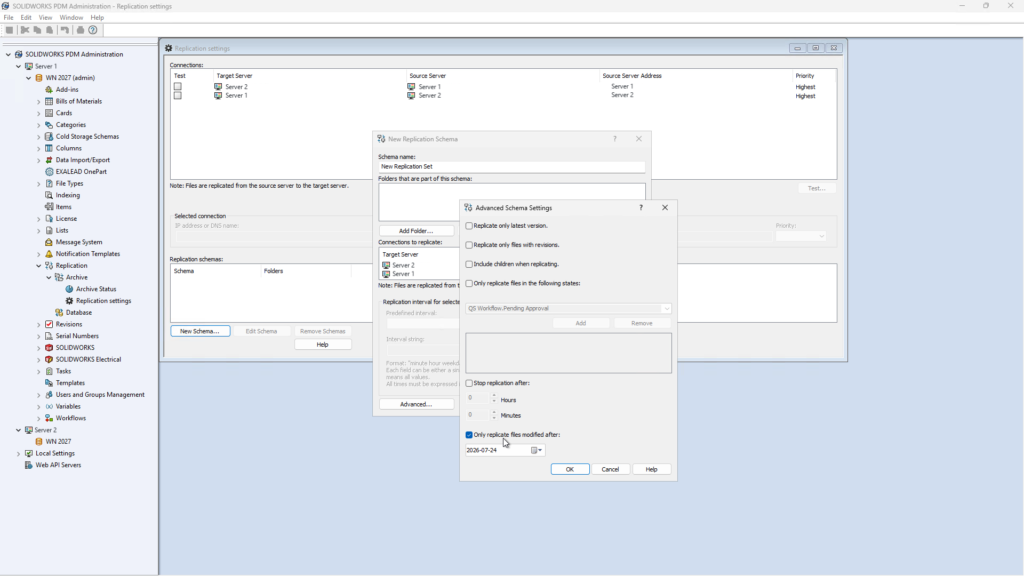
Single Sign-On Support – improve security, simplify administration, and reduce password fatigue.
SOLIDWORKS PDM 2026 relied on standard vault credentials and enterprise protocols like Kerberos/AES-256 updates, requiring separate user credential management. In SOLIDWORKS PDM 2027, you can sign in to vault views with your organization’s credentials and MFA methods, instead of a separate PDM or Windows® username and password. Choose from five identity providers: Auth0, Okta, Keycloak, Microsoft Entra ID, and AWS IAM Identity Center.
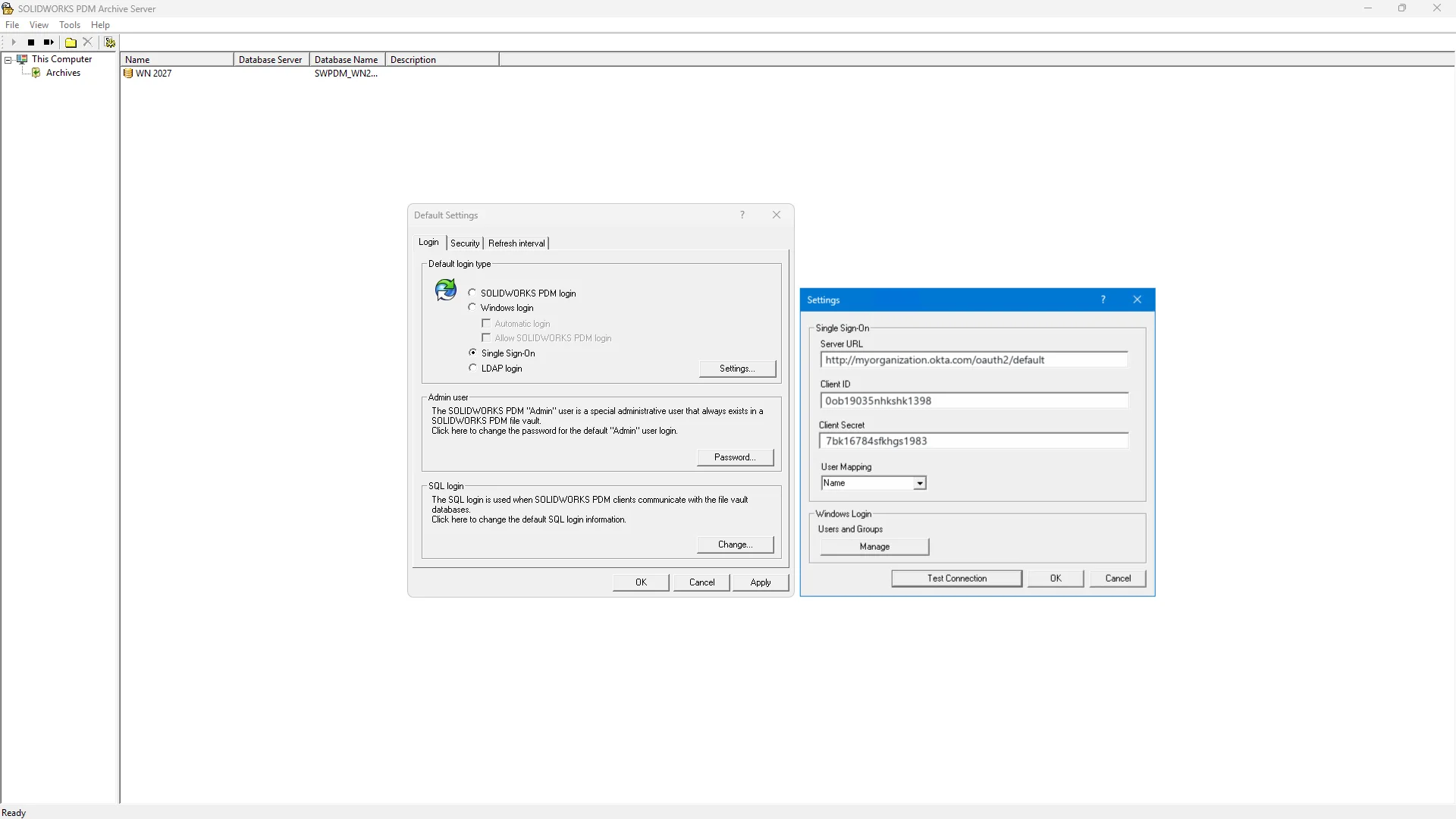
Task and Task Host Management – generate PDFs and output files faster.
SOLIDWORKS PDM 2027 adds distributed task processing for PDF and output file generation, spreading queued tasks dynamically across available hosts based on real-time workloads, rather than overloading a single host.
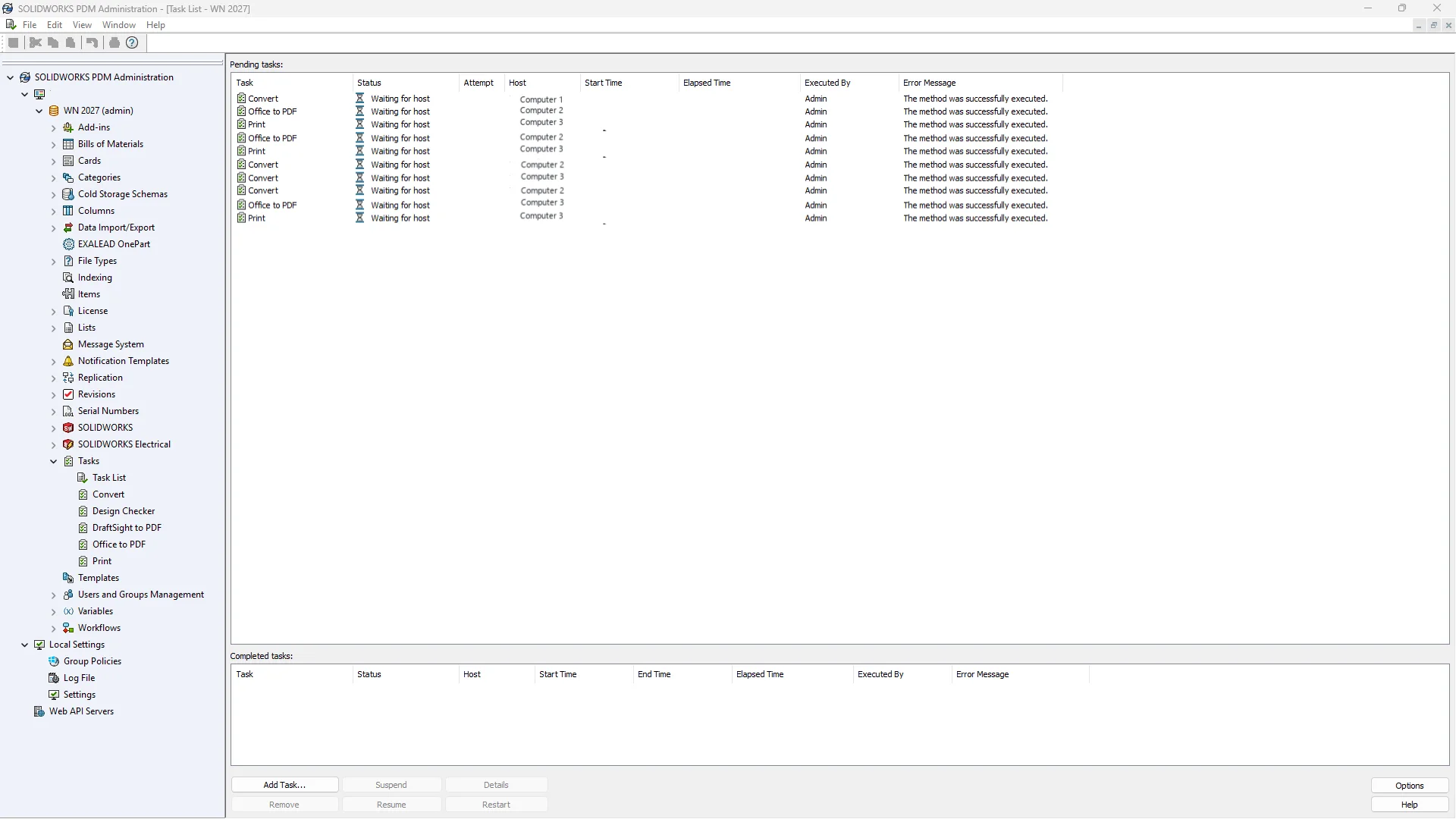
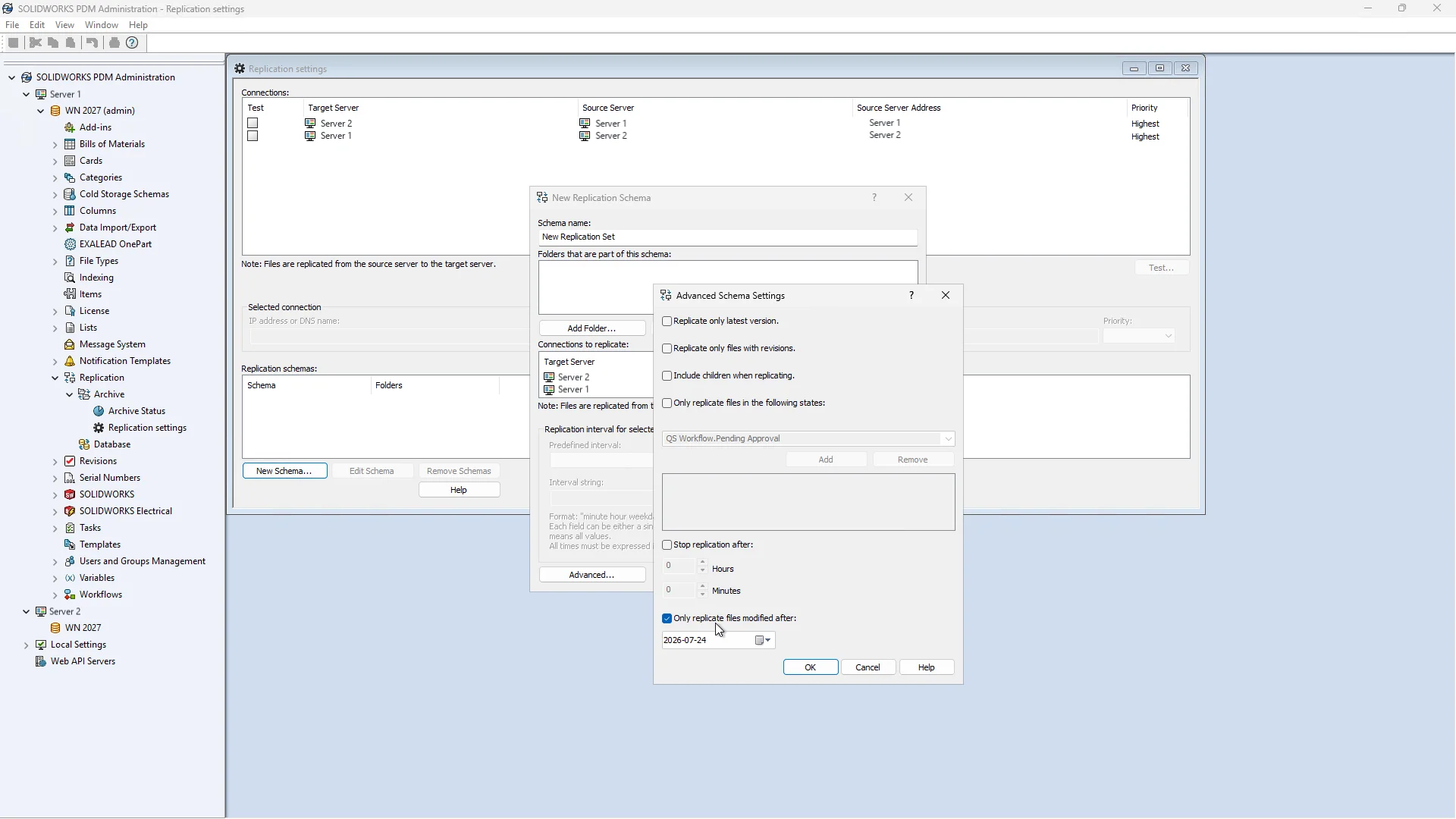
Date-Based Replication Criteria – cut replication time and cost by skipping obsolete files.
For replication and bandwidth management, SOLIDWORKS PDM 2026 added synchronized vault views and cached backups done locally to handle background changes and ownership reassignments.
SOLIDWORKS PDM 2027 expands on this by introducing date-based replication criteria, enabling administrators to restrict archive synchronization to files modified after a specific cutoff date, saving network bandwidth and storage space.
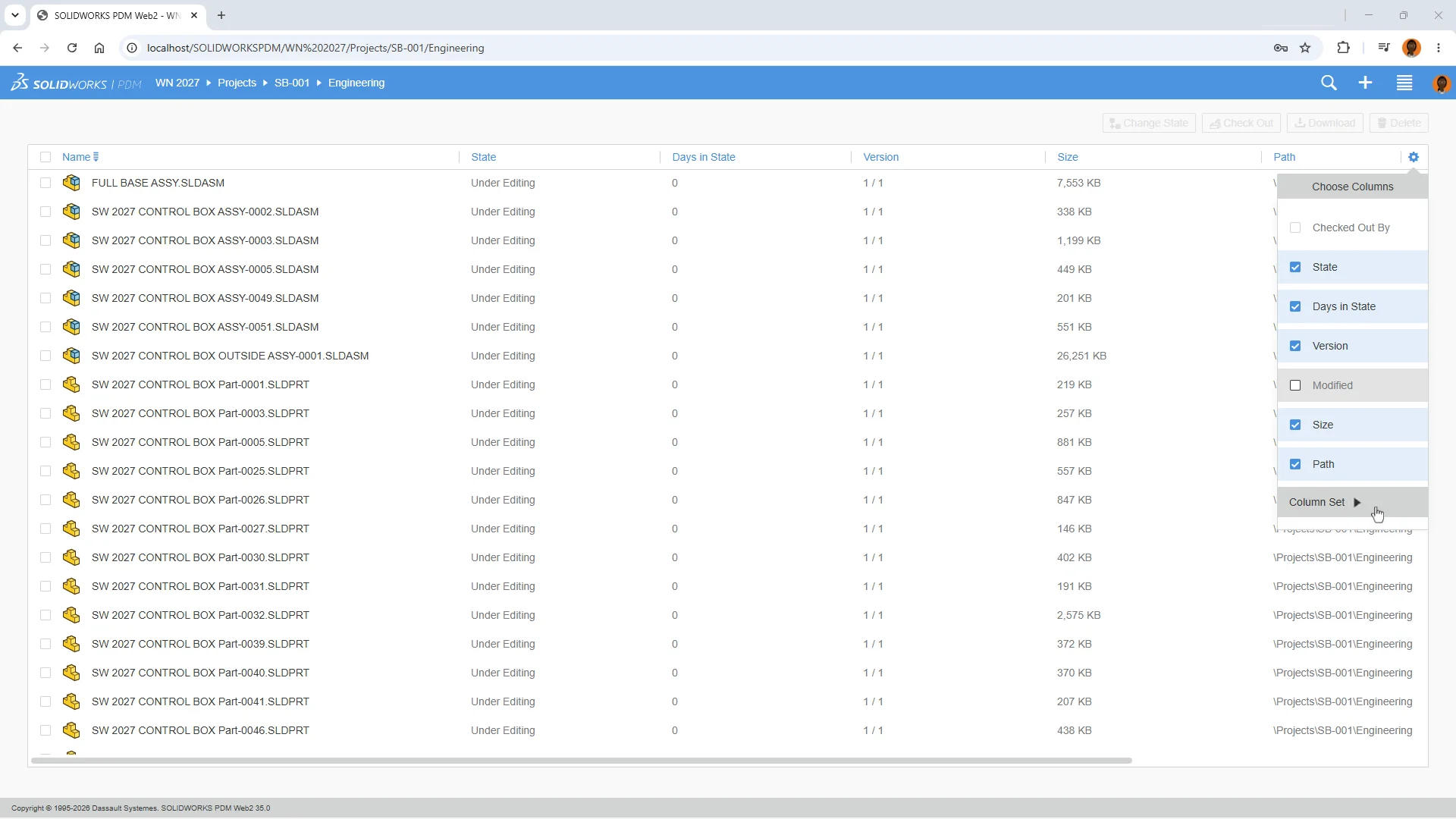
Column Set Support in Web2 – find the file data you need faster.
The 2027 update also improves Web2 performance and allows users to modify column sets directly in the file list. View custom column sets that your vault administrator configures for the Web2 Client’s List View. It also displays workflow aging information, such as how long a file remains in each state, making it easier to spot bottlenecks and pending approvals.
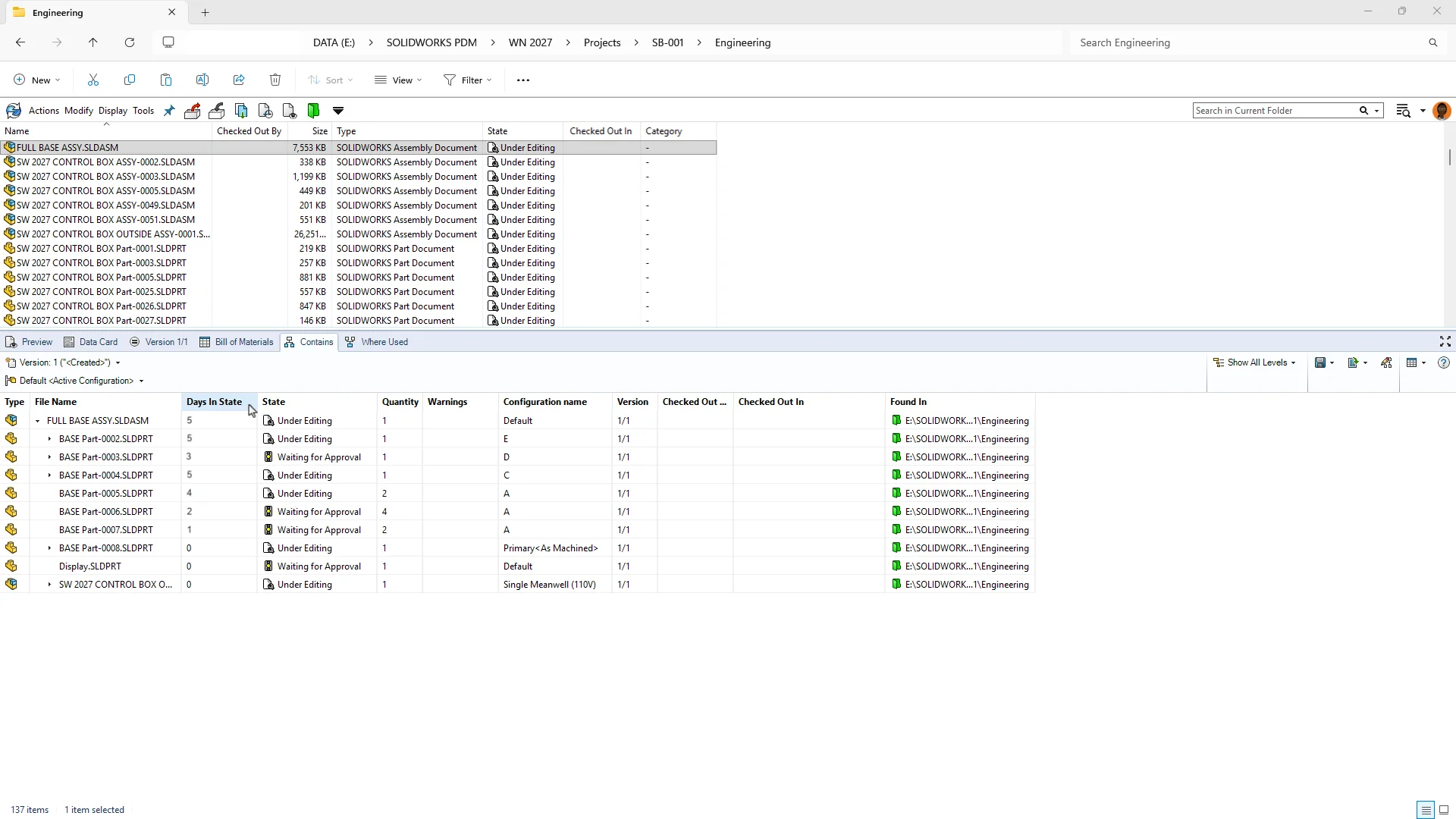
Days in State Variable Shown in Contains and Where Used – spot files stuck in a workflow state faster.
See how long each file has remained in its current lifecycle state directly in the Contains and Where Used tabs, eliminating the need to open individual file records to assess workflow progress.
Why upgrade to SOLIDWORKS PDM 2027? SOLIDWORKS PDM 2027 improves data management and integration through streamlined authentication, smarter distributed workflows, and better vault visibility.
Download the what’s new flier here, and check out the what’s new page here to learn more about SOLIDWORKS data management, and contact your local reseller for a demo. In addition, if you are looking for enhancements to SOLIDWORKS Manage 2027, click here to get a short list of the many new features.
To learn about SOLIDWORKS updates for AI, design, simulation and more, visit the What’s New website here.