

It’s no secret: relying strictly on physical build-and-test methods is no longer a practical approach for modern product development. Complex products demand faster iteration. Building and discarding numerous physical prototypes wastes valuable time and greatly inflates project budgets. Engineers need better ways to evaluate designs before they order materials or cut steel.
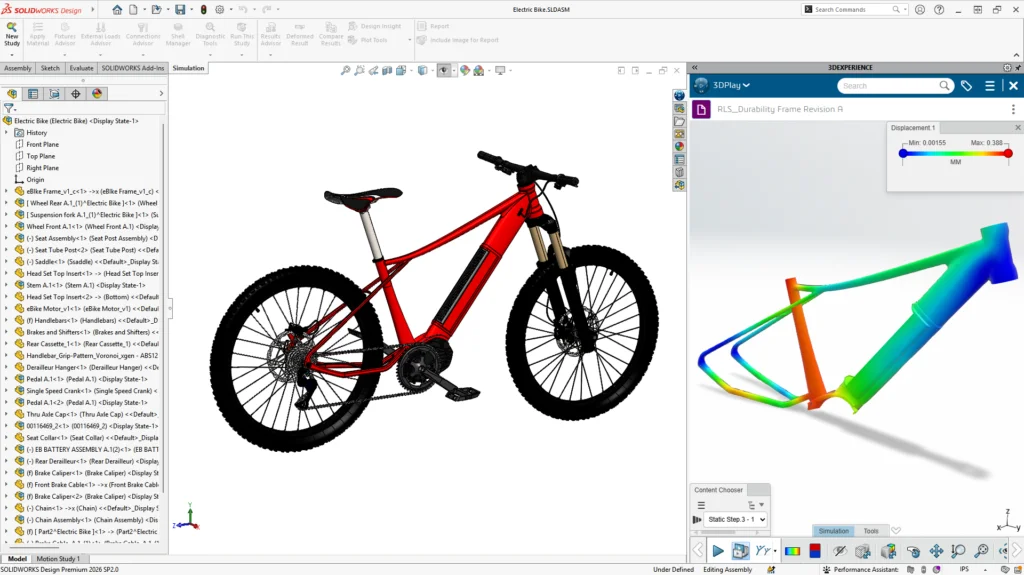
Integrating simulation tools directly into your engineering workflow replaces guesswork with measurable data. This approach shifts engineering decisions from reactive troubleshooting to proactive design improvement. You can address important design questions early in the process right from your workstation, as simulation predicts how a part or assembly will behave under real-world conditions.
Simulation studies don’t have to be separate activities conducted only by specialists with advanced degrees. Today, integrated design and analysis capabilities help product development teams make more timely and accurate decisions. Let’s explore the top five reasons you should add simulation to your daily routines to transform the way your team builds products.

1. Provides Trustworthy Results
When performance, safety and cost are on the line, responsible engineers demand reliable data. You might wonder if you can trust a digital analysis. The physics-based numerical methods behind simulation have a proven track record spanning decades. Software developers regularly benchmark and validate tools like SOLIDWORKS Simulation against real-world test data to ensure the numerical engines solve equations correctly.
It’s a known phrase in the industry: garbage in, garbage out. Reliable simulation results depend on four foundations: clean geometry, correct material properties, mesh quality, and realistic loads. Gaps or unnecessary complexity in models introduce uncertainty. Generic material assignments fail to reflect real-world behavior under stress. A poorly shaped mesh distorts calculations. If you provide accurate inputs, the software returns trustworthy data.
Case in Point
ColdSnap experienced this firsthand. The company developed a countertop appliance that rapidly freezes and dispenses single-serving frozen treats in under two minutes. Engineering this compact refrigeration system required significant efficiency. Using SOLIDWORKS Design and Simulation, the team refined cooling components, optimized heat transfer, and ensured a small physical footprint. They made rapid advancements without relying on physical prototypes.

2. Solves Real Engineering Problems
Different types of physics have different types of effects on your products. With simulation, there is no guesswork. No matter what problem your product may face, you can find an analysis type to run simulations and optimize your products before production.
Structural simulation or finite element analysis (FEA) calculates stresses, strains and deflections under realistic loading conditions. You can see exactly how objects react when force is applied. When simulation results reveal low stresses and high factors of safety, the design is over-engineered.
For thermal management, simulation evaluates temperature distribution and heat transfer to prevent failures tied to excessive heat.
Air and liquid flow introduce another layer of complexity. Computational fluid dynamics (CFD) analysis predicts how air or fluids move through and around a design, enabling engineers to optimize cooling strategies and reduce resistance.
Finally, plastic injection molding simulations predict how molten material flows into molds. This ensures the part will fill completely and helps you avoid costly manufacturing defects.
Case in Point
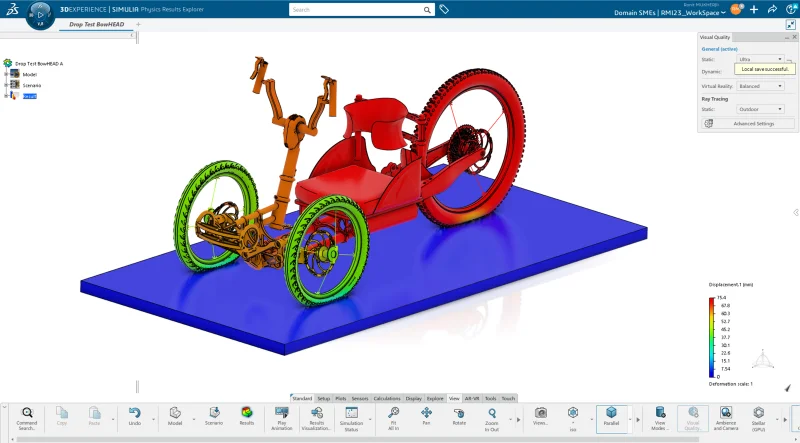
Bicycle manufacturer CALOI slashed its product development costs by 50 percent using simulation. The company previously relied entirely on physical tests. By adopting a unified modeling and analysis approach, CALOI reduced design cycles from two months to two weeks. The team now performs physical tests only as a final validation step.
3. Addresses Problems Earlier in Design
The strongest financial and engineering return occurs when teams apply analysis early. When introduced at the concept stage, simulation becomes a powerful design tool rather than a simple validation step. Designers and engineers evaluate multiple design ideas quickly and eliminate weaker concepts before investing in test parts.
Early analysis helps reduce unnecessary material use. Teams will often add extra material to avoid potential failure and meet safety requirements. With early simulation data, you can remove excess weight while maintaining required safety margins. Early simulation can also help determine the optimal locations for different parts. Identifying problems digitally prevents costly modifications and production delays later in the process.
Case in Point
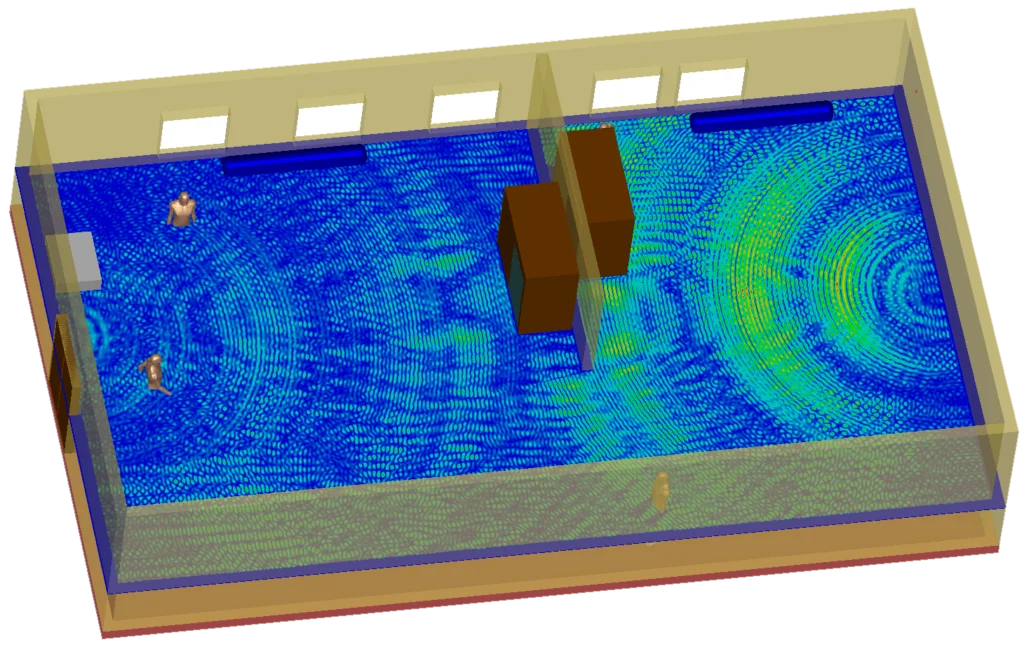
Inovonics builds wireless communication devices that must function across crowded hospitals and complex buildings. Wireless performance depends heavily on antenna placement, as surrounding conditions can weaken the signal. The engineering team uses Electromagnetics Engineer to anticipate design issues before entering the lab. This accuracy drastically reduces physical testing and helps them get antennas working exactly as intended with the first prototype.

4. Streamlines Development Workflows
Traditionally, a designer or engineer would complete a 3D model and pass the file to a specialist for analysis. That handoff created delays. When you embed simulation tools directly into CAD modeling environments, designers and engineers can work from a single digital model and continuously evaluate performance.
With CAD-integrated simulation, you can modify geometry, run a study, review the results, and immediately adjust the model. Then, you can easily rerun your simulation on the new model with the same parameters to validate your changes. This tight loop helps designers and engineers test multiple ideas quickly.
What about study run time? Sometimes running simulations can take up computer resources, leaving you twiddling your thumbs while the software does its thing. High-performance computing enables your simulation studies to run even faster. Cloud-based computing resources allow engineers to run massive calculations without tying up local workstations. Complex studies that once required days of processing time can finish in hours or minutes.
Case in Point
RangeAero designs autonomous freight helicopters for commercial and military transport. Rotorcraft design presents complex challenges involving structural integrity, aerodynamics and vibration control. The company transitioned to Abaqus-based technologies from SOLIDWORKS to automate tedious tasks like meshing and boundary conditions. This transition shortened their design cycles by 30 percent, decreased prototyping costs by 40 percent and brought products to market five months sooner.
5. Shaping the Future of Engineering
Simulation technology continues to evolve. Modern tools focus on ease of use and tighter connections to the design process. Automation now handles many repetitive steps, like defining contact relationships. Artificial intelligence extends this capability by learning the rules engineers apply when setting up studies. These advancements require less user effort.
Cloud computing expands access even further. Engineers can run computationally intensive studies without requiring expensive local hardware. This technology makes advanced analysis capabilities available to small startups and massive corporations alike.
Adding simulation to your workflow does not require a dramatic shift in how you work. It simply expands the thinking you already apply when designing parts. It reinforces engineering judgment by providing data that supports better decisions. As these tools become easier to learn and faster to run, analysis will become a routine part of how all engineers build products.
Transform Your Product Development Process
Using simulation shifts engineering from reactive troubleshooting to proactive design improvement. You can design, simulate, refine and evaluate repeatedly within the same digital workflow. Each iteration yields new insights that inform your next decision. This leads to optimized products that hold fewer surprises during production.
Stop relying on expensive physical prototypes to find preventable errors. Download your copy of The Top Five Reasons Why Engineers Should Learn Simulationand see how you can use simulation to improve your workflow, catch costly design issues early and deliver stronger results.