
In my last blog, I introduced the new PLM roles, including the SOLIDWORKS PLM Standard role, the SOLIDWORKS PLM Professional role and the SOLIDWORKS PLM Premium role. These PLM roles are made for designers, engineers, project managers, and enterprise stakeholders. They connect teams on the 3DEXPERIENCE platform to streamline product development, data management, and change execution.
New enhancements in the R2026x FD02 update provide a more intuitive user experience and help project teams understand changes and make more informed decisions. Main features covered in this update include:
- Project planning enhancements
- Scenario comparison
- Classification management improvements
- Supplier management and risk tracking
- Engineering definition — Physical Product Relationship View
Let’s review what’s new below.
PROJECT MANAGEMENT
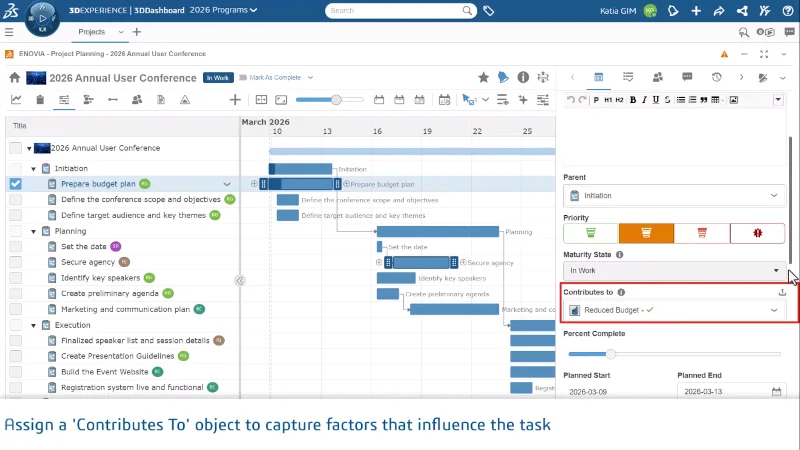
“Contributes To” for Project Planning Tasks
Link documents, issues, and physical products directly to a task using the new Contributes To field. Connecting related objects to tasks gives project teams clearer visibility into dependencies and keeps all relevant work in one place.
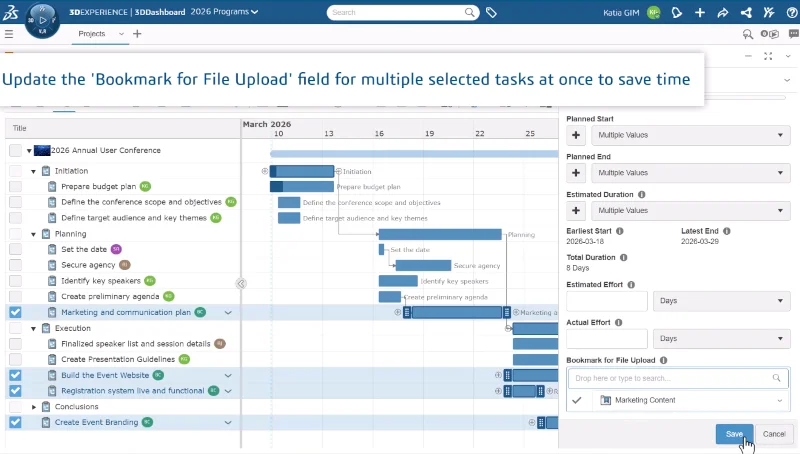
Bookmark for File Upload in Multi-Edit Mode
Assign the upload destination bookmark to multiple tasks at once, rather than updating them one by one. The Bookmark for File Upload option — which controls where task attachments and deliverables are saved — is now available when editing tasks in bulk.
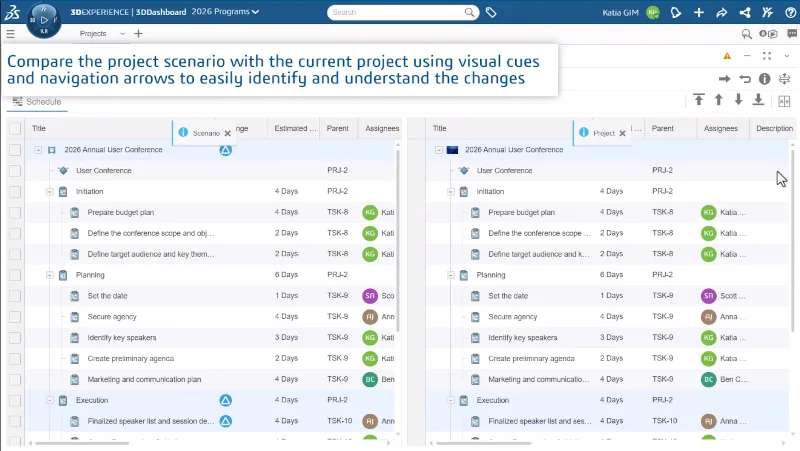
Scenario Comparison
Compare a project scenario against the current project to see exactly what changed. Tasks that were added, modified, deleted, or reparented are highlighted with color-coded icons, making it easy to navigate differences and selectively undo changes before committing.
CLASSIFICATION MANAGEMENT
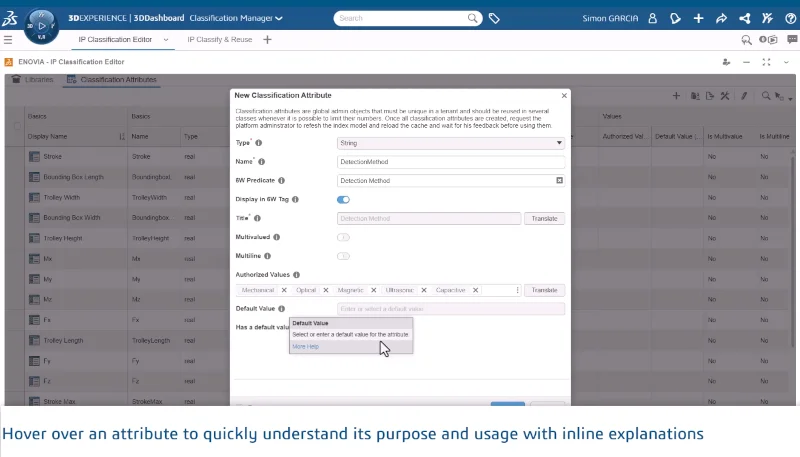
Redesigned Classification Attribute Creation
Create classification attributes faster with a redesigned dialog box that simplifies the process and reduces the steps needed to define new attributes.
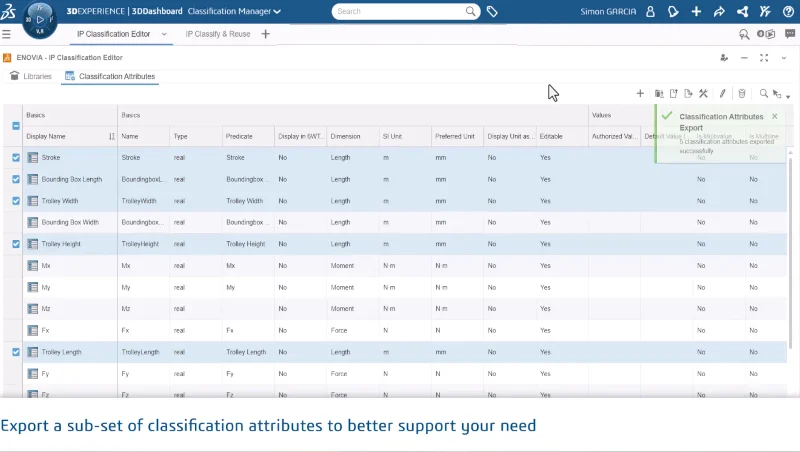
Exporting Selected Classification Attributes
Export only the classification attributes you need from the IP Classification Editor instead of exporting the full set — saving time and giving you precise control over what gets shared or archived.
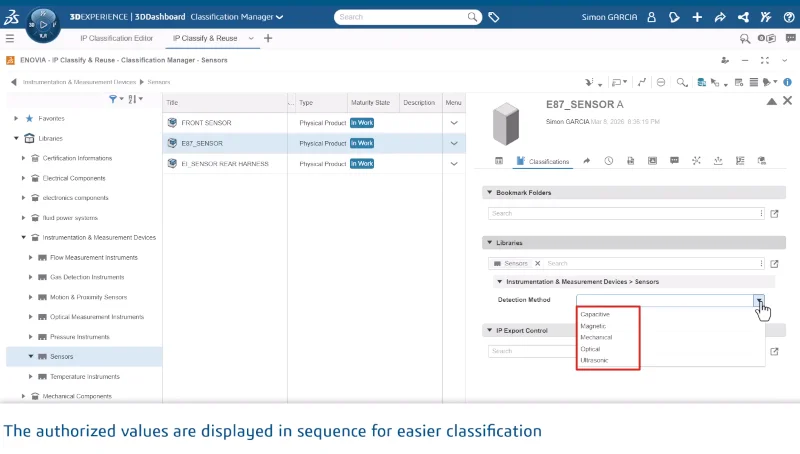
Default Sorting of Authorized Values
Authorized values for classification attributes are now sorted naturally or alphabetically, making it faster to find the right value when classifying objects.
SUPPLIER MANAGEMENT
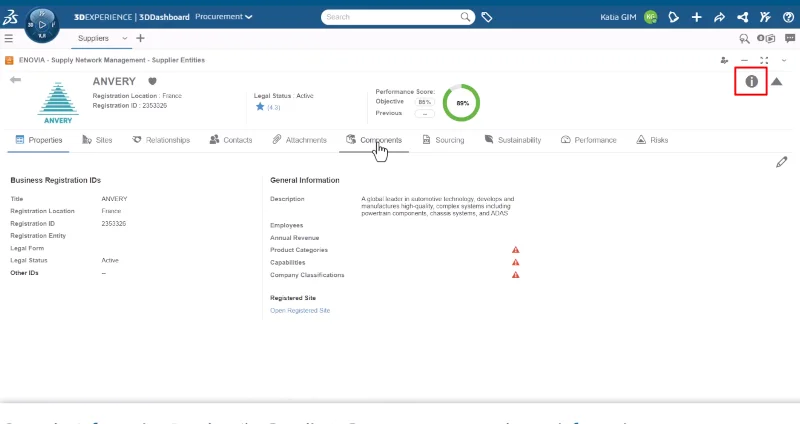
Show Information Panel
View key details for buyers, suppliers, and MEI components directly in the Information Panel, without opening each object separately.
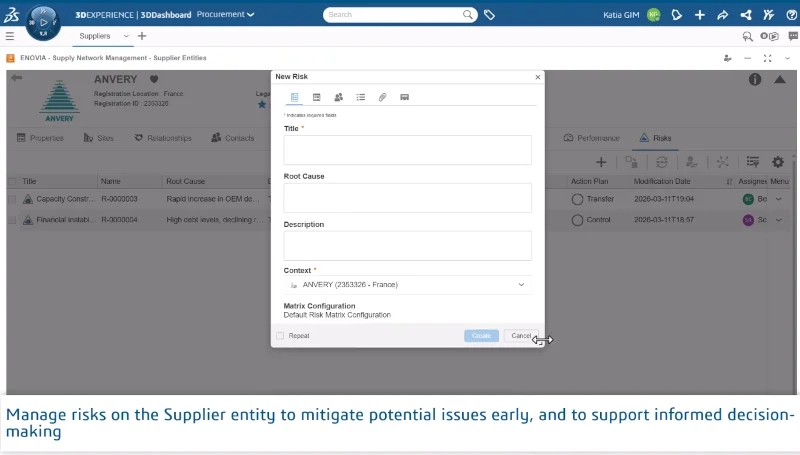
Supplier Risk Management
View all risks associated with a supplier by opening a supplier’s ID card. Create and manage risks from the Supplier’s Risks tab. Centralizing risk information alongside supplier data gives procurement and supply chain teams a complete picture in one place.
Note: Creating new risks requires the Risk Manager (RSK-OC) role.
ENGINEERING DEFINITION
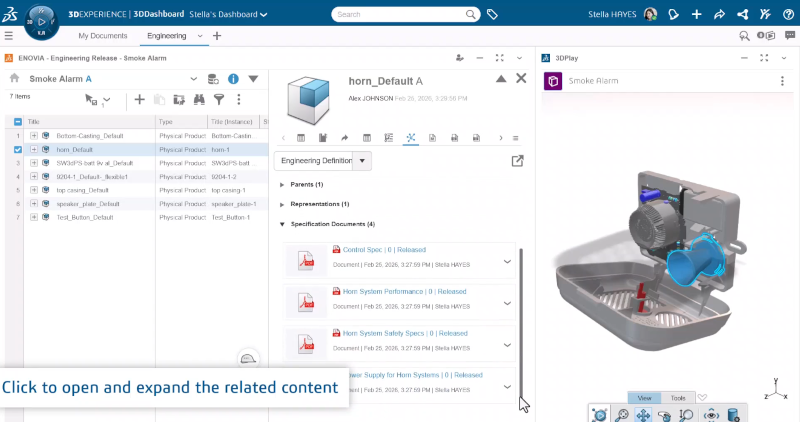
Physical Product Relationship View
See all objects related to a physical product — including specifications, attachments, and alternates — directly in the panel without leaving the panel. Having relationships visible in context speeds up decision-making and reduces time spent hunting across the product structure.
Go here for more on the latest enhancements and to watch the associated videos and see how you can benefit from faster workflows, better visibility, and smarter data management.
Want to learn more? Each role targets specific needs. The SOLIDWORKS PLM Standard role provides cross-functional BOM management, CAD-connected project planning, and raw materials management. The SOLIDWORKS PLM Professional role includes these capabilities, along with 3D digital product mockups, formal change management, and software source code integration. The SOLIDWORKS PLM Premium role includes all the capabilities of Standard and Professional, in addition to multi-library IP classification, supplier network management, manufacturer item management and product variant management.
Go here for more information and a comparison chart. Not sure which role is right for you? Talk to your reseller!