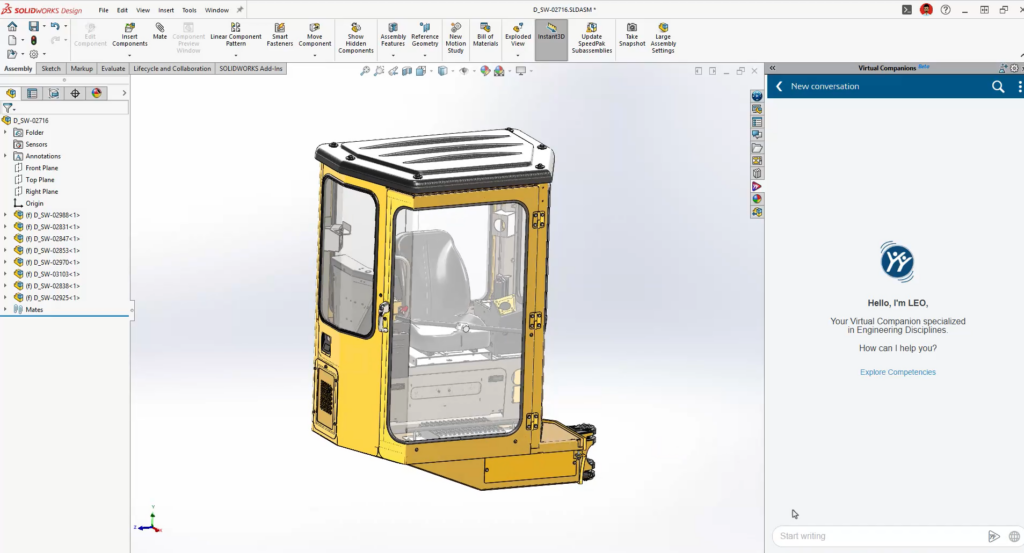

AI in engineering has the power to transform the way you work. SOLIDWORKS Design currently features many AI-driven design tools, powered by the SOLIDWORKS AI Virtual Companions, AURA and LEO, that automate design tasks.
In this post, I’ll define what tokens are, explain how they relate to your Virtual Companions and SOLIDWORKS AI, walk through how to use your tokens, where to get more when you need them, and how to get started.
What Are Tokens?
Understanding Token Value in AURA and LEO
Blue Tokens are how SOLIDWORKS AI activity is measured and metered across your AI Virtual Companions. Tokens are consumed only when an AI skill is executed and produces a result. Simply interacting with the Virtual Companion does not consume Blue Tokens. Token usage occurs when the Virtual Companion performs a task or provides an outcome, such as assisting, generating, analyzing, modifying, or automating work on your behalf.
How It Works
- Guidance Costs Less: Quick guidance and best practice answers require fewer resources than generative or analytical tasks, such as model conversion or performance analysis.
- Pay for the Outcome: You only use tokens when a result is delivered, whether that’s a quick piece of guidance, a generated model, or a full assembly performance analysis.
- Value-Based Scaling: The bigger and more substantial the outcome, the more tokens it utilizes.
The Bottom Line: You don’t need to micro-manage your token costs result-by-result. Just know that our model is built around the actual value delivered to you, not how many times you click submit.
Every SOLIDWORKS Design Customer Gets 2,100 Free Tokens as an Introductory Offer
As part of your SOLIDWORKS Design subscription, you receive 2,100 tokens at no additional cost: 2,000 for every SOLIDWORKS Design or SOLIDWORKS Design with Cloud Services license, and 100 for every 3DSwymer license.
This is an introductory offer, not a recurring allowance. It’s a one-time grant to let you genuinely explore AURA and LEO on real work, such as:
- Asking AURA dozens of best-practices and how-to questions, such as modeling command queries, geometry creation guidance, setup and configuration recommendations, and more.
- Having LEO walk you through several rounds of assembly performance analysis or root cause diagnosis on failed features.
- Converting a handful of imported STEP/IGES parts into fully parametric, feature-based models.
- Mixing and matching all of the above as you get comfortable with prompting instead of clicking through commands.
These free tokens do not renew. Once your 2,100 tokens are used, you’ll need to purchase additional tokens to continue using AURA and LEO — there isn’t an automatic monthly or annual refresh of this introductory balance.
In short: now is a great time to explore AURA and LEO, your tokens are worth more today than they will be later.
Where to Use Your Tokens
You don’t need to do anything special to spend from your free token balance, it’s active automatically. You can access LEO inside SOLIDWORKS Design,via the Virtual Companions icon on the Command Manager or the Virtual Companions tab in the Task Pane. You can access AURA from the Virtual Companions tab in Conversations and Communities.
What Happens When Your Free Tokens Run Out?
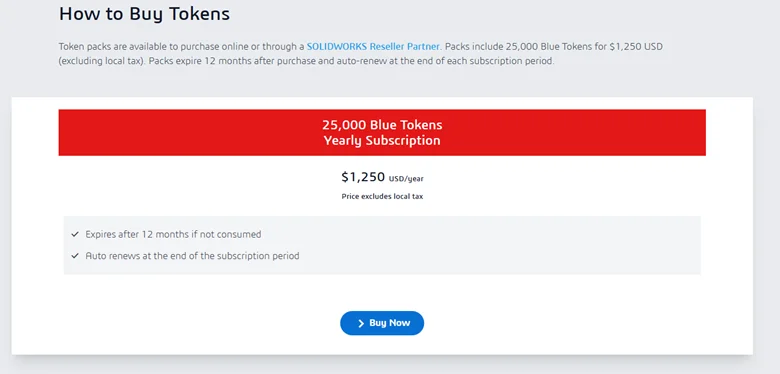
Once your introductory 2,100 tokens are consumed, additional tokens can be purchased directly online, or through your local Reseller Partner. We’ll cover the details of purchasing and managing additional tokens in a future blog post. For now, just know the door is open when you need it, however you prefer to buy.
Get Started
If you haven’t tried AURA or LEO yet, now is the time! Your 2,000 SOLIDWORKS Design tokens and 100 3DSwymer tokens are already waiting for you. Open SOLIDWORKS Design, click the Virtual Companions tab, and ask your first question, there’s no setup required beyond having a recent version of SOLIDWORKS Design (2026 SP3.0 or later) connected to the 3DEXPERIENCE platform.
Check out this page to learn how to get started with AI virtual companions. You’ll see how artificial intelligence and machine learning applications can improve engineering design workflows and productivity.
To learn about the latest SOLIDWORKS features for AI see the R2026x FD03 update here. Using the AI Virtual Companions will guide you through the best 3D modeling techniques, provide data analysis, and help you get the optimal virtual prototyping outcome.