
Engineering simulation requires precise inputs to generate reliable results. Errors in meshing, material selection, or load applications can lead to inaccurate data and flawed product designs. At 3DEXPERIENCE World 2026, two leading experts took the stage to address these challenges directly.
Dr. Omar Zohni from SOLIDWORKS Dassault Systèmes Systèmes and Mohamed Hussein, engineering section head for static equipment and analysis at Elsewedy Electric PSP, presented “20 Do’s and Don’ts to Transform Your Design Game with Simulation,” where they outlined twenty essential rules for successful simulation. This session covered static analysis, explicit dynamics and the importance of validated benchmark models. Read on to explore their key insights, practical examples, and recommendations for advancing and transforming your engineering workflows.

Set Clear Objectives and Simplify Models
Every successful analysis begins with a defined goal. Mohamed Hussein emphasized the importance of setting a clear simulation objective before opening your software. Engineers must understand exactly what they need to test, and whether that involves thermal stress, vibration, or structural integrity.
Once you establish your objective, you need to simplify your models. Complex geometry often contains small features that do not affect the overall structural performance. These tiny details force the software to generate excessively dense meshes, which increases solve times without improving accuracy. By removing unnecessary fillets, small holes, and decorative features, you create an efficient model that produces reliable results much faster.
Select the Right Solver and Materials
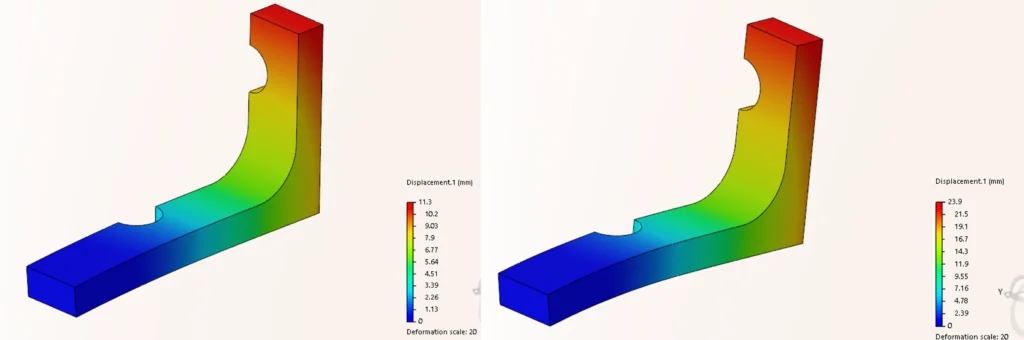
Choosing the appropriate solver dictates the accuracy of your results. Dr. Omar Zohni explained that engineers must pick the solver that matches their specific physics. For example, you cannot use a linear static solver for an event that involves massive deformation or high-speed impacts. Understanding the difference between linear static, implicit dynamics, and explicit dynamics is essential for predicting real-world behavior.
Material properties also play a fundamental role in your analysis. Your simulation is only as accurate as the material data you provide. Dr. Zohni warned against making assumptions about material behaviors under stress. Engineers must verify their material libraries to ensure they account for the correct yield strength, elasticity, and thermal conductivity required for their specific project.
Apply Loads and Refine Your Mesh
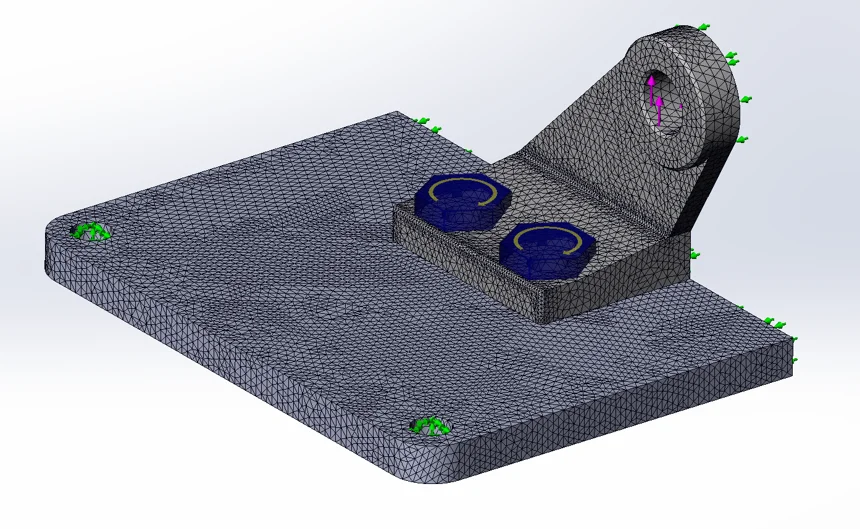
Correctly applying loads is another critical factor in simulation. Dr. Zohni explained that loads must accurately reflect physical conditions. Applying a force to the wrong face or using incorrect boundary conditions will invalidate your entire study. You must account for how loads are applied in the real world and mimic them as closely as possible in simulation to ensure accuracy.
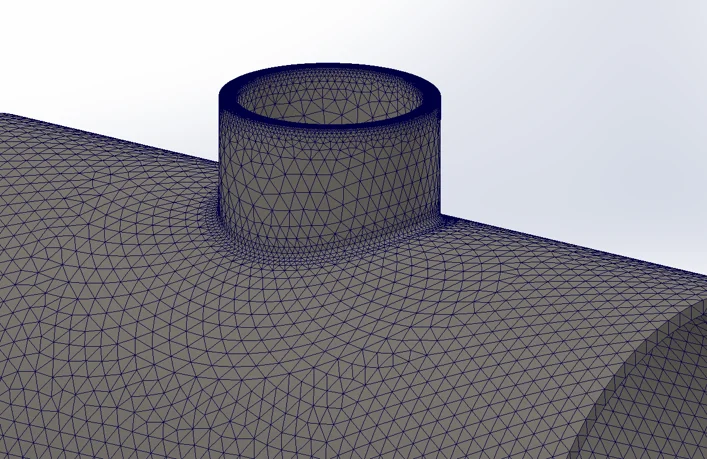
Mesh refinement also requires a balanced approach. Hussein discussed how to refine a mesh appropriately. A coarse mesh might miss critical stress concentrations, while a universally fine mesh wastes computing resources. Engineers should use adaptive meshing to increase element density only in areas with high stress gradients. This targeted approach ensures accuracy where it matters most while keeping the overall model efficient.
Connect SOLIDWORKS Products to Your Workflow
The session was for SOLIDWORKS users, and it highlighted several ways to use SOLIDWORKS Design tools to improve analysis. Engineers can use SOLIDWORKS Design configurations to quickly manage multiple design iterations. This allows you to test multiple geometric variations within a single file.
The SOLIDWORKS simulation portfolio also provides advanced capabilities for handling complex scenarios. For example, the software offers specific tools to identify and resolve stress singularities. When dealing with complex assemblies, Hussein recommended using virtual connections. Virtual connections simplify the model by simulating pins, bolts, and springs without requiring the physical geometry of those fasteners.
Design exploration tools in SOLIDWORKS Design allow engineers to automatically test a wide range of parameters. Instead of manually changing dimensions and running individual studies, you can set up a design study to find the optimal geometry based on your specific goals. Dr. Zohni highlighted how this feature accelerates the product development cycle by quickly identifying the best possible design variations.
Review Practical Real-World Applications
To ground their theoretical rules in reality, the speakers shared several real-world examples. Hussein demonstrated a pressure vessel nozzle analysis. This example highlighted the necessity of accurate load placement and proper mesh refinement around critical junctions. He also discussed a bypass stack system CFD analysis to show how fluid dynamics principles apply to large industrial equipment.
Dr. Zohni shared a crash test modeling scenario for bottling manufacturers. This explicit dynamics study demonstrated the importance of choosing the appropriate solver for high-impact events. Other real-world examples included:
- Analyzing why a billboard collapsed using mixed mesh techniques
- Cycle testing for a high-performance bike frame
- Electromagnetic feature testing for a drug delivery device
Each example proved that following strict simulation rules yields accurate, safe, and reliable products across various industries.
Look Forward to Cloud Computing
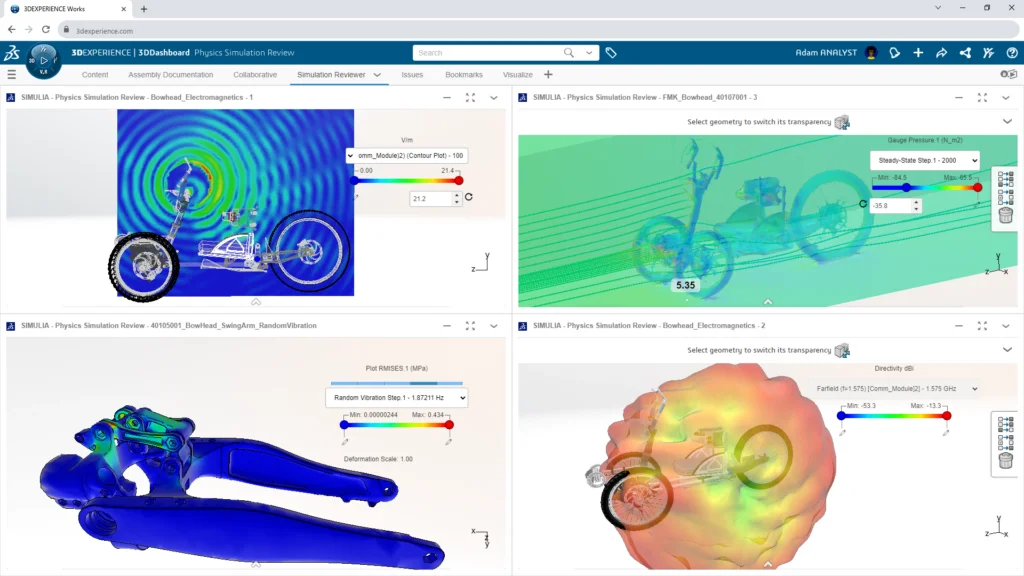
The demands of modern engineering require immense computational power. As models become more detailed and physics become more complex, local hardware can struggle to keep up. Dr. Zohni concluded the session by pointing toward the future of simulation in the cloud.
Cloud computing offers a powerful solution for handling large models and complex assemblies. By moving calculations to the cloud, engineers free up their local workstations for other tasks. This capability accelerates solve times for complex nonlinear studies, fluid dynamics, and large-displacement analyses. Cloud-based simulation allows teams to iterate faster, test more variables, and bring highly optimized products to market with confidence.
Take the Next Steps in Simulation
The do’s and don’ts shared by Dr. Omar Zohni and Mohamed Hussein provide a clear roadmap for better engineering. Start by reviewing your current simulation protocols. Ensure your team defines clear objectives, simplifies geometry and relies on validated benchmark models before trusting new results.
Take advantage of symmetry and virtual connections to reduce solve times. Most importantly, always perform thorough result checks to verify your data against expected physical behaviors. By applying these scientific principles and taking advantage of advanced SOLIDWORKS capabilities, you can build better products and advance your engineering practice.
To see all twenty do’s and don’ts, you can watch Dr. Zohni and Mohamed Hussein’s presentation, along with other highlighted presentations from 3DEXPERIENCE World, on the Best of 3DEXPERIENCE World 2026 webpage. What rules do you follow when running simulations?
