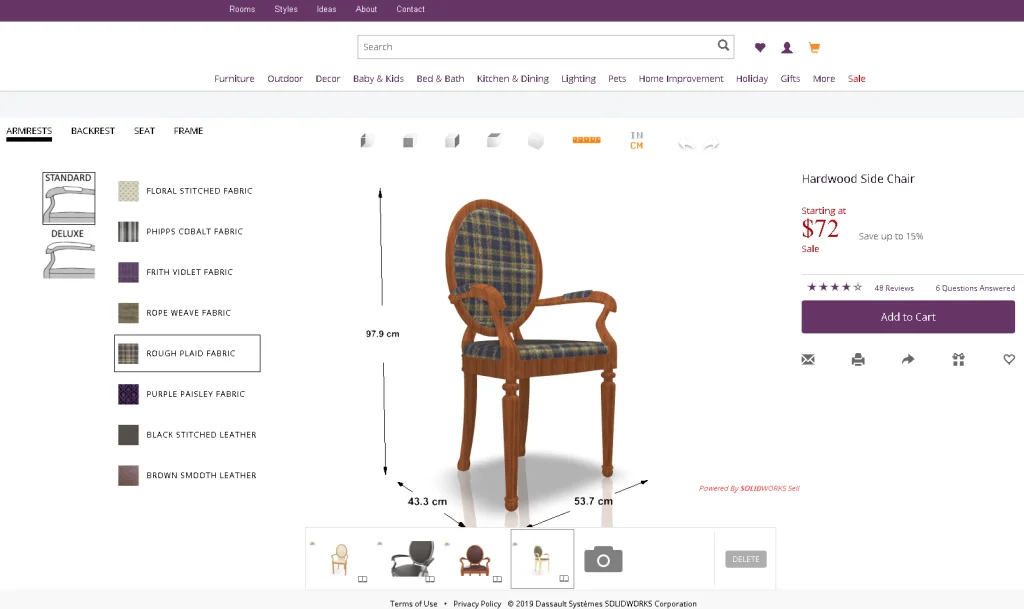

SOLIDWORKS World 2019 is coming to its final countdown. As you pack up gears, remember to bring several design models. At the SOLIDWORKS booth, in several minutes, Mike Sande and I can help build your own 3D online configurators using SOLIDWORKS Sell, similar to the one as shown in Figure 1.
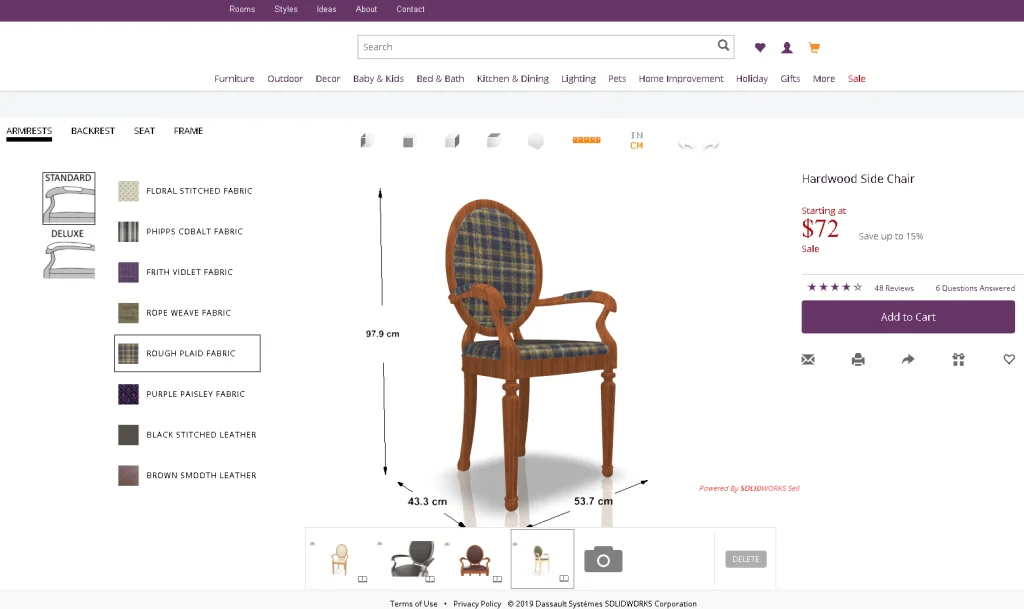
Figure 1. A 3D Chair Online Configurator powered by SOLIDWORKS Sell.
Even better, we can play with it on a mobile device as shown in Figure 2 and project your design into an actual environment using Augmented Reality (AR), similar to the chair as shown in Figure 3.
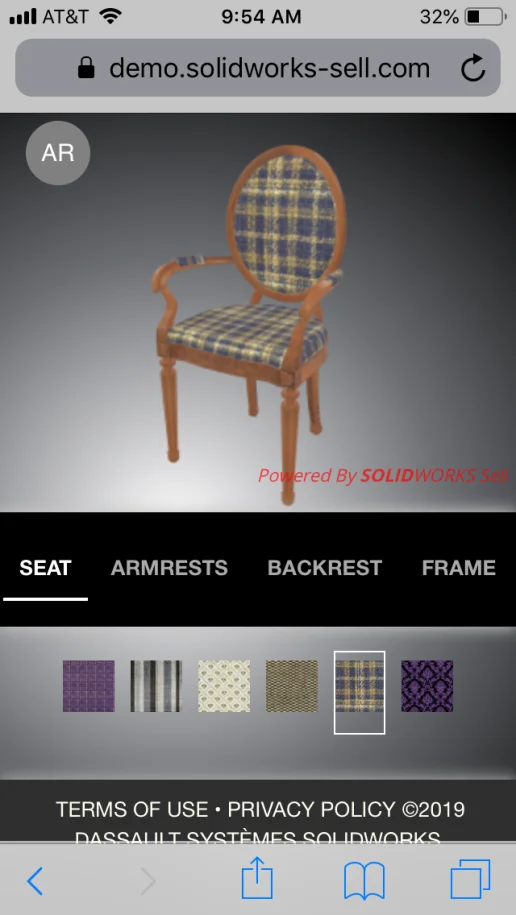
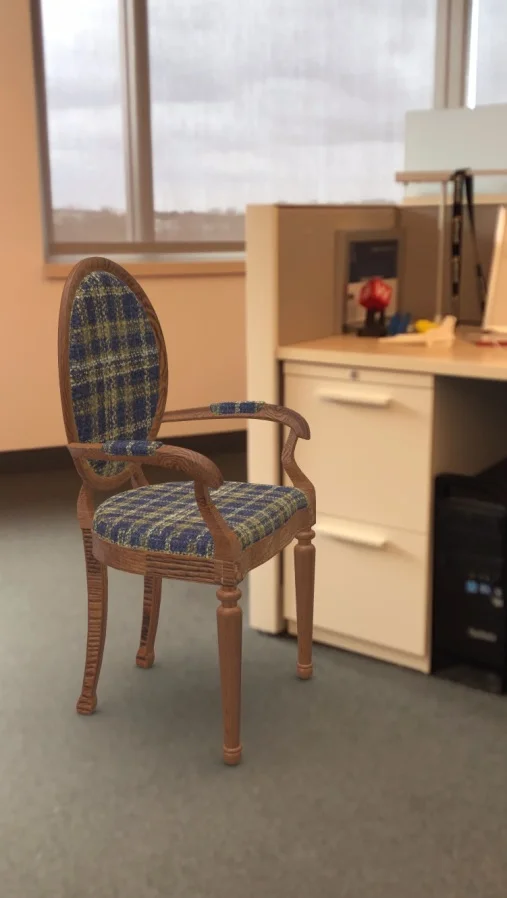
Figure 3. A Digital 3D Chair projected to my office on an iPhone.
So what is SOLIDWORKS Sell? Well, it’s 3D online configurator serving two major audiences.
For online shoppers who crave personalized quick insights before placing an order, SOLIDWORKS Sell allows to select preferred materials, shapes, sizes online, and verify an up-to-date 3D product model on a webpage, on a mobile device, or in an actual environment with Augmented Reality (AR).
For manufacturers and distributors who face the challenge of presenting skyrocketing product permutations, SOLIDWORKS Sell can help organize the permutations, capture market demands, manage inventory, speed up sales cycles, and reduce return rates.
Unlike paper catalogs, static images or heavy texts, SOLIDWORKS Sell presents products in an up-to-date, intuitive and interactive fashion. Unlike custom-built configurators, SOLIDWORKS Sell provides easy plug and play, which can save time and cost in deployment and ongoing maintenance.
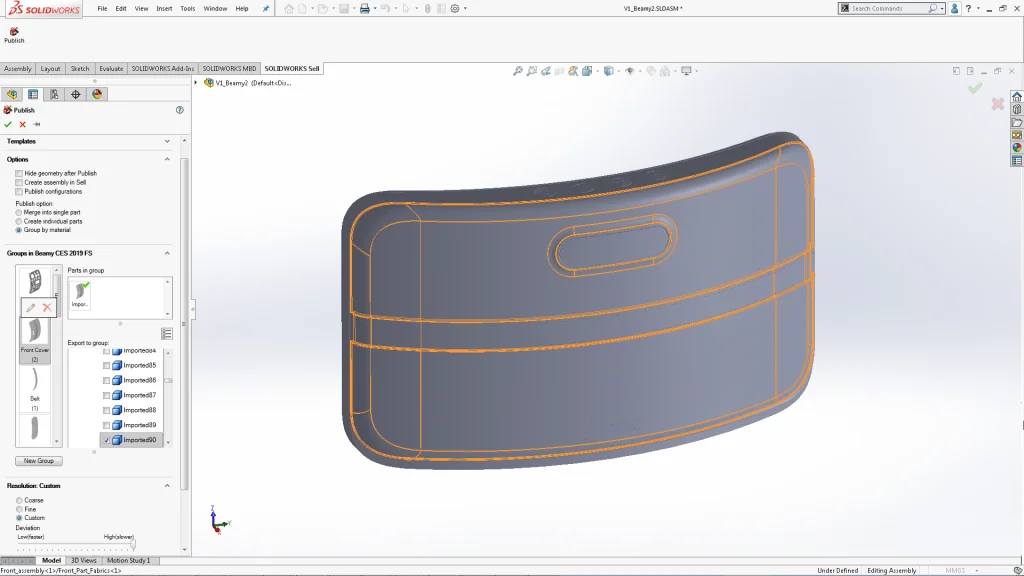
Now, you may wonder what data to bring to the show. Actually, any solid model that SOLIDWORKS can open is good for the Publisher add-in as shown in Figure 4. It can be native files or other CAD formats.
Obviously, in the live demos at the booth, smaller assemblies will load and publish faster. We can discuss which parts you are comfortable with uploading online. Typically, consumer purchasing decisions are driven by envelope components, so we can publish accordingly then. By definition, an envelope is meant to be seen anyway, so hopefully it won’t be too much of a concern.
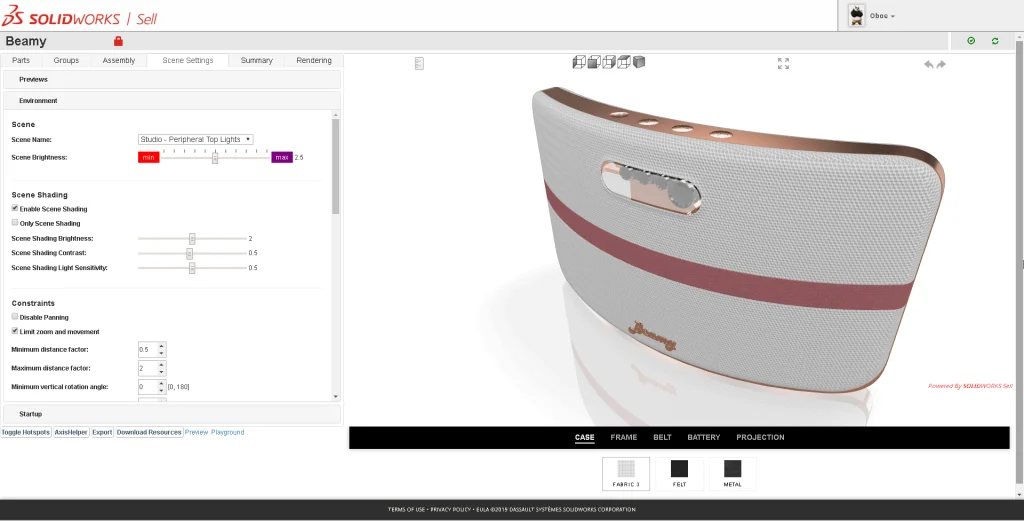
By the way, the models don’t have to include SOLIDWORKS configurations. Various geometries can be published incrementally from different revisions, or files, or configurations. Once the data gets uploaded, I will use the online presence editor as shown in Figure 5 to organize and optimize the web experience.
Pretty cool, right? If you cannot wait, please feel free to play with a demo site featuring examples including live client websites. See you at the SOLIDWORKS booth at SOLIDWORKS World 2019.