
At SOLIDWORKS, we continue to deliver products that bridge the gap between design and manufacturing. For many teams, that gap leads to programming delays, repeated setup work, manufacturability issues caught late, and extra back-and-forth between engineering and the shop floor. To minimize the disconnect, we believe design engineers and manufacturing teams need to work through a more collaborative, connected process. That’s why we continue to deliver tools and enhancements that help users communicate design intent more clearly, prepare data for downstream manufacturing, and keep teams aligned from design through production.
In my last blog, I introduced three new manufacturing roles designed to help extend SOLIDWORKS CAD data into downstream machining workflows with SOLIDWORKS Milling Professional, SOLIDWORKS Turning Professional and SOLIDWORKS Milling + Turning Premium.
With the functional delivery for R2026x FD02, we’re building on those roles with new enhancements focused on machining efficiency, automation, and better visibility into programming and simulation workflows. These updates help CNC programmers, manufacturing engineers, shop managers, and product designers reuse proven knowledge, validate machining operations more clearly, and apply advanced milling strategies with greater control. Let’s dive into them.
NC Knowledge Manager
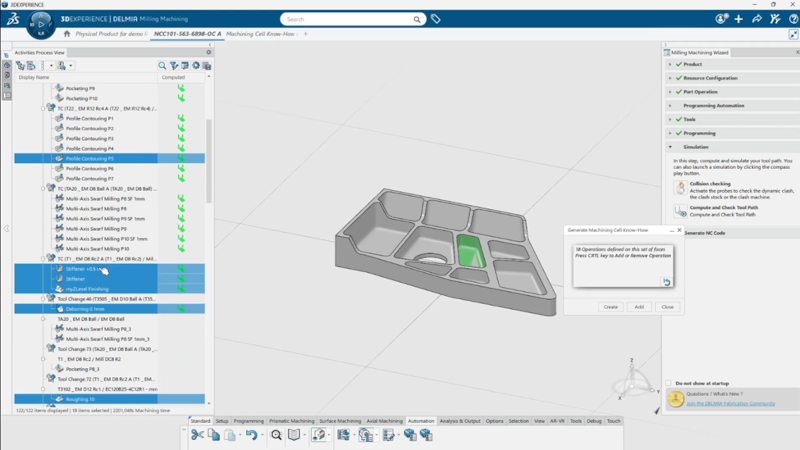
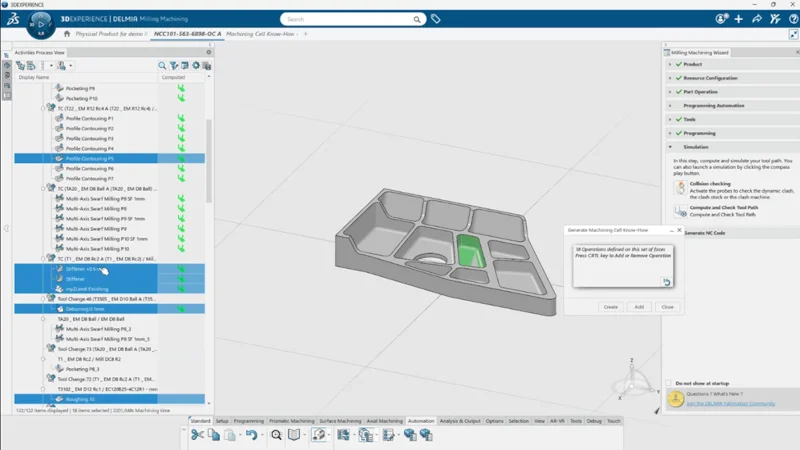
NC Knowledge Manager helps programmers capture and reuse proven machining strategies instead of rebuilding knowledge work cells from scratch. Users can update existing knowledge work cells, reducing setup time and making it easier to standardize repeatable machining practices across programs. This enhancement also adds a new Display and Manage Custom Commands command and expanded information in reuse feature recognition, giving programmers more control over how NC knowledge is captured, managed, and applied.
For teams looking for SOLIDWORKS CAM automation, this helps turn shop-floor expertise into reusable programming knowledge that can support more consistent SOLIDWORKS machining workflows.
This enhancement applies to SOLIDWORKS Milling Professional, Turning Professional, and Milling + Turning Premium.
Section Creation for Simulation
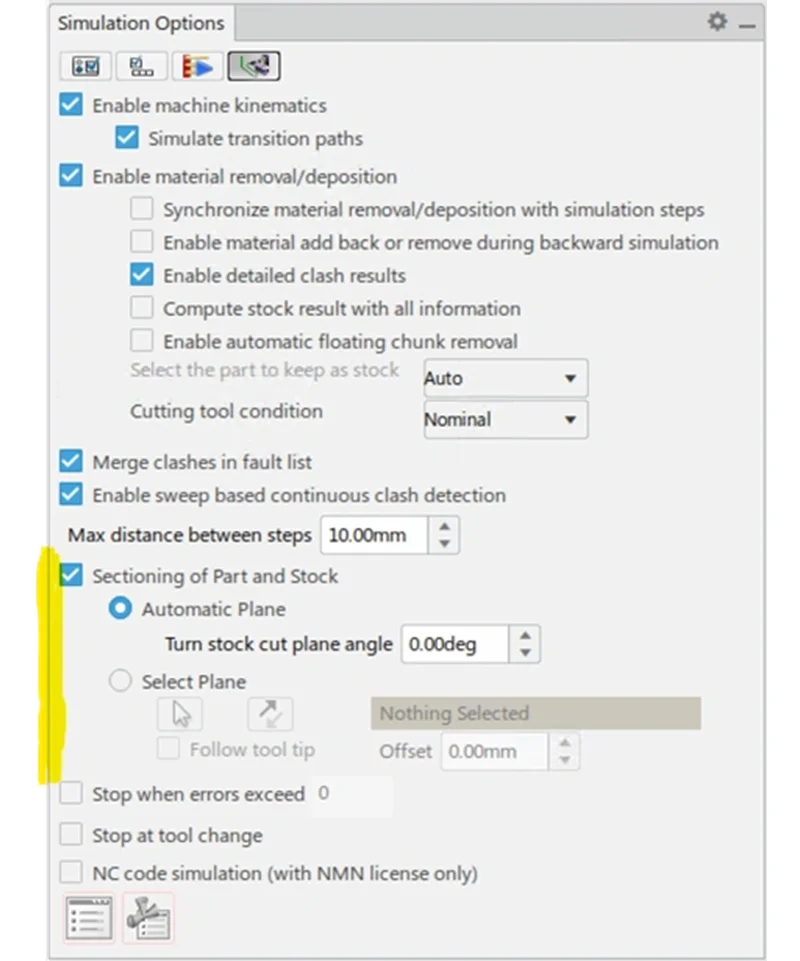
When you’re reviewing a machining simulation, visibility matters. Holes, pockets, and internal geometry can be difficult to inspect from the outside, especially when validating stock removal or checking for potential production issues. Now you can automatically create sections for holes and pockets to improve simulation visibility and efficiency during review. The Sectioning of Part and Stock command, previously available for turned parts, is now accessible across milling and turning applications. This makes it easier to inspect machining behavior before production, and helps programmers catch potential issues earlier in the process.
This enhancement applies to SOLIDWORKS Milling Professional, Turning Professional, Milling + Turning Premium, and NC Shop Floor Programmer.
Isoparametric Mode in Swarf Milling
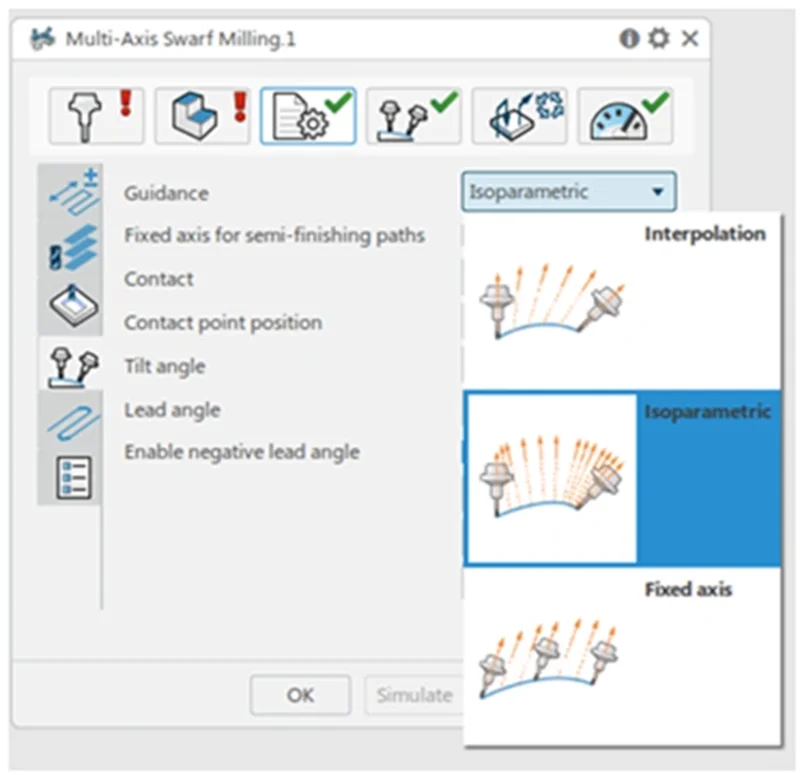
In complex milling operations, small changes in tool engagement can significantly affect surface quality. The new Isoparametric strategy mode gives users greater control when programming swarf-milling toolpaths. With this enhancement, users can define axial level ranges and avoid machining with the bottom of the tool. This helps improve toolpath quality and gives programmers finer control over surface finish and tool engagement in advanced SOLIDWORKS milling techniques.
This enhancement applies to SOLIDWORKS Milling + Turning Premium.
See these enhancements in action here.
Are you ready to step up your end game? Adopt these tools to stay competitive in modern manufacturing.
Just as a reminder, all three roles, SOLIDWORKS Milling Professional, SOLIDWORKS Turning Professional, and SOLIDWORKS Milling + Turning Premium, are cloud-connected solutions, so you can leverage the 3DEXPERIENCE platform to keep engineering and manufacturing teams aligned from design through NC programming and validation. This integration helps reduce duplicate work, supports better collaboration and provides teams with a more connected path from 3D models to manufacturable products. The 3DEXPERIENCE platform also becomes a single secure digital depository for your standardized machining operations, helping to maintain quality, reduce errors, and increase throughput.
Contact your reseller for a demo today!
For more information on SOLIDWORKS CAM software, go here.
For more on manufacturing, check out these related articles:
What’s New in SOLIDWORKS Machining Roles R2026x FD01
Bridging the Gap between Design and Manufacturing: A Collaborative Approach