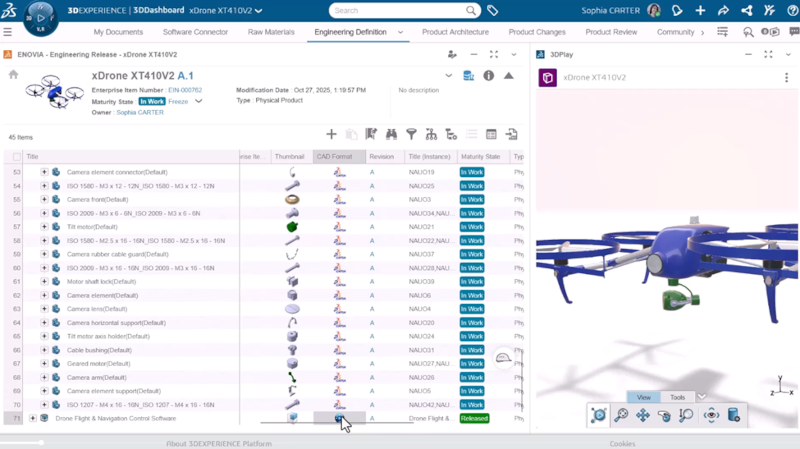

Last fall, in the 2026x general availability (GA) release, we introduced new PLM roles, including the SOLIDWORKS PLM Standard Role and the SOLIDWORKS PLM Professional Role. In the latest functional delivery R2026x FD01, we’ve added some additional capabilities to those roles and introduced another role called the SOLIDWORKS PLM Premium role. In this blog, I’ll get you caught up on these offerings and cover the FD01 update.
The SOLIDWORKS PLM roles are cloud-based product lifecycle management (PLM) solutions designed to streamline collaboration, enhance data accuracy, and improve efficiency across engineering and manufacturing workflows. They integrate seamlessly with SOLIDWORKS design tools, offering robust features for product configuration, lifecycle control, and supplier management.
The new SOLIDWORKS PLM Premium role helps you go beyond design engineering with full product configuration for reuse and variability, robust hardware and software integration, lifecycle control, and supplier management.
This solution offers the following functionality:
- Accelerate ideas all the way to completion through simple and assisted iterative planning, execution, and monitoring of projects. Connect team members together through a flexible, team-based and collaborative approach. Team members rapidly define, refine and complete their activities and deliverables through continuous planning and execution, with an innovative engine automatically optimizing the schedule to meet key milestones and delivery dates. This functionality automatically schedules and optimizes project activities to meet key milestones and delivery dates, providing real-time updates and notifications to team members. This functionality delivers all schedule changes to all project members in real-time.
- Access up-to-date information and collaborate easily on product structures. Accelerate product definition by maximizing data reuse, reducing the complexity of product structure, simplifying product governance and ensuring adherence to corporate standards.
- Collaborate on proposed changes and change assessments, and then implement product changes through an automated process.
- Ensure regulatory compliance and reduce the time to market with controlled and structured product specification data. Quickly execute product changes by utilizing the “where used” analysis to provide the right information to the right users at the right time.
- Create, modify and explore multi-CAD product structures in a single context, enhancing understanding of designs and design changes. It helps you reduce design iterations by making review and digital mockup of designs, design variants and proposed changes universally accessible to stakeholders.
- Access powerful classification schemes and features to organize and retrieve 3DEXPERIENCE Intellectual Property (IP).
- Manage software source code and build artifacts in a multi-disciplinary product structure for traceability and governance.
- Define all product variants in a single configured product structure. Retrieve parts from impacted variants in real-time through an “overloaded” design session to rapidly converge on the optimum design.
- Facilitate the process of approving and qualifying manufacturing equivalent items in a centralized system to ensure new components are aligned with sourcing and engineering strategies.
- Centralize the process for defining key supplier information and relationships.
- Define, compare, manage and update the Manufacturing Bill of Material (MBOM) from the Engineering Bill of Material (EBOM) Product Manager
You can catch a demo of the new role here.
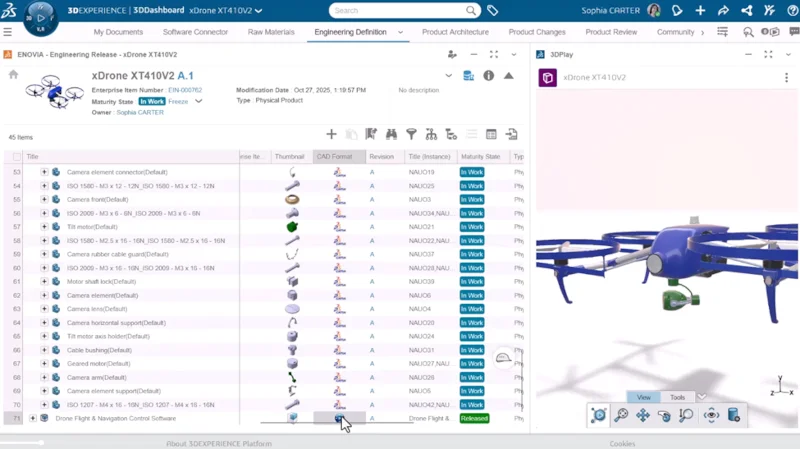
In the FD01 update, we added more capabilities to the Standard and Professional roles. The SOLIDWORKS PLM Standard role enables you to shorten engineering lead time and complete and validate the product engineering definition while reducing resources and overall project execution costs.
Also, here is a brief description of the other two roles released in the fall of last year.
The SOLIDWORKS PLM Professional role enables you to build, visualize, and complete multi-CAD product structures by using a closed-loop collaborative change process, reducing resources and project execution costs.
FD01 Updates:
PROJECT MANAGEMENT
Enterprise Project Forecast Dates
Calculate the forecast dates and duration for an enterprise project based on the project’s configured forecast mode. If task progress is not proceeding according to plan, or is meeting or exceeding the planned dates, forecast information is calculated based on the forecast mode selected.
Duration of Multi-Selected Tasks
The properties panel for multi-selected tasks shows the earliest start date and the latest end date of the selected tasks. The total duration reflects the number of days between the earliest start date and the latest end date. You can quickly see the entire duration of the selected tasks along with the earliest start date and the latest end date.
Now that you’re all caught up on what’s new in SOLIDWORKS PLM, are you ready to try it? What good is your 3D modeling data if you can’t easily access, find it and reuse it? We offer a comprehensive suite of both PLM and data management solutions. I’ve been covering the data management and PLM solutions here at DS SOLIDWORKS for 25years now, and I’ve learned that to get the most value out of your data, you need an integrated data management system in place. Our cloud-based and cloud-connected options leverage the 3DEXPERIENCE platform, enabling you to access cloud-based collaboration, data management and PLM functionality. Cloud-based PLM enables secure, remote access and real-time collaboration.
Organizations can deploy SOLIDWORKS PLM solutions through a step-by-step integration process, leveraging training and support resources. The solutions offer measurable ROI through cost savings, improved efficiency, and enhanced product quality.
Learn more and compare SOLIDWORKS PLM packages here, and contact your local value-added reseller for a demo and for more information.