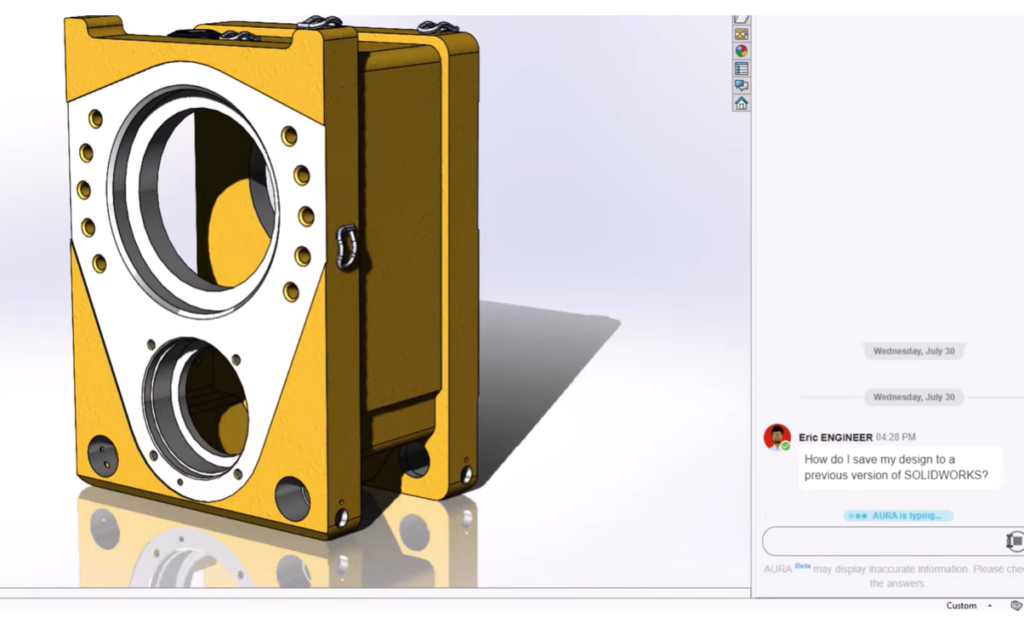

Artificial intelligence (AI) is already reshaping CAD software. If you still approach design the same way you did five years ago, you are working harder than you need to.
Dr. Shrikant Savant recently outlined how AI and machine learning alter the design process. His session highlights a fundamental shift from manual tasks to intelligent systems that anticipate needs, suggest improvements and generate complete designs from text prompts.
Watch the On-Demand Session: Elevating Design Workflows with SOLIDWORKS AI and Machine Learning

Read along to learn about the different levels of AI, how SOLIDWORKS integrates these tools and what the future holds for text-to-CAD technology.
Defining the Intelligence Spectrum
People often confuse the terms AI, machine learning and deep learning, but each represents different level of capabilities.
- Artificial Intelligence is the broadest term. It includes any strategy that enables machines to mimic human intelligence, such as rule-based algorithms.
- Machine Learning is a subset of AI. These algorithms learn from data without explicit programming. They analyze large volumes of information, identify patterns and produce results with an associated probability of correctness.
- Deep Learning involves neural networks with many layers that require massive amounts of data to train. Modern large language models use this architecture.
- Agentic AI represents the newest evolution. Built on large language models, these systems understand natural language instructions and execute complex tasks. They take action rather than just provide information.
The SOLIDWORKS Vision for Design Assistance
SOLIDWORKS envisions an expert companion that answers questions, makes suggestions and helps you avoid costly mistakes. This approach evolves through three phases: Automate, Assist and Co-Create.
First, design automation tools handle repetitive tasks that slow you down. Features like Sketch Repair and Mate Repair automatically identify problems and suggest corrections.
Next, design assistance provides intelligent predictions based on context. Smart Fasteners understands hole diameters to suggest compatible hardware. The Command Predictor displays only relevant commands based on your current work, achieving over 95% accuracy.
Finally, collaborative tools work with you to generate design solutions. Generative Drawings create fully dimensioned drawings from your model. Assembly Structure Creation builds an organized hierarchy from simple text descriptions. The designer always makes the final decisions while AI handles the execution.
Learn more about SOLIDWORKS AI
Vibe CADing and the Future of Text-to-CAD
The most significant development is “vibe CADing,” which involves creating geometry directly from natural language.
A virtual companion named Leo can generate complete 3D models from basic prompts. For example, you can tell the system to create a steel water tank structure with a 500,000-liter capacity, a diameter of 10 meters and a height of eight meters.
Leo responds by generating a 3D sketch, creating the geometry and running simulations to verify the design meets requirements. You can interact during the process by asking for modifications, such as adding specific fillets or holes. The entire process happens through conversation.
This technology handles complex models with ease. Tools that once required hours of manual work now finish in minutes.
Explore the Future of AI CAD
AI integration represents a massive shift in design software. Early adopters gain efficiency advantages now while positioning themselves for more powerful capabilities.
To see these tools in action and learn how they apply to your specific workflows, watch Dr. Savant’s complete presentation. You can learn more and stay up to date with SOLIDWORKS AI capabilities.
Watch the full session on demand and get access to more session recordings on the Best of 3DEXPERIENCE World 2026 web page.