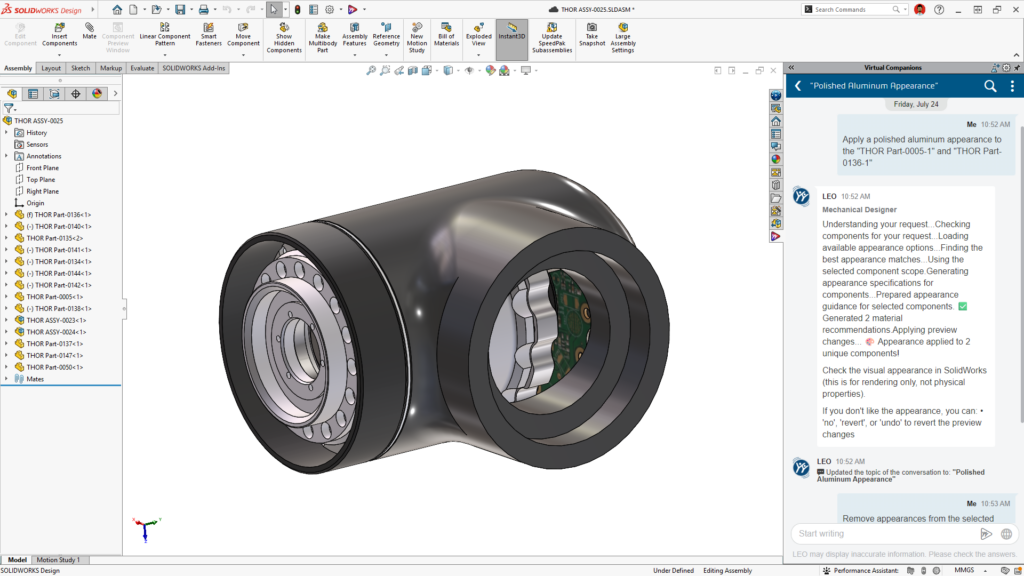

This year, we sat down with Manish Kumar, CEO and VP of R&D for SOLIDWORKS, to talk about what’s new in the SOLIDWORKS 2027 3D modeling software, from the next generation of SOLIDWORKS AI, design and modeling, to the platform improvements, making it easier than ever to get started. The enhancements discussed below apply to SOLIDWORKS Design.

1) What are your favorite enhancements for SOLIDWORKS 2027?
“Of course, I’m going to say SOLIDWORKS AI,” Manish laughed. “The virtual companions like LEO, the mechanical engineering assistant— well, all the AI-related enhancements are my favorite.”
Why? Because they provide insight and do what a normal command simply can’t. “A lot of our customers come to us with large assemblies that have performance issues such as slow load times and graphics lag. In the past, you needed to be an expert to diagnose and fix that. Now, thanks to LEO, any user can ask a simple question such as ‘how do I improve the performance of my assembly?’ and get a set of suggestions they can act on immediately. Or ask LEO to create a macro for your workflow. It’s almost like having a design expert sitting right next to you.”
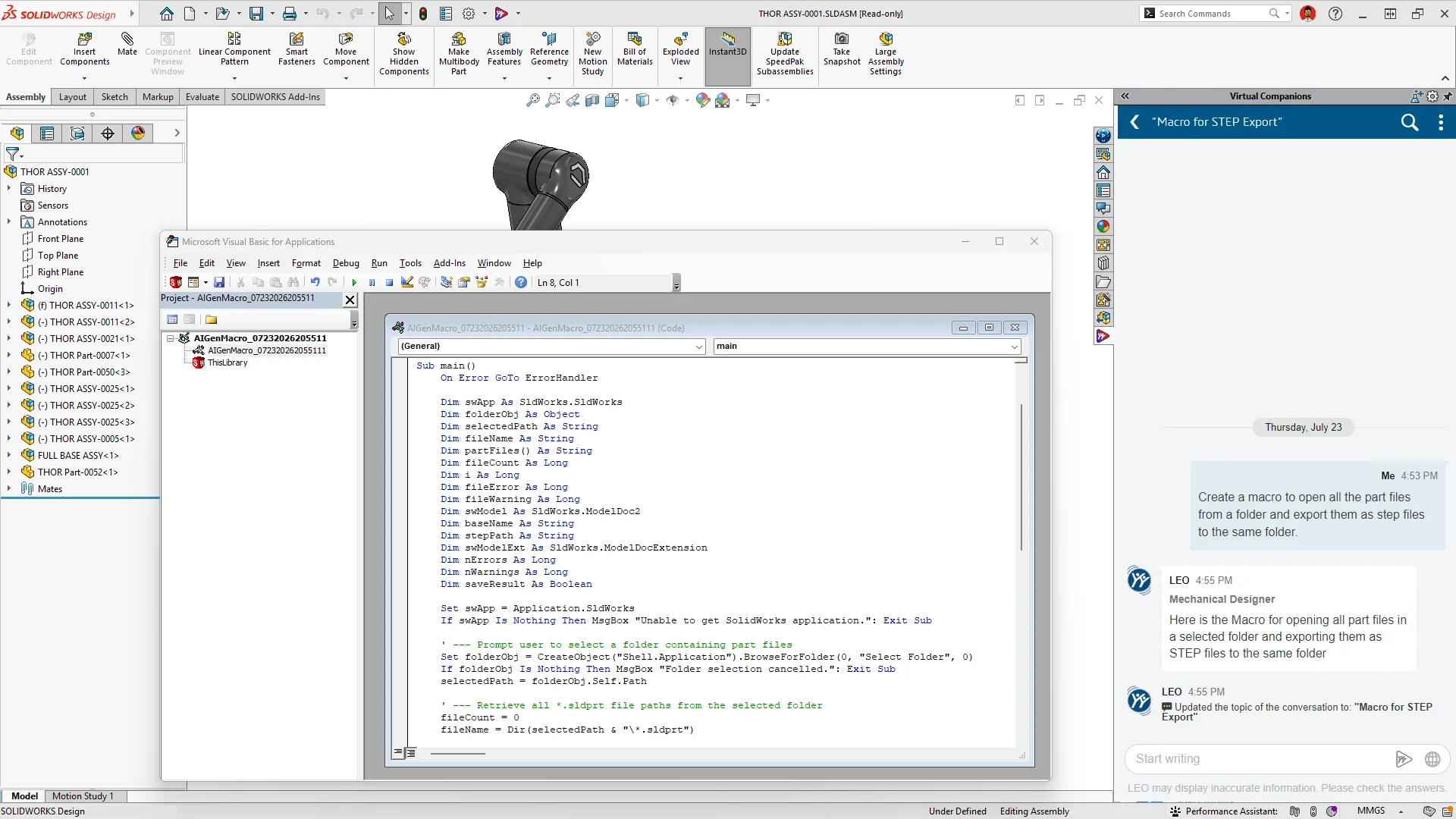
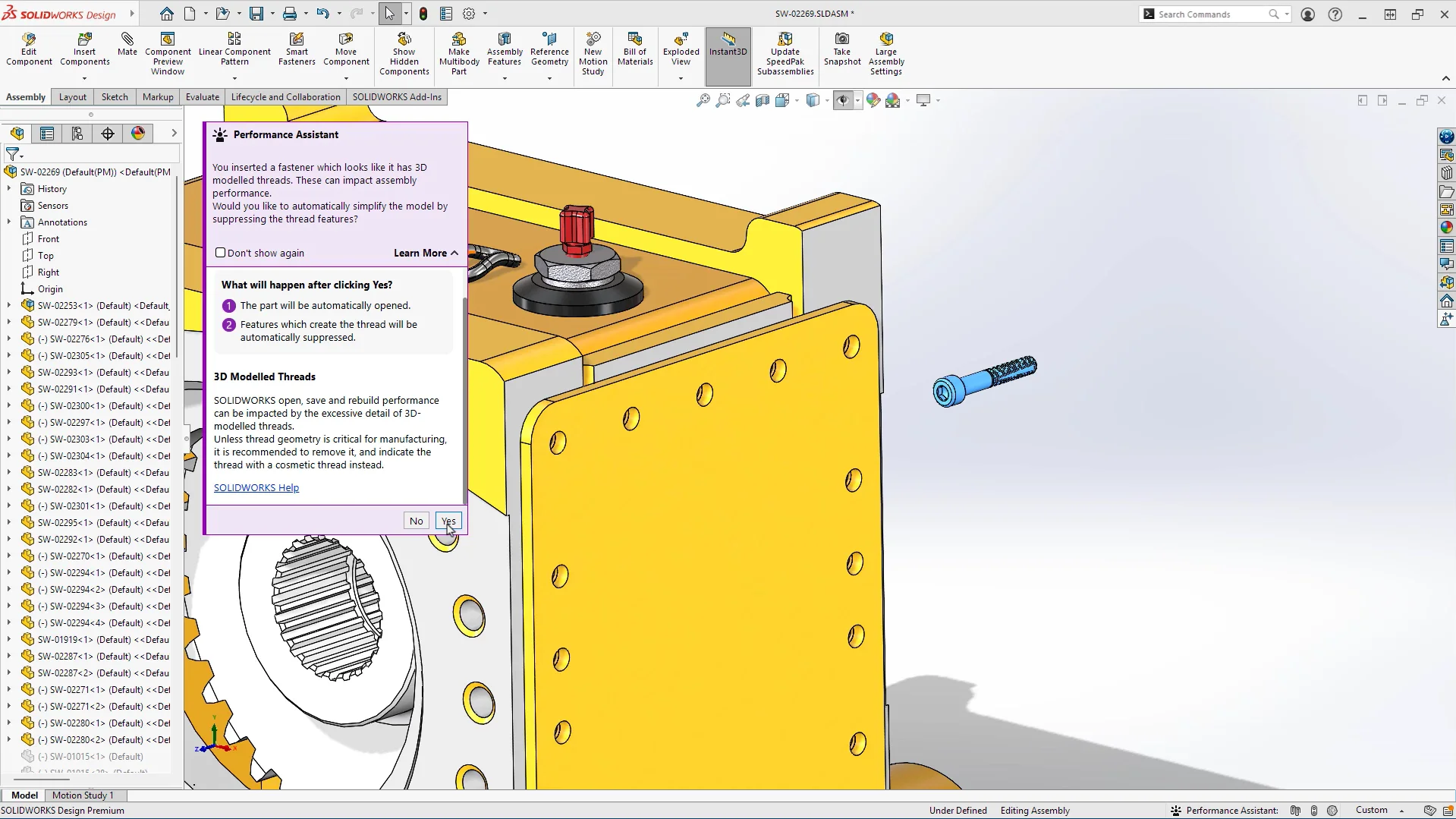
“In testing across a range of assemblies, SOLIDWORKS Design has seen load times improve by as much as 10x when LEO’s suggestions are fully implemented. LEO first analyzes the assembly to identify what’s actually dragging down performance, then takes action: de-threading imported fasteners to cut geometric complexity or creating SpeedPaks at the subassembly level to simplify what’s loaded and rebuilt.”
We also asked about how reliable AI-generated drawings really are.
“We’re increasing accuracy with every release,” Manish said. “Our AI models are trained on data that we own and generate ourselves, never on customer data, for privacy reasons. That means the accuracy you get out of the box is already going to be very high. But as we enable you to fine-tune models with your own data down the road, that accuracy goes drastically higher.”
How about your favorite core CAD enhancements?
“We have many to choose from, and they were all requested by customers!”
- Fastener Pattern Assistance speeds up the tedious work of placing repeated fasteners, so you spend less time on repetitive mating and more time on actual design decisions.
- Large Design Review Edit & Save Optimization cuts the time it takes to edit and save changes in big assemblies during design review, so reviewing large designs doesn’t grind your workflow to a halt.
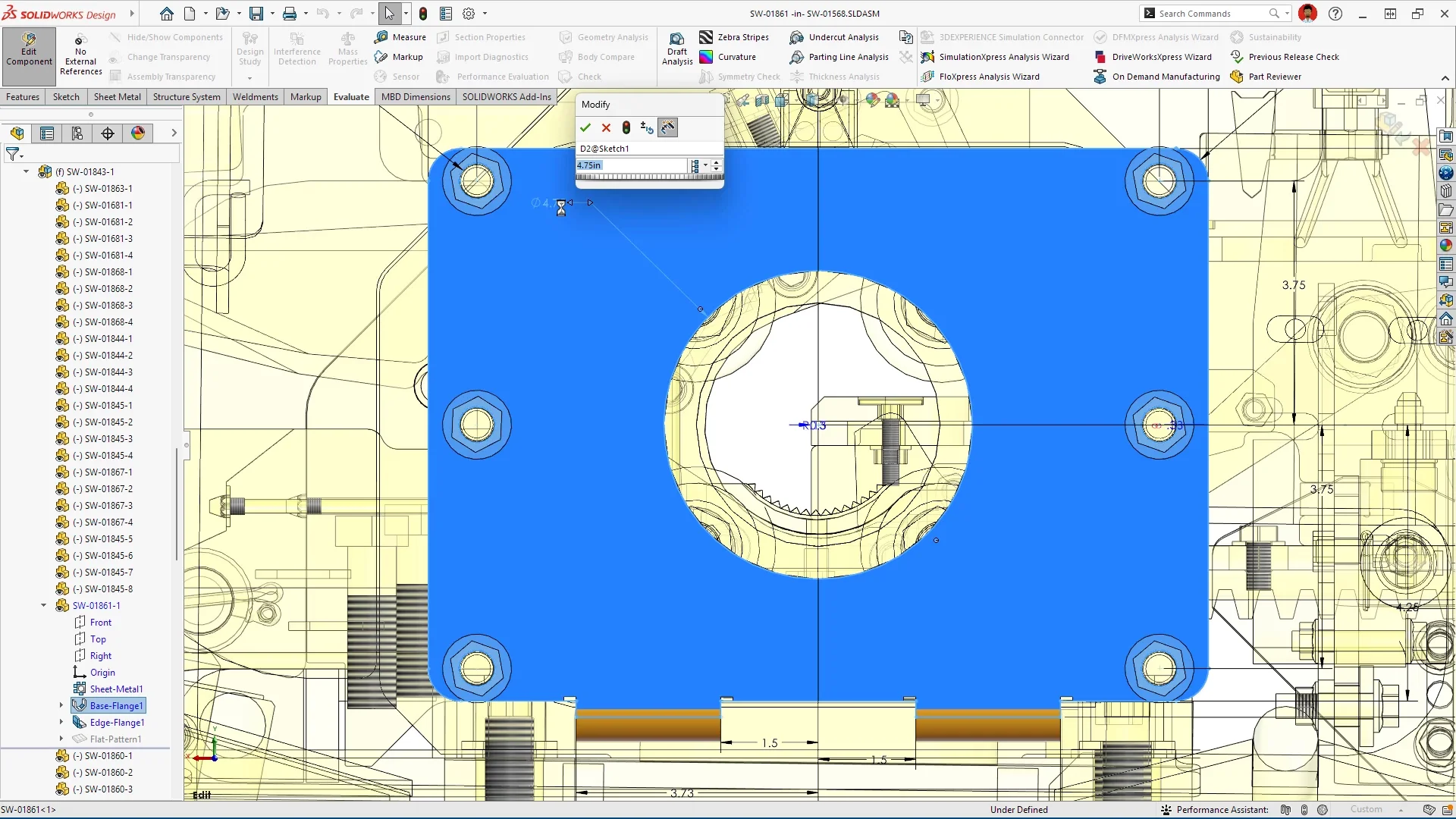
- Sheet Metal Stamp on Bend lets you apply stamped features directly on a bend, so you can represent real-world manufacturing details without extra workarounds.
- UV Unwrapping gives you more control over how surface textures map onto a model, so downstream rendering and texturing work looks accurate right out of the gate. (this is a Top Ten list request)
- Sketch Relations for Multiple Entities as a Group lets you apply a relation to several sketch entities at once, so cleaning up or constraining complex sketches takes far fewer clicks. (also, a Top Ten list request)
2) SOLIDWORKS AI has clearly been a big focus. What can the latest AI enhancements do now that they couldn’t a few years ago?
“A few years ago, SOLIDWORKS AI was trained on models that simply predicted an output from an input. There was no thinking involved,” Manish explained. “The biggest change is that now, the output is fed through a thinking model and refined until it becomes the best possible answer. Plus, the models we use to power our SOLIDWORKS AI are grounded in real-world physics, not just patterns.”
He draws a distinction between older predictive capabilities, like the Command Predictor, which suggests your next likely command with minimal reasoning, and the new generation of reasoning-based, agentic AI. “Take drawing generation. If you hand me a part and ask for a drawing, the number of valid choices for views, dimension placement, and section cuts is essentially infinite. They’re all technically valid for manufacturing, but some are drawings you’ll like and others you won’t. There’s real subjectivity there. That’s where the thinking model comes in: deciding which view a dimension should go to, and why, then observing the result and adjusting if needed.”
That loop — think, act, observe, react — is what’s known as a ReAct framework (Reasoning and Acting). “The model reasons with itself, self-assesses whether the result is good, and adjusts. The answer you get is far better than anything a purely predictive command could produce.”
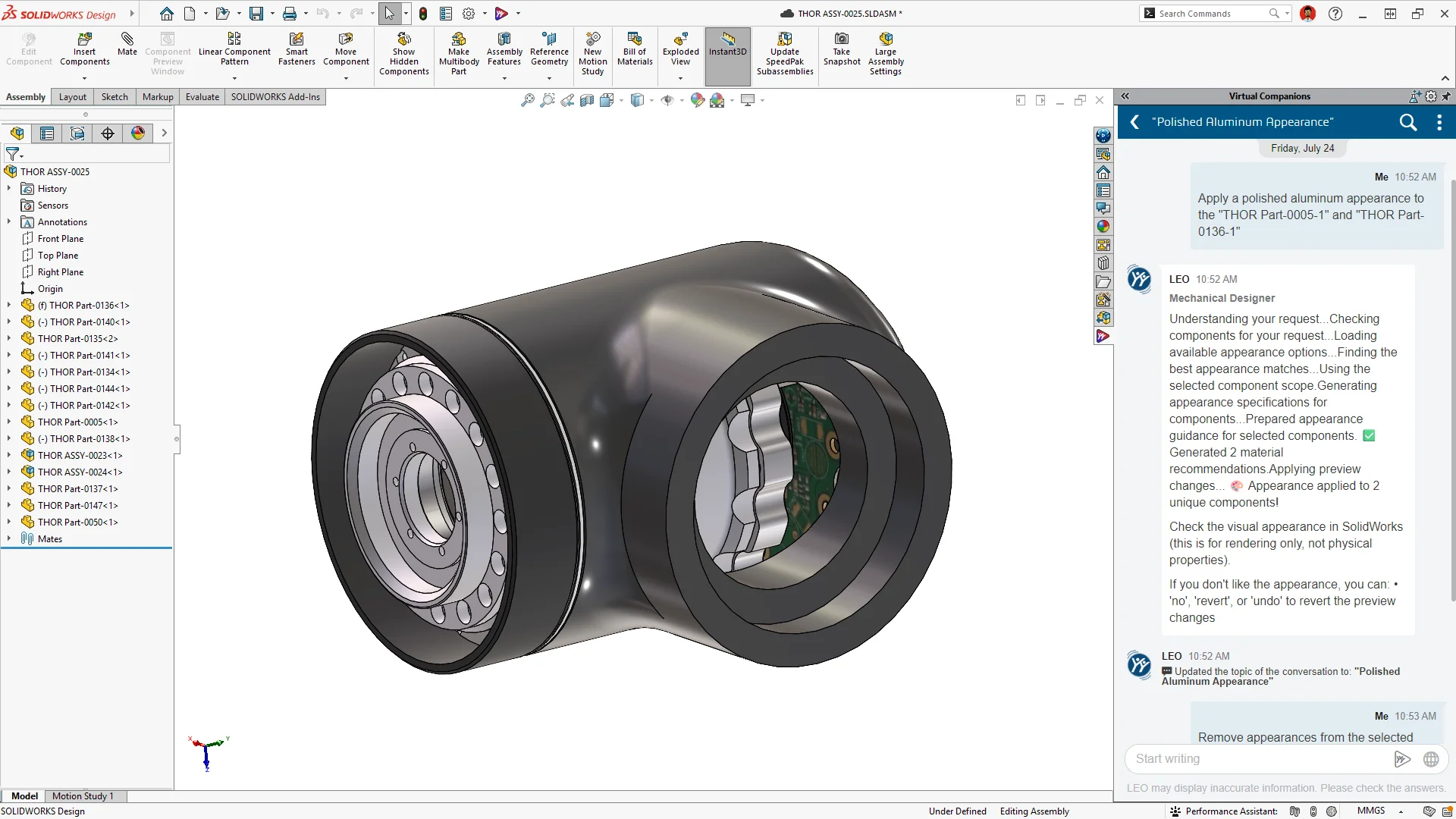
The other major shift is agentic AI. You ask one question in plain language, and LEO handles the intermediate steps, so you stay focused on the outcome. Manish offers a vivid example: “Say I want LEO to go through an assembly, find every component made of a material that rusts, and tell me how much paint I need to buy to protect them all. That’s exactly how a mechanical engineer thinks. Behind the scenes, multiple skills, or agents, kick in: one identifies which materials rust, another finds all the components made of that material, another selects them, another computes total surface area, and a final one calculates paint needed based on coverage per gallon.” Multiple skills run in sequence; you see one answer.
“In the real world, doing that manually would mean opening every component one by one, computing surface area by hand, and researching paint specifications. All that adds up to a huge amount of work. With a single prompt, our agentic platform gets you that answer at the speed of light.”
3) You’ve mentioned that accessing SOLIDWORKS AI requires the platform, and that you’re working on making the 3DEXPERIENCE platform access easier. What does that look like for engineers who are hesitant about cloud-connected CAD adoption?
Why the platform?
“AI needs two things: the ability to extract the embedded knowledge and know-how in your data, and compute power,” Manish said. “To run something like the paint-calculation example, you need real compute such as GPUs, hyperscale infrastructure. That compute lives on the 3DEXPERIENCE platform. That’s why the platform is what makes these capabilities possible.”
What’s changed for getting started with the 3DEXPERIENCE platform? Manish points to three improvements coming in 2027 that make it easier for SOLIDWORKS users to access applications, find and organize design data, and get help while working on the platform.
First, you’ll see a simplified interface across the platform. We made the way you search and launch applications easier to use for every customer, including the smallest companies who need simplicity above all else.
Second, a redesigned way to access your data through the Content Explorer. “It works with the mental model you already have: organized, bookmarked, familiar, but it’s actually more powerful than a traditional folder structure. In a folder, a piece of data can only live in one place. In a bookmark folder, the same data can exist in multiple places at once. You get the simplicity of what you already know, with more power than a Windows file system can give you.”
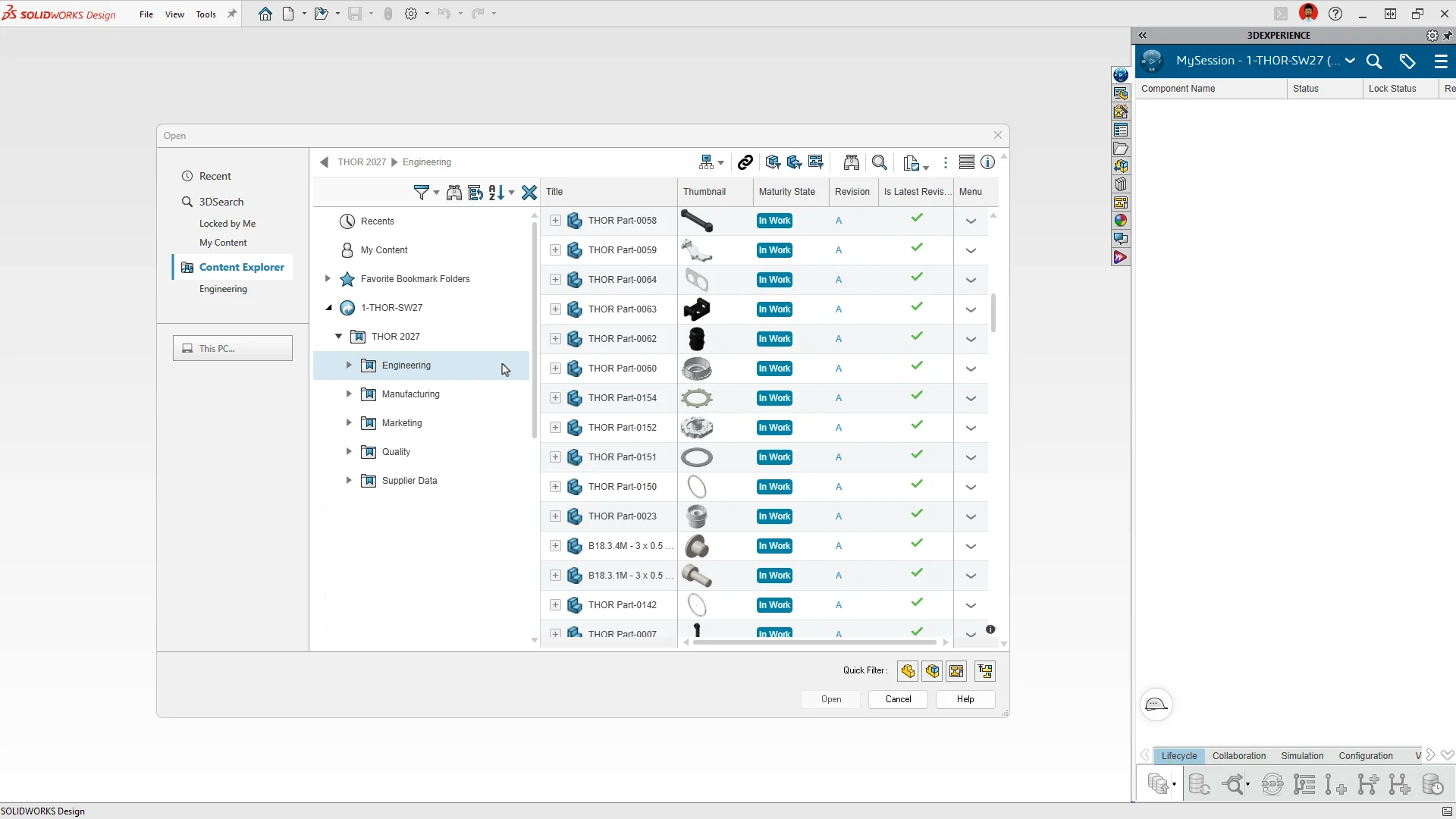
Third, built-in expertise from the virtual companions themselves. “You can ask AURA or LEO any question, for example, a general how-to or a very specific mechanical engineering question and get an answer. They’ve been trained on the best practices we provide our customers, so in a way, the companions make everyone an expert user without requiring you to spend endless time learning. You learn as you go.”
“Between the simplified interface, easier data access, and AI-assisted guidance, there’s no reason not to start today. Once you start using AI, you won’t want to go back.”
4) Continuous performance improvement has always been a top priority at SOLIDWORKS. What are some of the performance improvements that will help make design workflows more efficient?
Performance remains a constant investment area for SOLIDWORKS. Here’s where 2027 moves the needle.
- Background Drawing Update lets your drawings update in the background while you continue working on your part or assembly, so you’re never stuck waiting for a drawing to catch up before you can keep moving.
- Performance Assistant, covering both overall evaluation and fastener simplification, analyzes your assembly and flags exactly what’s slowing it down, so you can fix performance issues without needing to be a diagnostics expert yourself.
- Expanded Command Cancellation lets you back out of more commands mid-operation, so a change of mind doesn’t cost you time redoing work you didn’t want in the first place.
5) Earlier, you highlighted your favorite core CAD enhancements, all requested by customers. What other customer-driven enhancements are coming in SOLIDWORKS 2027?
“The overwhelming majority of what we ship every year comes directly from customer requests,” Manish said. “In addition to the enhancements I mentioned earlier, several other customer-requested improvements stand out to me.”
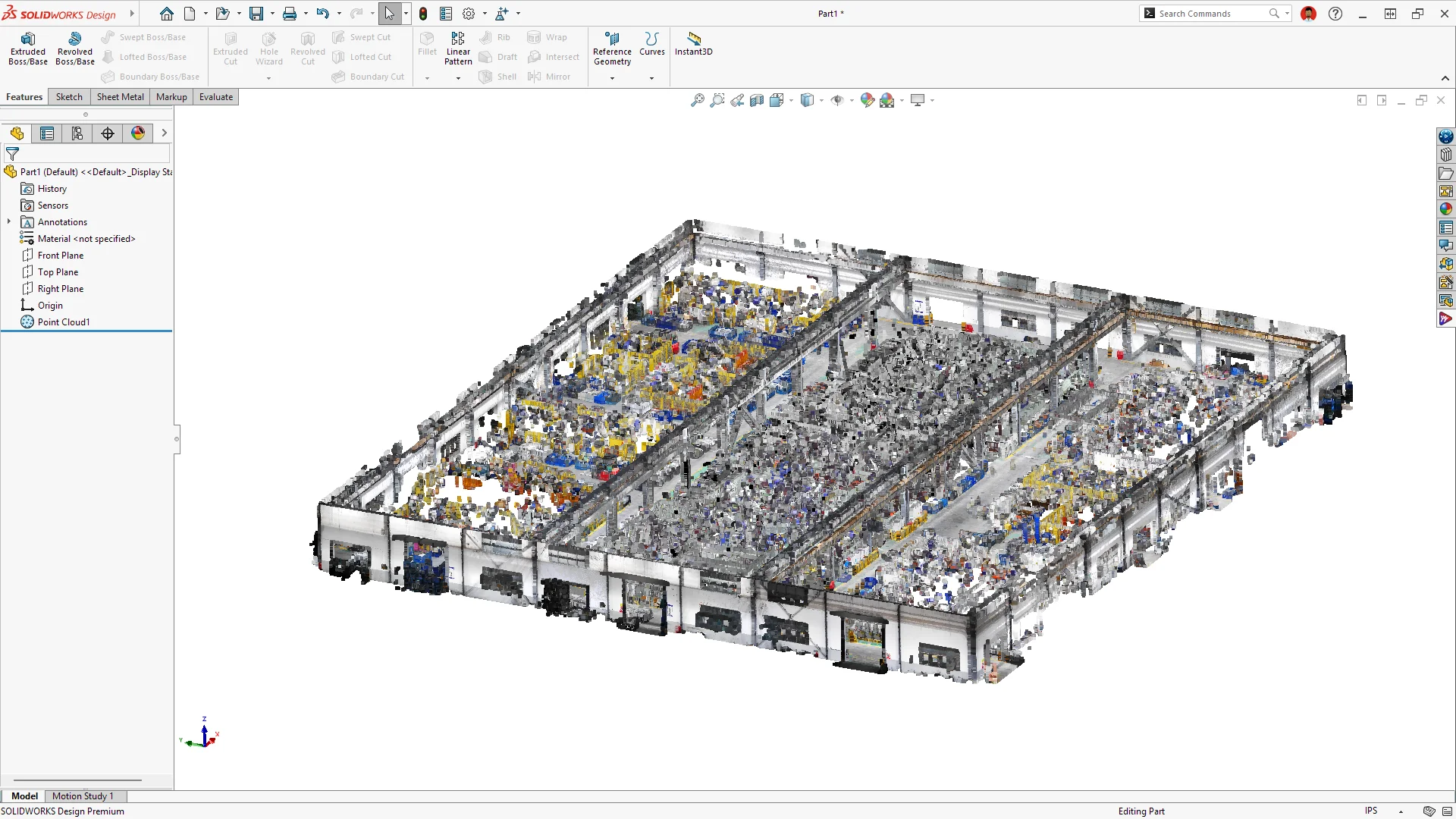
- Point cloud import has been rebuilt for performance with large-scale datasets and now supports E57, a request from many customers, including some of our largest clients, looking to improve on or replace ScanTo3D. You can bring in massive scan data without the slowdown that used to come with it. New color support also improves interpretation of point cloud details, making it easier to distinguish real-world features and materials straight from the scan.
- The new system option “Save to Version” enables you to save your files to a specific SOLIDWORKS release automatically. You can select the latest SOLIDWORKS Design version (2027) or the two previous versions (2026 and 2025).
- Auto-Save to the platform enables you to commit changes to the 3DEXPERIENCE platform automatically as you work, eliminating the need for manual commits and keeping your work continuously saved.
“As always, a lot of what we deliver comes straight from the customer Top Ten voting list. Here are a few worth calling out:”
- The new Chord Width option for Constant Size fillets lets designers specify chord width instead of radius, giving them the flexibility to control fillet geometry however the design calls for it.
- Expanded support for ISO 25178 and DIN ISO 5458 zone symbols makes it easier to stay compliant when collaborating with international manufacturing partners.
- The ability to lock rotation of a coincident mate between two linear edges, axes, or lines keeps assemblies from shifting unexpectedly during edits, so your design stays predictable as it evolves.
- Continuing the multi-year “escape anything” effort, Delete Face and Knit Surface now support escape in R2026x FD03, so you can back out of those operations mid-edit without losing your place or having to redo work.
6) What’s one thing about SOLIDWORKS AI in 2027 that even you’re not fully satisfied with yet?
Manish doesn’t hesitate. “Take the pace at which we can generate a parametric 3D model from an image or a text prompt. I believe we can go faster. We’ve made big improvements, and you’ll see the results, but there’s more room to accelerate.”
The bottleneck, he said, comes down to data. “We train our industry world models on data that’s accessible to us. The more data we have, the further we can push these models. It’s a bit of a chicken-and-egg problem, and this is an area where our customers can help us.”
Every model SOLIDWORKS trains comes with full traceability of where the data originated. “We certify where we get our data from, and we keep that fully documented. That’s an ethical line we won’t cross. So, if any of our customers have design data lying around that isn’t sensitive, think generic jigs and fixtures, for example, and they’re comfortable sharing it, that kind of contribution genuinely helps us build better models for everyone.”
7) What would you tell a skeptical engineer who’s heard all the AI hype and wants to know if SOLIDWORKS AI is actually worth their time?
“AI is the engine. You are the driver,” Manish said. “Without you in the driver’s seat, that engine isn’t going anywhere.”
The most misunderstood thing about SOLIDWORKS AI, in his view, is the fear that it’s here to replace engineers. “I don’t buy that. The decisions mechanical engineers and designers make are such that in many cases, human lives depend on them. Even a simple bracket might end up in a prosthetic limb, and if it breaks at the wrong time, it could hurt someone. We’re not generating a poem here, where it’s fine if it’s imperfect. Human lives depend on this work, which means humans always have to be in the loop. AI can help you think faster, generate more variants, even ideate better options, but in the end, you’re the decision maker. You validate it. You approve it.”
That said, Manish is direct about the flip side: “If you don’t use AI, you won’t be able to produce things as fast as someone who does. To stay competitive in this field, using AI isn’t optional anymore. It’s mandatory. Embrace it and see what it can do for you. It’s a generative tool, which means it molds itself around how you work, not the other way around. Ask your virtual companion questions the way you naturally think and use it as your own personal expert.”
8) If a competitor built a genuinely AI-native CAD tool from scratch tomorrow, without 30 years of legacy code to carry, what would worry you most?
“Our basic survival instinct is based on always being vigilant. What you do with that to grow and thrive is the key question,” Manish said. “We’re always watching new research, new capabilities, new startups. We believe a small group of dedicated people can genuinely change the world, and we consider ourselves one of those groups. So, while we keep an eye on what’s outside, we stay fully focused on delivering value to our customers, so they have no reason to look elsewhere.”
His confidence comes down to two things a startup can’t manufacture overnight: scale and history. “We have an 8-million-plus SOLIDWORKS user community, and more than 30 years of industrial knowledge and know-how — the combined expertise of every person who’s worked on this product. That’s our moat. A startup can do a lot, but it can’t generate that kind of knowledge and know-how from scratch. The question for us isn’t whether someone else could build a CAD tool, it’s how we use that 30-year head start to improve our own AI capabilities at a pace no one else can match.”
See what’s new in SOLIDWORKS 2027, including powerful core CAD enhancements, faster performance, customer-requested improvements, and new AI capabilities that help you design and work more efficiently.