
Every engineering team knows the pressure to deliver top-quality products ahead of schedule. You need design tools that can handle repetitive work without sacrificing accuracy or quality. From the earliest ideas to final edits, your design software should handle the heavy lifting, so you can spend more time solving real engineering challenges.
When you use artificial intelligence in your product development process, you want it to work for you—not at the expense of your security or creative control. That’s why you need smart AI tools built right into your trusted design environment. With intelligent solutions that respect your workspace and protect your intellectual property, you can work faster and stay focused on what matters most: innovation.
With SOLIDWORKS AI, you get smart, reliable tools that let you spend less time on repetitive tasks and more time on the real engineering work you care about. By automating manual updates, capturing your design intent and streamlining every step of your workflow, SOLIDWORKS AI helps your team create better products faster.
Learn more about SOLIDWORKS AI: https://www.solidworks.com/product/solidworks-design/ai-overview
AI Purpose-Built for Engineers
SOLIDWORKS brings Artificial Intelligence (AI) into your daily design environment to help you work smarter and faster. These advanced tools focus on three essential areas: speeding up your design process, handling time-consuming tasks, and making it easy to leverage proven team knowledge for greater consistency.
Embedded AI Inside Your 3D CAD Workflow
Your work days demand both speed and accuracy. SOLIDWORKS AI features are built right into your workspace, ready to learn your unique design style and help you move faster at every step. With these AI-driven tools anticipating your needs, you’ll notice smoother workflows and fewer bottlenecks as you handle your projects.
Here’s what you’ll find built right into SOLIDWORKS AI:
- Auto-Fastener Recognition: Automatically detects and optimizes fasteners for easy assembly.
- Command Predictor: Anticipates your likely next steps based on your distinct modeling patterns.
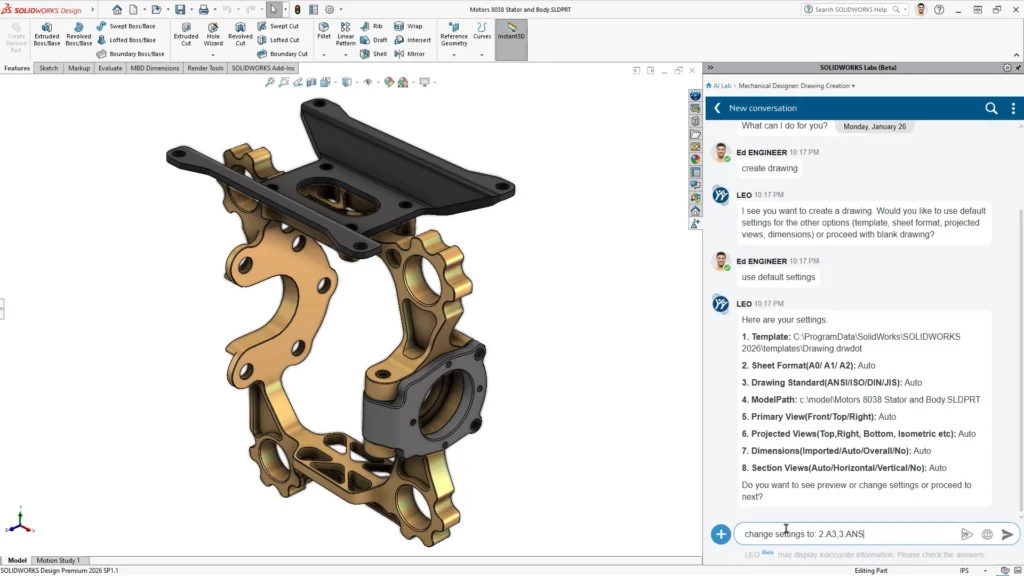
- Generative Drawings: Automatically generates structured drawing layouts, views and dimensions.
- What’s Wrong Analysis: Resolves modeling errors faster with natural language feedback and root-cause analysis.
Explore the SOLIDWORKS AI features: https://www.solidworks.com/solution/solidworks-ai-cad-tools-workflow-optimization
SOLIDWORKS drops new features five times a year, find them here: https://www.solidworks.com/product/solidworks-design/whats-new
Virtual AI Companions at Your Side
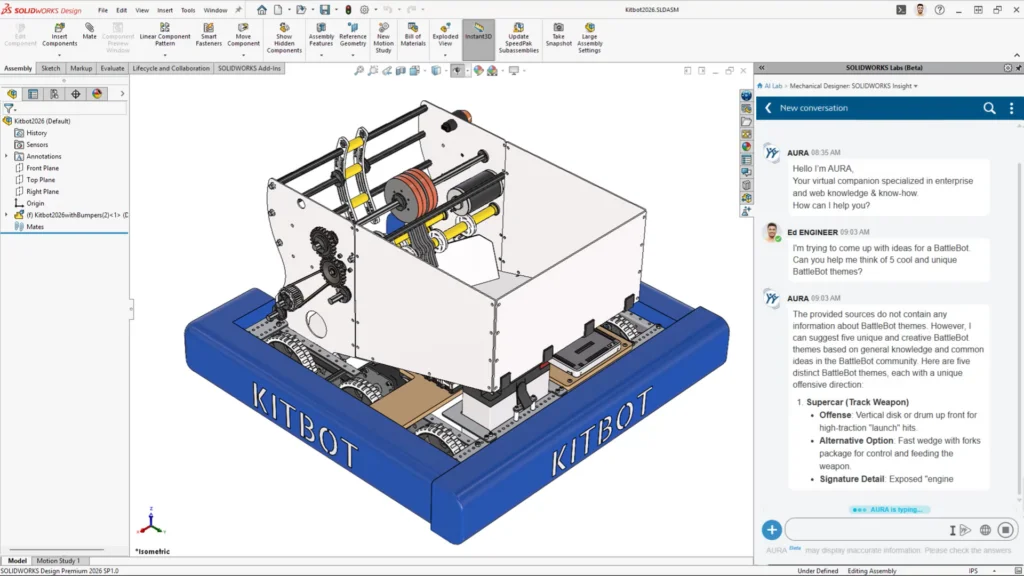
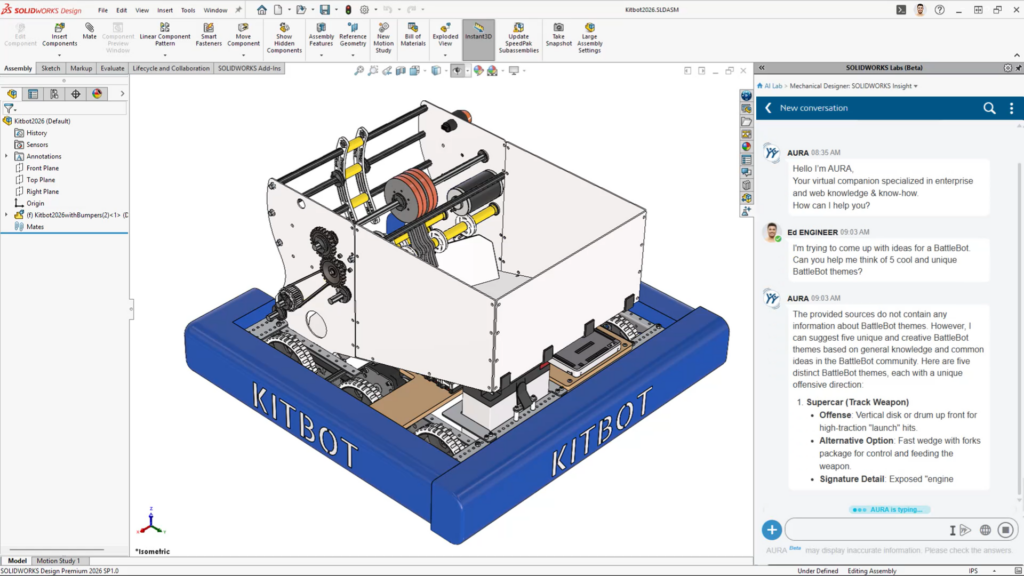
Bringing a virtual companion into your workflow transforms how you experience product design. These AI assistants don’t just handle repetitive tasks—they make it easier to find the insights you need right when you need them. They learn alongside you, helping you stay efficient while you focus on the creative and technical work that makes your projects stand out.
AURA brings your engineering context, documentation and knowledge together in one place. Included with Cloud Services today, AURA empowers you to ask highly context-aware questions about your projects, swiftly summarize complex technical discussions, and efficiently navigate SOLIDWORKS Design resources with minimal effort. It’s built to deliver rapid, precise answers, so you can stay fully focused on your work.
LEO brings a new level of intelligence to your mechanical design and validation workflows. With LEO, you can quickly turn natural language prompts into structured parametric CAD, spot and diagnose model issues, and convert legacy data into accurate parametric models. As LEO evolves through 2026, it continues to support you and your team, helping you streamline design processes and drive innovation every step of the way.
Get a primer on the SOLIDWORKS AI Virtual Companions: https://www.solidworks.com/product/solidworks-design/ai-companions
3D CAD Creativity Built on Security
We know how important your intellectual property is—that’s why security and privacy are at the core of every SOLIDWORKS tool. When you use SOLIDWORKS AI, you can count on advanced data protection that keeps your designs safe. We’re committed to uncompromising standards because your ideas drive your business forward. With SOLIDWORKS, you get the latest AI innovations with the confidence that your user data is always protected.
Here’s how we keep your data safe:
- No training on proprietary customer data
- Transparent governance controls
- Secure cloud infrastructure
We designed SOLIDWORKS AI models to train only on proprietary or synthetic data, so you can trust that your work stays confidential. This approach means our AI operates exactly as expected, supporting your engineering process without risking your data security or compliance. We’re committed to building your trust by making privacy and reliability top priorities in every SOLIDWORKS AI solution.
Find more details: https://www.3ds.com/trust-center/trusted-ai
Frequently Asked Questions
What is AI in SOLIDWORKS?
AI in SOLIDWORKS means you get intelligent features that work alongside you—automating repetitive tasks, giving design guidance and streamlining your workflows. With embedded tools and natural language Virtual Companions, you can count on support that helps you work faster and make more informed decisions throughout your projects.
Does SOLIDWORKS AI use customer data for training?
No, SOLIDWORKS does not use your customer data to train AI models. We put strict governance controls in place to fully protect your intellectual property at every step.
Will AI replace CAD designers and engineers?
No. Artificial intelligence in SOLIDWORKS takes care of repetitive tasks and uncovers useful insights to support your projects, but you stay in control. Engineers keep ownership of design intent, validation and every key decision—AI just helps you get there faster.
Bring AI Into Your Engineering Workflow
With SOLIDWORKS AI, you can quickly generate, evaluate and refine several design concepts in the time it once took to finish just one. Backed by Dassault Systèmes Systèmes and more than $1 billion in research and development investment, SOLIDWORKS AI keeps your tools moving forward. You get access to five major enhancement releases every year, making sure your workflow always benefits from the latest advancements.
You don’t have to keep spending your valuable time on repetitive manual tasks. With SOLIDWORKS AI, you get advanced tools that help you boost productivity and focus on the tougher engineering challenges. These solutions are available now with your license. Want to see how these features work in real-world projects? Request a demo to speak directly with an expert or visit our online store to get started today.